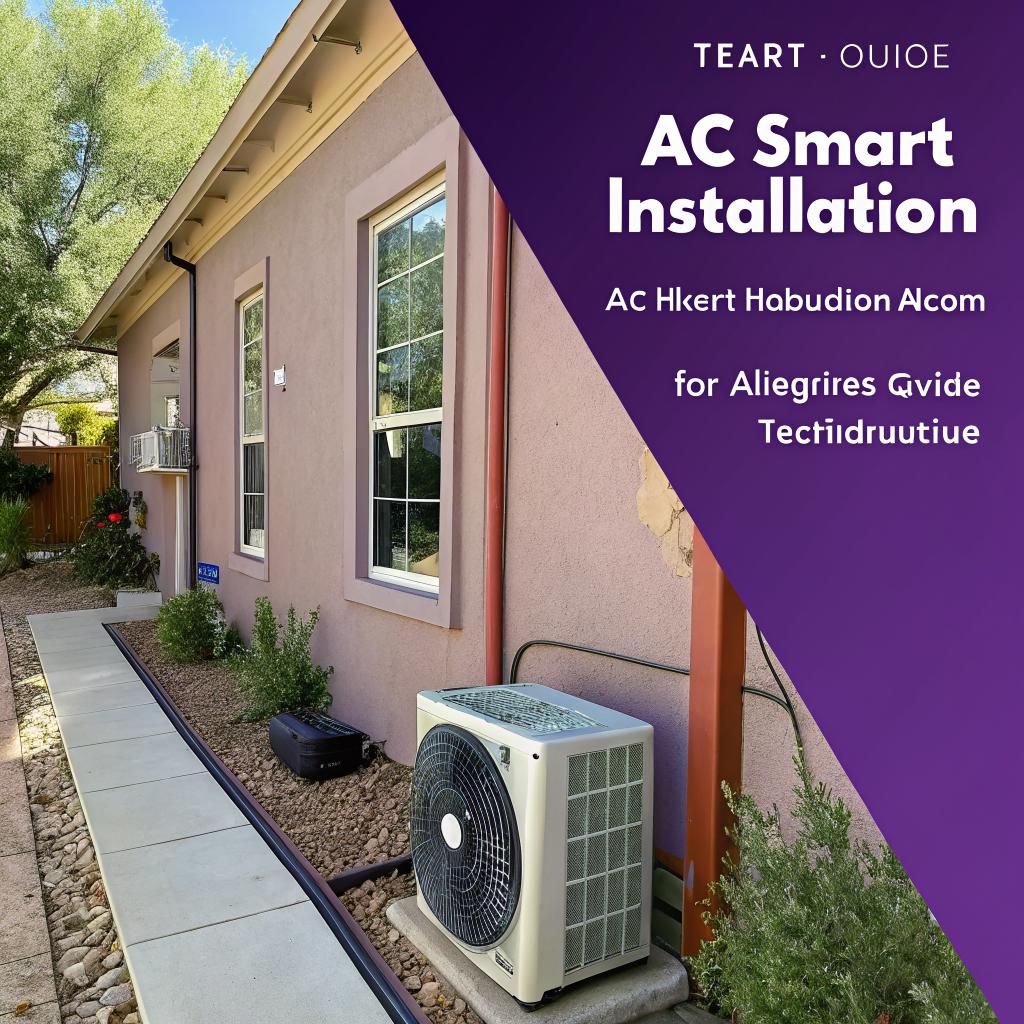
I used to think AC installation was just a matter of hanging a box and flipping a breaker. Then I watched an installer in Albuquerque spend half a day just tuning airflow and static pressure, and it finally clicked why some systems feel great and others feel… off.
If you only want the short version: get a properly sized unit, do not skip a load calculation, pay for quality install work instead of a slightly better model, and make sure your new system plays well with smart controls and your home’s electrical panel. If you are booking a pro for AC installation Albuquerque NM, the smartest thing you can do is show up with some data, ask a few precise questions, and insist on documentation for sizing, airflow, and refrigerant charge.
AC in Albuquerque is a tech problem, not just a comfort problem
Albuquerque is a bit brutal on cooling systems. High sun, low humidity, big day‑night swings. For a tech‑minded person, that is actually perfect, because you can think of the whole AC setup as a system design problem.
Here is what you are really dealing with:
- An outdoor unit that has to survive dust, heat, and UV
- An indoor coil and blower that must match the outdoor unit
- Ductwork that might have leaks, bad design, or both
- An electrical system that might already be loaded with EV chargers, servers, and networking gear
- Control hardware: thermostat, sensors, smart home integration
If any of those parts are wrong, the whole system feels wrong. No amount of “smart” features can fix bad basics.
If the system is not sized and installed correctly, smart features just give you prettier graphs of bad performance.
Step 1: Get the sizing right, not just the tonnage
A lot of homeowners ask “How many tons do I need?” which sounds logical but is a bit like asking “How many cores do I need?” without talking about workload.
Why Manual J matters more than a rule of thumb
For Albuquerque homes, the right way to size the system is a Manual J load calculation. It is not as complex as it sounds. It just quantifies:
- House square footage and layout
- Insulation in walls, attic, and floors
- Window area, orientation, and shading
- Air leakage
- Number of people and appliances
If your installer sizes by square footage alone, that is a red flag. Ask directly:
“Are you performing a Manual J or similar load calculation, and will you share the results?”
You do not need to debug the math yourself, but at least see:
- Design indoor temperature (usually 74–76°F)
- Design outdoor temperature for Albuquerque (often 95–100°F in the software)
- Estimated sensible and latent loads in BTU
Oversizing is common. It is tempting because a bigger unit cools faster, but in Albuquerque’s dry climate, you want steady, longer cycles, not short blasts. Short cycling:
- Wastes energy
- Wears components faster
- Can cause temperature swings
Undersizing is more obvious because the home never reaches setpoint on very hot days.
If the new unit is more than about 1 ton different from your old system and nothing in your house changed (no additions, no big window changes), ask why. Sometimes your old system was just wrong, but get a clear answer.
Single stage, two stage, or variable speed for a tech household
For a city like Albuquerque, variable speed or two stage systems are often worth the cost, especially if you like fine control or you are sensitive to noise.
Here is a simple comparison.
| Type | How it works | Pros | Cons | Good fit for |
|---|---|---|---|---|
| Single stage | On or off at full output | Lower install cost, simple controls | More noise, more temperature swings, less control | Smaller homes, tight budgets |
| Two stage | Low and high stage | Better comfort, quieter most of the time | Higher cost, needs compatible thermostat | Most typical Albuquerque homes |
| Variable speed (inverter) | Output modulates in small steps | Very stable temps, high part-load efficiency, quiet | Highest cost, more complex electronics | Tech enthusiasts, larger or multi‑zone homes |
I personally lean toward variable speed because part of me likes to see the compressor throttling like a CPU under load. But if your budget is tight, a well installed two stage system can still feel very good.
Step 2: Ductwork is your airflow “network”
This is the part most people ignore, and it is usually where comfort problems live. The AC can be perfect on paper and still underperform because the ducts choke it.
Check static pressure like you would check ping
Static pressure is basically resistance in the duct system. Higher than what the air handler is rated for means:
- Lower airflow across the coil
- Higher noise
- Possible coil freeze or reduced capacity
Ask your installer:
“Will you measure external static pressure before and after installation and share those numbers?”
Good installers have a manometer and use it. If they just “eyeball it”, you will very likely pay for that later in comfort and energy bills.
Common duct problems in Albuquerque homes
From what I have seen and heard from local techs:
- Flex duct that is kinked or smashed in attics
- Undersized return ducts and grilles
- Leaky joints where metal meets flex
- Supply registers placed poorly, blowing on occupants instead of mixing air
Ask for:
- At least one properly sized return per main area
- Sealing of accessible duct joints with mastic, not just tape
- Consideration of balancing dampers if some rooms run hot or cold
You do not need to redesign the entire duct system. But if you are putting real money into a new AC, spending a bit on duct fixes usually has a larger comfort payoff than jumping one SEER rating.
Step 3: Make the smart part actually smart
If you are a tech person, this is probably the part you care about the most. Not just “Wi‑Fi thermostat” as a bullet point, but real control, data, and integration.
Thermostat and smart home integration
A few practical questions to ask before installation:
- Does the system use a proprietary smart thermostat, or can it work with standard ones like Ecobee or Nest?
- Will all stages and fan speeds be fully supported with your chosen thermostat?
- Is there an open API or at least good integration with your platform (Home Assistant, Google Home, Alexa, etc)?
If the installer is pushing you toward a proprietary control, ask why. Sometimes it is required for inverter systems. Sometimes it is just habit.
If you want access to detailed performance data, look for:
- Thermostats that log run time by stage
- Systems with diagnostic codes that the homeowner can see, not just the technician
- Optional outdoor sensors so you can correlate performance with real conditions
Smart control should give you more visibility and control, not lock you out of your own system.
Sensor placement and zoning
In a multi‑story Albuquerque home, simple single‑thermostat control is often not ideal. Heat rises, west‑facing windows can spike temps late in the day, and nighttime cooling needs are different.
You have a few options:
- Multiple smart sensors in key rooms, averaged or prioritized
- Traditional zoning with motorized dampers and multiple thermostats
- Mini‑split systems for specific rooms that are always out of range
Each path has trade‑offs. For tech‑minded owners, smart sensor based control is sometimes the cleanest, because you do not modify ductwork as heavily and you can easily tweak logic.
Ask your installer where the primary thermostat will be, where sensors should go, and how that location reflects actual living patterns. A thermostat above a return grille in a hall is convenient for wiring but might not match bedroom comfort at night.
Step 4: Electrical and safety are not optional details
I see a lot of people focus on SEER ratings and brand, and then barely look at the panel. That can bite you if your house already has heavy loads.
Check panel capacity like you would check power budget on a rack
Before the new system goes in, you want:
- An electrical load calculation for your home (often part of permit work)
- Confirmation that the panel has space for the required breakers
- A check that wire sizes match the AC nameplate requirements
Things to ask:
- “What breaker size and wire gauge will this system need?”
- “Will you install a new disconnect at the outdoor unit?”
- “Is my current panel sufficient for future loads like an EV charger?”
Albuquerque can see thunderstorms and occasional surges. Whole‑home surge protection is not just marketing. The control boards in variable speed units are sensitive electronics.
If you are already monitoring power use with smart breakers or CT clamps, plan where the AC circuits will go and how you will tag them. It is nice to know exactly how many kWh that new variable speed system uses per day.
Step 5: Pick your AC type based on your house, not the ad
There is no single “best” AC type. It depends on the house structure, ducts, and how much you want to tear up.
Central split system vs mini‑split vs package unit
Here is a quick comparison.
| System type | Where it fits | Pros | Trade‑offs |
|---|---|---|---|
| Central split system | Most single family homes with ducts | Even whole‑house cooling, one set of controls, familiar service | Relies on duct quality, attic work can be hot and messy |
| Ductless mini‑split | Rooms without ducts, garages, server rooms, additions | High part‑load efficiency, zoned control, easier retrofit | Indoor heads visible on walls, multiple filters to maintain |
| Package unit | Some older homes or roofs with existing package units | All in one box, easier replacement if you already have one | Roof work, exposure to elements, not great if you want quiet indoors and fine control |
If you ever thought about turning a room into a lab, studio, or always‑cool office, you might actually want a small mini‑split there independent of the main system. That way, you can keep the rest of the home warmer while that one room stays at your “ideal” 72°F for long focus sessions.
Step 6: Albuquerque climate quirks that affect smart AC installation
Albuquerque is not Houston. That sounds obvious, but some design habits come from humid climates and do not translate cleanly.
Dry air changes how you think about cooling
In low humidity:
- Evaporative cooling is a real option, at least for part of the year
- Dehumidification is less of a focus, so latent load is lower
- Oversizing harms comfort slightly less than in the Southeast, but still wastes energy
Smart systems that modulate based on indoor humidity sometimes do not show their full strength here, though they can still smooth out comfort.
Instead, pay more attention to:
- Solar gain through west and south facing windows
- Roof color and attic insulation
- Air leakage around doors and older windows
If you like numbers, ask the installer for the sensible heat ratio they are expecting for your setup. It might feel like overkill, but it shows they are thinking beyond just nameplate tonnage.
Filter choices in a dusty city
Albuquerque dust is no joke. For a tech household with people, pets, and maybe equipment that does not like dust, filter choice is actually pretty important.
You want a balance:
- MERV rating high enough to catch small particles
- Pressure drop low enough to maintain airflow
Higher MERV filters can restrict airflow if the system was not sized for them. Ask:
“If I want to run MERV 11 or 13 filters, will the blower and duct system support that without exceeding rated static pressure?”
If they look confused, that is not ideal. A good answer mentions:
- Blower tap settings or ECM blower programming
- Filter size, preferably larger surface area to reduce pressure
- Recommended filter change intervals based on your environment
Smart thermostats that remind you to change filters based on runtime are actually useful in a dusty area, because “every 3 months” is not always correct.
Step 7: What you should expect on installation day
Many tech people like to be there during install, and I think that is wise. You do not need to micromanage, but you can at least confirm the big items are done.
Before they start tearing things apart
There should be a quick walkthrough:
- Confirm equipment model numbers match the quote
- Confirm thermostat model and any smart accessories
- Review placement of outdoor unit and refrigerant line routing
Ask how long they expect the system to be offline. In Albuquerque summer, even a one‑day outage can be rough, so plan your schedule around it.
Details that signal good work
These are the little checks I like to see:
- Line set insulated fully and protected from sun where possible
- Condensate drain trapped properly with a clean slope
- Outdoor unit set on a level pad that is not sinking into dirt
- Refrigerant line penetrations sealed to avoid air leaks and pests
- Wiring labeled inside the air handler and at the thermostat
On startup, ask them to:
- Show supply and return air temperatures with a thermometer
- Explain any dip switches or configuration options they set
- Walk you through basic thermostat settings and modes
A temperature split of roughly 15–20°F between return and supply is typical under load. If it is much lower or higher, they should explain why.
Step 8: Tuning and monitoring after installation
Once the crew leaves, your new system is not actually “done”. You still need to see how it behaves over days and weeks.
Short term tuning
For the first week or two:
- Watch how often the system cycles on and off during peak heat
- Note any rooms that consistently run warmer or colder
- Check that condensate is draining where it should, not pooling
If you have a smart thermostat with data logging:
- Look at runtime duration per cycle
- Check how close the actual room temp stays to setpoint
- Track energy use if the thermostat supports that
Small tweaks like fan speed adjustments, damper balancing, or thermostat programming can improve comfort more than you expect.
Long term monitoring for tech users
If you are into home automation or data:
- Log outdoor temperature along with system runtime
- Use power monitoring to estimate system kWh per day
- Watch for gradual changes that might signal a refrigerant or airflow issue
For example, if after one year you see runtime increasing at the same outdoor temperatures, that might mean:
- Coils are dirty
- Filters are clogging faster than expected
- Refrigerant charge has drifted
This is where being a “techie” actually helps. You can see trends and call for service before performance drops enough for a typical homeowner to notice.
Step 9: Maintenance that keeps the “smart” part from becoming dumb
People talk about smart AC like it is software. It is still hardware, exposed to heat, dust, and mechanical wear.
Simple recurring tasks
You can avoid many issues with a basic checklist:
- Change or wash filters on a schedule based on runtime, not the calendar
- Keep the outdoor unit clear of leaves, dust buildup, and debris
- Check that condensate lines are not clogged during monsoon season
You can handle most of that without a technician. For everything deeper, a yearly check is reasonable, especially for inverter systems.
Ask the service tech to record:
- Refrigerant pressures and superheat/subcooling
- Static pressure readings
- Delta T across the coil
You can keep those numbers. Next year, compare them. That lets you see drift instead of just reacting to failures.
Smart AC is not just about more features; it is about more predictable performance over time, if you take the data seriously.
Common questions tech‑minded homeowners ask about AC installation in Albuquerque
Q: Is going from a 14 SEER to a higher SEER system always worth it?
A: Not always. If your current ducts are restrictive or leaky, spending money on a higher SEER unit without fixing airflow gives you poor returns. For many Albuquerque homes, going from a bad installation at higher SEER to a very good installation at moderate SEER can save more energy and feel better. Sometimes the right move is a slightly less “efficient” unit paired with better duct work and controls.
Q: Do I really need a fancy smart thermostat, or will a simple programmable one do?
A: If you are comfortable setting detailed schedules and do not care about data, a basic programmable thermostat can be fine. But if you want granular control, remote access, and integration with your other gear, a good smart thermostat is worth it. Just make sure it supports your system type, especially if you go with two stage or variable speed. The wrong thermostat can quietly disable features you just paid for.
Q: Should I run the fan all the time for better air mixing?
A: Constant fan can help with mixing and filtration, but it also uses power and can move warm attic air into the house through leaks in ducts. It also might re‑evaporate moisture in more humid climates. In Albuquerque’s dry air, that last part is less of a concern, but I still prefer “circulate” or low‑duty fan modes where the fan runs part of the time between cycles rather than 24/7. Try both and watch your power data for a month before deciding.
Q: What is one thing most people skip that you would not skip?
A: Static pressure measurement and at least a basic duct check. Many installs treat the ducts as fixed. But air is a huge part of the system. If I had to choose between a slightly more expensive unit and investing that extra money into ducts and commissioning, I would pick the second almost every time.