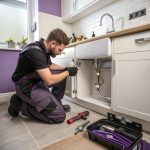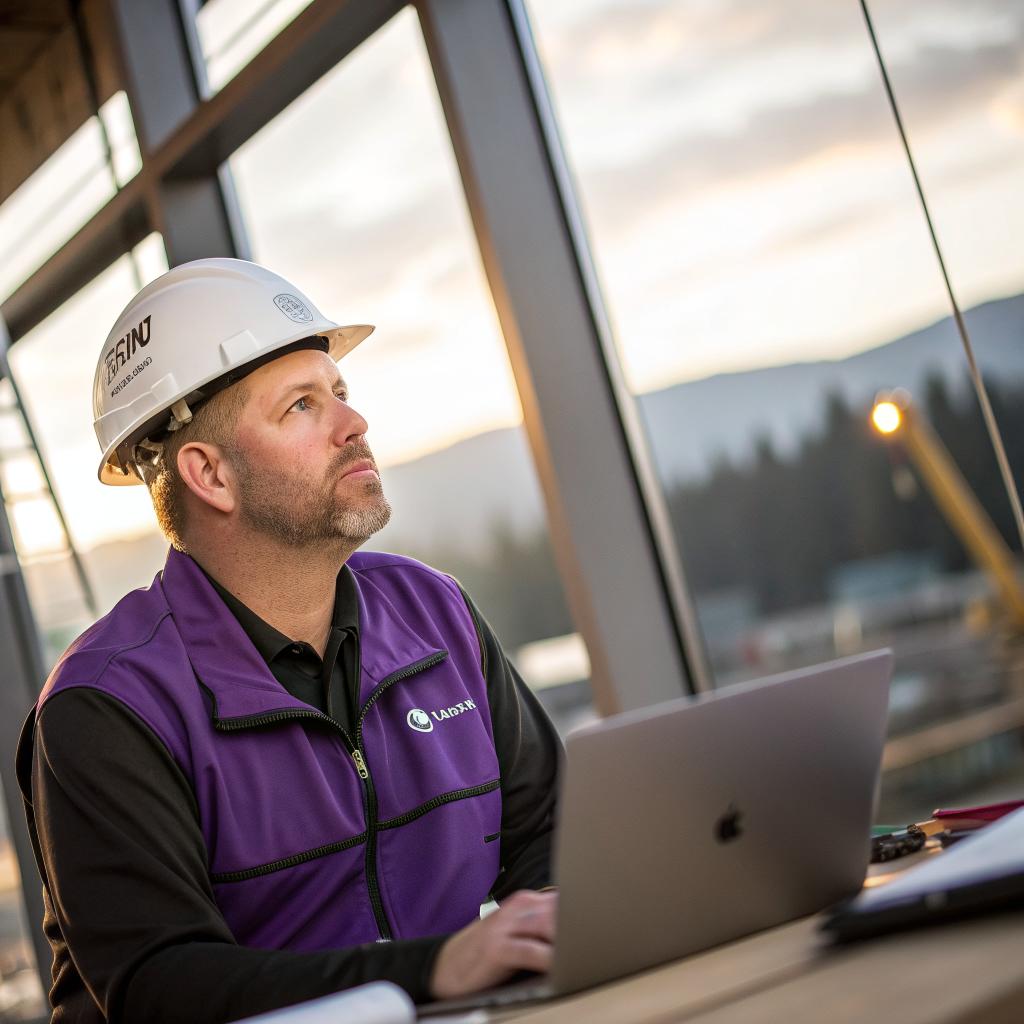
I used to think all general contractors were kind of the same. Then I watched one builder get confused by a smart thermostat, while another walked through a full 3D model of a kitchen on an iPad and fixed a problem before it even existed.
If you want a short answer: choosing a tech savvy general contractor in Oregon comes down to five things. Look for someone who actually uses modern tools (not just talks about them), shares files and updates online, respects data and privacy, responds quickly by email or text, and can explain tech choices in plain language. Start by checking their site and reviews, then talk to at least two contractors and ask direct questions about the tools they use, how they communicate, and how they handle digital plans and smart home gear. A team like general contractor Oregon gives you a sense of what that can look like in practice, with clear contact options and a straightforward, modern presence.
Why tech savvy even matters for a contractor
If you care about tech, you probably care about process. You are used to tracking orders, commenting on Google Docs, sharing screenshots, and getting notifications when things change.
Construction can feel like the opposite of that. It can feel old, slow, and vague.
A contractor who uses basic modern tools is not a luxury. It affects things you actually feel day to day:
A tech aware contractor will waste less of your time, make fewer avoidable mistakes, and give you more control over what is happening in your own house.
Here is where tech really plays a role:
- Communication: Email, text, shared photos, and video calls keep you in the loop instead of waiting for random site visits.
- Planning: Digital drawings, 3D models, and shared folders help you see what you are saying yes to.
- Accuracy: Digital measurements, cloud notes, and task apps reduce the “I thought you said…” moments.
- Smart home gear: If you care about smart locks, cameras, or energy monitoring, you need someone who does not wire your house like it is 1995.
- Documentation: Photos, invoices, and warranties stored in one place instead of in random email chains.
You do not need a contractor who talks about AI every five minutes. You do need one who can read a shared PDF, send you a clear schedule, and not short out your network panel.
Step 1: Do a quick “tech health check” online
Before you call anyone, you can already see a lot from your couch.
Look at these basic signals. They say more than you might think.
Website and online presence
Type their name into a search engine. Open their website.
Ask yourself:
- Does the site load without weird errors?
- Can you find photos of recent work?
- Is there an easy way to contact them that is not only a phone number?
- Do they mention things like digital plans, smart homes, or working with designers?
If their site looks like it has not been touched since 2010, that does not automatically mean they are bad contractors. Some very good people hate websites. But if tech is important to you, this is one small sign.
You can be a bit unfair here. If they cannot manage a basic site, will they manage a shared folder of plans well?
Reviews with tech clues
Most reviews talk about quality, price, or being on time. That is all useful, but you are also looking for subtle tech hints.
Scan reviews for words like:
- “Sent photos each day”
- “Kept us updated by text”
- “Shared an online schedule”
- “Helped with smart home setup”
- “Used 3D drawings so we could see the layout”
If more than one person mentions modern communication or planning tools, that is a good sign. If many complain they never knew what was going on, that is a red flag for any type of client, but especially for someone who likes clear information.
Quick comparison table: tech signals before you call
| Signal | What you see | What it often means |
|---|---|---|
| Website | Modern layout, mobile friendly, recent photos | They care at least a bit about tools and presentation |
| Contact options | Email, contact form, maybe text number | They are comfortable with digital communication |
| Reviews | Mentions of photos, online updates, or smart home work | Real use of basic tech on past projects |
| Social media | Project photos, occasional stories, maybe time-lapses | They are not afraid of documenting and sharing work |
Step 2: Ask pointed “tech fit” questions
Once you have a short list, the phone call or first meeting is where you really see how they work.
You do not need to quiz them like a job interview, but you should ask direct questions. If they get annoyed by simple tech questions, that is also an answer.
Questions about tools and planning
You can ask things like:
- “How do you share plans and drawings with your clients?”
- “Do you have a standard way to share photos and updates during the project?”
- “What software or apps do you use for scheduling and communication?”
- “If I want to keep everything in one Google Drive folder, is that ok for you?”
Listen for specifics. “We just talk on the phone” might work for some people, but if you care about recorded details and shared files, that answer forces you to work in their old system.
If they say something like, “We use email and shared PDFs, and for bigger jobs we keep a shared folder with your drawings,” that is a lot more promising.
Questions about smart home and wiring
Oregon homeowners who like tech often care about more than just tile and paint. You may want:
- Clean wiring for a mesh Wi-Fi system
- Pre-wiring for speakers or a projector
- Smart switches instead of basic toggles
- PoE cameras or doorbells
- Better network panel and cable management
Ask:
- “Do you often work with smart thermostats, smart switches, or security cameras?”
- “Have you coordinated with low voltage or AV installers before?”
- “If I want a central spot for network gear, can you plan space and power for that?”
You do not need your contractor to be your IT person. But they should know when to bring in a specialist, not guess and run the wrong cable.
A good general contractor does not pretend to be an electrician, a network engineer, and a cabinet maker all at once. They know when to call the right expert and how to plan so things do not clash.
Questions about documentation and changes
Projects change. You might move a wall or switch a fixture. The problem is not change itself. The problem is when change lives only in a casual conversation and nobody updates anything.
Ask:
- “How do you track changes so we both see what is agreed?”
- “If we change a layout, will you send updated drawings or at least a marked-up plan?”
- “Do you give written change orders by email?”
You want to hear something like, “Yes, we send an email change order with cost and schedule effect, and we attach a marked plan if needed.” That is boring, which is exactly what you want.
Step 3: Check how they communicate before you sign
This part is simple, but people skip it. The way a contractor interacts with you before you pay them often mirrors how they act in the middle of the project.
Response time and clarity
Send them an email with a few questions. See what happens.
Do they reply within a day or two with clear answers, or do you wait a week for a one line message?
You are not judging them for not sitting at a desk all day. They have jobsites. But a basic rhythm like:
- Replying within one business day
- Answering questions in a way that actually addresses what you asked
- Admitting when they need to check something
is a good sign that you will not have to chase them later.
If they text you first, check if they write in a way that is easy to follow. If messages are messy and half complete now, they will not magically improve when they are juggling three subcontractors and an inspector.
How they share estimates and contracts
Look at their documents. If possible, ask them to send estimates and contracts by email as PDF.
Red flags:
- Only wants to do everything by verbal promise
- Handwritten estimates you cannot read
- No clear breakdown of work, just one line with a total
Better signs:
- Typed estimates, sent by email
- Clear sections for labor, materials, and any allowances
- Contract sent as a clean PDF you can sign digitally or print
You do not need a fancy portal. But if they understand that a digital copy is easier for everyone, that usually means they have at least some tech comfort.
If your contract and drawings live only in a single paper folder in someone’s truck, your project is more fragile than it needs to be.
Step 4: Match their tech level to your actual needs
This is where your own personality matters. Not everyone wants the same thing.
If you are very tech focused
If you are the type who tweaks router settings for fun and keeps your life in Notion or some other app, you probably want:
- Digital plans you can view on your phone or tablet
- A shared drive or folder where all documents live
- Text or email updates with photos on a regular schedule
- Willingness to coordinate with your AV or smart home installer
In that case, ask for those things up front. Say something like:
“I am used to working with shared folders and written updates. I can even set up a simple shared drive for this project. Are you fine with that, as long as I do the setup?”
If they push back hard on even basic digital sharing, you will probably be frustrated later.
If you are tech comfortable but not obsessive
Maybe you like the benefits of tech but do not care what router brand you own.
Then your needs might be simpler:
- Regular, clear communication by email or text
- Basic involvement in any smart device choice
- Photos at key stages of the build
You might not need full 3D modeling. You might be fine if they have a simple way to show you progress and capture decisions in writing.
When a highly tech oriented contractor is a bad fit
There is an odd edge case. Some contractors love tools so much that they blur the line between useful tech and fluff.
If a contractor spends more time talking about their project management software than your kitchen layout, that is a mild warning sign.
Technology should support good construction, not distract from it. You want someone who cares more about framing being straight than about adding you to their latest app.
Step 5: Oregon specific things to keep in mind
Oregon has its own mix of weather, building rules, and local habits. Tech connects to that in small but real ways.
Climate, energy codes, and smart controls
With a mix of rain, cold, and summer heat, you might care about:
- Insulation that actually meets code, not just the minimum
- Smart thermostats that talk to heat pumps or high efficiency systems
- Lighting controls that save power without being annoying
Ask your contractor questions like:
- “Are you familiar with installing heat pump systems with smart thermostats?”
- “Have you done any work with energy monitoring or smart controls?”
You do not need them to be an energy consultant. But if they treat a thermostat as a simple dial, they might not be the right partner for a more modern setup.
Permits, inspectors, and digital submissions
Some Oregon cities accept permit applications and drawings electronically. Others mix paper and digital.
Ask:
- “Do you submit permits online when the city allows it?”
- “Can you share the same PDF plans you send to the city with me?”
If they already work with city portals and digital documents, you get better transparency. You can look at the same drawings they use, zoom in, and write down your own notes.
Coordinating with other tech vendors
On more complex projects, you might have:
- An electrician who knows smart panels and car chargers
- A network or AV company
- A security company
Ask your contractor if they have worked with those types of vendors in Oregon before. If they have, they will probably suggest planning meetings at the right stages so you do not end up cutting new holes through finished walls.
Practical example: two contractors, same project
Sometimes it helps to see how this plays out in real life. Imagine you want to remodel a Portland basement into a media room and office. You care about good Wi-Fi, some smart lights, and a clean rack for your gear.
Contractor A: low tech
Contractor A:
- Gives a handwritten estimate with a single line price
- Says “We will figure out wiring as we go”
- Does not want to talk to your network installer
- Relies on phone calls only, almost no email
Result:
- They build the room, but forget conduit for future cables
- Your Wi-Fi gear ends up on a shelf next to a tangle of wires
- You cut open a finished wall 6 months later to add more cabling
Contractor B: tech aware
Contractor B:
- Sends a typed estimate by email, broken into tasks
- Asks for your gear list, or at least what types of devices you will have
- Schedules a short call with your network installer
- Shares a basic drawing with outlet and cable locations
Result:
- Conduit, boxes, and power outlets line up with your future rack
- You have enough ethernet runs for a clean setup
- Smart switches and dimmers match your actual lighting use
The second contractor is not necessarily more “high end” in skill. They simply used a few basic tech habits to avoid dumb problems.
Red flags and green flags for tech savvy contractors
Sometimes it is easier to think in simple signs. Here is a compact table you can keep in mind.
| Area | Red flags | Better signs |
|---|---|---|
| Communication | Only phone calls, slow replies, vague answers | Email or text, clear responses, willing to document |
| Documents | Handwritten, no breakdown, hard to read | Typed PDFs, clean layout, sent digitally |
| Planning | “We will figure it out on site” | Uses drawings, sketches, or simple 3D views when needed |
| Smart home | Dismissive of any smart gear, says it all “always breaks” | Open to it, knows basics, brings in specialist when needed |
| Attitude toward tech | Rolls eyes at digital tools, refuses simple changes | Curious, balanced, focused on what works rather than hype |
How to talk about budget and tech, honestly
There is a real tradeoff here. Some tech habits save money. Some cost more. A good contractor can explain which is which.
Where tech saves money or risk
In many cases, better planning and simple digital tools reduce waste:
- Fewer change orders because layouts are clear
- Less rework because everyone shares the same drawing
- Better material counts with accurate takeoffs
It is fair to ask:
“Will the way you use digital plans and updates help reduce unexpected costs?”
If their answer is “Yes, and here is how we handled that on a recent job,” that shows they have thought about it in real terms.
Where tech can cost more but still be worth it
Some things do add cost, like:
- Extra wiring for speakers and ethernet
- Higher quality smart switches or dimmers
- Coordinating with an AV or network company early
This is where you should be honest with yourself. Do you really want full home automation, or do you just want two or three rooms to work well?
You can say:
“I care about having solid Wi-Fi and a few key smart features, but I do not need a super complex system. What is a good middle ground for this budget?”
If the contractor cannot have that nuanced conversation and just pushes either the cheapest or the flashiest option, that is not great.
Making the final choice: a simple mental checklist
After a couple of meetings, you might feel stuck between two contractors who both seem reasonably tech aware. In that case, your decision is less about tools and more about trust and fit.
Ask yourself:
- Who explains things in a way you actually understand?
- Who listens when you talk about how you live and work?
- Who answered tech questions without getting defensive?
- Who gave clear, written information without being pushed?
- Who would you feel comfortable texting when something odd happens?
If you find yourself tempted to ignore your own hesitation, pause. You do not need a contractor who matches every preference, but you do need someone whose style you can live with for months.
A good tech fit is not about gear. It is about how easily you and your contractor can share information, make decisions, and adjust when plans change.
Common questions Oregon homeowners ask about tech savvy contractors
Do I really need a tech savvy contractor, or is this overkill?
If your project is tiny, like replacing a small deck or fixing a fence, you might not care how digital the process is. A highly skilled local builder with a flip phone can still be the best choice there.
For anything that touches electrical, layout, or smart devices, some level of tech comfort helps. You do not need a contractor who talks like a software engineer. You just need someone who works cleanly with emails, PDFs, and basic planning tools.
What if my favorite contractor is great at building but bad at tech?
This happens. You meet someone with clear skill, great references, but almost no digital habits.
Sometimes you can bridge the gap:
- You offer to set up a shared folder yourself.
- You keep your own written notes of agreements and send them by email, asking them to confirm.
- You accept more phone calls, but follow up in writing.
If they are open to this and honest about their comfort level, it can still work. If they resist any written or digital record, that is harder to fix.
Can I manage most of the tech planning myself and let the contractor just build?
You can, but it is risky to separate planning and building too hard.
If you design all your smart layouts, network plans, and automation flows without involving the contractor, you might create details that are hard or costly to build.
Better approach:
- You sketch your ideas.
- Your contractor reviews them with the electrician or AV team.
- You adjust based on cost, access, and building code.
That way, tech and construction support each other instead of fighting.
Is it rude to ask a contractor what apps or software they use?
Not at all. The way you ask matters more than the question itself.
Something like:
“I work in tech and I am used to certain tools. I am curious what you already use so I can adapt and not make things harder for you.”
is very different from:
“What project management platform do you run?”
Most contractors are more than willing to walk you through how they keep jobs on track, especially if they feel you are not judging them for not using the same stack you use at work.
What is the easiest first step if I feel stuck or overwhelmed?
Do one simple thing: write down your top five priorities, including any tech ones.
For example:
- Good communication by email or text
- Clean smart thermostat and Wi-Fi setup
- Clear digital plans I can review
- Reasonable budget control
- Finishing by a certain date
Bring that list to your next contractor meeting and say, “These are the things I care about most. How do you normally handle them?”
Their answer will tell you more than any polished website ever will.