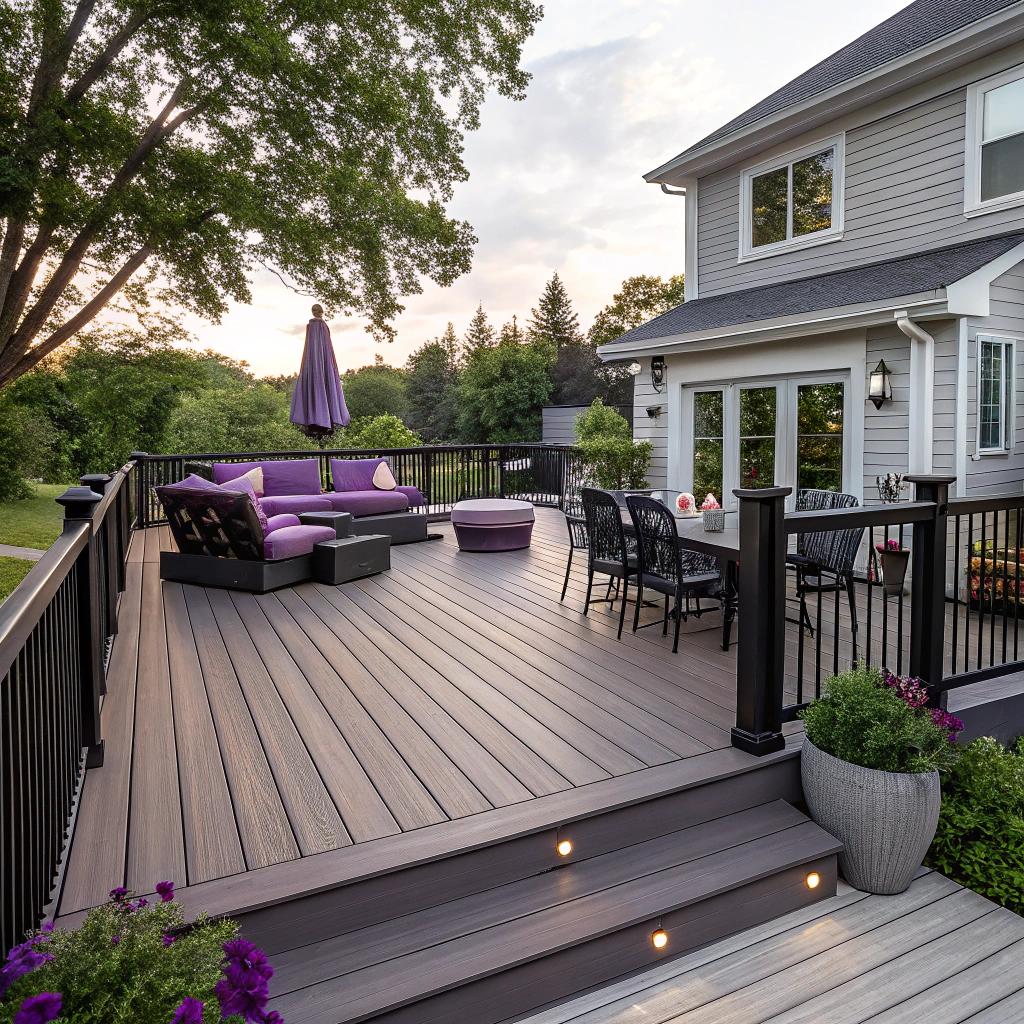
I used to think outdoor living was just a grill, a couple of chairs, and maybe a dim patio light that attracted bugs. Then I saw what happens when someone works with a tech aware deck builder and treats their backyard like another room in the house, not an afterthought.
If you want tech friendly outdoor living in Madison, the short answer is this: work with a local pro like a deck installers Madison WI who knows how to plan for power, lighting, networking, audio, and smart control from day one, not bolted on later. That means running conduit before the boards go down, choosing materials that play nicely with devices, and thinking about Wi‑Fi, security, and winter storage as part of the design instead of “something we will figure out later.” Everything else in this article is really just different ways of saying that in more detail.
Why tech people should care about how their deck is built
If you like gadgets, you probably already have a decent router, a smart speaker, and maybe some smart bulbs. Indoors, that is easy. Outdoors, things get weird.
Stuff gets wet.
Winters in Madison are rough.
Wi‑Fi drops three feet past the back door.
Power outlets are never where you need them.
A good deck can fix a lot of that, but only if you plan it.
Tech friendly outdoor living is not about owning more devices, it is about making your outdoor space behave like the rest of your home network and power layout.
Most people talk to a deck contractor about size, color, and cost. Those matter, but if you are reading a tech site, your checklist should also include:
- Where are your access points and how far does your Wi‑Fi reach?
- How many outdoor outlets do you need and where?
- Do you want hardwired Ethernet anywhere outside?
- Are you planning outdoor audio or a weather friendly display?
- Do you want smart lighting, sensors, or cameras integrated into the deck itself?
You do not need all of this. You probably do not even want all of it. But thinking about it before the build saves you from cutting into new boards six months later.
Planning a “smart deck” from the blueprint stage
I think the most useful way to look at a deck is the same way you would look at a new room: structure, power, networking, and devices. In that order.
1. Structure first, tech second
This sounds obvious, but it matters.
Your deck builder will talk about things like footings, joist spacing, and ledger attachment. That is not glamorous, but it affects what you can hang or mount later.
For example:
- If you want a future pergola with integrated LED strips, the deck needs supports that can take that load.
- If you think you might hang a projector screen or shade, that is more weight on railings or posts.
- If you want recessed step lights, stair design should leave room for wiring and fixtures.
You do not have to lock in every device in advance. You just want a structure that gives you attachment points and pathways.
A solid deck layout with a few extra posts, blocking, and hidden channels for cable will give you options for the next ten years of gadgets you have not even decided on yet.
2. Power: outlets where you actually use them
Most older decks have one outdoor outlet. Somewhere near the door. That is it.
If you care about tech, treat power planning as a core part of the design. Ask your builder and electrician to walk through scenarios with you.
A few practical spots:
- Next to the main door for general use and holiday lights
- Near a planned grill or outdoor kitchen area
- Low on posts for string lights, cameras, or sensors
- Under built in benches for charging ports or future heaters
- At the far edge of the deck for tools or a future hot tub
Consider weather rated outlets with in‑use covers. Many people also like a mix of standard outlets and some that support USB‑C.
If you plan heat lamps, a hot tub, or a serious outdoor kitchen, mention that right away. Those need dedicated circuits, and the deck layout might change slightly to suit the electrical run.
3. Networking: Wi‑Fi outside that is not terrible
Good Wi‑Fi coverage is the backbone of tech outside. Without it, everything else is annoying.
You have a few approaches:
| Option | What it is | Pros | Cons |
|---|---|---|---|
| Mesh node near deck door | Put a satellite in a room near the deck | Simple, no new wiring | Signal can still be weak or spotty on larger yards |
| Outdoor rated access point on house | Wi‑Fi AP mounted outside, wired back into router | Strong, stable signal for deck and yard | Needs Ethernet run and weather rated device |
| Ethernet to deck posts | Hardwired jacks in protected spots | Rock solid for streaming or work from deck | Requires planning before deck is finished |
If you are already opening walls or running new circuits near the deck, it usually makes sense to pull one Ethernet line at the same time. Even if you just coil it up for later.
If you like reliable tech, treat Ethernet as cheap future proofing. Pulling a cable through a closed deck is annoying and sometimes impossible without damage.
Ask your deck builder where conduit could be hidden, for example:
- Along the house where the deck ledger attaches
- Under the deck from one side to the other
- Inside a hollow post that reaches above deck level
You do not have to install all the gear now, but you will thank yourself when you decide to add a camera or access point later.
4. Lighting: functional first, then “vibe”
Outdoor lighting often swings between two extremes. Either there is a single blinding floodlight, or nothing at all.
For a tech friendly deck, try splitting lighting into layers:
- Safety lighting for stairs and walkways
- Task lighting near cooking or eating areas
- Ambient lighting for evenings with friends
Here is a simple way to plan:
| Location | Lighting type | Smart or not |
|---|---|---|
| Stairs | Recessed step lights or low side lights | Usually simple on/off is fine, motion can help |
| Perimeter / railings | Post caps, under‑rail LEDs, or side sconces | Smart bulbs or smart switch work well |
| Grill / prep area | Focused, brighter fixtures | Regular switch, or tied to a scene |
| Overhead (pergola) | String lights or strip lights | Smart plugs or controllers for scenes |
You can run a lot of this off standard switches plus a few smart plugs. You do not need to turn every single bulb into a Wi‑Fi device.
The key is placing power and pathways so that fixtures can be added cleanly, not as a tangle of extension cords.
Choosing deck materials with tech in mind
Most people ask about wood vs composite. That still matters, but if you are tech minded, there are a few extra questions.
Surface color and glare for screens
If you ever want an outdoor display, or you like working on a laptop outside, surface color affects glare and heat.
- Very dark boards can get hot and make glare worse.
- Very light boards can reflect a lot and wash out screens.
- Mid tone colors tend to feel better for eyes and devices.
This sounds minor until you sit outside on a bright day, squinting at a screen, trying to angle both yourself and the display around reflections.
Low maintenance materials leave more time for actual use
If you enjoy tinkering with tech, you probably do not want to spend every spring power washing and sealing boards.
Composite or PVC style boards:
- Need basic cleaning but not much else.
- Are more predictable for mounting small fixtures.
- Do not splinter around areas where you might run wires close to the surface.
Natural wood looks good and feels, I think, warmer. But it asks more from you. If you are already juggling server updates, smart home rules, and normal life, it might be worth choosing something that just quietly does its job outside.
Railings that support tech gear
Railing design can quietly make or break your tech plans.
For example:
- Horizontal railings or cable systems can support small mounts for lights or cameras.
- Thicker posts are easier to drill for hidden conduit.
- Solid railing panels can hide small speakers or LED strips.
Wire or cable railings look modern and open up your view. If you plan to run lights or sensors along the perimeter, talk to your builder about how to attach them without weakening the system.
Audio, video, and entertainment outside
This is where things start to feel more “techy” and a bit more personal. Some people want a full outdoor theater. Others just want music on quiet evenings.
Outdoor audio that does not annoy the neighbors
Audio is one area where people often spend too much or too little. You do not need a stadium system. You probably also do not want to rely on a single portable speaker on the table forever.
A few reasonable setups:
- Two or four weather rated speakers mounted to the house, wired back to a small amp inside.
- Discrete “rock” or garden speakers in the yard, with volume tuned low but spread out.
- Surface mounted speakers under the deck overhang if you have a raised structure.
The trick is this:
More speakers at lower volume is usually better than one loud speaker blasting in all directions.
Most modern amps can tie into your existing smart system, whether that is AirPlay, Chromecast, or some other ecosystem. You can keep the brains inside, where they are safe from weather, and only place speakers and control points outside.
Outdoor displays: honest pros and cons
People like the idea of a big TV outside. In practice, the weather in Madison and the temperature swings are rough on displays.
You have a few options:
| Type | Use case | Pros | Cons |
|---|---|---|---|
| True outdoor TV | Permanent install, all seasons | Weather rated, bright, durable | Expensive, still needs protection from direct snow/ice |
| Regular TV in weather enclosure | Covered deck / wall mount | Cheaper, easy to replace | Bulky enclosures, condensation risk |
| Portable projector + screen | Occasional movie nights | Flexible, stores indoors | Needs dark conditions, setup time |
For many people, a portable projector with a retractable screen is more practical. The deck builder can still help by:
- Adding a smooth mounting line for a screen.
- Planning one or two outlets in ideal projector or screen spots.
- Including a post or beam that works as a sturdy anchor.
If you want a real outdoor TV, talk early about where to mount it, how to run power and signal, and how to shield it from direct weather as much as possible.
Smart controls, sensors, and automation outdoors
Once power and Wi‑Fi are sorted, smart control gets easier. The mistake is to overcomplicate it.
Start with scenes, not devices
Instead of thinking “I want smart everything,” think in terms of scenes:
- “Evening hangout”: deck lights at 40%, rail lights on, audio at low volume.
- “Work outside”: brighter task lighting, strong Wi‑Fi, maybe a fan outlet on.
- “Night security”: low accent lights plus cameras armed.
Then group devices around these scenes. That keeps your setup manageable and easier to explain to family or guests.
You can use:
- Smart switches for fixed lighting circuits.
- Smart plugs for string lights or heaters.
- Simple motion sensors near stairs or the yard edge.
Try not to rely fully on phone control. Physical buttons, keypads, or voice help when your hands are full or your guests are not on your app.
Outdoor sensors that are actually useful
Some sensors matter more outside than inside, for example:
- Temperature sensors to trigger heaters or fans.
- Light sensors so deck lighting follows sunset rather than a fixed time.
- Contact sensors on gates, shed doors, or under deck storage hatches.
You do not have to cover your yard in gadgets. Just pick a few sensors that solve real things, like “I keep forgetting to turn off the deck lights” or “I do not want to leave the gate open at night.”
Security and privacy balance
Cameras on or near the deck are handy, but I think it is easy to go a bit overboard and turn your yard into a monitoring project.
Some balanced options:
- One camera with a wide view of the yard and main deck area.
- Doorbell camera near the same space, instead of a second deck camera.
- Motion zones tuned carefully to avoid constant alerts from trees or street traffic.
Work with your builder to plan clean mounting spots. If you know you want a camera at a specific corner, bracing and hidden cable paths can be built in from the start, which looks much better than exposed wiring later.
Winter, storage, and long term care for outdoor tech
Madison winters are not kind to electronics. Your deck builder can help you plan around that.
Designing storage into the deck
Think about where all the “stuff” will go in January:
- Smart speakers or portable gear.
- Outdoor cushions and covers.
- Projector or small tools.
Under deck storage boxes, built in benches with lift up lids, or a small attached shed section can make winter prep easier.
If you have under deck lighting or audio, ask your builder to include easy access junction boxes or removable panels. You do not want to crawl in mud every time you need to check wiring.
Snow, ice, and hardware placement
Certain areas on a deck collect more snow or water. Your builder knows these patterns from experience.
Try to avoid placing:
- Low outlets exactly where snow piles up.
- Delicate fixtures at the bottom of stairs where ice forms.
- Cameras directly under roof edges where icicles can fall.
Sometimes moving a fixture a few inches up or to the side is enough. It is not about perfection, just small adjustments that avoid obvious problems.
Working with a deck builder as a tech focused homeowner
Now, the slightly awkward part. Not every contractor is excited when a client shows up with lots of tech ideas. Some think it means delays or constant changes.
But if you handle it well, your interest in planning can actually make their job easier.
Share your “must haves” and “nice to haves”
Before your first real design meeting, write two short lists:
- Must haves: things the deck fails without. For example, space for a table, a safe stair layout, an outlet near the grill, one solid Wi‑Fi path.
- Nice to haves: for example, conduit for a future access point, mounting spots for speakers, under rail lighting.
Be honest about which ones you care about most. That helps when budget or structure forces tradeoffs.
Talk in outcomes, not brands
Instead of saying “I want this specific smart lighting brand,” try phrases like:
- “I want to control the deck and railing lights from my phone and a wall switch.”
- “I might add a camera in this corner later, so I want a clean path for cable.”
- “I want to be able to work outside without Wi‑Fi dropping.”
Your builder and electrician can then suggest practical ways to support that without locking you into something you might regret.
Be realistic about DIY vs contractor work
If you are tech inclined, you might want to handle some parts yourself. That can be fine, but draw lines clearly.
For example:
- Let the contractor handle structure, power, and any high voltage work.
- Do your own low voltage LED strips, smart plug setup, or speaker install.
- Agree in writing who is responsible for what, so no one blames the other when something fails.
Sometimes people try to save a bit and end up with messy wiring or unsafe connections. There is nothing wrong with saying “I know how to set up a network, but I want the electricians to run all cables.”
Example setups for different kinds of tech users
To make this less abstract, here are three sample “profiles.” You might see yourself in one of them, or somewhere in between.
The casual outdoor user
Goals: simple, low maintenance, not gadget heavy.
Typical setup:
- Composite deck with basic railing.
- One extra outlet on the far side of the deck.
- Mesh Wi‑Fi node near the back door.
- String lights over the seating area on a smart plug.
- Portable speaker instead of built in audio.
This is already a big upgrade over the classic single outlet and porch light.
The work from deck person
Goals: reliable Wi‑Fi, comfortable workspace, moderate tech.
Typical setup:
- Mid tone deck surfaces to control glare.
- Covered corner with table or built in bench.
- Outdoor rated access point wired through hidden conduit.
- At least two outlets near the seating area, one with USB‑C.
- Layered lighting that keeps the area usable around sunset.
You might skip a big audio system but care a lot about signal quality and ergonomics.
The full media deck fan
Goals: entertainment, gatherings, more integrated tech.
Typical setup:
- Deck sized for a larger table plus extra seating.
- Weather protected area for an outdoor display or projector screen.
- Four wired outdoor speakers tied into indoor amp.
- Smart controlled lighting across stairs, rails, and overhead strings.
- Hidden conduit to several posts for cameras and sensors.
Not everyone needs this. But if you do, planning it with the builder from day one makes a big difference in how clean it feels.
Common mistakes when trying to build a tech savvy deck
I have seen a few patterns that repeat. If you avoid these, you are already ahead.
Waiting too long to mention tech
People sometimes say “we will just build the deck now and worry about tech later.” That is usually the most expensive path.
Examples of what happens:
- Ripping up finished boards to add wiring.
- Mounting lights where they glare badly because outlets are in the wrong spots.
- Visible cables stapled on because there is no hidden path.
Mention your tech plans as early as possible, even if they are still vague.
Overcomplicating the first version
The other extreme is stuffing every gadget idea into version one. That can overload the budget and your patience.
Instead, try to:
- Build strong structure and flexible power / conduit paths.
- Pick a small number of smart features that will see daily use.
- Leave room to add more over the next few years.
If you like tech, you will change your mind on devices. You do not want a deck locked around one vendor or protocol that might fade in a few years.
Ignoring how people actually move outside
Sometimes plans look good on paper but fail in real use. Think about:
- Where people will walk during a party or family gathering.
- Where plates, drinks, and laptops will actually sit.
- Where cables might become tripping points.
A simple habit is to walk through an imaginary evening. You step out the door, carry food, sit, move to grill, return to table, take trash out, maybe plug in a device. Where do you reach, bend, or search for a switch? That little mental run can expose missing outlets or odd light placements.
One last thought, and a simple Q&A
I used to assume that outdoor tech meant a big spend on gadgets. After watching a few projects, I have changed my mind. The most “advanced” feeling decks usually come from quiet planning around power, structure, and signal, not from buying every new device.
If you handle those basics with a builder who is open to collaboration, you can add, remove, and swap gear as your needs change, without tearing up your investment every time.
Q: What is the one thing I should not skip when talking to a deck builder in Madison?
A: If you care about tech, do not skip a short conversation about power and networking. Even one extra conduit run and a couple of well placed outlets can open up years of options for lighting, audio, and work from deck setups, without locking you into any single gadget or platform.