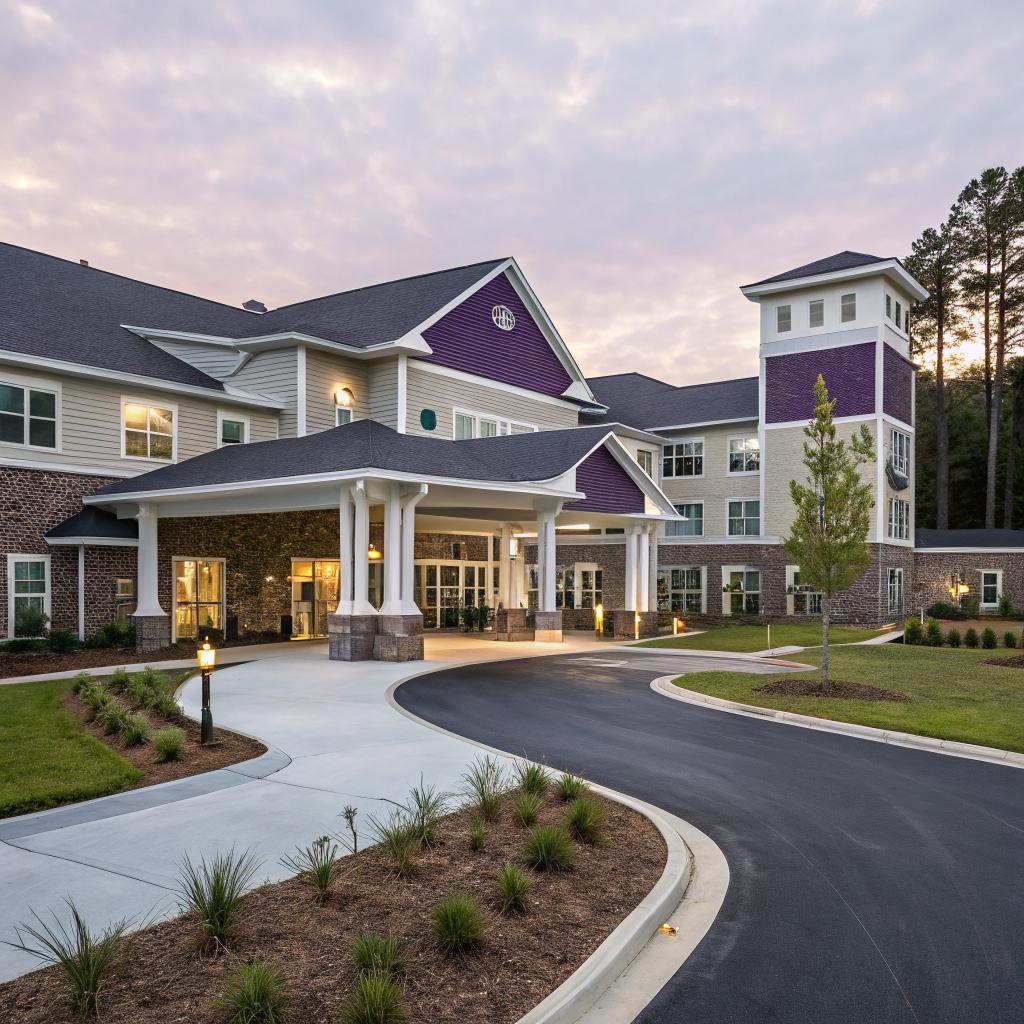
I used to think assisted living was mostly about buildings, meals, and medical help. Then I started helping a relative compare options in South Carolina and realized how much tech now shapes day‑to‑day life, especially in places like Summerville.
If you just want the short version: good assisted living Summerville SC communities are starting to feel like small, connected hubs where Wi‑Fi, wearables, telehealth, and simple smart home tools all work together so older adults can stay safer, more independent, and still stream their favorite shows. The tech is not the point on its own, but it quietly supports care, communication, and daily comfort.
Why tech matters in assisted living in Summerville
Summerville has a growing older population, and many of them already use phones, tablets, and streaming services. They do not want to give that up when they move into assisted living.
The better communities in town know this. They use tech to:
- Keep residents safer
- Give nurses and caregivers clear information
- Help families stay in the loop without constant phone tag
- Make daily life feel more like home, not like a hospital
This sounds nice on paper, but in practice it can get messy. Not every resident likes tech. Some get frustrated by apps and passwords. Some families worry about privacy. Staff sometimes feel tools were dropped on them without enough training.
So it helps to walk through what tech actually looks like inside assisted living in Summerville, step by step, and what you can reasonably ask for or push back on.
When you tour a community in Summerville, ask about the tech, but judge it on how it helps people, not how fancy it sounds.
Wi‑Fi, connectivity, and the boring stuff that matters
If the Wi‑Fi is bad, everything else falls apart. Streaming, video calls, cloud care records, smart TVs, wearables, even some nurse call systems all rely on a stable connection.
Questions to ask about connectivity
You do not need a networking background. Just ask direct questions like you would about internet in your own home.
- Is there building‑wide Wi‑Fi in resident rooms and common areas?
- Is it strong enough for multiple residents streaming at the same time?
- Is there a guest network for family and visitors?
- Who do I call if something is not working? Staff or an outside provider?
If the staff hesitates or gives very fuzzy answers, assume you will fight with the connection at some point.
Typical Wi‑Fi setups you will see
To keep this grounded, here is a simple comparison.
| Type of setup | What it looks like day to day | What to watch for |
|---|---|---|
| Building‑wide Wi‑Fi included | Resident can connect phone, tablet, TV without extra contracts | Ask about speed, limits on streaming, and outage history |
| Cable or fiber per room | Resident or family buys a plan, similar to an apartment | Monthly cost, install fees, older adults dealing with support lines |
| Limited Wi‑Fi only in common spaces | OK for email or casual browsing in lobby, weak signal in rooms | Streaming and video calls from rooms may be poor or impossible |
If a community says residents are “welcome to use Wi‑Fi in the lobby” and does not mention rooms at all, that is a red flag.
Wearables, sensors, and fall detection
Many families first think about tech in assisted living when they worry about falls or emergencies. There are a few layers here.
Wearable emergency buttons
You have probably seen the simple pendant or wrist button that calls staff when pressed. Most assisted living buildings in Summerville have some form of this.
Pros:
- Simple and familiar
- Low learning curve for staff and residents
- Usually good battery life
Limits:
- Resident has to remember to wear it
- They have to be conscious and able to press it
- Some residents do not like the “medical” look
Passive sensors and smart monitoring
Some communities go further and install motion or bed sensors. They might track:
- Night‑time bathroom trips
- Unusual inactivity during the day
- Patterns of restlessness or wandering
This can help catch problems early, but it can also feel intrusive if it is not explained well.
Ask who can see the sensor data, how long it is stored, and how it is used to change care, not just to watch people.
If a place uses sensors but cannot give clear examples of how staff respond to the alerts, then the tech is more show than substance.
Fall detection with AI and cameras
Some newer systems use computer vision or more complex models to spot falls. That sounds advanced, but families should slow down and ask plain questions:
- Are there cameras in private rooms or bathrooms? If so, why?
- Can residents opt out of camera‑based monitoring?
- How often do false alarms happen, and how are they handled?
You might decide a camera in a hallway is fine, but a camera in a bathroom is not. That is a personal line. You do not need to accept every tech feature just because it is offered.
Telehealth and remote care in Summerville communities
Telehealth grew fast, and assisted living communities in Summerville now use it in different ways. Some do it well. Some treat it like a checkbox.
How telehealth can help
Telehealth can:
- Reduce trips to the doctor for simple follow‑ups
- Connect specialists who are based in Charleston or elsewhere
- Let family members join visits by video, even if they live out of state
I sat in on a video call for an older relative once, and the doctor walked through lab results on screen. It felt a bit cold at first, but it saved a long car ride and a half day of waiting.
Questions to ask about telehealth use
You can ask:
- Do residents have access to telehealth visits? With which providers?
- Who sets up the call and stays in the room to help?
- How are notes from telehealth visits added to the resident record?
- Is telehealth used for mental health support or memory care consults?
Many residents cannot manage a video visit on their own. Someone needs to handle the tech, help them hear, and make sure follow‑up instructions are recorded properly.
Electronic health records and staff tech
Behind the scenes, most modern assisted living communities use some form of electronic health record, even if they call it “care software” or “charting system.”
This affects daily life more than residents realize.
What EHRs change for residents
When staff chart on tablets or workstations, they can:
- Record medication times more clearly
- Log mood changes or behavior shifts in real time
- Share notes between day and night shifts
The risk is that staff end up staring at screens, not people. If you walk through and see every interaction followed by long typing sessions, you might question the balance.
Ask how long it takes staff to chart a normal shift and how much training they receive on the software.
Good systems reduce repeated questions and mix‑ups. Clumsy systems slow everyone down.
How this connects to outside doctors
Some EHR systems in assisted living talk directly to hospital or clinic systems. Many do not. So you should ask:
- How do you share information with my parents primary care doctor?
- Do you fax records, use a portal, or send printed notes with us to appointments?
- Can I, as family, see care notes or summaries through a portal?
This is where reality hits. A lot of information still travels by fax, phone, and paper. Tech helps, but you may still want to keep your own folder of medication lists and major health events.
Smart home style features: more than gadgets
Some Summerville communities now use bits of smart home tech. It can feel trendy, yet some parts are genuinely helpful.
Common features you might see
- Smart thermostats that staff can adjust quickly if a resident cannot
- Smart lighting that turns on gently at night for bathroom trips
- Voice assistants in common areas or rooms for music and basic questions
- Door sensors or alarms for memory care sections
There is a fine line here. Tech should reduce falls, confusion, and discomfort. Not create new frustrations when a command is misheard 30 times.
If a community mentions voice assistants, ask:
- Who controls privacy settings?
- Are the devices always listening and tied to personal accounts?
- Can residents turn them off if they do not want them?
Sometimes, a simple, clear light switch and a large‑print remote control are more helpful than any smart gadget.
Entertainment, streaming, and staying connected
For many residents, tech is less about sensors and more about staying in touch with family or keeping routines they enjoy.
Personal devices: phones, tablets, and laptops
Most assisted living communities allow residents to bring their own devices. Some even help set them up. Others leave everything up to the family.
You can ask:
- Does staff help residents connect to Wi‑Fi and basic apps?
- Is there someone on staff who can handle simple tech trouble?
- Are there charging stations in common areas, or secure spots to leave devices?
If your parent likes to read on a Kindle, listen to podcasts, or watch YouTube, those small comforts matter. They also make long afternoons less lonely.
Community‑wide entertainment tech
Look at the common areas. You might see:
- Smart TVs with streaming apps instead of basic cable only
- Digital photo frames with rotating family photos and event snapshots
- Shared tablets or touch screens for games and brain exercises
- Video calling stations for scheduled chats with family
Some residents care a lot about this. Others just want a quiet chair and a book. It helps to know which type your family member is.
Memory care tech in Summerville: where it helps and where it does not
Memory care brings its own questions. Hardware and apps alone do not solve dementia, and sometimes they even frustrate residents.
Still, simple tools can support routines and reduce stress.
Useful tech patterns in memory care
Helpful ideas include:
- Clear digital clocks that show day, date, and time in large text
- Photo‑based contact screens, where a resident taps a picture to call family
- Music playlists tied to a person’s younger years, played through easy speakers
- GPS or door alerts for residents at risk of wandering
The best setups hide the complexity. The resident sees only a big, friendly button or a simple routine. The staff or family handles the apps and passwords behind the scenes.
Where tech can go wrong in memory care
Some tools sound helpful but cause trouble:
- Complicated tablets with many apps on the home screen
- Passwords, pop‑ups, or auto‑updates that confuse residents
- Sudden loud alarms from sensors that scare people
- Cameras in private spaces that feel invasive, even if intentions are good
If a memory care community in Summerville leans heavily on tech in its marketing, ask them to show you a full day from a resident’s point of view. How many screens, beeps, and alerts do they experience?
Good memory care tech should fade into the background and support calm, not add more noise.
Family apps, portals, and transparency
Many assisted living communities now offer family portals or apps. On paper, they promise real‑time updates and peace of mind. In practice, quality varies.
What family tech can offer
A decent portal can show:
- Care plans and any recent changes
- Activity attendance and upcoming events
- Messages from staff or nurses
- Billing statements and documents
This can reduce the number of “how is Mom doing?” phone calls where no one has time for a long talk.
What to ask about portals and apps
Key questions:
- How often are updates posted? Daily, weekly, only when something is wrong?
- Who can access the portal in the family, and how is access removed if needed?
- Can we send messages through the app, and how fast do staff respond?
- Is there training or a guide, or are we expected to figure it out alone?
If the app sounds complex, pick one tech‑comfortable person in the family to manage it and share highlights with others. Spreading logins around too much can get messy.
Security, privacy, and data questions you should not skip
This is the part families often avoid. It feels hard and abstract. But once data is out, it is hard to pull back.
You do not need legal training. Just ask plain, direct questions.
Data and privacy basics for assisted living
Here are some areas to cover:
- What health data do you store electronically, and where?
- Who outside the building has access, such as vendors or remote doctors?
- How do you handle a data breach? Have you had one in the past?
- How do you handle photos of residents on social media or marketing materials?
If staff get defensive or say “that is all handled by corporate,” push a bit. Ask for a copy of their privacy policy and any consent forms before you sign anything.
Passwords, devices, and real‑world habits
Policies are one thing. Real habits are another. During tours, look at:
- Are computers locked when staff walk away?
- Are passwords written on sticky notes at nurse stations?
- Do staff share logins?
Tech is only as safe as the everyday behavior around it. If the basic habits look sloppy, then the backend might be too.
How to compare assisted living tech in Summerville: a simple checklist
To make it a bit more structured, you can use a basic comparison when you tour communities.
| Area | Questions | What “good” looks like |
|---|---|---|
| Wi‑Fi & internet | Signal in rooms? Speed? Guest network? | Stable building‑wide Wi‑Fi, staff who know how to reset or escalate issues |
| Emergency tech | Wearables? Sensors? Coverage areas? | Simple buttons plus clear response process, optional sensors with consent |
| Telehealth | Which doctors? Who helps with visits? | Regular use for simple visits, staff support during calls, good documentation |
| Care records | Digital charting? Family access? | Electronic records, clear shift handoffs, optional family summaries or portals |
| Entertainment | Streaming? Shared devices? | Smart TVs or equivalents, support for personal devices, flexible rules |
| Memory care tools | What is used and why? | Simple, calming tools, clear reasons for sensors or alerts |
| Privacy & security | Policies? Past issues? | Written policies, honest answers, good everyday device habits |
You do not have to get perfect answers in all boxes. Just use this to spot big gaps or mismatches with your family member’s needs.
Balancing tech with human care
After a while, it is easy to talk only about gear and apps and forget the actual point: people.
Some signs that a Summerville assisted living community is using tech in a healthy way:
- Staff can explain tools without reading from a brochure
- Residents talk about tech in terms of what it lets them do, not what it takes away
- There is flexibility for residents who like devices and those who do not
- Families are part of the setup and decision process, not informed after the fact
If you catch yourself caring more about brand names than faces, step back. Ask to sit quietly in a common area for 20 or 30 minutes and just watch how people interact. The feel of the place matters more than any gadget.
One more practical piece: how to help your parent with tech once they move in
Signing the contract is not the end of the tech story. You, or someone in your family, can make life much smoother with a bit of setup.
Simple setup steps that pay off
Here are tasks worth doing in the first week:
- Label every device and charger with the resident’s name and room number
- Save key contacts on speed dial with clear names like “Daughter Lisa” not just “Lisa”
- Turn off unnecessary notifications that will confuse or annoy
- Set up automatic updates and backups where possible
- Write a one‑page guide with Wi‑Fi name, simple steps, and support phone numbers
Try to keep the home screen of phones or tablets clean. Put only a few large icons in clear spots: calls, messages, video chat, maybe one news app, one streaming app.
Creating a small “tech plan” with staff
This sounds formal, but it can be casual. Sit with a staff member and agree on:
- Who helps if the resident cannot start a video call
- When staff will remind the resident to charge devices
- What to do if a device is lost or broken
- How to handle password resets without endless phone calls to you
It sounds like overkill until the first time your parent calls upset because they “lost the internet” and you are three states away.
Common questions about tech and assisted living in Summerville
Is all this tech really necessary, or is it just marketing?
Some of it is marketing. But some tools reduce real risk and add comfort. Good Wi‑Fi, clear emergency systems, and basic telehealth support are more than nice extras now. Fancy AI tools or flashy apps, on the other hand, need more scrutiny. If a community cannot explain exactly how a system helps residents, treat it as optional, not essential.
What if my parent does not like or trust technology?
That is more common than sales brochures admit. Tech in assisted living should be flexible. Your parent does not have to use every feature. They can skip the app, avoid video calls, or refuse wearables, as long as safety needs are still covered. You can ask the community to write down what your parent has agreed to use and what they do not want.
How much extra does all this tech cost?
Some tech is baked into the base rate, like building Wi‑Fi and nurse call systems. Other parts, such as personal cable, tablets, or add‑on monitoring services, can show up as extra line items. During the tour, ask for a breakdown of which tech features are included and which could add to the monthly bill. Do not assume that “included Wi‑Fi” means strong and reliable service either; you may still choose to bring your own devices or streaming subscriptions.
Can I bring my own smart devices and set up my own system?
Often yes, but not always. Fire codes, security policies, and building Wi‑Fi rules can limit routers, cameras, or smart plugs. Before you buy gear, ask the community what is allowed. You might need to adjust your plans and pick simpler or fewer devices than you used at home.
What if the community seems weak on tech but strong on caring staff?
Then you have a real trade‑off. In many cases, caring, stable staff matter more than any modern system. Weak Wi‑Fi can often be worked around with hotspots or simpler setups. Cold, rushed staff are harder to fix. You might choose the caring place and accept that you will help fill some of the tech gaps yourself.
If you had to pick just one area of tech to pay attention to when choosing assisted living in Summerville, what would you focus on first: safety tools, connectivity, or ways to stay in touch with family?