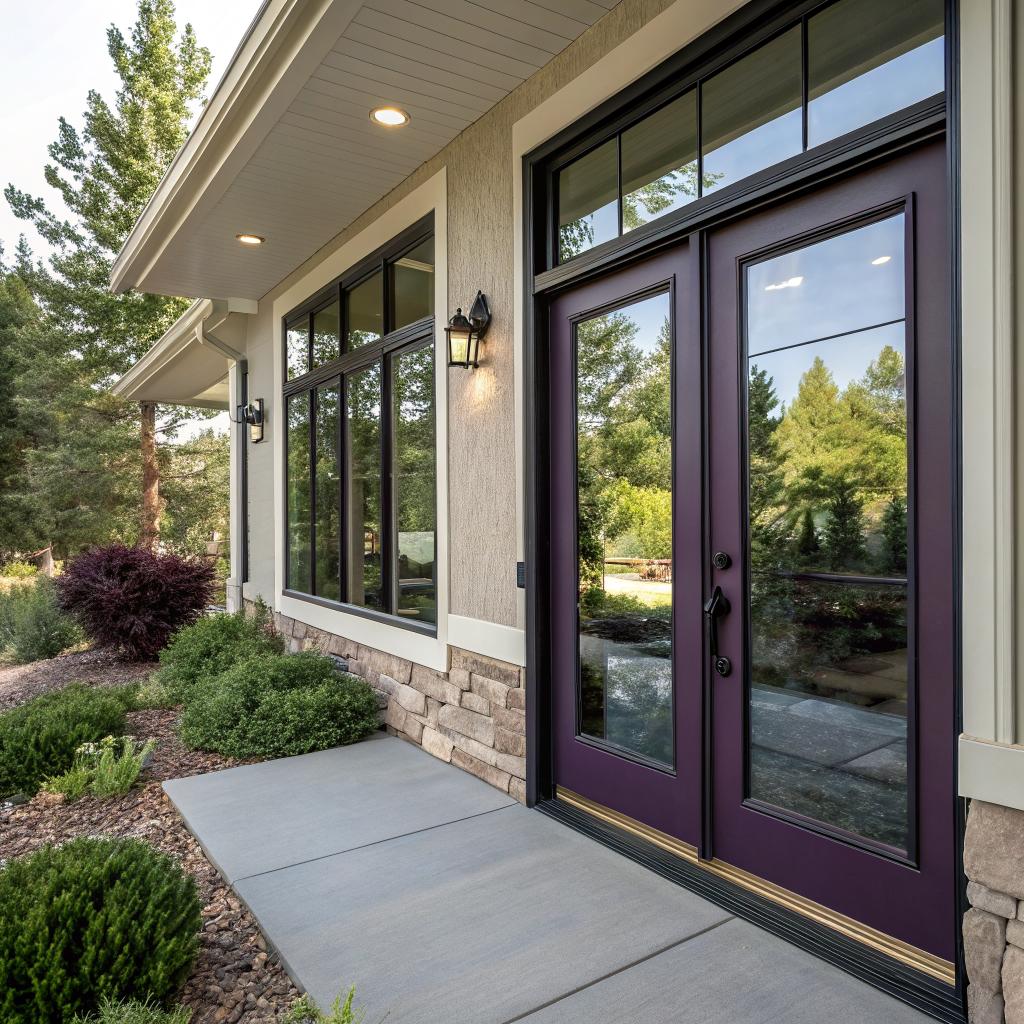
I used to think smart home tech meant speakers listening in on everything and lights that never quite worked right. Then I saw what happened when people quietly started with smart windows and doors instead, and it made a lot more sense.
If you live in Colorado Springs and you want the short version: smart windows and doors are worth it when they are paired with good hardware, solid installation, and a basic plan for how you will use them day to day. They can tighten security, cut energy waste, and just make life easier, as long as you avoid cheap gadgets and work with a company that knows windows and doors Colorado Springs from the structural side, not just the tech side.
Why smart windows and doors are suddenly practical in Colorado Springs
For years, a lot of smart home gear felt like a toy. Nice to show friends, not so nice to live with.
What changed is that the hardware caught up with the software. Sensors got smaller and more reliable. Door locks improved. Glass coatings got better. Batteries last longer. And phone apps are no longer a mess of lag and random disconnects.
In Colorado Springs, there are a few local reasons why this shift matters:
- Big temperature swings between day and night
- Strong sun and UV exposure at altitude
- Frequent wind, dust, and hail
- People who travel often, deploy, or have second homes
Those conditions hit your doors and windows hard. If you care about tech, you probably already track your energy use, your car status, maybe even your sleep. It is not a big leap to track what your home’s openings are doing.
Smart windows and doors are not just about convenience. In a place like Colorado Springs, they are one of the few tech upgrades that can touch comfort, security, and energy spending at the same time.
So yes, there is some hype in the smart home world. But this part of it has grown up.
What “smart” actually means for windows and doors
When people hear “smart” they sometimes picture a talking window, which is not what anyone needs.
In practice, smart windows and doors in Colorado Springs usually include four things:
1. Sensors that know what is open, closed, or broken
These are small, magnetic or optical sensors on the frame or sash. You may barely see them, but they feed your home system with basic facts:
- Is the window open, closed, or tilted?
- Did a door open at an odd hour?
- Did something hit the glass hard enough to sound like a break?
You can set simple rules:
- “Alert me if any window is open after 10 p.m.”
- “Send a notification if someone opens the back door when I am away.”
Nothing fancy, just event + response. This is where many tech-minded owners start, because it is low friction and works with many systems you may already have.
2. Smart locks and access control
If there is one piece that changes daily life, it is the front door lock.
Modern smart locks give you:
- Keyless entry with phone, code, or fob
- Temporary codes for guests or contractors
- Automatic locking after a set time
- Logs of who unlocked the door and when
In Colorado Springs, people often care about this for two reasons:
- They want dog walkers, cleaners, or Airbnb guests to get in without hiding keys.
- They forget to lock the door before a weekend in the mountains and want a way to fix that from their phone.
The tech part is useful, but it only works if the door itself is solid and aligned. Smart hardware on a warped or poorly hung door will only amplify problems.
If the frame is out of square or the door drags, no smart lock or fancy sensor will save you from daily frustration.
This is where a proper installer matters more than another feature in an app.
3. Smart glass and shading
Colorado sun at altitude is strong. People sometimes underestimate how much it affects comfort and energy bills.
Smart window options can include:
- Low-E coatings that reflect heat and UV
- Tint that responds to sunlight levels
- Motorized shades tied to light sensors or time of day
You might, for example, set south-facing shades to close 50 percent at 2 p.m. on summer days, then open again at 6 p.m. Or have them close if indoor temperature passes a set point while the AC is running.
This is fairly simple logic, but it shifts how you use your house. You are no longer reacting to heat and glare, you are quietly managing it in the background.
4. Integration with your home network and routines
Most readers of a tech site care about what talks to what.
Smart windows and doors can connect to:
- Home security systems
- Smart speakers and voice assistants
- IFTTT-style automation platforms
- Thermostats and HVAC controls
You can stitch together small routines:
- “When I leave home, lock all doors and alert me if any window is still open.”
- “If I say ‘goodnight’, lock doors, close shades, and turn off main lights.”
This is not complex programming. It is basic cause and effect. But it needs reliable hardware to be worth the trouble.
How Colorado Springs climate shapes smart window and door choices
If you live in a mild coastal city, you can get away with mediocre windows and not lose much. Colorado Springs is less forgiving.
High altitude, heavy UV, snow, and fast-changing temperatures all push your building envelope hard.
Here are a few climate points that matter before you think about smart features.
High UV and bright sun
Colorado sun can:
- Fade flooring and furniture
- Overheat south and west rooms
- Dry out older seals and weatherstripping
Tech-aware owners often watch their energy graphs and notice peaks on bright days. Smart glazing and shades help flatten those peaks.
Heat loss on cold nights
Cold, clear nights lead to big temperature drops. If your windows are single-pane or old aluminum frames, you are basically heating the outdoors.
Here, smart does not mean “talking.” It means better glass packages and well sealed frames, possibly with sensors layered on.
Sometimes the smartest move is replacing a leaky 30-year-old window with a tight double-pane unit that never needs a firmware update.
You can always add simple sensors later. You cannot patch basic thermal performance with software.
Wind, dust, and hail
Colorado Springs sees gusty winds, spring dust, and the occasional serious hailstorm.
Strong frames, tight seals, and impact-resistant glass or storm doors matter. The “smart” part might be:
- Glass-break sensors that distinguish between hail and forced entry
- Storm doors that lock automatically
- Sensors that confirm all exterior openings are latched before a storm
Again, tech rides on top of structure. If the window is flimsy, you are solving the wrong problem.
Types of smart window and door setups for a Colorado Springs home
Not every house needs the same level of tech. You can start small or go deeper.
Entry-level smart setup
This is for someone who wants data and basic control, without ripping apart walls.
Typical components:
- Door and window contact sensors on main openings
- One or two smart locks on key doors
- A small hub or integration with an existing platform
What you get:
- Alerts when doors or windows open
- Remote locking and unlocking
- Simple “arm” and “night” modes
This fits renters or owners who plan a full window upgrade later but want some benefits now.
Mid-level smart setup
This is where most tech-aware homeowners in Colorado Springs end up.
Added pieces:
- New energy-efficient window units in problem rooms
- Smart shades on large south or west windows
- A better entry door with built-in insulation and smart hardware
Now the benefits start to show up in comfort and possibly utility costs, not just convenience.
Full-scope smart envelope
This is a bigger project, usually tied to renovation or custom building.
It might include:
- Whole-house window replacement with modern insulated units
- Coordinated exterior doors, including patio and storm doors, all sensor equipped
- Integrated shades or tint control on key exposures
- Full connection to HVAC controls, security, lighting, and schedules
In a house like this, windows and doors are part of the control loop. The system can react if many windows open, or if solar gain is rising faster than expected.
Smart security: what actually helps, what is just noise
Security often drives the first purchase. People like the idea of knowing if someone opened a window at 2 a.m.
That part is valid. But some features sound more useful than they really are.
Alerts that matter
Useful signals:
- Door or window opened at a time you marked as “away” or “sleep”
- Glass-break pattern while you are gone
- Repeated failed code entries on a smart lock
Noise:
- Every motion near a door
- Dogs triggering camera alerts all day
- Frequent “low battery” spikes from cheap sensors
You want systems where you can set a small number of clear rules and quiet the rest.
Good smart security is less about more alerts and more about only hearing from your house when something truly odd happens.
If you travel or deploy, this calm, filtered signal becomes even more valuable.
Physical security still comes first
No amount of smart hardware replaces basic door and window strength.
For Colorado Springs homes, that usually means:
- Solid or well reinforced entry doors
- Quality locks and strike plates
- Modern window locks that actually latch tight
- Storm doors in exposed positions
Sensors, cameras, and codes are add-ons. They are not substitutes for strong materials and good installation.
Comfort and energy: where tech and building science meet
Many people start these projects for security and only later realize the comfort gain.
For a city with both hot sun and cold nights, windows and doors play a big role in how your house feels.
Where does your home actually lose energy?
It is easy to guess, but better to look at data. If you already use smart thermostats or energy monitors, you can see patterns.
Common issues in Colorado Springs:
- Hot upstairs rooms in summer afternoons
- Cold drafts near old patio doors
- Rooms with big temperature swings between day and night
Smart windows and shades reduce peaks, while better seals and frames reduce low-level leaks.
Practical tech-driven tweaks
A few real-world examples:
- Set shades to close in late afternoon on west-facing glass when outside temp is above a threshold.
- Flag if a window is left open for more than 20 minutes while heating is on.
- Use occupancy and window sensors together so HVAC does not run hard in a room that is both empty and venting air outside.
This sounds small, but small habits and automations add up across a full year.
Smart gear vs quality installation in Colorado Springs
People who enjoy tech often lean toward brands and features. That is understandable. But with windows and doors, the non-tech part can be more critical.
Why installation matters more here
Local factors:
- Wood framing that moves with dry air and moisture changes
- Older houses that are not square anymore
- Temperature swings that stress seals and caulk
If a window is not shimmed and sealed correctly, sensors might report “closed” while air whistles through the gaps. A smart lock might struggle to latch if the frame shifts seasonally.
So when you plan upgrades, your checklist should not just ask:
- “Does it support my favorite smart platform?”
It should also ask:
- “Will this frame stay tight through winter and summer?”
- “Is the installer planning for drainage, expansion, and local code?”
Most people obsess over which smart lock to buy. Fewer ask how the door slab and frame are rated for their climate. That imbalance is a bit backwards.
Balancing wired and wireless for smart openings
A question tech-oriented readers ask is whether to run wires to doors and windows during renovation.
There is no single perfect answer, but a few patterns help.
When wired sensors make sense
Wired sensors are stable and do not need batteries. They fit well when:
- You are opening walls anyway
- You plan to stay for many years
- You want fewer ongoing maintenance tasks
They connect to a central panel, which then talks to the rest of your system.
Where wireless is fine, or better
Wireless sensors:
- Are faster to install
- Work for existing finished homes
- Can move or swap easily
For many Colorado Springs owners, a mix is reasonable. Maybe wired sensors on main-level windows and doors, wireless on outbuildings or less critical openings.
If you keep a simple battery checklist in your calendar once or twice a year, the maintenance load stays low.
Privacy and data: how much does a smart door know, really?
This topic can get oversold, in both directions. Some people act like a connected lock is a spy. Others shrug and never check anything.
The truth sits somewhere in the middle.
What data gets collected
Depending on the device and vendor, your system might record:
- When a door was locked or unlocked
- Which code was used
- Whether a door was left ajar
This data can be useful. It also has privacy implications if shared too widely.
If you care about tech, read at least the basics:
- Can logs stay local, or must they live in the cloud?
- Is remote access encrypted end to end?
- Can you export or delete your data?
You do not need to write your own firmware. But you should pick vendors whose approach to updates and security does not feel like an afterthought.
Cost ranges and trade offs for smart windows and doors
Numbers move with materials, brands, and project size, but it helps to have ballpark ideas.
Here is a very rough comparison, just to frame the discussion.
| Upgrade type | What changes | Impact on daily life |
|---|---|---|
| Contact sensors on existing windows/doors | Adds magnets, small radios | Basic alerts and open/closed status |
| Smart locks on main entries | Replaces or overlays existing deadbolts | No keys, logs, remote locking |
| Motorized shades / smart tint on key windows | Adds motors, sometimes powered rails | Better control of glare and heat |
| New energy-efficient windows without automation | Full unit replacement | Comfort, noise, and energy gains first, tech later |
| Full smart envelope with integration | Door and window replacement plus sensors and controls | Coordinated comfort, security, and automation |
You can mix these layers. For example, start with smart locks and shades, then, when older windows finally need replacement, pick models that can accept built-in sensors or shading later.
Storm doors, patios, and the “secondary” openings
Many Colorado Springs houses have storm doors or sliding patio doors that people treat as secondary. From a smart perspective, they matter more than you might think.
Storm doors
Storm doors can:
- Buffer wind and dust
- Protect the main door finish
- Add a second barrier for security
Adding a sensor and sometimes a closer that reports latch status gives you:
- Clear confirmation that the exterior shell is really closed
- Less slamming in wind
In summer, you can track when the storm door is switched to a screen panel and warn yourself if it is left open during a sudden storm.
Sliding and French patio doors
These are often the weakest link in security and energy.
Smart touches here:
- Integrated locks tied into your system
- Door position sensors that can tell “latched but not locked”
- Smart shades or outside shading to cut late-day heat
People often underestimate how much those large glass areas affect both comfort and privacy. Getting them right has a bigger effect than adding another gadget to a rarely used side door.
Practical planning steps for tech-minded homeowners
If you are used to thinking about systems and upgrades, you might be tempted to design the perfect setup in one shot. That can work, but a phased approach is often easier.
Step 1: Walk your existing openings
Forget smart functions for a minute. Check:
- Which windows are hard to open or close?
- Where do you feel drafts in winter or hot glass in summer?
- Which doors do you actually use every day?
Rank issues on comfort and security, not on how “cool” the upgrade would look.
Step 2: Decide your integration style
Ask yourself:
- Do I want one main hub, or am I fine with a few separate apps?
- Do I value local control more than convenience of cloud features?
- Is voice control important to me?
Your answers will guide which smart locks, shades, and sensors make sense.
Step 3: Pair structure and tech
For each priority opening, match a physical fix with a smart feature.
For example:
- Leaky old north window: replace with double-pane unit, add simple sensor.
- Main entry: upgrade door and frame, install smart lock, add camera only if you actually watch footage.
- Hot living room with large west glass: keep good windows, add motorized shades tied to sun position.
This way, you are not throwing apps at basic building problems.
Common mistakes and how to avoid them
Seeing a lot of smart home setups, a few patterns repeat.
Over-automating simple actions
If you set 20 different scenes and schedules on day one, you will spend weeks debugging small conflicts.
Start with two or three:
- “Away”
- “Night”
- “Vacation”
Tie doors, key windows, and maybe shades into those. Live with that for a while, then adjust.
Ignoring firmware and app support life
Tech-minded owners know phones and laptops get updates. Doors and windows often sit ignored.
Before buying, ask:
- How long does the vendor keep firmware current?
- Will it still work if the cloud service goes away?
You do not need perfect answers, but you should avoid gear that is already at the end of its support cycle.
Mixing brands randomly
It is tempting to grab whatever smart lock or shade is on sale. This can lead to a collection of apps that never talk to each other.
Pick a main ecosystem you are comfortable with. Then check compatibility lists before buying new devices.
What if you keep it simple and delay the “smart” part?
There is an argument, and not a weak one, for focusing on quality windows and doors first and added intelligence later.
Modern window units often include:
- Pre-cut paths or recesses for future sensors
- Frames designed to accept motorized shades later
- Better thermal performance out of the box
You might:
- Replace the worst windows and doors with high quality, well installed units.
- Leave tech additions for year two or three, once you have lived with the new comfort level.
This path reduces the risk of buying gear you do not end up using, and it focuses your budget on the part that never goes out of style: a tight, well built envelope.
Final thoughts and a few quick answers
To be fair, not every home needs fully connected openings. Some people are happy with classic hardware and better glass. That is reasonable.
But if you already enjoy tech, and you live in a place with weather swings like Colorado Springs, ignoring windows and doors while upgrading every other system in the house feels a bit strange.
Smart here does not have to mean complicated. It can simply mean your house tells you when openings behave in ways that matter, and that your doors and glass quietly help your comfort instead of working against it.
Start with what bothers you most: drafts, worries about a forgotten lock, or rooms that never feel quite right, then add just enough intelligence to fix those problems without turning your house into a science project.
To wrap this up, a few quick questions people often ask:
Do smart windows and doors really save money on energy in Colorado Springs?
They can, but only when the physical upgrades are solid. A sensor alone does not save energy. Better glass, tighter frames, and shades that respond to sun and temperature do. The “smart” part helps you use those tools consistently without thinking about them all the time.
Is it safe to trust a smart lock for the main door?
A well chosen, well installed smart lock from a reputable brand is usually as safe as a good mechanical deadbolt, sometimes safer because you can track access and react from afar. The bigger risk is cheap hardware, poor installation, or sharing codes carelessly.
What is the best place to start if my budget is limited?
Most people get the biggest day-to-day gains by pairing a solid front door upgrade with a smart lock, then tackling one or two rooms with the worst windows or glare. Once you live with that for a season, you will have better data and a clearer sense of what to upgrade next.