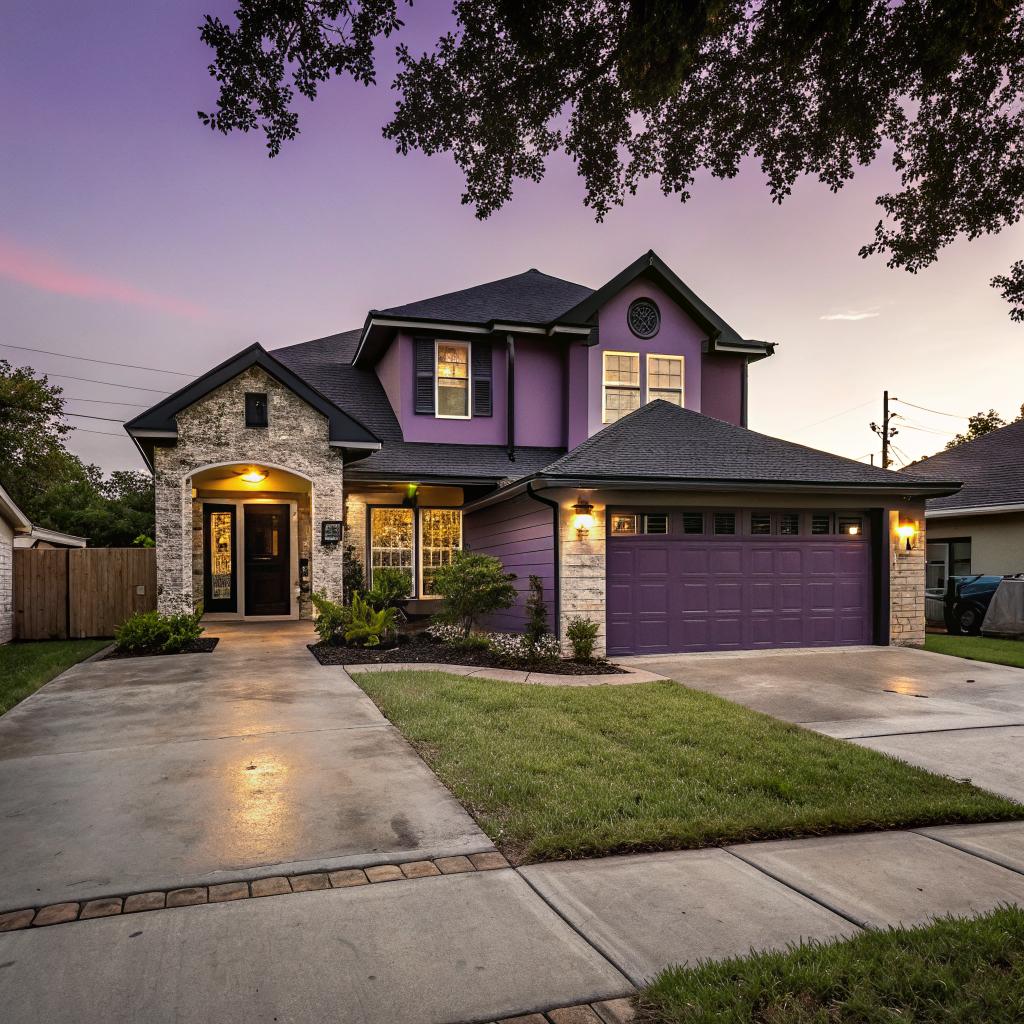
I used to think tech belonged in offices and data centers, not in regular houses on the Gulf Coast. Then I walked into a friend’s newly renovated place in Corpus Christi, and the lights, shades, even the AC felt smarter than my entire first apartment.
If you want to remodel Corpus Christi homes in a smart way, focus on a few core areas first: climate control, lighting, security, and water management. Start small with things like smart thermostats, LED lighting, and basic security cameras, then build up to more complex systems such as integrated hubs, whole home audio, and energy monitoring as your budget and patience allow. If you are planning a full renovation, it can even make sense to talk with a local contractor who knows how to remodel Corpus Christi homes with wiring and tech in mind from the start.
Why tech-heavy remodels make sense in Corpus Christi
Remodeling a home in Seattle is not the same as remodeling one near the bay in Corpus.
You are working with:
- High heat and humidity most of the year
- Salt air that can be rough on metal and electronics
- Hurricane and storm risk
- Rising energy costs and occasional power issues
Tech can help with all of that, not just with convenience.
If you treat smart tech as a tool to solve local problems instead of a toy, you end up with a remodel that feels both modern and very practical.
So the real question is not “Should I add tech?” but “Where does tech give the biggest return in Corpus Christi conditions?”
I will go through a few areas that, from experience and from watching other homeowners, tend to pay off the most.
Smart climate control that can handle heat and humidity
Cooling costs in South Texas are no joke. And when you remodel, you usually touch insulation, windows, and HVAC anyway, so it is a good time to rethink how you control the climate.
Smart thermostats that actually learn your habits
A basic programmable thermostat helps, but a smart thermostat can:
- Learn when you are home and away
- Adjust based on humidity, not just temperature
- Connect to room sensors so problem rooms are not always too hot
- Turn off or change settings when you open windows or doors
For Corpus specifically, look for models that:
- Support multi stage or variable speed systems
- Integrate with dehumidifiers or offer humidity control modes
- Have good surge protection or work well with whole house surge protectors
I have seen homes where a smart thermostat paid back its cost in one or two summers, especially once the owner stopped cooling the house at full blast all day when no one was home.
Smart vents and zoning
Older homes in Corpus often have one thermostat and a lot of inconsistent rooms. The back bedroom feels like a sauna while the front room is freezing.
Smart vents or proper HVAC zoning can help:
- Motorized dampers that direct cool air where you need it
- Room by room temperature control with sensors
- Less wasted cooling in rarely used rooms
If you are already opening ceilings or walls during a remodel, it is much easier to run new ductwork or add dampers. Trying to add zoning after everything is sealed up is annoying and more expensive.
Dehumidifiers and fresh air systems with brains
Moist air does not just feel sticky. It encourages mold, damages drywall, and wears out finishes.
Modern remodels often tie in:
- Whole house dehumidifiers linked to the HVAC
- Fresh air intakes with filters to reduce outside pollutants
- Smart controls that keep humidity at a set range
You get better air quality without constantly opening windows to humid, salty air.
Think of smart climate tech as a way to protect your remodel investment, not only as a comfort feature.
Lighting that adapts to coastal living
Lighting tech feels simple at first glance. Replace bulbs, add some dimmers, call it a day. But once you are already opening walls, you can do more thoughtful things.
Smart switches vs smart bulbs
There is a small decision that matters: do you install smart switches or rely on individual smart bulbs?
| Feature | Smart Switches | Smart Bulbs |
|---|---|---|
| Best for | Whole rooms, existing fixtures, families | Lamps, accent lighting, renters |
| If someone flips the physical switch | Still works, keeps power | Bulb is offline if switch is off |
| Cost per room | One switch can control many bulbs | Each bulb costs extra |
| Installation | Needs wiring work, best during remodel | Screw in, easy DIY |
For a remodel, smart switches usually make more sense. You already have electricians on site, and you probably want the lights to behave well even when guests tap a wall switch.
Scenes for heat, storms, and security
The fun part is setting up scenes. Instead of clicking ten switches at night, you can have a single “Night” scene that:
- Dims main living room lights
- Turns off bright kitchen lights
- Leaves entryway and exterior lights at a low level for safety
A storm or hurricane scene is another Corpus specific idea. With one command, you could:
- Turn on specific interior lights connected to backup power
- Turn off outdoor accent lighting to reduce draw
- Switch hallway lights to brighter levels for safer movement
This can sound like overkill until the first time the power blinks during a storm and you want to control things without walking into dark rooms.
Smart exterior lighting for salt and security
Exterior fixtures near the bay face more corrosion. When you remodel, you can pick fixtures rated for coastal environments, then pair them with smart controls.
Look for:
- LED fixtures to cut maintenance and heat
- Smart timers that adjust based on sunset/sunrise
- Motion sensors that trigger cameras and lights together
Good exterior lighting is both a tech and safety upgrade, and it quietly makes the house feel much more finished after a remodel.
Security and monitoring for storm prone areas
A lot of tech people focus on specs, but for home security in Corpus Christi, reliability and weather resistance matter more than having the fanciest feature set.
Cameras that survive heat and salt
Look for outdoor rated cameras with:
- IP65 or higher weather rating
- Wide operating temperature ranges
- Metal housings with anti corrosion coating
- Local storage options, not just cloud
Placement matters too. Under eaves, away from direct spray if you are close to the water, and with simple cable paths while your walls and soffits are open.
If you care about privacy, consider network video recorders stored in a hidden closet, with camera feeds on your own network instead of only on some cloud account.
Smart locks and access control
Smart locks make more sense in Corpus than many people think, especially if you have guests, cleaning crews, or short term renters.
You can:
- Give each person a unique code
- Set time based access (for example, weekdays 10 to 4)
- Lock or unlock remotely if a storm is coming and you want to check doors
During a remodel, you can pair smart locks with stronger doors, better weather seals, and reinforced frames. The hardware and the tech should support each other.
Water leak sensors and shutoff valves
In a humid, storm prone area, water is probably your biggest enemy inside the house.
Leak sensors are cheap and surprisingly effective. You place them:
- Under sinks and dishwashers
- Near the water heater
- Around washing machines
- In low points that might flood
Combine them with an automatic main shutoff valve, and sudden leaks can be stopped even if you are across town. That is not just a tech trick, it is real money saved on potential damage.
Smart kitchens that are more than just fancy fridges
Smart kitchens can drift into gimmick territory. Do you really need a screen on your fridge? Maybe not. But some upgrades are practical.
Appliances that talk to each other
Modern appliances can:
- Send alerts if you leave the oven on
- Notify you when the dishwasher cycle finishes
- Adjust refrigerator temp when you are away
If you remodel the kitchen, prewire for:
- Dedicated outlets for each major appliance
- Strong Wi-Fi coverage, maybe even a wired access point hidden in a cabinet
- Extra outlets in pantry or coffee bar areas for future gadgets
Think a bit ahead. You might not care about a smart coffee machine now, but adding power and network options while the walls are open is cheap compared to after.
Task lighting and controls
The kitchen is a place where good lighting really matters.
You can pair:
- Under cabinet LED strips with warm and cool color options
- Smart switches that let you change brightness quickly
- Presence sensors that turn low level lights on when you walk in at night
Many people skip this because it sounds like a luxury, then later admit it is their favorite part of the remodel.
Bathrooms with quiet tech that guests do not even notice
Bathroom tech can be subtle. And it probably should be.
Smart ventilation
Good ventilation fights humidity, mold, and mirror fog. Smart fans can:
- Turn on when humidity crosses a threshold
- Turn off automatically after a timer
- Connect to occupancy sensors
If you are doing bathroom remodeling as part of a larger project, this is an easy upgrade. The fan costs a bit more, but you do not need a lot of extra wiring.
Heated floors and mirrors
In Corpus, heated floors sound unnecessary, but many people still like them, especially in tile heavy bathrooms that feel cold in winter mornings.
Smart controls let you:
- Run gentle heat only during set times
- Monitor energy use
- Turn off the system when you travel
Anti fog mirrors with low energy heating elements can also make a bathroom feel more “finished” without screaming for attention.
Whole home audio, networking, and control hubs
If you enjoy tech, this is the part that can be fun, but also easy to overcomplicate.
Wiring for the future
During a remodel, run more low voltage cables than you think you need:
- Ethernet to TV areas, offices, and possible future workspaces
- Speaker wire to main living areas and patios
- Conduit for future cable pulls between floors or wings
Wi-Fi is great, but walls, appliances, and neighbors can interfere. A hard wired backbone gives your smart devices a more reliable connection.
Choosing a control platform
You do not need a fancy whole home system with touchscreens in every wall. Many people do fine with:
- One main voice assistant ecosystem (Google, Amazon, Apple)
- A good quality smart hub that supports many protocols
- Devices that support more than one standard, so you are not stuck later
Try to avoid buying every new gadget that hits the market. Instead, pick a platform, test a few devices, then standardize where you can. It makes automation much more stable.
Distributed audio
Ceiling speakers and in wall controls are easier to install during a remodel. You can start with:
- Living room and kitchen zone
- Patio or deck zone
- Maybe a primary bedroom zone
Each zone can run different audio, or you can sync them for parties. Again, this is not essential, but if you already have walls and ceilings open, it is a relatively small extra step.
Energy monitoring and backup power
Corpus Christi homeowners deal with storms and grid issues from time to time. Tech can help you understand and manage your power use.
Whole home energy monitors
These are small devices installed in your main panel that:
- Track power use down to individual circuits or appliances
- Show real time and historical usage
- Send alerts when something behaves strangely
Over a few months, many people discover:
- Old fridges or freezers wasting a lot of power
- Pool pumps that run longer than needed
- HVAC systems that short cycle
That data can guide later upgrades, not just during the remodel but years after.
Battery backup and generators
During a larger remodel, think about where you would place:
- A backup battery system
- A generator and transfer switch
- Exterior outlets for charging tools or EVs
You may not install everything now, but planning the electrical layout to support backup power and future solar can save a lot of trouble later.
If tech gives you visibility into your home systems, you can make smarter decisions instead of guessing where your energy and money go.
Practical planning tips for tech heavy remodels
It is easy to get carried away, to keep adding gadgets until your budget stretches uncomfortably. Some restraint helps.
Start with a priority list, not with products
Before picking devices, write down what actually matters to you. For example:
- Lower summer electric bills
- Better security while traveling
- Less humidity and mold risk
- More comfortable home office
Then match tech to those goals.
If a device does not move the needle on that list, maybe skip it for now. This avoids ending up with smart blenders and voice controlled curtains while your attic still lacks insulation.
Talk to both your contractor and your tech installer
Sometimes the construction person and the tech person have very different priorities.
One will think about structure, code, and materials.
The other will think about signal strength, wiring runs, and device placement.
Try to get both in the same conversation for key decisions like:
- Where to put the network rack or main hub
- How to run low voltage cabling without conflict
- Where to leave access panels for future maintenance
It is not always comfortable to push for that level of coordination, but it saves you from strange compromises later.
Plan for manual fallback
Smart homes fail if a simple power outage or router reset leaves you unable to turn on a light.
Whenever possible:
- Keep physical switches that work without an internet connection
- Make sure critical functions can be done manually
- Avoid devices that require a subscription just to work at a basic level
Tech should make the home better, not fragile.
Common mistakes Corpus Christi homeowners make with tech remodels
It might help to look at a few patterns that tend to cause regret.
Spending big on showy gadgets, ignoring basics
Example: buying a top tier smart fridge but skipping extra insulation or leaving old single pane windows in place.
In this climate, the “boring” upgrades often save more money and improve comfort more than the flashy ones. Tech should layer on top of solid construction, not try to cover for weak bones.
Skipping surge protection and grounding
Localized storms and power fluctuations can fry sensitive gear. If you are already touching the electrical panel, ask about:
- Whole house surge protection
- Good grounding and bonding
- Surge protected circuits for your main network and AV gear
It feels unglamorous, but it protects everything else you are installing.
Overcomplicating automations
It is tempting to create complex scenes with dozens of triggers. In reality, simple rules you actually remember tend to work better.
For example:
- Thermostat setback when everyone is away
- All lights off and doors locked at midnight
- Outdoor lights on at sunset and off at sunrise
Start there. If after a few months you still want more, you can add layers. But if the household starts to complain that “nothing works the way I expect,” you probably went too far.
Is high tech remodeling worth it in Corpus Christi?
I think the honest answer is: it depends how you live and what you value. Some people want the house to respond to their voice, change lighting color to match movies, and log every watt of energy used.
Others just want cooler summers, lower bills, and fewer surprises.
The good news is that many of the smartest upgrades for this region are simple:
- Smart thermostats with humidity control
- Weather resistant cameras and exterior lighting
- Leak sensors and automatic water shutoff
- Better wiring for strong networking and future proofing
If you start with those, you get a home that feels more responsive, safer, and easier to manage. Then, if you enjoy tinkering or you just like technology, you can layer in fancier features.
Q & A: Common questions about tech remodeling in Corpus Christi
Q: Will all this smart tech still work when the internet goes out?
A: Many devices will, if you choose carefully. Smart switches that talk over local protocols, thermostats that store schedules on the device, and hubs that run automations locally can keep handling core tasks even without a connection. Pure cloud devices that need remote servers for basic functions are riskier in storm prone areas.
Q: Is it better to go all in on one brand or mix different brands?
A: Sticking with one ecosystem for voice and basic control helps. But relying on a single manufacturer for everything can backfire if they discontinue products. A reasonable balance is to choose a main hub that supports several standards, then pick reliable devices from different brands that all play well with that hub.
Q: Where should I start if my budget is limited?
A: Start where Corpus conditions hit hardest. A good smart thermostat, a few leak sensors, improved ventilation, and solid exterior lighting with motion control are usually the highest value upgrades. You can add fancy audio, screens, and extra automations later, but those first steps already make your home more comfortable and resilient.