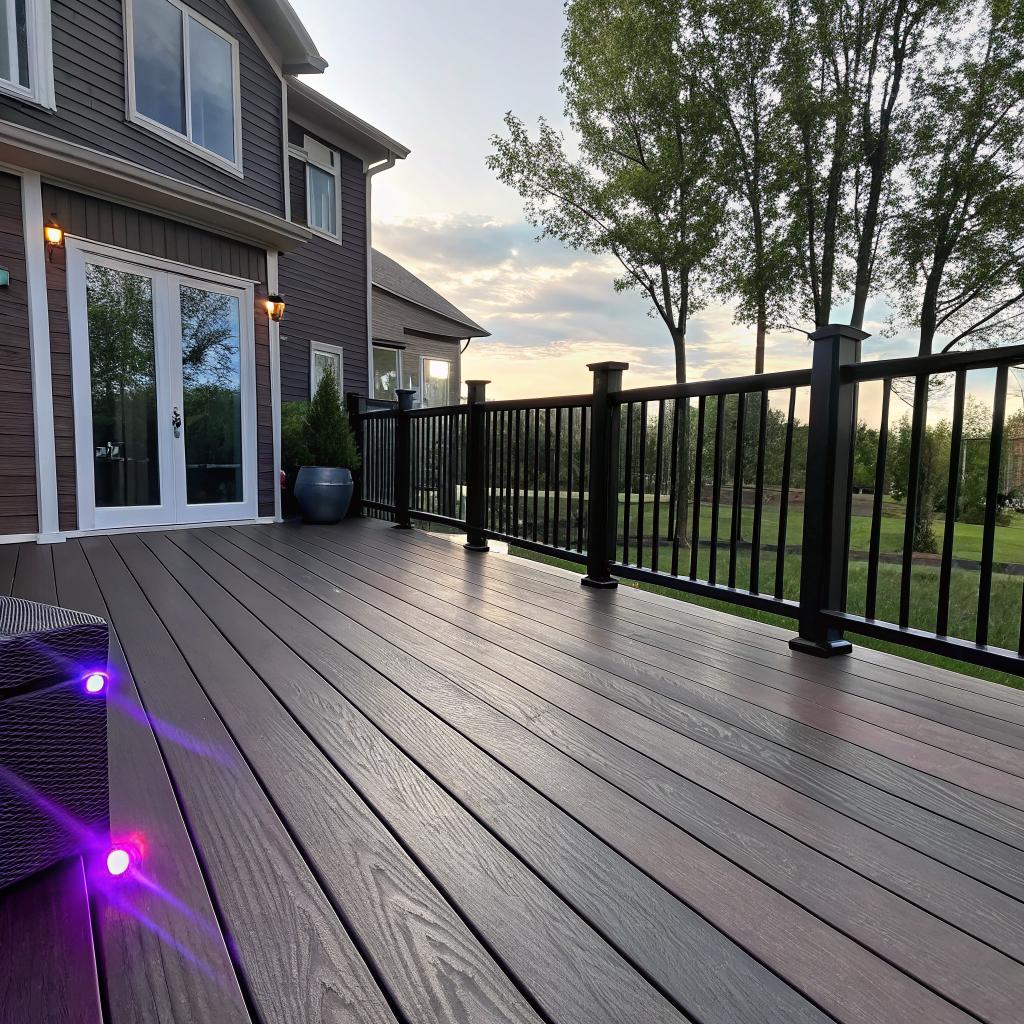
I used to think a deck was just some boards, a grill, and a couple of chairs. Then I started adding smart tech inside my house and realized the outside felt like a dead zone, both for Wi‑Fi and for actual use.
If you already have smart speakers, smart lights, and maybe a few sensors inside, the short answer is this: your next real upgrade is outside, and working with local pros like deck builders Lexington KY is the most practical way to get a deck that fits into a smart home rather than fighting against it.
Once you see the deck as part of the same system as your router, your smart thermostat, and your phone, the whole project changes. It is not just about pressure‑treated lumber or composite boards. It is also about outlets in the right place, structure that can support screens and wiring, lighting that respects your sleep, cameras that do not scream “cheap install”, and a layout that matches how you charge, stream, and work.
You can do some of this yourself. But if you want a deck that is safe, code compliant, and ready for tech without ugly wires everywhere, you need a builder who understands more than just joists and railings. That is where smart planning matters.
What makes a deck “smart” in a smart home?
Most people hear “smart deck” and think of LED strips on the stairs. That is part of it, but it is only the surface layer. A smart deck is really a physical platform for your tech habits. It makes digital stuff feel natural in a physical space instead of forcing you to work around bad design.
Here are a few parts that often get overlooked, but matter a lot once you live with them:
- Power and wiring layout
- Network coverage and reliability
- Lighting that supports how you use the deck at night
- Comfort systems like heat, shade, and maybe a fan or two
- Security and privacy tools that do not feel creepy
- Support for screens, audio, and occasional work
A smart deck is less about fancy gadgets and more about quiet design choices that make the tech you already like feel natural outside.
If you are into tech, you probably already think ahead about wiring or network gear in your office. The same mindset works here. Only now you are working with wood, concrete, and weather.
Power: where most “dumb” decks fail
I think this is the first real filter for whether a deck is ready for smart features.
Walk out to a typical deck and count the outlets. Maybe there is one, in a corner, on the wall of the house. That is fine if you only want a string of lights and a phone charger. It is not fine if you want:
– A plug‑in outdoor heater
– A projector or outdoor TV
– Smart lighting controllers
– A router or mesh node
– A small fridge or electric grill
You do not need a complicated electrical blueprint, but you do need a basic plan. This is where local builders help. They know what local code allows, what needs to be GFCI protected, how high outlets should sit off the deck, and how to protect conduit from weather and movement.
A simple starter plan could be:
| Location | Main use | Tech detail |
|---|---|---|
| Near seating area | Charging, laptop, speakers | 2 outlets on separate circuit if possible |
| By grill / cooking zone | Pellet smoker, smart thermometer hub | 1 outlet, GFCI, weather cover |
| Far corner or pergola | Heater, fan, lighting transformer | 1 or 2 outlets, conduit routed cleanly |
| Under deck (if raised) | Wi‑Fi node, camera hub, extra lights | 1 outlet protected against moisture |
If you catch yourself planning to run an extension cord permanently, the deck is not wired correctly for your tech life.
You do not need to go overboard, but you want to avoid having to open the deck again later just to run one more cable. That is painful and expensive.
Wi‑Fi outside: not as simple as “my router is strong enough”
Streaming music on the deck sounds easy. Until your video call drops, or your smart lock refuses to connect while you stand in the backyard.
Wood, insulation, brick, and even window coatings can all weaken signal. If your deck is behind a kitchen with a lot of metal appliances, the Wi‑Fi dropoff can be noticeable.
Here are basic options many tech‑minded homeowners choose:
- Mesh Wi‑Fi node placed near the deck door, inside the house
- A dedicated outdoor access point mounted under an overhang
- Ethernet run through conduit during deck construction, so you can place a node where you actually sit
That last option is where a builder comes in. Running Ethernet afterward often means ugly surface‑mounted conduit or exposed cable. During a build or rebuild, you can route it under the deck or inside a post.
A good question to ask a local deck contractor is:
“Can you give me a path from inside my house to a weather sheltered spot on the deck where I can place a Wi‑Fi device, without exposed cable?”
If they look confused, they might be great with framing but not as used to tech‑aware clients. You decide how much that matters to you.
Lighting that matches how you actually live
Smart homes often start with lighting, and a deck should plug into that same system. Not for the novelty, but for comfort.
Most people use their deck at three main times:
– Early morning coffee or quiet time
– Late afternoon and early evening for meals
– Nighttime for hanging out, maybe with low light
Each time needs different light levels. Flooding the whole deck with bright white light might look impressive the first day. After that, it just feels harsh.
Practical lighting zones might include:
- Soft ambient lighting under railings or along steps
- Brighter task lighting near cooking and dining areas
- Accent lights around plants or a privacy wall
Most of this can be wired to standard switches, then tied into smart controls with:
– Smart switches
– Smart relays in junction boxes
– Some smart bulbs or smart fixtures, as long as they are rated for outdoor use
The goal is not a light show. The goal is low glare, fewer shadows on stairs, and light levels that respect your eyes at night.
You probably already know this from staring at screens at night. Your deck can either fight your attempt to wind down or help it. Tying deck lights into simple scenes like “Dinner” or “Late night” feels small but changes how willing you are to use the space.
Temperature, shade, and noise comfort
Smart tech is pointless if you do not want to be outside because it is too hot, too cold, or too loud.
Deck builders in Lexington see a mix of humid summers, chilly evenings, and plenty of sun. That makes shade and airflow serious design topics, not just decoration.
Common add‑ons that work well with smart control:
– Ceiling fans under a covered section of the deck
– Electric heaters mounted on posts or beams
– Motorized shades or screens for sun and insects
Most of these can tie into smart switches so you can control them with your phone or voice. But the key part is structural. The deck needs enough support and the right framing so fans do not wobble, heaters have the right clearances, and screens can mount flush.
A tech example:
If you want a retractable screen that lowers at sunset when your system sees a certain light level, that is cool. But if the beam it mounts to is out of square or not aligned with the house, the screen can bind, wear out, or look off. This is where “good carpentry” and “smart home” are quietly linked.
Smart security and privacy outside
Security is where smart decks and smart homes blend in a more serious way. Cameras, sensors, and lighting all interact. And bad planning can lead to two annoyances:
– Constant false motion alerts every time a neighbor walks by
– Bright lights that blast into your own windows at night
Think through a few zones:
Cameras and sensors
Outdoor cameras are common now, but most people just mount them wherever there is a nearby outlet. A smarter approach is to plan mounting points during deck design:
- Mounting height that avoids glare from deck or yard lights
- Angle that covers stairs and entry points without aiming into neighbors yards
- Protected spots under eaves or pergolas, so the camera lasts longer
You might also want contact sensors on gates, motion sensors near storage, or a door sensor on a storage bench that holds tools or equipment.
A deck builder does not need to install the devices. But they can give you:
– Blocking in the framing to support camera mounts
– Clean wire paths through posts and beams
– Hidden junction boxes where you can tuck small hubs
Lighting, privacy, and neighbors
High lumen security lights have their place, but you probably do not want them blasting on every time a raccoon wanders by. A smart deck setup can instead use:
– Low level path lights that stay on all night at a dim level
– Motion based brightness boost that only kicks in near doors or stairs
– Scenes that adjust when your smart alarm is armed
Privacy is a bit fuzzier. Some people like open railings and clear views. Others want privacy screens or taller railings with slats. Tech enters here in a small but real way:
– Motorized shades can give temporary privacy and sun protection
– Smart glass is still pricey but slowly appearing in high end builds
– Light control can prevent you from lighting up your space like a stage and feeling watched
There is a balance. You can secure your property without turning your deck into a fortress.
How deck builders in Lexington fit into a smart home plan
You might be wondering if you really need local contractors for a project that touches on tech. The short answer is: you probably need both surfaces and circuitry to play nicely, and that is hard to pull off alone unless you have time, skill, and patience.
A strong deck builder brings three things to a smart home project:
- Knowledge of local building code and weather patterns
- Experience with structure, drainage, and materials over years of wear
- Willingness to coordinate with your electrician or smart home installer
The tech part of a deck is only as good as the wood and foundation under it. Fancy lighting does not help if the deck shifts, boards warp, or railings wobble.
Questions to ask before hiring a builder
If you are into tech, you probably already ask detailed questions about hardware or specs. Use that same habit here. A few practical questions:
– “Can you plan in conduit runs for power and low‑voltage cables from the start?”
– “Are you comfortable coordinating with a licensed electrician?”
– “Have you built decks with lighting, fans, or heaters that tie into smart switches?”
– “Can you add blocking where I might mount a TV, camera, or projector later?”
– “How do you handle drainage so wiring under the deck is safer and drier?”
You are not trying to quiz them. You just want to see if they have done anything similar. Some will say yes and share examples. Others will say no but show interest in trying. Both can work, as long as they are open and realistic.
A builder does not need to be a smart home nerd, but they do need to respect that you are one.
If a contractor rolls their eyes at the idea of Ethernet or lighting scenes, that is a signal. You decide how much that matters for a structure you will live with for years.
Designing a deck as an extension of your tech habits
Let us get a bit more concrete. Instead of thinking “deck size” and “materials” first, think about how you use tech across a normal day. Then map that to deck use.
Common smart home setups and matching deck ideas
| Indoor habit | Outdoor deck version | Build detail that helps |
|---|---|---|
| Work from a laptop at the kitchen table | Occasional outdoor “office” on mild days | Shade structure, nearby outlet, good Wi‑Fi, comfortable chair space |
| Watch TV with a soundbar | Outdoor movie nights or game watching | Wall or screen surface, mount blocking, cable path, gentle ambient light control |
| Voice control smart lights | Voice control for deck lights and maybe a fan | Smart compatible switches, junction boxes sized for modules, device access panel |
| Use smart speakers for music | Subtle outdoor audio that does not annoy neighbors | Speaker mounting points, protected wiring, location away from property edges |
| Use smart locks and cameras | Monitored back entry, gate, or under‑deck storage | Door and gate structure that fits hardware, hidden wire routes |
Once you see these links, the deck design becomes less abstract. You are not just picking board color. You are deciding where an outlet goes so you can actually work outside without dragging cables across the floor.
Zones, not just square footage
Tech people often think in zones or segments: network segments, audio zones, automation groups. You can apply the same concept to your deck.
Common zones for a mid‑sized deck might be:
- Quiet zone for reading or working
- Cooking and prep zone
- Dining zone
- Lounge or firepit zone
Each zone has slightly different tech needs:
– Quiet zone: strong Wi‑Fi, soft lighting, nearby outlet
– Cooking: bright task lighting, temperature tolerant wiring, space for sensors
– Dining: dimmable overhead or nearby lighting, maybe a speaker
– Lounge: low level path lights, maybe bias lighting near a TV or projector
If you lay these out before the build, the deck builder can:
– Run wiring through joists toward each zone
– Make sure structure can hold fans, heaters, or mounts
– Avoid placing key posts where you want a screen or projector beam
It is surprising how often a single post in the wrong spot ruins a projector idea.
Weather, materials, and tech resilience
You can have the smartest tech plan and still be let down by wood movement, moisture, or UV exposure. Kentucky weather involves sun, rain, and freeze/thaw cycles, which all fight with electronics.
A few material choices can protect your smart gear:
Decking and framing
– Composite or PVC decking can reduce splitting and warping, which means fixtures stay aligned longer
– Pressure treated framing is standard, but how it is flashed and ventilated matters for anything mounted nearby
– Metal railings or posts can offer solid mounting points but might need insulation from antennas and Wi‑Fi devices to avoid odd reflections or weak spots
None of this is “tech” in the usual sense. Still, it affects device placement and how often you have to adjust things.
Enclosures and access panels
If you will place drivers, transformers, hubs, or small power supplies outside, plan where they live:
– Under‑deck equipment boxes that are water resistant and easy to open
– Removable deck boards or access panels where wiring junctions sit
– Vertical chases in posts or along walls where visible conduit would ruin the look
This is often the line between a DIY feel and a clean, finished layout. A deck builder who understands access can make sure you do not have to rip up boards if a power supply fails.
Working with smart home pros and deck builders together
If your smart setup is already advanced, you might be working with an installer or at least doing some more complex things yourself. A small bit of coordination can save a lot of work.
Consider a simple order of operations:
- Rough deck design with zones sketched out
- Quick chat with whoever handles your smart gear, even if that is you
- Mark needed conduit paths, outlet spots, and mounting areas on the design
- Share this marked plan with the deck builder and electrician together
You do not need a full CAD drawing. Even a printed sketch with notes helps. Things like:
– “Conduit here for future camera”
– “Extra blocking in this bay for TV mount”
– “Leave access panel here for light transformer”
are very clear. Most builders are fine adjusting framing slightly so future tech installs are easier, as long as structure and code stay intact.
Handling cost and tradeoffs without hype
Not every idea is worth paying for. A motorized pergola roof with rain sensors might sound nice, but maybe you only use the deck in fair weather. That money might be better spent on:
– Better decking material
– Stronger framing for long life
– Reliable wiring and simpler, longer lasting fixtures
There is also the risk of chasing every gadget trend. Smart grills, smart planters, smart everything. Many of those devices will change or break in a few years. The structural and wiring foundation you put in with a builder will last much longer.
So, when you plan:
Treat the deck structure and wiring as the “platform”, and treat the devices as modular parts you can swap without tearing wood apart.
That mindset is close to how you probably think of routers, switches, and endpoints. The deck is just another layer, except made of lumber.
Examples of smart deck setups that actually get used
To make this less abstract, here are a few simple setups that people with tech interests tend to enjoy long term.
The “evening wind‑down” deck
Use case: You want a place to sit after work, read, listen to music, maybe answer a message or two, and not feel like you are staring at screens indoors.
Key features:
- Small covered section with a ceiling fan and dimmable warm lighting
- One outdoor speaker pair or a smart speaker inside near an open door
- Strong Wi‑Fi, but no TV by design
- A few low deck lights along stairs for safety
Tech layer:
– Smart switch controlling fan and lights as a scene called “Evening”
– Simple schedule that raises lights slightly at sunset and lowers them later
This kind of setup does not look “fancy”, but it gets used a lot, because it is easy and relaxing.
The “mixed use family” deck
Use case: Kids, guests, meals, and someone working outside with a laptop now and then.
Key features:
- Two main zones: dining and lounge
- Stair lighting and under‑rail lights for safety
- At least three outlets in logical spots
- Grill area with a spot for a smart thermometer or pellet smoker
Tech layer:
– Mesh Wi‑Fi node positioned for good backyard coverage
– Cameras covering doors and stairs, but not the entire yard
– Scene based lighting for “Dinner”, “Guests”, and “Late night”
This setup is where working with pros in Lexington makes sense. They know railing rules for kid safety, snow load if you add a roof, and how to run wiring where kids and pets will not snag it.
The “outdoor media corner” deck
Use case: Occasional movie nights or big game viewing, but you do not want a permanent outdoor TV staring at you every day.
Key features:
- Flat wall or pull‑down screen area
- Mounting block for temporary projector or weather rated TV
- Speakers mounted under eaves or in protected spots
- Careful light control so glare is low
Tech layer:
– Smart control that dims or turns off nearby lights when “Movie” scene is activated
– Network cable and power behind the screen wall for a small streaming box
The builder part here is about structure and cable management. Hiding HDMI or Ethernet paths now saves you from a visible tangle later.
Common mistakes when tech people plan decks
People into tech often fall into a few patterns when they design physical spaces. I have done some of these myself.
Overestimating Wi‑Fi and underestimating power
We trust wireless a bit too much and forget how often we still rely on wires. On a deck, power placement often ends up more critical than signal strength, because Wi‑Fi problems are sometimes fixable later. Running a new circuit is not so easy.
If you are debating between “one more outlet” and “one more smart light”, the outlet usually wins.
Putting gadgets ahead of structure
It is tempting to focus on devices: which camera, which smart speaker, which sensor. But if the posts are not set correctly, or the stairs feel cramped, or water pools where you walk, you will not enjoy being out there enough to care about the tech.
So, if budget is tight, trim back gadgets before you trim structure.
Assuming you can DIY everything later
Many people in tech are used to solving problems themselves. That is fine for software and many hardware projects, but exterior work has a different scale of risk. A badly wired outlet inside is bad. A badly wired outlet next to rain and bare feet is worse.
You can still DIY plenty of smart elements:
– Configuring hubs and automations
– Installing many cameras and sensors
– Swapping out dumb switches for smart ones
But let the builder and electrician handle the bones: structure, waterproofing, and feed lines.
So, do smart homes really need smart decks?
“Need” might be a strong word. Your smart home will still run if your deck is just wood and nails. But as screens and devices take over more indoor time, having an outdoor space that welcomes tech in a quiet, comfortable way starts to feel less like a luxury and more like a practical balance.
You already care about latency, ergonomics, and simple workflows inside. Extending that care outside, with real wood and real weather involved, makes your home feel less split between “online” and “offline” zones.
And yes, that does mean working closely with deck builders in Lexington who are open to planning for power, conduit, mounting, and access. It might be a bit slower than a simple “just build me a deck” project, but the result fits your actual life instead of fighting it.
Common questions about smart decks and local deck builders
Is it overkill to think about smart tech during a basic deck build?
Not really. You do not need expensive devices to benefit from planning. Even if all you add now is a few extra outlets, smart compatible switches, and a clean path for future cable, you save significant hassle later. The extra cost at build time is usually small compared to retrofitting.
Can I just add smart gear to an existing deck without a builder?
Yes, within limits. Battery powered lights, plug‑in smart plugs, and wireless speakers are fine. The problems start when you want permanent lighting, heaters, or any new wiring. At that point you either accept visible conduit and some compromises, or you involve a contractor to open parts of the structure.
What is the simplest “smart” feature to add to a deck build?
Running a spare conduit from inside the house to a protected spot on or under the deck is probably the top one. It costs very little while the deck is open, and gives you a path for either power or low voltage later, without guessing. After that, adding boxes sized to fit smart switches is another easy win.
How much tech is too much on a deck?
When you start to feel like you are setting up a stage instead of a porch, you may be beyond what you will realistically use. A good test is to imagine a normal Tuesday evening. If a feature only sounds fun during a big party but adds clutter or setup time every day, it might not be worth it.
Do I really need a local builder, or can any contractor handle it?
Local builders know your weather, soil, and code realities. That matters for footing depth, water management, and long term wear on both wood and wiring. A generic plan from some far away template might not handle Lexington clay, rain patterns, or inspection rules well. If your goal is a deck that works with tech for years, those non‑tech details matter as much as the gadgets.