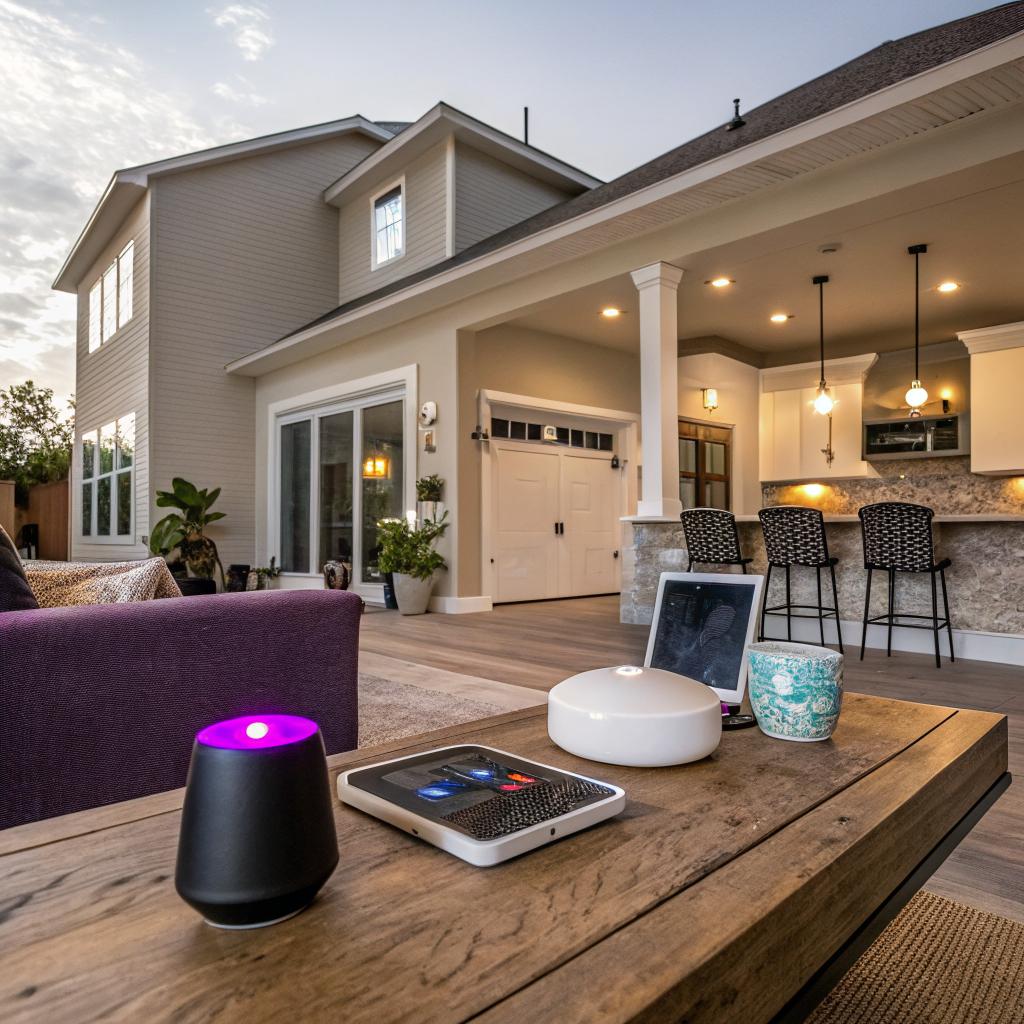
I used to think smart homes were just about asking a speaker for the weather. Then I visited a house in Corpus Christi where the shades, lights, AC, and even the sprinklers all quietly adjusted on their own, and it felt different, more like the house understood the city than anything else.
If you want a smart home renovation in Corpus Christi in 2025, start by planning your Wi‑Fi and electrical upgrades, picking one main smart platform (Google, Amazon, or Apple), and then design your remodeling around climate control, security, and water protection before you think about fun extras. That means talking with a local contractor who understands both tech and coastal building, planning for heat, humidity, salt air, and hurricanes, then layering in smart thermostats, leak sensors, cameras, lighting, and backup power as part of your overall home renovation Corpus Christi project, not as an afterthought.
Why smart home renovation in Corpus Christi is a bit different
I want to be clear: a smart home in Denver or Phoenix is not the same as a smart home on the Gulf. The tech might be similar, but the priorities are not.
In Corpus Christi you are dealing with:
- High heat and humidity almost all year
- Salt in the air that slowly corrodes metal and electronics
- Hurricane season and storm surge risk
- Big swings in energy use from AC and dehumidifiers
So a “good” smart home in this area is less about color‑changing bulbs and more about:
Smart renovation in Corpus Christi should protect your house first, then make it comfortable, then add convenience on top.
If you build your project around that order, your tech choices start to make more sense and you avoid wasting money on gear that fails early or never really fits your life.
Start with the backbone: power, wiring, and Wi‑Fi
Most people jump straight to gadgets. That is backwards. The hidden layers decide whether your smart devices work well or constantly drop offline.
1. Electrical panel and circuits
Smart homes draw more constant power: always‑on hubs, more chargers, more small devices. It is not a huge load, but older homes in Corpus often already run near their limits because of AC use.
Ask an electrician about:
- Panel capacity: Do you need a 200 amp panel if you still have 100 amp service?
- Dedicated circuits: For rack equipment, servers, or heavy EV charging
- Whole‑home surge protection: To protect routers, hubs, TVs, and smart appliances from Gulf storms
If you are upgrading your panel, it costs less to run extra conduit and boxes now than to open walls again in three years.
Do not skip that just because it feels boring. This is the tech foundation.
2. Low‑voltage wiring vs pure wireless
Wi‑Fi is better than it used to be, but wireless alone is still not ideal in a home full of concrete, metal, and appliances.
Plan low‑voltage wiring where you can:
- Ethernet runs to TVs, home office, gaming rooms, and any desktop computers
- Wiring to outdoor cameras and access points
- Doorbell wiring that supports both power and data
- Speaker wire if you ever want in‑ceiling audio
Even if you think you will never need Ethernet in a particular room, future you might disagree. Cable is cheap compared to drywall repair.
3. Whole‑home Wi‑Fi planning
Corpus Christi homes often have thick exterior walls, extensive stucco, and sometimes metal roofing. All of that blocks Wi‑Fi.
Think in terms of zones:
| Area | What you likely need |
|---|---|
| Main living areas | One central Wi‑Fi 6 / Wi‑Fi 7 access point or mesh node |
| Bedrooms wing | Another mesh node connected by Ethernet if possible |
| Garage / workshop | Either wired access point or one strong mesh node nearby |
| Patio / pool area | Outdoor‑rated access point under eaves |
Do not hide your main router in a metal cabinet or in the far corner of the house. Plan a small equipment closet that is central, ventilated, and easy to reach.
Choose your smart home platform before you buy gear
If you have already bought random devices over the years, this part can feel a little annoying. But it makes the rest of the project smoother.
1. Pick one main ecosystem
Most people end up on one of these:
- Google Home
- Amazon Alexa
- Apple Home (HomeKit)
You can mix them, but you will always get a better experience if you pick one as your “home base.”
Ask yourself:
- What phones and tablets do people in your home use every day?
- Are you more comfortable talking to Google, Alexa, or Siri?
- Do you care about local control and privacy more than cloud features?
If your whole family uses iPhone and you like the idea of more local control, Apple Home might be the logical pick. If you live in Android and Gmail, then Google. If you want the broadest range of cheap devices, Amazon is still strong.
No single answer is perfect. Just commit to one before you start buying switches and sensors.
2. Use Matter and Thread where you can
Matter and Thread are standards that are supposed to make devices work across ecosystems and be more stable. In practice, in 2025 they are better than before, but still not flawless.
My view is:
Choose Matter‑compatible gear when it fits your needs and budget, but do not drop a solid older product just because someone says “only buy Matter now.”
If you can get Thread based sensors and switches, that often helps with reliability in concrete or brick homes, since Thread works as a mesh.
Plan around Corpus Christi climate: cooling, humidity, and storms
This is where the region really shapes your smart renovation. A smart home in a dry, mild city might lean hard into clever lighting and media. In Corpus Christi, HVAC and water control can literally save parts of your house.
1. Smart thermostats tuned for coastal living
You do not just want “set and forget” cooling. You want smart scheduling and zoning that understands your schedule and the heat load.
Think about:
- Zoned HVAC: One zone for bedrooms and one for living spaces if your ductwork allows
- Smart thermostat that can control dehumidification, not just temperature
- Remote room sensors in the hottest rooms, not just in the hallway
- Geofencing so your AC eases off when the house is empty
Humidity matters more than many people think. A system that keeps your home a bit drier can prevent mold and extend the life of finishes and furniture.
2. Smart blinds and solar control
Corpus sun loads are harsh, especially on south and west facing windows. Smart shades or blinds can cut your cooling use and protect flooring and furniture.
Some useful automations:
- Close shades on west windows automatically at 3 pm on hot days
- Open shades early morning for natural light, then adjust based on temperature
- Auto close shades when no one is home in summer afternoons
You do not have to motorize every window. Start with the worst offenders that bake your rooms.
3. Storm prep and backup power
This is where tech and remodeling collide in a serious way.
Plan for:
- Smart switches that can cut power to noncritical circuits when you are on backup
- Battery backup or a generator circuit for your router, modem, and main hub
- Door and window sensors that still log locally during an outage
You might think “I will just use candles and paper during outages.” Until you are trying to manage insurance, check cameras, and watch flood warnings while power flickers.
If you are updating your electrical panel, ask for:
| Item | Why it helps a smart home in Corpus |
|---|---|
| Whole‑home surge protector | Protects smart gear from storm spikes |
| Dedicated “critical loads” subpanel | Easier to connect generator or battery backup for key circuits |
| Outdoor generator inlet | Safer and cleaner setup during outages |
Water, leaks, and humidity: sensors that quietly save money
Water is probably the single most ignored risk in most homes. In a coastal, humid place, ignoring it is risky.
1. Smart leak detection and auto shutoff
Smart leak sensors are small, cheap, and not very glamorous. They sit by:
- Water heaters
- Under kitchen sinks
- Behind washing machines
- Near AC air handlers and condensate lines
When they detect water, they send alerts to your phone and can trigger a main water shutoff valve if you install one.
If you ever come back from a trip to find a supply line burst, you will not care much about your colored smart bulbs. You will care about whether a $40 sensor and a shutoff valve were in place.
2. Smart irrigation matched to real weather
Corpus lawns and plants deal with intense sun and occasional heavy rain. A smart irrigation controller tied into weather data can adjust watering based on real rain and evapotranspiration.
Focus on:
- Using flow sensors to detect broken heads or leaks
- Adjusting zones for native or drought tolerant plants
- Holding watering during actual rain, not just calendar schedules
You pay for water, and overwatering can stress plants anyway. This is where tech and conservation actually line up.
3. Smart dehumidifiers and ventilation
Some Corpus houses have areas that always feel damp: garages, lower levels, or storage rooms. A smart dehumidifier can run only when humidity is above a set point and when energy rates are lower if you have time of use pricing.
Pair it with:
- Sensors that track humidity in the worst spots
- Smart switches on bath fans to run longer after showers
Your drywall, paint, and furniture last longer when they are not constantly damp.
Security and access: smart, but not creepy
Home security is a common reason people start buying smart devices. But it is easy to overdo it and turn your home into a surveillance lab that you do not actually enjoy living in.
1. Smart locks and door access
Smart locks help if you:
- Have cleaners, dog walkers, or contractors coming and going
- Rent part of your home on short‑term platforms
- Regularly forget your keys
Look for:
- Keypad entry, not just app control
- Physical key backup
- Local control in case internet drops
- Good finish suited for coastal air, with corrosion resistance
I would avoid locks that only work through a cloud account with no local fallback. Outages happen.
2. Cameras and privacy balance
Outdoor cameras are good for:
- Driveways and front entries
- Side gates and boat storage areas
- Backyard and pool safety, especially with kids
Questions to ask:
- Where is the video stored, locally or in the cloud?
- Do you actually want 24/7 recording or just motion clips?
- Who in your house can access the feeds?
Too many people install a dozen cameras and then barely use the footage because searching it is a pain. Be honest about what you will actually review.
If you would feel strange being recorded constantly in a hotel, you probably do not want cameras in your own bedrooms and main living spaces either.
Focus on outside, entry points, and maybe garages or workshops.
3. Alarms, sensors, and smart alerts
Things that pair well with a smart renovation in Corpus Christi:
- Door and window sensors tied into your main hub
- Glass break sensors for big sliding doors
- Smoke and CO detectors that push alerts to your phone
- Heat or smoke sensors in the garage and attic
You do not need the most complex alarm system on earth. You do need something that can reach you when you are away, especially during storm season.
Smart lighting that actually fits daily life
Lighting is where many people either go cheap and regret it, or go overboard with endless scenes that nobody uses.
1. Start with smart switches, then add bulbs if needed
In a remodel, smart switches usually make more sense than only smart bulbs.
Advantages:
- They work with any standard dimmable LED bulbs
- They look and feel like regular switches for guests
- They keep lights controllable even when people physically flip the switch
You can still use smart bulbs in certain areas like lamps or accent lighting, but switches carry most of the daily burden.
2. Corpus specific lighting habits
Because of the heat and sun, many people in Corpus:
- Close blinds mid‑day and rely more on interior lighting
- Spend evenings outdoors on patios and decks
So you might want:
- Warmer, softer indoor lighting toward evening for comfort
- Outdoor smart lighting scenes for gatherings that auto dim at a set time
- Path and entry lights that react to motion, not just fixed schedules
You do not need 30 scenes. Maybe you need 3: morning, work, and evening. Simple is easier to live with.
3. Automations that feel “smart” but stay predictable
Some ideas that tend to work well:
- Hallway night lights that come on at low brightness when motion is detected between 11 pm and 6 am
- Front porch lights that track sunset automatically and turn off near midnight
- Bedroom lights that slowly brighten as an alarm instead of a blaring sound
Test your automations in “quiet mode” first so they do not startle anyone. You want your house to feel calm, not like a haunted light show.
Kitchens, bathrooms, and the smart upgrades that are actually worth it
When you remodel kitchens and bathrooms, the smart features that matter are often less flashy than the ones you see in ads.
1. Smart kitchen features with real value
The kitchen gets heavy use, steam, grease, and heat. Focus on gear that can handle that.
Some solid upgrades:
- Smart dimmers and under‑cabinet lighting you can control by voice while cooking
- A range hood that reminds you to run it longer or switches speeds based on cooktop sensors
- Water leak sensors under the sink and near the dishwasher
- A smart oven that can preheat remotely if you are comfortable with that, but still works fine manually
I would be cautious with smart fridges that depend heavily on cloud features. When those servers shut down after a few years, you are left with a very expensive regular fridge.
2. Smart bathroom features that actually help
Bathrooms and humidity go together, so think about:
- Fans with humidity sensors and timers, linked to your smart system
- Smart thermostats or floor heating in bathrooms if you dislike cold tiles on winter mornings
- Leak sensors near toilets, tubs, and under bathroom sinks
Some people like smart mirrors or colored shower lights. If that makes you happy, fine, but do not let those take budget away from better ventilation and water protection.
3. Corpus specific materials and fixtures
Because of salt and humidity, try to pick:
- Fixtures rated for coastal conditions where possible, especially on exteriors and near windows
- Good quality exhaust fans that can handle constant use
Smart or not, hardware that rusts in two years is not a good deal.
Media rooms, home office, and networking for tech‑heavy homes
Readers on a tech site often care about streaming, gaming, and work from home. Renovation is the right time to wire for that.
1. Home office setup
Instead of trying to “make do” in a corner, treat the home office as a real space with:
- Ethernet drops for stable video calls and large downloads
- Plenty of outlets, including higher output USB‑C if you want it
- Lighting that can switch between warm and cool depending on your work
- Acoustic treatment or at least soft finishes to reduce echo on calls
If you often handle sensitive work, think about camera angles and where screens face relative to windows and doors.
2. Media and gaming spaces
For a living room or media room, plan:
- Conduit in the walls behind the TV for hidden HDMI and power
- Speaker wire for surround if you care about real audio
- Ethernet for consoles and streaming boxes
- Smart lighting that can drop brightness during movies
With gaming, Wi‑Fi 6 or Wi‑Fi 7 is good, but wired is still better. If you play competitively, run the cable.
3. Centralized equipment rack
If your home has a lot of tech, a small rack in a closet can hold:
- Modem and router
- Network switch
- NAS for backups and local media
- Smart home hub
Give it:
- Ventilation or even a small vent fan
- Dedicated power and surge protection
- Labeling on cables so you do not curse at yourself later
It is not glamorous, but it makes maintenance a lot easier.
Designing automations that fit real Corpus Christi routines
This is where many people go wrong. The point is not to automate everything. It is to automate the 5 to 10 things you find yourself doing every single day.
1. Think in “scenes” that match your day
Common Corpus‑friendly scenes:
- “Morning cool”: Slightly cooler temp, gradual lighting, maybe open shades on the east side
- “Work from home”: Stable temp, brighter office lights, quieter doorbell mode
- “Evening chill”: Warmer lights, slightly higher temp to save energy, outdoor patio lights on
- “Storm mode”: Certain shades closed, outdoor gear secured alerts, backup systems checked
You do not need a scene for every mood under the sun. A few reliable ones that everyone understands is better.
2. Avoid hidden complexity
If your family cannot explain how to turn on the lights in a room without using your phone, you went too far.
Try this rule:
Every room should still work for a guest using only physical switches, even if no one explains the smart system.
Smart stuff should feel like an extra layer, not a puzzle.
3. Test over a few weeks and adjust
Your first setup will not be perfect. That is normal.
Watch for:
- Automations that trigger at the wrong time because sunset times change
- Motion sensors that go off with pets
- Scenes that nobody ends up using
Delete what you do not use. Add minor tweaks. This process never fully ends, and that is fine.
Budgeting smart upgrades into your renovation
Money always matters, no matter how much someone loves tech.
1. Put more money in infrastructure than in gadgets
If you have to choose, you get more long term value from:
- Better wiring
- Panel upgrades
- Extra outlets and low‑voltage runs
- Solid router and access points
than from:
- Fancy smart faucets
- Touchscreen wall panels everywhere
- Exotic light fixtures that are hard to maintain near the coast
Devices are easier to replace in 3 to 5 years. Opening walls is not.
2. Sample budget breakdown
Here is a rough idea for a midrange smart renovation layer on top of normal remodeling:
| Category | Approx share of smart budget |
|---|---|
| Networking (router, APs, wiring) | 25% |
| Smart switches, sensors, lighting | 25% |
| Security (locks, cameras, alarm) | 20% |
| HVAC and climate control | 20% |
| Other (smart appliances, voice assistants) | 10% |
Your numbers will differ, but this keeps you from spending everything on the visible toys.
3. Phasing upgrades over time
If money is tight, you do not have to finish everything in one wave.
Phase 1 during renovation:
- Wiring and panel work
- Ethernet runs
- Outlets and junction boxes placed for future devices
Phase 2 within a year:
- Router and access points
- Smart thermostats
- Leak sensors and shutoff valve
Phase 3 later:
- Smart locks
- Camera system
- Extra lighting scenes and nicer automations
Try not to leave walls closed without at least basic futureproof wiring in place if you can help it.
Working with contractors and avoiding common mistakes
Not every contractor in Corpus Christi is comfortable with tech, and not every tech person understands construction or coastal codes.
1. Be clear about who does what
You might have:
- A general contractor who does structure, finishes, and main electrical
- A low‑voltage or AV company that handles networking and some smart gear
- You, doing setup, apps, and scenes
Do not assume your contractor will “handle the smart stuff” unless it is written into the scope. And do not assume your AV person will think about building codes or long term maintenance.
2. Put smart gear in the plans, not as add‑ons
Common problems when tech is added late:
- Switch boxes in the wrong places for multi‑gang smart controls
- No neutral wires in switch boxes where smart switches need them
- No cavity or conduit for future EV charger or batteries
- Camera views blocked by columns or poor mounting heights
Walk through drawings and physically walk the house during framing, if possible, with both contractor and whoever is handling your tech.
3. Respect the climate, even if the brochure says “weatherproof”
A device that claims to be outdoor rated may not be ready for years of Gulf air. You are not wrong to be skeptical of marketing here.
Ask:
- Is the enclosure sealed against humid air, not just rain?
- Are mounting points stainless or at least corrosion resistant?
- Can parts be replaced without tearing open walls?
Sometimes a simpler, more rugged device is better than the flashiest “smart” option.
Quick Q&A: common smart home renovation questions for Corpus Christi
Is a smart home really worth it here, or is it just more stuff to break?
It depends how you set it up. If you focus on water, energy, and storm prep first, smart gear can actually save you money or at least protect big investments. If you only buy flashy gadgets, then yes, it becomes more things to maintain.
Will the salt air ruin my devices faster?
Some of them, yes. Outdoor cameras, locks, and fixtures take a beating. You can pick better materials, mount them under cover, and plan for replacement cycles. Interior devices hold up better, especially if humidity is controlled.
Do I really need a pro, or can I DIY everything?
You can handle apps, setups, and many devices yourself if you like tech. But I would not do panel work or major wiring alone. A mix often works: contractor for structure and power, you for software and fine tuning.
What is one smart upgrade you would not skip in Corpus Christi?
Smart leak sensors tied to an auto shutoff valve. AC condensate lines, water heaters, and supply lines fail at the worst times. Catching that early matters more than any smart speaker or fancy light.
What part of your Corpus Christi home do you most want to feel “smart” about: comfort, security, energy use, or peace of mind during storms?