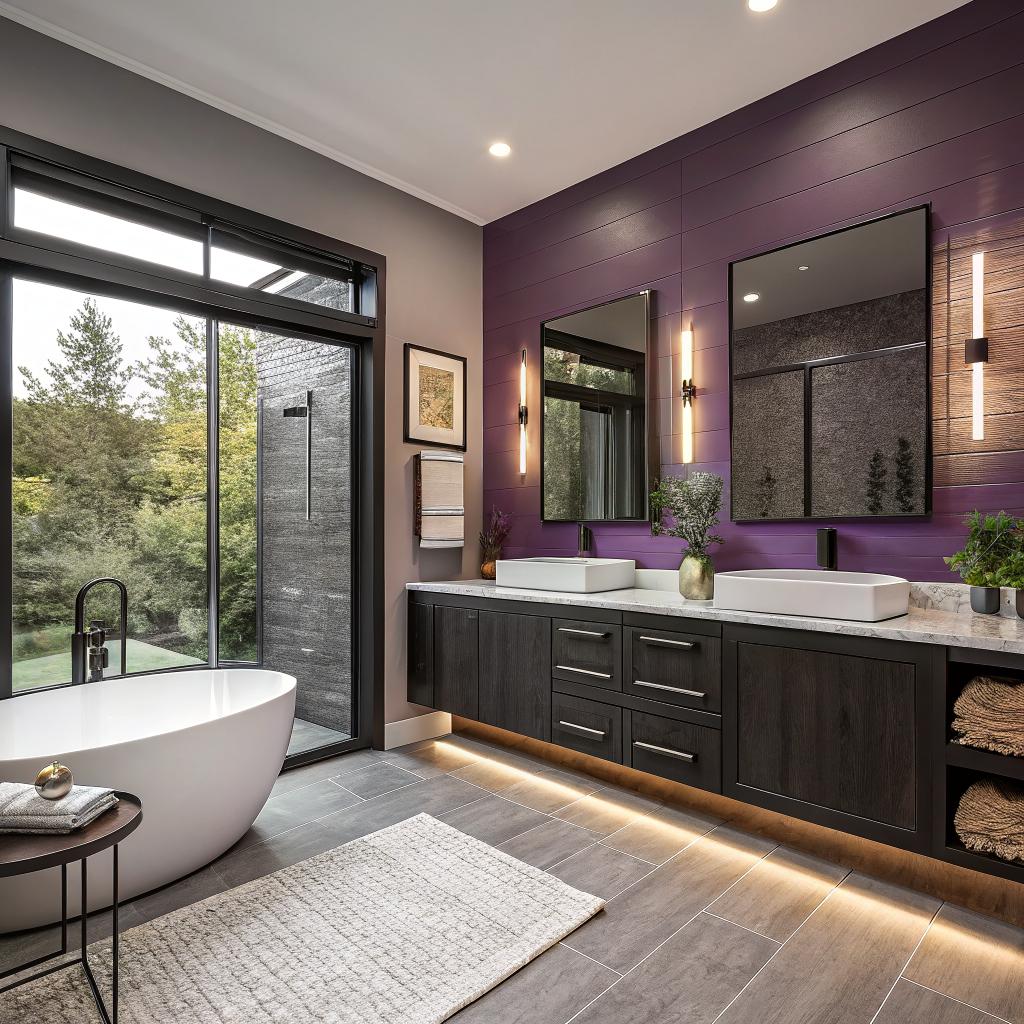
I used to think a bathroom remodel was just better tile and a nicer shower head. Then I walked into a friend’s house, said “wow” at the mirror, and realized half of what impressed me was hidden tech quietly working in the background.
If you want your Sugar Land bathroom remodel to be smart home ready, you do not need to turn it into a spaceship. The simple answer is: plan the wiring and low-voltage runs first, choose devices that work with your current smart platform, and pick fixtures that can still function if the tech fails. If you start your design around those three points and work with a local pro like Bathroom Remodel Sugar Land, you set yourself up for a bathroom that feels modern now and does not box you in later as new tech shows up.
What “smart home ready” really means for a bathroom
Most people hear “smart bathroom” and think color changing lights and a mirror that tells you the weather. That is part of it, but if you only focus on gadgets, you miss the real value.
Smart home ready means:
- The room has the wiring, power, and space for today’s devices and tomorrow’s upgrades.
- Core features still work if the Wi-Fi, app, or hub is offline.
- Your lights, fan, heating and water controls can talk to the rest of your home setup.
So you are not just picking products. You are planning a small system.
Smart home ready means the bathroom works fine as a normal room, but quietly supports tech without tearing open walls later.
If you get that mindset in place before the remodel starts, every design choice gets a bit easier.
Step 1: Decide what you actually want this bathroom to do
Before chasing hardware, it helps to picture simple, real moments:
You get up early. The bathroom lights turn on softly at 30 percent. The mirror is not fogged. The floor is warm. The fan runs just enough to clear the steam, then turns off. You never touched a switch.
Now compare that with your actual daily habits. Ask yourself:
- Do you want voice control while your hands are wet or covered in soap?
- Do you care more about comfort (heated floors, lighting) or security (leak sensors, smart locks)?
- Do you like automation, or do you get annoyed when things move on their own?
- Do you share this bathroom with kids or guests who might not understand smart controls?
If you hate talking to smart speakers, then a voice controlled shower is going to annoy you. If you are forgetful about turning off the fan, smart ventilation might be near the top of your list.
Do not copy someone else’s smart bathroom. Build around your own habits, not their Instagram.
Common smart bathroom goals
Most Sugar Land homeowners who care about tech end up circling around a few similar goals:
- Lighting that adjusts by time of day and does not blind you at night
- Better humidity control so there is less mildew and peeling paint
- Some way to detect leaks early
- Comfort upgrades like a smart toilet seat or heated floor
- Voice or app control for lights and fan when hands are messy
You probably do not need every single thing. Pick two or three priorities to lead your design.
Step 2: Choose your smart home platform first
This part sounds boring, but it saves you the most headaches.
Before you pick any smart bathroom gear, decide which main system you want everything to work with.
Most people land in one of these camps:
| Platform | Typical devices at home | Bathroom-friendly perks | Potential drawback |
|---|---|---|---|
| Amazon Alexa | Echo speakers, Fire TV | Voice control in the shower, wide device support | Voice triggers sometimes mishear in a noisy bathroom |
| Google Home | Nest speakers, Chromecast | Good for natural language, routines across home | Some product lines change often |
| Apple Home (HomeKit) | iPhone, HomePod, Apple TV | Stronger privacy focus, good automations | Not every bathroom device supports it yet |
| Local hub (Hubitat, Home Assistant) | DIY smart switches, sensors | Local control, advanced automations and logic | More setup time, learning curve |
The new Matter standard is trying to make all of this work together, but support is uneven. I would not trust “Matter support” on the box as my only filter yet.
So, ask yourself a simple question: what do you already use in the rest of your house? It is usually smarter to extend that, rather than build a separate bathroom system that cannot talk to anything else.
Must-have platform decisions before demo day
Before your contractor swings a hammer, lock in:
- The voice assistants you will actually use
- Whether you want a wired control panel on the wall or only app/voice
- Whether you are okay with cloud-only devices or want local backups
That choice shapes what switches, sensors, and controls you buy, and how much wiring to plan into the walls.
Step 3: Wire first, decorate second
This is the part most people skip. It is also the easiest place to think a bit like an engineer.
Your tile, tub, and vanity are visible. Your wiring is not. But if the wiring is wrong, you either live with limits or open walls later, which no one wants.
Here is a simple way to think about your bathroom as a small network and power project.
Power planning
You need enough circuits and outlets to support:
- Smart mirrors or medicine cabinets that often use more power than simple glass and light strips
- Heated floors or smart towel warmers that draw steady load
- Smart toilets or bidet seats that need dedicated outlets near the bowl
- Future gear you have not even thought about yet
Ask your electrician about:
- Running an extra dedicated GFCI circuit for “future tech” under the vanity or in a closet
- Adding an outlet behind a future smart mirror so cords do not hang down
- Separate circuits for floor heat, especially if you plan multiple heated areas
It might feel like overkill. But adding one more circuit at remodel time is cheap. Patching and repainting later is not.
Networking and low voltage
Wi-Fi is fine for many devices, but bathrooms are often at the edge of a home network signal, stuffed with tile, pipes, and mirrors that do not help.
Consider:
- Running conduit or low-voltage cable to one high corner for a possible ceiling access point
- Pulling low-voltage lines for future occupancy sensors, door contacts, or a wired keypad
- Leaving a path from an equipment closet to the bathroom ceiling, even if you leave it capped now
If you already use Zigbee or Z-Wave, you want at least one powered smart switch or device in the bathroom that can act as a repeater. This helps your mesh network, not just that one room.
The less you depend on one flaky Wi-Fi signal at the very edge of the house, the more stable your smart bathroom will feel every day.
Step 4: Smart lighting that feels natural, not gimmicky
Lighting is usually the first real “smart” feature people notice in a bathroom. It can also be the most annoying if done poorly.
The goal is control and comfort, not rainbow colors. Color has its place, but warmth, brightness, and timing matter more for daily life.
Key lighting zones
Most smart bathrooms benefit from at least three separate lighting zones:
- Ceiling lights for general illumination
- Vanity or mirror lighting for grooming
- Low-level night lighting for late visits
You do not need three banks of physical switches if you do smart controls. But you do need to wire them as separate circuits.
Smart switches vs smart bulbs
You have two main ways to make lighting smart:
| Option | How it works | Good for | Watch out for |
|---|---|---|---|
| Smart switches/dimmers | Normal bulbs, switch connects to Wi-Fi/Zigbee/etc | Whole room control, guests, reliability | Need proper wiring, usually require neutral |
| Smart bulbs | Bulbs join your smart platform directly | Color effects, per-fixture control | People turning switches off breaks automation |
In a bathroom, smart switches are usually the better first choice because:
- They work like normal for guests
- They do not reset if someone flips the switch
- You can still change bulbs in the future without redoing automations
You can always mix in a few smart bulbs later for accent lighting around a tub or niche.
Practical automations for Sugar Land bathrooms
Think less about “scenes” and more about very specific behaviors:
- Night mode: between 11 pm and 6 am, motion turns on floor or toe-kick lights at 10 or 20 percent brightness.
- Morning routine: on weekdays, bathroom lights ramp gently to a set level when your alarm goes off.
- Vacation mode: randomize bathroom light usage slightly to make the house look occupied.
Try not to overcomplicate the logic. The more conditions you stack, the harder it is to debug when something behaves oddly.
Step 5: Exhaust fans and humidity control
This part sounds uninteresting, but it matters a lot, especially in this climate. Sugar Land humidity is no joke, and a poorly vented bathroom can grow mold fast.
A smart bathroom fan can:
- Turn on automatically when humidity spikes above a set level
- Run at a low level for background ventilation
- Turn off on its own after a shower
Options for smart fan control
You have three main paths:
- A fan with built-in humidity sensing and smart control
- A normal fan hooked to a smart switch with a humidity sensor in the room
- A fully separate humidity sensor that triggers automations in your hub
The second option is often the sweet spot:
- Easier to service or replace the fan later
- Humidity sensor placement is under your control
- Works with your existing platform for automations
Whichever you pick, ask your contractor to vent air outside properly, not into an attic space. A fancy smart fan that dumps moist air into your insulation is just a slow leak of problems.
Step 6: Water, temperature, and leak detection
Water is the main risk in a bathroom. It is the one part that can silently cost you thousands if it goes wrong.
So if you only add one “serious” smart feature, make it leak detection.
Leak sensors and shutoff valves
Small battery sensors can sit:
- Under the vanity
- Behind or beside the toilet
- Next to the tub or shower pan
When they sense water, they can send an alert to your phone or hub. Pair that with a smart main shutoff valve, and you can auto-close water if a major leak happens.
In Sugar Land, where many homes have water heaters in closets or attics nearby, this is not just “nice to have”. It can prevent soaked drywall and flooring.
If you only budget for one “invisible” smart upgrade, choose leak detection over voice controlled lighting.
Smart shower and temperature control
Smart showers sound fancy, but the practical benefits are:
- Pre-heat water to a set temperature without wasting as much
- Limit maximum temps to protect kids or older adults
- Track water usage if you care about consumption
You can go all in with a digital mixing valve and full keypad, or take a lighter path like a smart thermostatic valve that remembers a set temperature.
I would avoid making basic shower function rely on Wi-Fi. You want a system where water still runs and temp is set from a physical knob panel if the app dies.
Step 7: Mirrors, toilets, and other gadgets that might actually be worth it
This is where the bathroom starts to feel like part of a smart home, not just a room with a smart switch.
But it is also where cost adds up, and where you risk buying something you will ignore in 6 months.
Smart mirrors and medicine cabinets
Common features include:
- Built-in LED lighting with adjustable color temperature
- Anti-fog heaters that kick in when the mirror light is on
- Touch controls on the glass
- Sometimes Bluetooth speakers or simple displays
Things to check before you buy:
- Is there a hardwired power requirement behind the mirror?
- Can the lighting be controlled from a wall switch or just by touch buttons?
- Is there any integration with your smart platform, or will it always be a separate thing?
If the mirror can at least be switched on a regular wall circuit, you can wrap it into basic automations, even if it does not have a full integration.
Smart toilets and bidet seats
This is where some people get uncomfortable, but the comfort benefit is real.
Common features:
- Heated seats
- Built-in bidet with adjustable pressure and temperature
- Automatic lid opening or soft-close
- Deodorizing fan
- Night light around the bowl
If you like tech, a smart bidet seat can be more impactful to your daily comfort than fancy tile. Just keep in mind:
- You will need a GFCI outlet near or behind the toilet
- If the seat breaks, the toilet should still be usable as a normal bowl
Many of these do not tie into bigger smart home systems yet, and that is fine. Not every device needs to live in the app.
Step 8: Safety and accessibility with smart help
As people age in place in Sugar Land, bathrooms become one of the highest risk rooms. Tech can help in quiet ways here.
Examples:
- Motion based night lights reduce fall risk without blinding light
- Voice control to turn on lights before entering with a walker or cane
- Water temperature limiters to avoid scalds
- Floor heating to keep surfaces drier
One thoughtful feature is a discreet emergency button or routine. For example, a small button under the vanity that, when held, triggers a silent alert to family members.
If you are planning for aging parents or your own future needs, bring this up with your remodeler early. Grab bars, threshold-free showers, and smart controls can all be planned as one blended design rather than “hospital add-ons” later.
Step 9: How to work with your Sugar Land remodeler without overwhelming them
Not every contractor in the area is comfortable talking about smart hubs and Matter, and that is fine. You do not need your bathroom remodeler to be a full-time home automation specialist.
What you do need is:
- Someone willing to coordinate with your electrician and, if needed, a low-voltage or smart home installer
- Clear drawings that show outlet and switch locations, as well as low-voltage runs
- Honesty from both sides about what they can and cannot support long term
Here is a simple way to frame it:
Tell your remodeler: “I want a normal bathroom that also has these extra wires and circuits. I will handle the smart setup, but I need the bones in place.”
Share:
- Your chosen smart platform (Alexa, Google, Apple, etc)
- Any specific products that have unique power needs
- Your must-have locations for switches, sensors, and outlets
If they are unfamiliar with a certain device, you can offer the install guide PDF before they rough in walls. Many issues come from missing small details like clearance space or box depths.
Step 10: Budgeting: where tech is worth it, and where it is not
Smart bathroom gear ranges from cheap sensors to high-end integrated systems. It is easy to get carried away.
Here is a rough sense of where spending tends to give more real-world value.
| Category | Worth spending more? | Why |
|---|---|---|
| Wiring & power | Yes | Hard to change later, supports everything else |
| Smart switches & fan controls | Usually yes | Daily use, improves comfort and air quality |
| Leak detection & shutoff | Yes | Prevents expensive damage |
| Smart mirrors | Maybe | Nice to have, not life changing for everyone |
| Smart shower systems | Maybe | Great if you care about precise temps, less if you are low-maintenance |
| Colored smart bulbs | Usually no | Fun, but white dimmable lighting solves most needs |
Think about things this way: What will still matter to you every morning in 5 years? That is usually ventilation, lighting, comfort, and preventing leaks, not animated LED scenes.
Common mistakes in smart bathroom remodels
A quick list of pitfalls you can avoid:
- No neutral wire in switch boxes, which blocks many smart switches
- Fans and lights on the same circuit with no separate control
- Outlets in the wrong place for smart mirrors or bidet seats
- Relying only on Wi-Fi in a tile-heavy room at the edge of the house
- Devices that only work with obscure, cloud-only apps
- No manual backup when apps or voice assistants fail
If you catch these on paper before walls close, you save yourself a lot of annoyance later.
Example: A realistic smart bathroom plan for a Sugar Land home
To make this less abstract, imagine a standard hall bathroom remodel. Nothing huge, about 8 by 10 feet, tub/shower combo, single vanity.
Here is how a “smart home ready” version might look:
Infrastructure
- New 20A GFCI circuit for vanity and outlets
- Separate 15A or 20A circuit for heated floor and fan combo
- Neutral wire in all switch boxes
- Conduit from nearby network closet to bathroom ceiling, capped for now
Smart controls
- Smart dimmer for ceiling lights
- Smart switch for mirror lighting
- Smart humidity sensing switch or smart fan controller
- Motion sensor in one corner, tied to night lighting rules
Comfort and safety
- Heated floor with programmable thermostat tied into platform if available
- Leak sensor under vanity and by toilet
- Smart valve on main water line in garage or utility area
- Soft, indirect LED strip under vanity for night visits
This setup would quietly support:
- Light levels that track time of day
- Fans that run exactly as long as needed
- Alerts if a supply line leaks at 2 am
- Ability to expand later with a smart mirror, smart speaker, or even a smart toilet, without rewiring
It is not some futuristic spa. It is just a well planned bathroom that plays nicely with the rest of your home tech.
Q & A: Quick answers before you start calling contractors
Do I need a specialist smart home installer for a smart ready bathroom?
Not always. For many projects, an experienced Sugar Land remodeler plus a good electrician is enough, as long as you bring a clear list of wiring needs and the specific devices you plan to install. For more advanced setups with hubs and custom automations, a separate home tech installer can be worth it, at least for a planning session.
Is it safe to put voice assistants in a bathroom?
You need to be careful with moisture, but many people do this. Small smart speakers placed on a dry shelf or outside the door, with good microphone range, usually work fine. Just be mindful of privacy. If the idea of a microphone in that room bothers you, stick to wall switches and buttons.
Will smart features still work during a power outage?
No, most bathroom features stop when power is out, just like normal ones. The detail to check is that your shower, toilet, and basic lighting behave normally again when power returns, even if Wi-Fi is down. That comes back to choosing devices that have physical controls and default modes.
How much extra should I expect to spend for a smart home ready bathroom?
Costs swing a lot, but a rough range for the “invisible” smart readiness (extra wiring, better switches, sensors) often sits in the low thousands on top of a regular remodel, not tens of thousands. Luxury gadgets on top of that can add more, but the base readiness work is usually a small percentage of the full bathroom cost.
What is one thing I should absolutely plan for if I can only pick one smart upgrade?
Leak detection, combined with at least one smart shutoff or at minimum instant alerts to your phone. In a humid, storm-prone area like Sugar Land, water damage is far more expensive than energy waste from a light left on. Lighting scenes are nice. Catching a slow leak before it ruins your subfloor is nicer.