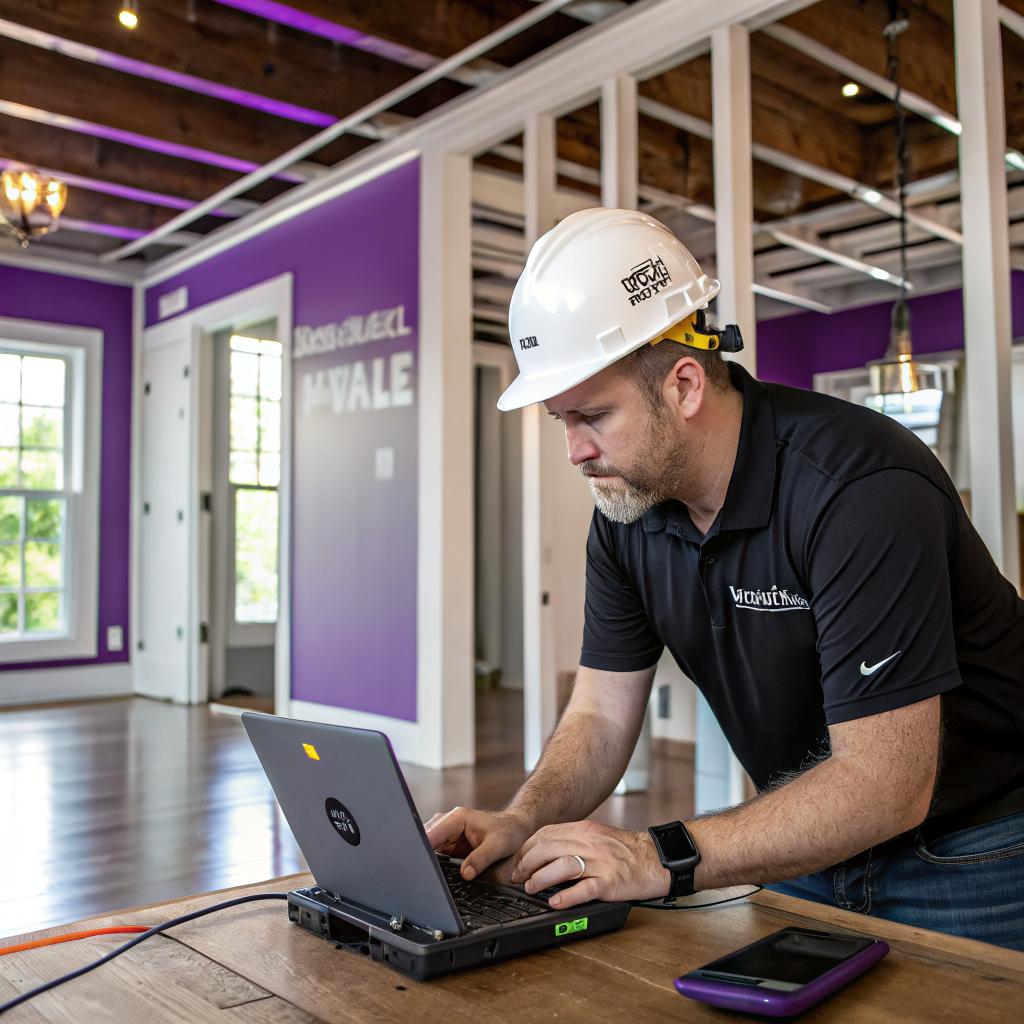
I used to think smart homes were just about voice assistants and a few Wi‑Fi bulbs. Then I watched a general contractor walk through a raw framed house in Nashville, talk to the client about server racks, PoE cameras, and HVAC zoning, and I realized I had seriously underestimated what “smart” can look like when it starts in the studs.
Short version: tech savvy general contractors in Nashville TN build smarter homes by planning the network like a real system, coordinating low voltage and high voltage from day one, choosing gear that actually plays well together, and translating all that into comfort, security, and real-world savings for the people living there.
A lot of the smarter homes in this city do not start with a gadget. They start with a contractor who knows how to read a floor plan and a wiring diagram at the same time, and who is willing to coordinate with electricians, low voltage installers, HVAC pros, and even the client’s IT friend. You see this with many general contractors in Nashville TN who now treat Wi‑Fi coverage, structured cabling, and control systems as part of the build, not an afterthought or a fancy upgrade.
How Nashville contractors think about “smart” before a wall goes up
A lot of people still do this backwards. They finish the house, then start buying random smart gear online. Cameras here, a thermostat there, maybe a doorbell. It kind of works, but it feels patched together.
Contractors who are comfortable with tech flip the order. They start with a basic set of questions, often in the first design meeting:
- How many people will live here and how do they work, relax, and sleep?
- Do you work from home, and if yes, how often and where in the house?
- How much do you care about audio, video, and gaming?
- Do you want a hub that controls everything, or are you fine with separate apps?
- What is your comfort level with managing tech and troubleshooting it?
None of this is very glamorous, but it shapes nearly every smart feature that follows.
Good contractors do not start with products. They start with lifestyle, then match the tech to it.
If you tell them you work from home three days a week and often join video calls from a bonus room over the garage, they will treat that room as a priority for wiring, HVAC zoning, sound, and security. If you stream 4K content in three rooms at once, they will think hard about your network backbone.
Wiring for the home network like it is an actual system
Wi‑Fi is not magic. It is physics, walls, and radio interference. Nashville homes often have combinations of brick, stone, old framing, and spray foam that make Wi‑Fi unpredictable if you just throw a router in a closet.
Tech aware contractors usually do a few simple but important things:
- Run Ethernet to key rooms: offices, TV locations, access point spots, camera locations where Wi‑Fi would struggle.
- Plan at least one central low voltage panel where all the network cables land.
- Make room for a small rack or shelf for router, switch, and maybe a UPS.
- Coordinate power outlets near the low voltage panel and near ceiling AP locations.
This does not sound very “smart home” on the surface, but it is the part that quietly decides if your future gear works well or not.
Strong network planning is the real backbone of a smart home, even more than the devices people talk about.
Coordinating trades so tech is not an afterthought
If you ask someone who installs smart gear for a living what their worst jobs are, many will say the same thing: retrofits where the builder never thought about wiring, access, or gear placement.
Good general contractors push back on that. They try to sync:
- Electricians for power, code, and panel work
- Low voltage installers for data, audio, security, and sensors
- HVAC techs for thermostats, zoning, and fresh air controls
- AV or home theater pros for surround sound and projector or TV wiring
You will sometimes see them adjust framing slightly so that a media closet has enough depth for gear, or they shift a stud layout so a soundbar and TV mount do not sit on a seam.
That is not flashy. But it means when someone installs a smart thermostat or a wall-mounted tablet later, there is power, network, and enough space to do it neatly.
The core pieces of a smarter Nashville home
Instead of thinking about “smart home” as a long list of gadgets, it helps to break it into a few core systems that contractors in Nashville tend to pay attention to.
1. Network and Wi‑Fi
The network is the quiet hero here. Without it, your fancy gear is just expensive decoration.
Many contractors now plan:
- Cat6 or at least Cat5e wiring to main rooms
- Ceiling or high wall spots for wireless access points
- A central “brain” area for router, switch, and sometimes NAS or media server
Here is one simple way to look at it:
| Network choice | When it makes sense | Tradeoff |
|---|---|---|
| All Wi‑Fi, no Ethernet pulls | Small condos, simple needs | Less stable streaming, weaker for home office |
| Ethernet to key rooms only | Most single family homes | Some spots still rely on Wi‑Fi repeaters or mesh |
| Ethernet to most rooms + APs + PoE | Tech heavy homes, gamers, multi office households | Higher upfront cost, more planning |
Contractors who build in wireless access points early avoid the mess of range extenders plugged into every hallway outlet.
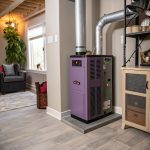
2. Smart HVAC and comfort
Nashville has cold snaps in winter and humid summers. Comfort is not optional. Smart homes here often focus on zoning and control first, not just “fancy thermostat with an app”.
Contractors look at:
- Where the thermostat sits, so it reads real living temperatures
- Support in the HVAC system for zoning or future zoning
- Wiring that supports smart thermostats without hacks
- Fresh air and humidity controls tied to smart systems
A basic approach may be a single smart thermostat tied to the main system with room sensors in bedrooms. A stronger setup is separate zones, so upstairs and downstairs behave independently, each with its own smart control.
Smart HVAC is not just set it from your phone. It is better zoning, better sensors, and fewer hot or cold rooms.
3. Lighting and switches
This is where people often either overspend or give up.
Contractors usually see three main approaches:
| Lighting style | How it works | Pros | Cons |
|---|---|---|---|
| Smart bulbs only | Wi‑Fi or Zigbee bulbs in standard sockets | Easy swaps, cheap start | Wall switches can cut power, resets networks, not ideal for whole houses |
| Smart switches and dimmers | Smart devices in wall boxes controlling normal bulbs | Feels like normal switches, better for families and guests | More planning, deeper boxes can be needed |
| Centralized lighting control | Panels in mechanical spaces, keypads in rooms | Very flexible scenes, cleaner look | Higher cost, planning must happen early |
In typical Nashville builds, smart switches at key points work fine. For example:
- Front porch and exterior lights on smart switches with sunset timers
- Main living area lights tied to scenes for “movie”, “dinner”, “evening”
- Hallway and staircase lights on motion at night
General contractors coordinate with electricians to ensure that box sizes, neutrals, and line/load layouts all support the planned smart switches. If they skip this, you see retrofit jobs where half the switches cannot be upgraded without tearing into the wall.
4. Security, cameras, and access
Smart homes in Nashville often mix traditional security system concepts with modern gear:
- Prewiring for door and window contacts in the rough-in stage
- Running Ethernet to exterior camera locations instead of relying on Wi‑Fi
- Powering doorbell cameras with solid low voltage wiring
- Planning a secure place for a network video recorder or local storage
Here, contractor decisions matter:
- If they run Ethernet to camera spots early, you can skip monthly cloud plans later or at least have options.
- If they plan a small secured closet or cabinet, you can keep your router and video storage away from prying eyes or casual tampering.
Nashville also has a lot of short term rentals. For those, smart locks and some form of remote check-in system have become almost standard. Builders who work in that niche tend to pre-plan for:
- Smart locks at primary entrances and sometimes interior doors
- Keypad or mobile app control for temporary codes
- Network access that is easy to reset between guests
5. Audio, video, and entertainment
This part is a bit more personal. Some owners want in-ceiling speakers in every room. Others only care about one living room with a rock solid TV and soundbar.
What tech friendly contractors usually do is at least give the future owner options:
- Conduit runs from media locations to attic or basement
- Extra low voltage boxes behind TVs for power, Ethernet, and HDMI
- Speaker wire to outdoor patios or decks even if speakers are not installed yet
- Space for a subwoofer that is not blocking pathways
Some will even run a single HDMI or fiber run from a main closet to a living room TV location so streaming boxes, game consoles, and AV receivers can live out of sight. That keeps TV walls clean and less cluttered.
What makes contractors “tech savvy” instead of just “tech tolerant”
Plenty of contractors are fine with smart homes if the owner or integrator drives the process. A smaller number really lean in and treat the tech as part of their craft.
Here are a few signs someone is in that second group:
They speak both construction and basic IT
They might not be network engineers, but they understand:
- The difference between a router, switch, and access point
- Why PoE cameras are often better than wireless for exterior coverage
- How to size a low voltage panel so cables are not a mess
- Where to avoid metal obstructions that block Wi‑Fi
You can usually tell during early conversations. If they treat all gear as the same, or say things like “Wi‑Fi is fine everywhere now, we do not need wires anymore”, that is a small red flag.
They plan for future changes
Good contractors know tech will change faster than the structure of the house. So they add a few simple things that age well:
- Empty conduit between floors for future runs
- One or two extra data lines to common areas
- Bigger junction boxes in tech heavy walls
- Blocking in walls for future wall mounts or control panels
This gives you flexibility when some new smart standard or device shows up.
They are careful about vendors and ecosystems
Some homeowners want to stick to one ecosystem. Others do not care, as long as the app is clean. Contractors who are used to this will usually ask which systems you already use:
- Do you use Apple, Google, or Alexa for voice control?
- Do you prefer one major brand for cameras or are you open?
- How sensitive are you to cloud subscriptions?
Instead of pushing the latest trend, they tend to stick with gear that has stable firmware, has survived a few years on the market, and is known to work well with others.
The smartest gear in a house is usually the stuff that quietly does its job for years, not the one that just launched last month.
Local quirks: what matters more in Nashville homes
Nashville is not the same as a West Coast city or a dense urban area. The way people live, the climate, and even soil conditions all change what “smart” needs to cover.
Weather, humidity, and power
Heat, humidity, and storms affect how smart systems behave.
Contractors who pay attention here might:
- Use smart thermostats paired with humidity sensors, not just temperature
- Plan whole house fans or dehumidifiers with smart control
- Suggest surge protection or small UPS units for core gear
Short power blips can mess with routers and smart hubs. A small UPS that keeps the router and central switch alive for even 10 or 15 minutes can prevent a lot of headaches when storms roll through.
Outdoor living is part of smart planning
Porches, decks, and patios are common in the region. Smart planning for outdoor spaces can include:
- Exterior speakers wired back to a central amp
- Smart lighting that shifts brightness for evening gatherings
- Cameras pointed at delivery areas and driveway approaches
- Wi‑Fi coverage that actually reaches the yard or pool, not just the back door
You do not need all of this on day one. But reasonable contractors will route at least a few low voltage lines outside, even if they end in a blank plate for now.
Renovations and older homes
Not every smart home is new construction. A lot of Nashville homes are older or have been through a few rounds of remodeling. Smart upgrades here can be a puzzle.
Tech minded contractors take a slightly different approach:
- Use wireless gear where walls cannot be opened without major cost
- Add small, localized hubs instead of one giant central rack
- Rely on combination devices, like smart switches and plug-in modules
They might also pick “low impact” cabling routes, like:
- Attic and basement paths that keep cuts in finished walls to a minimum
- Shared chases near plumbing that already pierce floors
- Careful fishing of cables behind existing trim and crown molding
This is where their construction experience and basic tech comfort blend together in a useful way.
How smart home planning actually plays out during a Nashville build
It can help to walk through a simple example. Imagine a mid-sized home on the edge of the city, two stories, with a bonus room and a small office.
Early design
During design meetings, the contractor and owner talk through:
- Work from home: one person full time in a downstairs office
- Streaming: kids using two TVs and a game console upstairs
- Comfort: one person always cold, one always warm, bedrooms upstairs
- Security: priority on driveway, front porch, and backyard gate
This turns into a basic tech plan. Not fancy, but clear.
Rough-in stage
At framing and rough-in, the contractor coordinates:
- Electrician pulls power to low voltage closet, AP spots, TV walls
- Low voltage installer runs Cat6 to office, TVs, APs, and cameras
- HVAC team leaves support for two zones with a smart stat downstairs and sensors upstairs
- Door contacts and window wires in key access points
A few extra touches:
- Conduit from the low voltage closet to the attic
- Speaker wire to the covered back patio
- Blocking in walls where TV mounts will go
Trim-out and move-in
Later, when drywall and paint are done:
- Smart switches in the main living areas, front porch, exterior lights
- Ceiling APs in the hallway, wired back to the central switch
- PoE cameras mounted at driveway and backyard
- Smart lock on the front door, basic deadbolts elsewhere for now
The owner moves in and starts using it like any other house. The difference is that rooms do not have dead spots for Wi‑Fi, the office has stable video calls, and the house can grow as needs change.
Questions people in tech tend to ask about smart homes in Nashville
Q: Is it overkill to wire Ethernet everywhere when Wi‑Fi 6 is so strong now?
A: For a small condo, maybe. For a typical house, I think skipping Ethernet is a bit short sighted. Wiring key rooms, AP spots, and camera locations gives you stability that Wi‑Fi alone rarely matches, especially through brick, spray foam, and multiple floors. You may not see the benefit every day, but you will the first time someone runs a big download while another person is on a video call and your kids are streaming in 4K.
Q: Do I really need a contractor to care about this, or can I just bring in a smart home company later?
A: You can bring in a smart home installer later, but you will probably pay more and sacrifice some clean solutions. If the contractor never planned for low voltage panels, extra boxes, or AP spots, the smart home company has fewer good options. When the contractor thinks about tech from the start, the later work is simpler, cheaper, and looks better. So you are not wrong that outside specialists can fix things, but letting the builder ignore it completely is usually a bad approach.
Q: Is there any area where people overspend on smart gear in Nashville homes?
A: Lighting and entertainment are common places where people go too far. Whole house color changing bulbs in every fixture, complex multi room audio where no one uses half the zones, or four different smart speaker brands that never quite play nicely together. It is often better to make the network solid, get good HVAC zoning, secure the entries, and then add nicer lighting and audio in stages as you figure out what you actually use day to day.