I used to think baby monitors were all the same. You turn them on, hear your kid, go back to your emails. Then I saw a live feed of someone else’s nursery on a public IP camera search site and my stomach dropped a little.
If you just want the quick answer: WiFi baby monitors are more convenient and packed with features, but they carry higher security and privacy risks if you do not lock down your network and the monitor properly. RF (radio frequency) baby monitors are usually simpler, do not touch the internet, and are much harder for random strangers to access from far away, but some cheaper ones can be picked up locally with the right gear. If you are very concerned about hacking, RF is usually safer by default. If you want apps, remote viewing, and smart home integration, WiFi can be safe enough if you set it up carefully and keep everything updated.
What WiFi and RF Baby Monitors Actually Do Differently
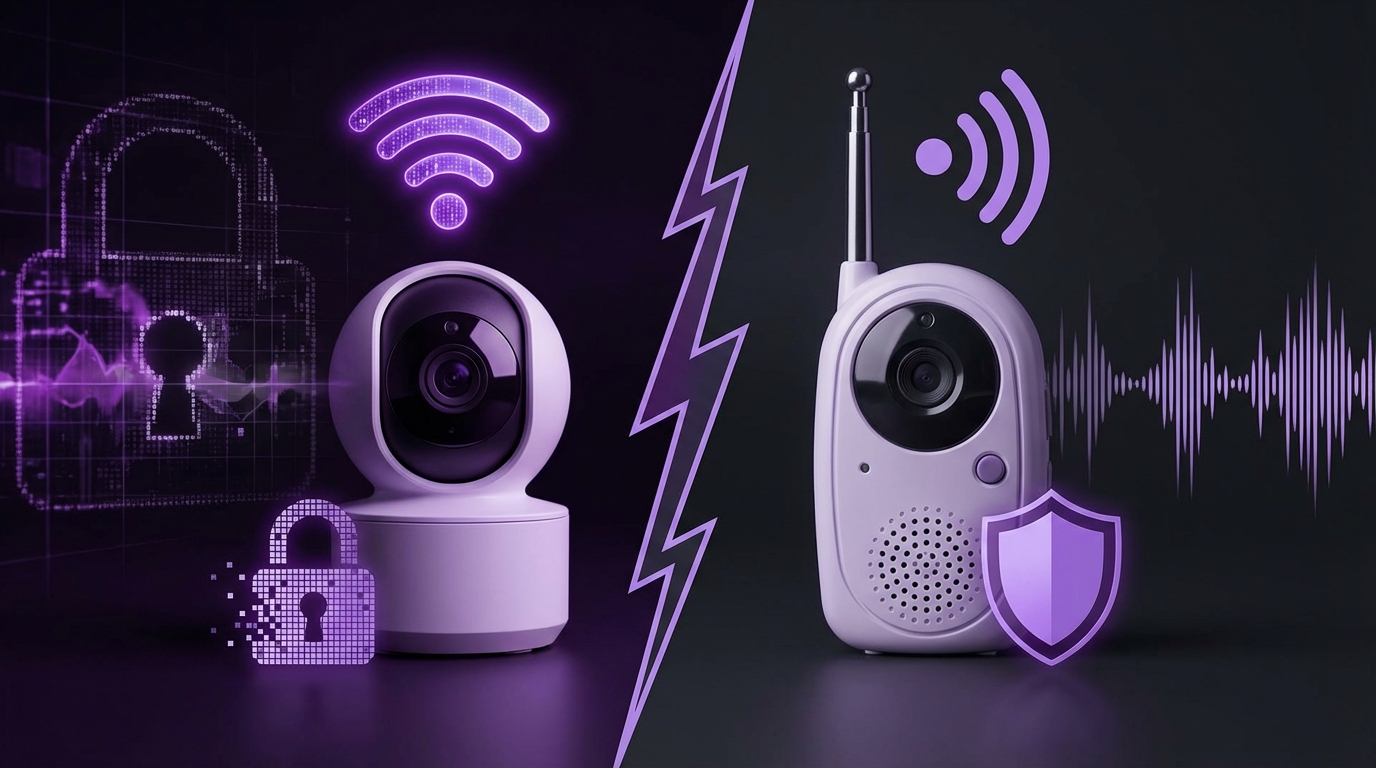
When parents talk to me about this, there is often confusion right from the start. The words “WiFi” and “RF” feel like technical labels, but both devices use radio waves. The difference is how that radio link is used.
Here is the short version:
– WiFi baby monitors send audio and video over your home network, sometimes through the cloud, and then to your phone or tablet.
– RF baby monitors send audio and video directly from the camera to a dedicated parent unit over a fixed radio channel, usually without touching the internet.
Let us break that down in a bit more detail.
How WiFi Baby Monitors Work
Most WiFi baby monitors:
– Connect to your home router using WiFi.
– Compress audio and video and send it over your local network.
– Either:
– Let you connect directly on your home network, or
– Send data through a vendor cloud service so you can access the live feed from anywhere with an internet connection.
They usually come with:
– A mobile app (iOS / Android).
– Features like:
– Push notifications for sound or motion
– Cloud or local recording
– Two-way audio
– Night vision
– Temperature and humidity sensors
So from a security point of view, you are not just buying a “camera.” You are buying:
– A WiFi radio
– A tiny computer with firmware
– A cloud account
– A mobile app
– A set of servers that belong to the vendor
More components, more possible failure points. Some of them you do not control at all.
How RF Baby Monitors Work
RF (sometimes called “digital,” “DECT,” or just “non-WiFi”) baby monitors:
– Use a fixed radio band (often 1.9 GHz DECT, 2.4 GHz proprietary, or 900 MHz in some regions).
– Pair a baby unit (camera or audio transmitter) with a parent unit (receiver with screen or speaker).
– Send audio and video directly from baby unit to parent unit.
No router. No internet. No cloud account.
These often:
– Have limited range (your home, maybe yard).
– Have fewer fancy features.
– Use proprietary radio protocols.
From a security and privacy angle, RF monitors are more like a modern version of an old walkie-talkie or cordless phone than a network device.
Main Security Risks: WiFi vs. RF
Let us talk about where things actually go wrong. The threats are different.
Key Security Risks with WiFi Baby Monitors
- Remote hacking over the internet
- Weak or reused passwords
- Unpatched firmware bugs in the camera
- Vendor cloud breaches or misconfigurations
- Data collection and privacy policies
- Compromised home WiFi network
I will go through each one.
1. Remote Hacking Over the Internet
When you connect a baby monitor to WiFi and allow remote viewing, you are exposing a small computer to the wider internet, often through vendor servers.
In the past, some baby monitor brands:
– Shipped with:
– Hardcoded passwords
– Old web servers
– Plain-text authentication
– Exposed their video streams without proper authentication
– Used insecure P2P (peer-to-peer) protocols
This allowed:
– Automated scanning bots to discover cameras.
– Attackers to brute-force passwords or use known default credentials.
– People to view and sometimes speak through the camera.
If a WiFi monitor lets you see your baby from anywhere in the world, then in principle someone else could try to do the same. The difference comes from how strong the security is and how careful you are with setup.
Modern, reputable brands have improved:
– Unique default passwords or forced password changes.
– Better encryption between device and cloud.
– Two-factor authentication (2FA) on accounts.
But you still need to:
– Use a strong, unique password.
– Turn on 2FA if it exists.
– Disable remote access if you do not need it.
2. Weak or Reused Passwords
This is boring. It is also where a huge number of compromises start.
If you:
– Reuse the same password you use for email or social media.
– Use something simple like “Baby2024!” or your child’s name plus a number.
Then:
– Any leak of that password from a different site can let someone log in to your camera app.
– Brute-force scripts can guess your password faster than you think, if there are no protections.
Attackers rarely target you personally. They try lots of accounts and see which ones open.
3. Unpatched Firmware Bugs
Baby monitors run firmware (low-level software). Over time, researchers find:
– Vulnerabilities in:
– Web interfaces
– P2P stacks
– WiFi chipsets
– Encryption libraries
Vendors sometimes release updates. Many users never install them, or the monitor updates only through a manual process.
Risk:
– If the firmware version is old and vulnerable, someone on your network or sometimes on the internet can exploit a known flaw.
There is a second issue: some cheap brands never release updates at all.
4. Vendor Cloud Breaches and Misconfigurations
If your WiFi monitor uses cloud services:
– Your camera:
– Registers with the vendor servers.
– Sends some metadata, maybe video streams or recordings.
There are two main problems here:
1. The vendor could misconfigure access controls, exposing streams or credentials.
2. The vendor could suffer a data breach, leaking user account details, device IDs, or video data.
In the past, there have been incidents where:
– Test or staging servers were left open.
– APIs did not verify authorization properly.
– Log files contained sensitive information.
You cannot fix vendor mistakes yourself. You can, however, choose brands with better security track records and clearer privacy policies.
5. Data Collection and Privacy Policies
WiFi monitors can collect:
– Audio and video data
– Usage data (when you are viewing, device identifiers)
– Network information (IP address, sometimes WiFi SSID)
Depending on the company, this data might:
– Be used only for basic service operation, or
– Feed into analytics, marketing, or AI training.
If the app is free or cheap and heavily cloud-based, at least read the privacy policy once. You are not just buying a camera; you are entering a relationship with a vendor.
Is everyone reading those policies carefully? No. But when the camera sits in your child’s room, it is worth at least skimming for words about:
– Retention periods
– Data sharing with third parties
– Use of recordings to improve “services” or “models”
6. Compromised Home WiFi Network
If someone manages to get into your home network:
– Weak WiFi password
– Old router firmware with serious bugs
– Exposed admin interface with default credentials
Then:
– They might reach your monitor’s internal interface.
– They might exploit vulnerabilities that are only reachable from inside the network.
For many baby monitors, local network access makes attacks much easier.
So WiFi baby monitors carry risk from two directions:
– From the internet, through cloud and remote access.
– From your own network, if it is poorly secured.
Key Security Risks with RF Baby Monitors
RF monitors avoid a lot of that, but they are not magic.
Typical risks:
- Local radio interception
- Weak or no encryption on cheaper models
- Physical theft of the parent unit
- Limited vendor updates for digital models
1. Local Radio Interception
Older analog baby monitors:
– Transmitted unencrypted audio (and sometimes video).
– Used frequencies that could be picked up by:
– Baby scanners
– Some cordless phones
– Cheap radio receivers
Digital RF monitors (DECT, proprietary digital protocols) are usually better:
– They pair devices.
– They often encrypt at the radio level.
But a motivated person with:
– The right SDR (software-defined radio) gear
– Knowledge of the protocol
might still be able to sniff traffic from nearby, especially if the protocol is weak.
The key difference is range. A random person on another continent cannot access it. Someone would have to be physically close, often within your house or just outside.
2. Weak or No Encryption on Cheap Models
Some budget RF monitors:
– Market themselves as “digital” but lack effective encryption.
– Reuse keys across all devices of the same model.
– Have poor pairing procedures.
That could allow:
– Another identical parent unit to receive your signal.
– Someone nearby with the same model to accidentally (or intentionally) see or hear your feed.
Higher quality DECT monitors often do a better job here.
3. Physical Theft or Loss of the Parent Unit
If you:
– Lose the parent unit
– Lend it to someone
– Throw it out without wiping data (if it stores snapshots or settings)
You could be giving away pairing information. Some systems tie the encryption to the unit, so this is less of an issue. Others make it easier to re-associate.
This threat is smaller than network attacks, but it still exists.
4. Limited Updates
Some RF monitors have firmware too, especially if they include:
– Recording
– More advanced features
– USB or other ports
Vendors do not always provide:
– Long-term security updates
– Clear update instructions
If there is any network-connected part (for example, a hybrid RF + WiFi design), that becomes more relevant.
WiFi vs. RF: Security Comparison at a Glance
Here is a simple comparison to visualize things.
| Aspect | WiFi Baby Monitors | RF Baby Monitors |
|---|---|---|
| Internet Exposure | Often accessible from anywhere via cloud/app | No internet access by default |
| Risk of Remote Hacking | Higher, if misconfigured or poorly secured | Very low; usually needs close physical proximity |
| Local Interception Risk | Low if WiFi and encryption are configured correctly | Low to medium; higher on cheap or analog models |
| Dependency on Vendor Cloud | Common; includes risk of breaches and policy changes | Minimal; typically point-to-point only |
| Setup Complexity | Higher; mobile apps, accounts, WiFi settings | Lower; power on and pair devices |
| Features | Rich: remote access, recordings, smart alerts | Basic: local audio/video, maybe simple alerts |
| Privacy Temperature | Hotter: more data, more tracking potential | Cooler: little to no cloud data |
How Easy Is It Really To Hack Each Type?
Parents usually ask some version of: “How likely is it that someone will spy on my baby?”
This is a fair question, and awkward to answer honestly, because the risk is not zero for either option.
Threat Model: Who Are You Worried About?
Before jumping to “WiFi is bad, RF is good” or the other way around, think in terms of threat models.
Common cases:
- Random strangers on the internet scanning for open cameras
- Someone you know trying to snoop (ex-partner, neighbor, landlord)
- Automated malware scanning your network
- Large-scale data collection by companies
If we look at those through each lens:
| Threat | WiFi Monitor | RF Monitor |
|---|---|---|
| Random internet stranger | Possible if security is weak or vendor has flaws | Almost impossible; no network exposure |
| Neighbor with basic tools | Possible if they can access your WiFi or guess your password | Possible with analog or weak RF, especially audio-only |
| Malware on your network | Possible, especially for older, unpatched devices | Low, unless the device has network parts |
| Company data harvesting | Real concern; tied to privacy policy and app design | Minimal; usually no cloud connection |
If your main concern is “I do not want any possibility of someone on another continent looking into my home,” RF wins.
If your main concern is “I trust major vendors more than random radio hobbyists sitting in a car outside my house,” then a well-configured WiFi monitor might feel acceptable.
How To Make a WiFi Baby Monitor Much Safer
Some parents read a few scary articles and swear off WiFi monitors completely. Others plug them in with default settings and never touch them again.
I think the better approach is more nuanced: either choose RF, or choose WiFi and treat it like any other internet-connected camera with a bit of discipline.
1. Choose a Brand With a Security Track Record
Look for:
- Vendors that:
- Publish security advisories
- Offer firmware updates
- Have bug bounty programs or security contact emails
- Reviews from security researchers or tech journalists, not just user ratings
- Recent firmware dates (not a product abandoned years ago)
Avoid:
– Very cheap no-name cameras that rebrand generic hardware.
– Devices that require sideloading shady apps on Android.
If the vendor never mentions security or updates anywhere on their site, that is a signal. Silence is not confidence; it is usually neglect.
2. Lock Down Your Home WiFi
This feels unrelated, but it is not.
Minimum steps:
- Use WPA2 or WPA3 encryption on your router (no open networks).
- Set a strong WiFi password, not something short or easy.
- Change the router admin password from the default.
- Turn off WPS if you do not use it.
- Keep your router firmware updated.
Better:
– Create a separate guest or IoT network for smart devices, including the baby monitor.
– Keep your phones and laptops on a different network if your router supports VLANs or separate SSIDs.
3. Set a Strong, Unique Account Password
For the baby monitor app account:
- Use a password manager to generate something long and random.
- Do not reuse your email password, banking password, or any other.
- Turn on two-factor authentication (2FA) if the service supports it.
If a vendor does not support 2FA at all for remote access, I am less comfortable recommending remote viewing features.
4. Disable Features You Do Not Need
Practical examples:
- If you never view the baby monitor from outside your home, turn off remote access or cloud access if the menu lets you.
- If there is a web interface accessible via your browser, restrict it to local network or disable it.
- Disable UPnP auto-port forwarding on your router if a camera tries to open ports to the outside.
Less exposed surface means fewer ways in.
5. Keep Firmware and Apps Updated
Set reminders to:
- Check for firmware updates on the monitor every few months.
- Update the mobile app when new versions arrive, especially ones mentioning security.
If the device supports automatic updates:
– Turn that on, unless there is a strong reason not to.
Yes, updates can sometimes break things. But from a risk trade-off, staying on very old firmware tends to be worse.
6. Place the Camera Thoughtfully
Even with good network security:
– Be careful what the camera can see and hear.
If:
– The camera covers the entire bedroom plus an area where adults change clothes, you have more sensitive content.
– The microphone can hear private conversations outside the nursery, consider repositioning.
Some parents even:
– Turn the camera physically to the wall when the child is not sleeping.
– Close a lens cover if it exists.
How To Make an RF Baby Monitor Safer
RF monitors start from a stronger privacy baseline, but you can still improve the setup.
1. Prefer Digital Encrypted Models Over Analog
When comparing products:
- Look for “DECT” or explicit mention of encryption.
- Avoid older analog-only audio monitors that openly broadcast.
If the product description:
– Talks in vague marketing language but says nothing clear about security, that is a small red flag.
2. Check Pairing and Range Behavior
Key questions:
- Does the monitor support unique pairing between baby unit and parent unit?
- Does it hop channels or stay on a fixed frequency?
- What is the effective range, and could your signal realistically reach neighboring homes?
If you live:
– In an apartment building with many close units, encrypted digital RF matters more.
If:
– You are in a detached house with some land around it, analog leakage is less likely to be accidentally picked up, but I still prefer encryption.
3. Treat the Parent Unit Carefully
If the parent unit:
– Stores pairings
– Can control pan/tilt
– Has other sensitive controls
Then:
- Do not lend it casually to people you do not fully trust.
- Reset it to factory settings before selling or giving it away.
- Do not leave it in public or semi-public areas.
This is more of a common sense approach than a high-tech one.
When WiFi Monitors Make Sense Despite the Risks
Some security-conscious parents still choose WiFi monitors. That is not irrational. Context matters.
Here are situations where WiFi might be the better fit:
- You travel for work and want to check in on your child from hotels.
- You have caregivers (grandparents, nannies) who need remote access to the video feed.
- You want to integrate the monitor with other systems, like smart displays.
- You live in a very large house where RF range is not sufficient.
Security is always a trade-off against convenience. The right answer shifts depending on your life, not just abstract risk.
If you choose WiFi:
– Be intentional about the brand.
– Treat configuration as a one-time project worth an hour or two.
– Maybe accept fewer features in exchange for better security practices from the vendor.
When RF Monitors Are Probably the Better Choice
On the other side, there are many parents for whom RF is simply a better fit.
Cases where RF is usually wiser:
- You do not care about remote access or phone apps.
- You are more concerned about internet-based threats than local ones.
- You prefer something you can plug in and forget, with less ongoing maintenance.
- You live somewhere with unreliable or slow internet.
In these situations:
– An RF monitor, especially a digital encrypted one, gives peace of mind with fewer moving parts.
I sometimes see parents buy a WiFi monitor because “smart” felt like the default. Then they only ever use it in the same room, on the same network, and never turn on remote features.
In that case, you might have accepted extra risk for no real gain. An RF monitor could have given you exactly what you need with a smaller attack surface.
Hybrid Options and Workarounds
There is also a middle ground that some people miss.
Use a Local-Only WiFi Camera
Some cameras:
– Allow you to view the feed only on your local network.
– Do not require cloud accounts.
– Use open protocols like RTSP.
If paired with:
– A local NVR (network video recorder) or
– A secure home server
you can get WiFi flexibility without vendor clouds.
Trade-offs:
- Setup can be more technical.
- You lose simple app convenience.
- You must secure your home network carefully.
Use RF for Daily Monitoring, WiFi for Occasional Use
Another pattern I have seen:
– Day-to-day, you use a basic RF baby monitor.
– For specific situations:
– Travel
– Visits to relatives
– Occasional remote viewing
you use a WiFi camera that you plug in temporarily.
This keeps your home setup simpler and limited in exposure. The more “connected” device is only live when you consciously decide to use it.
Practical Checklist Before Buying
Let me be a bit blunt here: a lot of baby tech gets bought impulse-style based on nice packaging, without a plan. For something that lives in your child’s room, a short checklist helps.
Questions for WiFi Baby Monitors
- Does the vendor have a clear security and privacy page?
- Does it support:
- Unique logins per user
- Two-factor authentication
- Regular firmware updates
- Can you:
- Disable remote viewing
- Turn off cloud recording
- Restrict access to local network only
- What data does the company collect, and how long do they keep it?
- Where are their servers located and under which jurisdiction?
Questions for RF Baby Monitors
- Is the communication digital and encrypted, or analog?
- What is the advertised range, and how close are your neighbors?
- Does the product mention secure pairing?
- Does the vendor provide any security documentation at all?
If the answers are vague or missing, treat that as input to your decision.
Common Myths About Baby Monitor Security
I want to clear up a few misconceptions I run into over and over.
Myth 1: “RF Monitors Cannot Be Hacked”
Reality:
– RF monitors can be intercepted locally, especially analog ones.
– Some digital systems use weak or shared keys.
– You trade global risk for local risk, which is usually better, but not perfect.
Myth 2: “If a Big Brand Sells It, It Must Be Secure”
Reality:
– Large brands have more resources, but also:
– Bigger attack surfaces
– Complex product lines
– There have been incidents from well-known manufacturers in the past.
Brand reputation is a signal, not a guarantee.
Myth 3: “I Am Not Important Enough To Be Targeted”
Reality:
– Most attacks are not personal.
– Automated bots scan for vulnerable devices and then harvest whatever they can.
– Your camera can be:
– Joined to a botnet
– Used as a foothold inside your network
– Viewed simply because it was on a long list
Your importance does not matter; your exposure does.
Myth 4: “If I Hide the Camera Name, No One Will Find It”
Reality:
– Hiding SSIDs or using clever device names does not stop:
– Firmware vulnerabilities
– Weak passwords
– Poor encryption
These are configuration details, not true security controls.
Balancing Anxiety and Safety
Security conversations about babies tend to escalate fast. It is easy to walk away feeling like any camera in your home is a terrible idea.
That can swing too far.
If:
– You are losing sleep over baby monitor hacks,
– But you still keep a smartphone with multiple always-listening apps in your bedroom,
then the risk distribution may not be what you imagine.
The goal is not zero risk. That is not realistic. The goal is reasonable risk for the level of benefit you get from the device.
For many parents:
– RF monitors are that reasonable middle ground.
– For others, WiFi monitors with careful setup and a trustworthy vendor hit the right balance.
You do not have to blindly trust any vendor. But you also do not have to reject all connected devices on principle. The key is to be conscious about the trade-offs, not accidental.
If you want, next we can walk through a concrete short list of models on each side (WiFi and RF) and analyze them from a security perspective, rather than just from features or price.