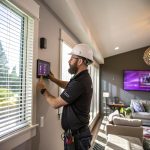
I used to think smart home tech began and ended with light bulbs and a voice assistant that struggled with my accent. Then I saw how much a smart thermostat actually changed my winter gas bill in Colorado Springs, and I stopped rolling my eyes at “connected” heating and cooling.
If you live here and just want the simple version: smart heating and cooling in Colorado Springs means combining a good HVAC system with a smart thermostat, a few sensors, and some local know‑how so your home stays comfortable through fast temperature swings without wasting energy. That might mean upgrading controls on your current furnace and AC, adding room sensors, or planning a full smart HVAC setup with zoning and automation. If you want a hands-on partner, professional companies that specialize in heating and cooling Colorado Springs can link the tech side with real-world experience in our climate, but you can understand the basics before you call anyone, which is what this guide is for.
Why smart heating and cooling matters more in Colorado Springs
Living here is strange when it comes to temperature. You can have snow in the morning, short sleeves in the afternoon, and icy roads again at night. That kind of swing hits your HVAC system hard.
Smart controls matter here for a few concrete reasons:
- Cold nights at elevation push your furnace often.
- Fast spring and fall warmups tempt people to overcorrect with AC.
- Strong sun can overheat south-facing rooms even when the rest of the house feels chilly.
- Utility costs are not exactly gentle, especially with long heating seasons.
So this is not just a “nice to have” gadget topic. It is about comfort and bills.
Smart heating and cooling in Colorado Springs is less about flashy gadgets and more about telling your system when to run hard and when to back off, with better timing than you can manage by hand.
A basic old-school thermostat just reacts when temperature crosses a line. A smart setup predicts patterns, uses sensors in more than one spot, and usually ties into your phone. That difference is huge in a city where a 40 degree daily swing is not rare.
How a smart HVAC setup actually works
I think it helps to break the tech into pieces instead of treating it as a magic box. At a high level you have:
| Part | What it does | Tech angle |
|---|---|---|
| HVAC equipment | Furnace, heat pump, AC, boiler, air handler | Supports multi-stage or variable speed for smoother control |
| Thermostat / controller | Brains of the system | Wi‑Fi, scheduling, learning, remote control |
| Sensors | Measure temperature, humidity, sometimes occupancy | Placed in rooms, ducts, or outdoors |
| Zoning hardware | Motorized dampers in ducts | Directs air to some rooms and not others |
| Automation layer | Rules and integrations | Connects with apps, voice assistants, smart blinds, etc. |
The more of those pieces you connect, the smarter the whole thing feels. But you do not have to jump to the full stack on day one.
A lot of people in Colorado Springs start with:
- A smart thermostat that works with their existing furnace and AC.
- Room sensors in a cold bedroom or hot upstairs office.
- A basic schedule plus some simple automations like “set back when I leave.”
That already deals with some big frustrations like hot second floors in summer and cold basements in winter.
Key climate quirks that your smart system should respect
I am going to sound a bit obsessed with local weather, but your tech setup should reflect where you live, not some generic average.
Rapid temperature swings
On a sunny winter day here, the house can warm up fast from solar gain, even when the air outside is freezing. A dumb thermostat might cycle off, the sun goes down at 4:30, and suddenly the furnace has to run hard again.
Smart controls help by:
- Preheating slightly before the coldest part of the night hits.
- Using outdoor temperature and weather forecasts to time that preheat.
- Avoiding big overshoots that waste gas.
Any smart schedule for Colorado Springs should expect sharp drops after sunset and plan ahead, not just react late.
Dry air and altitude
Winter here is dry. Many smart thermostats show humidity, but people ignore that screen. You probably should not.
If your humidity drops under roughly 30 percent indoors, you feel colder at the same temperature. That leads you to bump the heat up when the better answer might be to run a humidifier. Some systems can control a whole-house humidifier directly. That is a nice upgrade for comfort.
Sun exposure and room differences
South and west facing windows in Colorado Springs can roast a room. At the same time, a north-facing basement might feel like a cave.
Without some extra tech, a single thermostat in a hallway will never really manage that well. It only “knows” its spot.
This is where room sensors or zoning start to make sense, not as luxury, but just to deal with how the sun hits your house.
Picking a smart thermostat that makes sense here
Smart thermostats have turned into their own little gadget category. It is easy to get distracted by pretty screens and forget about basics like wiring and compatibility.
Here are the main questions you should answer before you buy anything:
- What type of system do you have? Single-stage gas furnace, heat pump, boiler, or a mix.
- Do you have central AC now, or plan to add it soon.
- Is there a C-wire running to your current thermostat.
- Do you care about tight integration with your existing smart home platform.
The best smart thermostat for a heat pump with electric backup in Colorado Springs is not always the same one you would pick for a simple gas furnace, even if both boxes say “works with most systems.”
Common feature sets to look for
Try to match features to our climate and to your tech habits.
| Feature | Why it matters in Colorado Springs | Nice if you are a tech person |
|---|---|---|
| Learning schedules | Adapt to your routine when heating season drags on for months | Less manual tweaking after the first few weeks |
| Weather awareness | Can preheat or precool before swings | Fun to test against local forecasts and see how accurate it is |
| Room sensors | Fix hot/cold spots, especially between floors | Gives you data for each room, not just a hallway |
| Energy reports | Track changes when you tweak settings | Graph nerds can compare month by month and overlay weather data |
| API / smart home support | Integrates with other devices | Lets you build custom automations with Home Assistant, Hubitat, etc. |
Do not pick only on “smart” features though. Check:
- Supported heating stages, especially if you have a two-stage furnace.
- Heat pump specific settings if you use one, like balance between heat pump and backup heat.
- Warranty terms and whether local pros are comfortable working with that brand.
Zoning and room-level control
Full zoning sounds attractive on paper. Every room has exactly the right temperature at all times. Reality is messier, especially on older ductwork.
There are three basic levels of control:
1. Room sensors with a central thermostat
This is the least invasive option. You keep a single HVAC zone, but your smart thermostat can:
- Average multiple rooms for the current reading.
- Prioritize a specific room during certain times, like the bedroom at night.
- Notice if one room is always an outlier.
Pros:
- No duct work surgery.
- Low cost compared with mechanical zoning.
- Good enough for many two-story homes here.
Cons:
- Still sends the same air volume through all vents.
- Cannot fully fix extreme hot/cold rooms if the duct design is poor.
2. Duct zoning with motorized dampers
This is the more “pro” level. Installers add dampers inside duct runs, plus a zone control board. Your home becomes two or more zones, like “upstairs” and “downstairs.”
You then have:
- A thermostat or sensor for each zone.
- A controller that tells dampers which zone to feed.
- Logic to avoid overpressuring the ducts.
In Colorado Springs, this is handy for:
- Large multi-story homes where the upstairs cooks in summer.
- Walkout basements that are much cooler than the rest of the house.
- Home offices that need stable temperature for gear and comfort.
This setup is great when done correctly, but it is not a casual weekend project. You want someone who actually knows airflow, not just wiring.
3. Smart vents
Smart vents sit in place of regular floor or wall registers and can open or close based on wireless commands.
They give a taste of zoning without touching the main ducts, but they also carry risk. Close too many and static pressure rises, which is not good for your blower or coils.
I like them only when:
- Used sparingly for small, specific balancing problems.
- Paired with pressure-safe HVAC equipment and a conservative control strategy.
If you are more of a tech experimenter, smart vents are interesting. If you just want stable air and long equipment life, proper zoning or duct fixes are usually safer.
Heating tech choices that match Colorado Springs reality
Smart controls can only go so far if the core heating method is a bad match for your house.
Gas furnace vs heat pump vs hybrid
Gas furnaces are still common here. They handle low winter temperatures well, especially modern high-efficiency models. Heat pumps are improving in cold climates though, and some people like the idea of less gas use.
Here is a simplified comparison with a tech focus:
| System type | Pros for this area | Watch out for |
|---|---|---|
| High-efficiency gas furnace | Strong heat output in very cold weather, widely supported by local techs | Relies on gas prices, needs combustion air and venting done correctly |
| Cold-climate heat pump | Can heat and cool with one unit, pairs well with smart controls | Lower output in deep cold, needs careful sizing and defrost control |
| Hybrid / dual-fuel | Switches between heat pump and gas based on temperature or cost | More complex controls, needs a smart thermostat that handles dual-fuel logic |
A lot of tech-minded homeowners in Colorado Springs are moving toward hybrid systems. They run the heat pump during milder hours and switch to gas on very cold nights.
Smart thermostats with outdoor sensor inputs can make that switch automatic once you set a balance point.
Boilers and radiant systems
Radiant floor heat is common in some parts of town, especially in custom homes. Tech integration here is a bit different.
Points to think about:
- Radiant systems react slowly, so prediction matters more than quick corrections.
- Smart thermostats need to handle long cycle times and floor sensor readings.
- Mixing radiant heat with forced air cooling takes planning on the control side.
For a boiler setup, the smartest gains often come from:
- Outdoor reset controls that adjust water temperature based on outdoor temperature.
- Room-by-room smart thermostats or actuators on manifolds.
- Careful scheduling that accounts for the lag in radiant response.
If you are the kind of person who enjoys long graphs of temperature over time, a radiant system with good sensors is oddly satisfying to tune.
Cooling tech that does not overreact
Cooling in Colorado Springs is more forgiving than heating, but there are still some quirks.
Central AC and smart control
Central AC with a smart thermostat is straightforward. The two main mistakes I see are:
- Trying to “blast” cold air by setting the thermostat way low, which does not work faster.
- Ignoring humidity, even though dry air here can make a higher temperature feel fine.
Smarter control means:
- Using slow, steady cooling during the hottest part of the day instead of waiting until 5 pm.
- Coordinating blinds and shades with cooling cycles.
- Letting upstairs sensors influence run times.
Evaporative coolers and hybrid setups
Some homes still use swamp coolers. They pair well with our dry climate but need different logic from AC.
Tech details:
- Smart controllers can adjust fan and pump timing based on outdoor humidity and temperature.
- Integrating window and door sensors helps prevent overuse when the house is open.
- You may combine a small central AC or mini split for bedrooms and use evap for the main living space.
Smart home platforms like Home Assistant make these hybrid setups much easier to manage without manually flipping switches every time the weather changes.
Practical smart home automations for Colorado Springs HVAC
If you like tech, the fun part comes after you have the hardware in place. That is where you turn plain smart thermostats into something that actually fits your life.
Here are some automations that tend to work well here.
Schedule and setback ideas
Simple does not mean boring. For example:
- Winter mornings: Preheat the house 30 to 45 minutes before you wake up, not at the moment your alarm rings.
- Workdays: Drop the heat a few degrees when everyone leaves, bump it back up an hour before you return.
- Summer nights: Use cooler outdoor temperatures with a “flush” period where you pull in outside air if you have a compatible system or whole-house fan.
You can start conservative then adjust based on comfort and your energy reports.
Geo-fencing and occupancy
Many smart thermostats can use your phone location to know when you are away. That works fairly well here as long as you do not push it too far.
Thoughts:
- Do not let the house get ice cold just because you ran to the store.
- Use geo-fencing to bump temperature slightly, not to switch to extremes.
- If multiple people live there, combine locations so one person working from home is enough to keep comfort settings active.
For tech users, adding indoor motion sensors can refine this further: the system can treat active rooms differently from unused ones.
Weather based rules
Weather APIs plus local outdoor temperature sensors are very handy in this region.
You can create rules like:
- If a cold front is predicted this evening, start preheating an hour earlier than normal.
- If outdoor temperature at night is under a certain number, adjust your hybrid system to use gas backup more aggressively.
- If radar shows clear sunny afternoon, allow slightly higher cooling setpoints, since solar gain will help with evening warmth.
This is where the line between “comfort” and “hobby” begins to blur, and that is not necessarily bad.
Monitoring, data, and small tweaks that matter
A lot of tech people enjoy graphs and logs. HVAC is full of them if you know where to look.
What to track
You do not need a full sensor wall, but a few data streams help:
- Indoor temperature by room.
- Indoor humidity.
- Outdoor temperature and humidity.
- HVAC runtime by mode (heat, cool, fan).
- Energy use if your smart meter or plugs can expose it.
With that you can answer questions like:
- Does preheating actually reduce burner run time on cold mornings.
- Which rooms overheat from sun and when.
- How much setback is too much for comfort in January.
Common mistakes I see people make
Here is where I will push back a bit on popular advice.
- Too aggressive setbacks in winter: Dropping from 70 to 60 every night might not save as much as you think, and deep recovery burns a lot of fuel in the morning.
- Constant manual overrides: If you are changing the setpoint every hour, your learning thermostat never stabilizes.
- Ignoring maintenance: Smart controls cannot fix a dirty filter, low refrigerant charge, or a failing blower motor.
Some blogs claim “just get a smart thermostat and save up to X percent automatically.” That is oversold. The gains are real, but they depend on your house, your habits, and how you actually use the features.
Security and reliability side of smart HVAC
Since you are reading a tech-focused guide, you probably care at least a bit about network security and reliability.
Privacy and local control
Many smart thermostats send data to cloud servers. Some people are fine with that, others are not.
You have a few options:
- Pick devices with good privacy policies and clear data practices.
- Use local-control friendly platforms like Home Assistant for extra logic.
- Avoid connecting your HVAC controls to random third-party “skill” integrations you do not trust.
If a cloud outage takes down your automations for a bit, the thermostat should still work locally. That is a non-negotiable feature in my mind.
Network design
Smart HVAC should not break just because your Wi‑Fi hiccups.
Simple ideas that help:
- Give your HVAC devices a strong signal, not the far edge of coverage.
- Avoid overloading the 2.4 GHz band with dozens of low-quality IoT devices on the same channel.
- Consider segmenting IoT gear on a separate VLAN if you enjoy that level of network tinkering.
If any of that sounds like overkill, you are not wrong, but tech people tend to already be down this path anyway.
DIY vs pro work in Colorado Springs
Smart thermostats are often marketed as DIY friendly. Sometimes that is true. Other times you end up at 10 pm reading wiring diagrams while your family wears jackets indoors.
Here is a rough guide.
Better for DIY
- Replacing a basic single-stage thermostat with a smart one using the same wires.
- Adding battery room sensors.
- Setting up schedules, automations, and integrations in your smart home platform.
Better for pros
- Adding a C-wire or reconfiguring low-voltage wiring in complex systems.
- Installing or adjusting zoning dampers.
- Work that touches gas lines, refrigerant, or major duct changes.
Even if you are comfortable with tech, HVAC has some parts where a mistake can get expensive quickly. Sometimes paying for an hour or two of a local tech’s time is cheaper than guessing.
Example smart setups for different Colorado Springs homes
To make this less abstract, here are a few simple build paths.
Small older home with a single furnace and no existing AC
Goal: Better winter control now, space to add cooling later.
Possible path:
- Install a smart thermostat that supports future AC.
- Add a humidity sensor and consider a small whole-house humidifier.
- Use room sensors in the coldest room and the warmest room.
- Plan wiring and breaker space now for either central AC or a heat pump later.
You can treat this as a long-term project instead of a one-time “smart upgrade.”
Two-story suburban home with furnace and central AC
Goal: Fix hot upstairs in summer and cold downstairs in winter.
Possible path:
- Smart thermostat with strong room sensor support.
- Sensors in primary bedroom, upstairs hallway, and main living area.
- Daytime priority on the main living space, night priority on bedrooms.
- Consider zoning if sensors cannot overcome design issues.
You will likely see less fighting about thermostat settings once the bedrooms stop feeling like a different climate zone.
Tech-heavy new build with hybrid system
Goal: Tie HVAC into broader home automation.
Possible path:
- Hybrid heat pump plus gas furnace with dual-fuel capable thermostat.
- Full coverage of temperature and humidity sensors, including in equipment space.
- Outdoor sensor feeding both thermostat and automation platform.
- Rules that adjust balance point based on utility pricing or personal priorities.
- Separate schedules for home office, with tighter control during work hours.
Here, the fun is ongoing. You will keep tuning it season after season.
Quick Q & A to wrap this up
Q: If I only do one smart upgrade to my heating and cooling, what should it be?
A: For most people in Colorado Springs, a well-chosen smart thermostat plus at least one strategically placed room sensor gives the biggest comfort jump per dollar. It fixes schedule hassles and reduces hot/cold spots without touching ducts.
Q: Do smart thermostats really lower bills here or is that marketing?
A: They can lower bills, but not by magic and not always by the numbers in ads. The savings come from better timing, modest setbacks, and less overshoot, especially on fast swing days. If you ignore the features and run it like a regular thermostat, savings will be small.
Q: Can I over-automate my HVAC?
A: Yes. If you have constant rules firing, frequent setpoint changes, or API calls every few seconds, you can cause short cycling and wear. Stable, simple rules tend to work better than clever ones that change temperature every time a sensor twitches.
Q: Is zoning worth it or should I just add more sensors?
A: Sensors are the first step. If they show big consistent differences that scheduling cannot fix, zoning or duct work changes might be worth the cost. But full zoning is a project, not just a gadget purchase, so think about how long you plan to stay in the home.
Q: What is one thing tech people often overlook with HVAC?
A: Physical basics. Airflow, insulation, and sealing. A perfect automation stack sitting on top of a leaky, badly balanced duct system will always feel a bit disappointing. Sometimes a boring duct adjustment does more than another smart device.