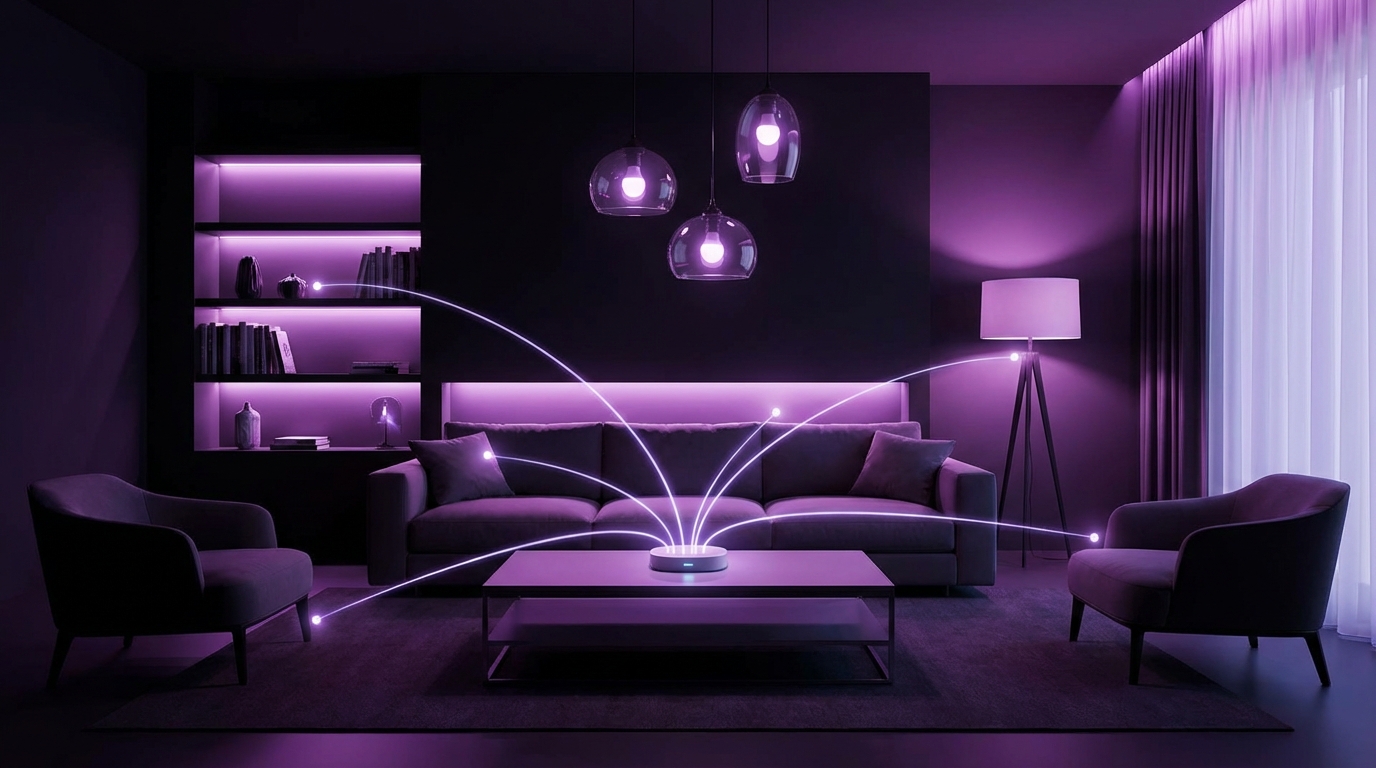
I used to think smart lights were just expensive light bulbs with an app. Then I tried to shut off my entire house from bed with a single voice command and realized, “Oh. This is different.”
If you just want the quick answer: in 2025, the best smart lighting ecosystems for most people are Philips Hue, Govee, and Nanoleaf, with LIFX and Aqara as strong options for more advanced setups. Hue is the most balanced overall, Govee gives the most features per dollar, and Nanoleaf is great for people who care a lot about design and smart home automation.
What “smart lighting ecosystem” actually means in 2025
When people say “ecosystem” here, they usually mean a mix of hardware, software, and integrations that all play well together:
- The bulbs, strips, light bars, switches, and sensors you install
- The app where you group lights, set scenes, and make automations
- The bridges or hubs that connect everything
- How it talks to Alexa, Google Assistant, Siri, and now Matter
A single smart bulb is nice. A lighting ecosystem is when the whole home responds as one: your hallway fades on when you walk by at night, your office switches to focus lighting at 9 AM, your living room reacts to your TV or music, and you do not have to fight six apps to make it work.
Here is the tricky part: the “best” ecosystem depends on a few things you might not be thinking about at first:
| Factor | Why it matters |
|---|---|
| Budget | Smart bulbs can cost 3-10x more than regular bulbs, and you need several. |
| Reliability | If a light does not turn on instantly, you will stop trusting the system. |
| App quality | You will live in that app. A clunky app ruins the experience. |
| Voice / platform | Alexa, Google, HomeKit, SmartThings, Home Assistant, Matter support. |
| Local vs cloud | Do your lights work if the internet is down, or if the vendor shuts servers? |
| Style | Plain bulbs vs light bars, wall panels, ceiling fixtures, etc. |
The best smart lighting ecosystem is the one that stays reliable when Wi‑Fi is bad, your phone battery is low, and guests are visiting.
So let us walk through the major players for 2025, what they are good at, what they mess up, and who I actually recommend them for.
Philips Hue: still the safest long-term bet
I fought buying Hue for years because the bulbs looked overpriced. Then I tried cheaper brands, had a few random disconnects and lag, and ended up back where many people start: Hue.
Why Hue still leads the pack
Here is where Hue tends to win:
- Reliability: Hue is still one of the most stable systems, especially if you use the Hue Bridge.
- Zigbee + Matter: Lights talk to the bridge over Zigbee, which avoids Wi‑Fi congestion. Newer products also support Matter.
- Huge product range: Bulbs, light strips, lamps, recessed lights, light bars, outdoor fixtures, switches, sensors.
- Strong app: The app is not perfect, but it is clear, steady, and does not feel like a toy.
- Integration support: Alexa, Google, HomeKit, SmartThings, and broad support in Home Assistant.
Hue also has a big advantage that does not show up in specs: they stick around. A lot of smart lighting brands appear, make cheap bulbs, then vanish. Hue has been through several platform shifts and still supports older products.
If someone in your family “just wants the lights to work,” Hue with a bridge is one of the least risky options.
Where Hue lags behind
Hue is not perfect, and if you value certain things, it might even be the wrong choice:
- Price: Hue bulbs and fixtures cost more, even when they are on sale.
- No Wi‑Fi bulbs (by design): You need the bridge for the best experience.
- Color brightness: Whites are bright, colors are sometimes a bit dim compared to some newer brands.
- Entertainment features: Hue Sync is nice but not as flashy as what Govee does with some of its new products.
If your goal is “I want my gaming room to look like a scene from a music video,” Hue can feel conservative.
Who should pick Hue in 2025
Hue is best for:
- People who want a whole‑home system with minimal tinkering
- HomeKit users who want rock‑solid support
- Anyone who cares more about reliability than having the cheapest setup
- Owners who plan to live in the same place for years and want to build slowly over time
If I had to pick one ecosystem for a non‑technical homeowner who wants to “just get it right” once, it would be Hue plus a bridge.
Govee: feature packed and budget friendly
When Govee first appeared, I saw them as a budget brand focused on RGB strips for gamers. The thing is, they kept shipping new products, improved the app, and started supporting Matter.
Now, in 2025, Govee is a serious ecosystem, not just cheap lights.
Where Govee shines
Govee has some clear strengths:
- Price vs features: You get a lot of color, effects, and brightness for less money per light.
- Entertainment & immersion: Camera‑based TV backlights, music sync modes, scene effects.
- Fun factor: If you want reactive, animated, multi‑zone light strips, Govee is hard to beat.
- Matter support on newer lines: Newer Govee bulbs and strips support Matter over Wi‑Fi.
If you want your room to react to music or games without building complex automations, Govee is one of the easiest ways to get that.
The app is also more flexible than many people expect. You can build custom scenes, control segments of strips independently, and share designs.
Drawbacks and trade‑offs with Govee
Here is where things get less ideal:
- Wi‑Fi heavy: Most lights connect directly to Wi‑Fi, which can overload weaker routers in larger homes.
- Cloud reliance: Much of the control flows through Govee servers.
- HomeKit support: This is still limited; Matter has helped, but it is not perfect.
- Product sprawl: Many similar products with slightly different names; can be confusing when buying.
If your internet is flaky, some Govee features can feel unpredictable. I would not use Govee alone for “mission critical” lighting in a big house.
Who Govee fits best in 2025
Govee is a strong fit for:
- Renters and people in apartments
- Gamers and streamers who care a lot about visuals
- Anyone who wants a lot of lighting effects for a reasonable price
- People already comfortable with cloud‑connected devices
I usually do not recommend Govee as your only ecosystem for an entire large home. But as the main lighting system in a small space, or as an entertainment layer together with something like Hue, it works well.
Nanoleaf: for design‑driven and automation‑heavy setups
Nanoleaf started with those wall light panels that every YouTuber had behind them. Over time they built bulbs, strips, and now smarter controllers with strong home automation integration.
There is a split here: some people see Nanoleaf as “decor lights”, and others treat it as a serious platform.
Why Nanoleaf is interesting in 2025
Nanoleaf brings a few distinct advantages:
- Design: Panels, shapes, and fixtures that look like art, not like hardware.
- Thread + Matter: Many newer Nanoleaf products work as Thread border routers and support Matter.
- Automation focus: Good integration with Apple Home, and deep automation potential when combined with other platforms.
- Scenes and responsiveness: Attractive, smooth animations and transitions.
If you care how the light fixtures look even when they are turned off, Nanoleaf probably beats everyone else.
Their Thread support is a big deal. Thread reduces reliance on Wi‑Fi, lowers latency, and offers a more resilient mesh network for your smart home.
Weak spots for Nanoleaf
Some trade‑offs:
- Cost: Panel kits and newer fixtures are not cheap.
- App learning curve: The app is powerful, but not always intuitive on the first day.
- Product focus: Not as many basic fixtures for whole‑home coverage as Hue has.
Nanoleaf can be overkill if what you want is “simple bulbs that just work” in every ceiling socket.
Who Nanoleaf suits in 2025
Nanoleaf makes sense for:
- People who want lighting to be part of the room design
- Apple Home users who want Thread‑based lighting
- Smart home enthusiasts who enjoy building scenes and automations
- Content creators who care how backgrounds look on camera
If I were building a modern apartment from scratch and cared about both aesthetics and smart home performance, Nanoleaf plus a few other brands would be near the top of my list.
LIFX: high‑quality Wi‑Fi bulbs without a hub
LIFX has had a strange path. Fantastic bulbs, some company turbulence, and then a kind of quiet stability.
They still make some of the best pure bulbs for color quality and brightness.
What LIFX does very well
Here are the strong points:
- Color and brightness: Deep colors, bright whites, often brighter than similar bulbs.
- No dedicated bridge: Direct Wi‑Fi connection; no hub to buy or manage.
- Good app scenes: Solid scene presets and schedule support.
- Local control in some integrations: In certain setups you get faster response.
If you want high quality bulbs in a few important rooms, and you do not like the idea of a hub, LIFX is one of the cleanest options.
LIFX also plays fairly well with the major voice assistants.
Where LIFX struggles
Drawbacks:
- Wi‑Fi reliance: Every bulb is a Wi‑Fi client; dozens of bulbs can strain your router.
- Smaller product family: Fewer fixtures and sensors compared to Hue.
- Long‑term uncertainty: The brand has had ownership and support shifts over time.
If you want a 50‑bulb whole‑home setup, pure Wi‑Fi bulbs across the board are usually not my first pick.
Who LIFX fits in 2025
LIFX is a good fit for:
- Small homes or apartments with modern Wi‑Fi
- People who care about light quality and color more than accessory variety
- Rooms where you want fewer, high‑impact bulbs rather than a full ecosystem
I would use LIFX like a scalpel, not like a blanket solution: a few rooms where color and brightness matter a lot.
Aqara & friends: local control and sensors first
When power users talk about smart homes, Aqara comes up a lot, not for their bulbs, but for their sensors, switches, and blinds controllers. Their lighting story is more about control than about the bulbs themselves.
Why Aqara is worth a look
Strengths:
- Zigbee and sometimes Thread: Less Wi‑Fi load, fast local communication.
- Wide sensor range: Motion, contact, vibration, temperature, presence, switches.
- Strong automation potential: Works well with Home Assistant, Apple Home, and others.
If your idea of “smart lighting” is mostly about sensors and automation, Aqara is more important than the bulb brand.
You can mix Aqara sensors and switches with Hue, Nanoleaf, or generic Zigbee bulbs and build a very responsive system that does not rely heavily on the cloud.
Limitations of Aqara as a “lighting ecosystem”
Some gaps:
- Not focused on fancy bulbs: Aqara is more about infrastructure than about colorful effects.
- Multiple hubs: Depending on region and product, you can end up with more than one Aqara hub.
- App polish: The app is functional, but less refined than Hue or Govee.
So I do not really rank Aqara as a “lighting brand” in the same way. It is more like the nervous system behind your lighting.
Who should consider Aqara in 2025
Aqara is ideal for:
- People who want lights to react to presence and time automatically
- Those using Home Assistant or other local control platforms
- Owners who prefer wired switches and sensors over app‑only control
If you are willing to invest time learning automations, Aqara plus your preferred bulbs can outperform almost any single brand solution on behavior.
Matter, Thread, Zigbee, Wi‑Fi: what actually matters in 2025
This part trips up a lot of people, and I understand why. There are several standards, and they overlap.
Let me simplify the main network options smart lighting ecosystems use:
| Protocol | Used by | Pros | Cons |
|---|---|---|---|
| Wi‑Fi | Govee, LIFX, many cheap bulbs | No hub needed, high bandwidth | Loads your router, can be flaky with many devices |
| Zigbee | Philips Hue, Aqara, some others | Low power, mesh network, proven | Needs a hub or bridge, different hubs are not all compatible |
| Thread | Nanoleaf, newer Matter devices | Modern mesh, low latency, works with Matter | Still maturing, needs border routers |
| Matter | Newer Hue bridge, Govee, Nanoleaf, others | Common language for smart devices | Standard is young; features vary by brand |
Do not chase protocols just for their names. Pick the ecosystem behavior you want, then make sure it speaks to your phone and voice assistant in a stable way.
If you want practical advice:
- For big homes: favor Zigbee or Thread based systems plus a bridge or hub.
- For small setups: Wi‑Fi bulbs are fine if your router is decent.
- For future proofing: look for Matter support on new purchases, but do not throw away good non‑Matter gear just to be trendy.
Best ecosystems by scenario in 2025
Different homes need different setups. Let me break it down by use case.
1. “I want one simple, reliable whole‑home system”
You want: consistency, reliability, minimal fiddling.
Strong choice:
- Philips Hue with Bridge
Additions that can help:
- Aqara sensors or switches for rooms where you want automatic behavior
- Smart dimmer switches that control multiple Hue bulbs together
This is not the cheapest, but it tends to be the least stressful long term.
2. “I am on a budget, but I still want smart lighting”
You want: reasonable cost, decent quality, good app.
A balanced route:
- Govee for strips, lamps, and accent lights
- More affordable Wi‑Fi bulbs in rooms where you do not need premium color
Points to keep in mind:
- Try not to overload your Wi‑Fi; upgrade your router if needed.
- Standardize on as few brands as reasonable so you are not juggling five apps.
3. “I care a lot about Apple Home and privacy”
You want: strong HomeKit support, more local control.
Best combination:
- Philips Hue plus Bridge, connected to Apple Home
- Nanoleaf panels and bulbs with Thread
- Aqara sensors and switches bridged into Apple Home
This gives you a solid mix of local-ish control, good automations, and pretty strong long‑term viability.
4. “I want the best entertainment lighting for TV, gaming, and music”
You want: immersion, color effects, reactive lighting.
Good ecosystems:
- Govee TV backlights, strips, and light bars
- Nanoleaf wall panels behind or near your screen
- Hue for people who want official PC/TV sync options
Here I would actually mix ecosystems quite freely, as long as your main control method (usually voice or a central app) still feels manageable.
5. “I want automation more than color effects”
You want: lights that react intelligently, mostly white light, smooth behavior.
Best focus:
- Aqara sensors, switches, and hubs
- Hue or Nanoleaf bulbs and fixtures as the output devices
- Optionally, Home Assistant as your central brain if you do not mind a learning curve
Here your “ecosystem” is really the automation platform plus the sensors; the bulb brand is secondary.
How to pick the right smart lighting ecosystem for you
If I were sitting with you in front of a whiteboard and planning your lighting, this is the simple process I would follow.
Step 1: Decide where smart lighting actually matters
Not every room needs smart bulbs. Start by marking:
- Rooms you use daily: kitchen, living room, bedroom, office
- Critical paths: hallways, entryway, stairs, bathroom
- Special spaces: media room, game room, studio
You can leave some secondary spaces on regular switches and add smart controls later if you want.
Step 2: Choose your primary control method
Ask yourself:
- Do you want to talk to your lights (Alexa, Google, Siri)?
- Do you want light switches and sensors doing most of the work?
- Do you like opening an app and controlling rooms and scenes from your phone?
If you rely heavily on voice, pick brands with strong native integration for your platform instead of using complex bridges and workarounds.
Once you know this, some options start to drop out naturally.
Step 3: Pick one “anchor” ecosystem
Your anchor is the brand that will cover at least 60 to 70 percent of your lights.
For most people, that anchor should be:
- Philips Hue, or
- Govee, or
- Nanoleaf
Try not to start with three different anchors. You can mix later, but start with one main system so your home does not feel like a patchwork of half‑connected islands.
Step 4: Add a “brain” or supporting system only if needed
You might not need Aqara or Home Assistant on day one.
They help when:
- You want room‑based motion lighting that behaves differently day and night
- You want real local control without cloud dependence
- You want complex automations that your main app cannot handle
If you are still exploring, keep your setup simple until you hit real limitations.
Step 5: Grow slowly and test each stage
I see people order 20 bulbs on day one, wire them all up, and then discover the app is unreliable in their house. That is a painful way to learn.
Instead:
- Buy a starter kit or a few bulbs first.
- Use them for a couple of weeks.
- Test how guests interact with them.
- Add more only when you are sure about that ecosystem.
If your partner or roommate keeps reaching for physical switches and complaining, you need more smart switches, not more smart bulbs.
Which ecosystem I would pick in different personal scenarios
To make this more concrete, here are a few hypothetical “me”s and what I would choose in each case.
If I lived in a small apartment with good Wi‑Fi and a modest budget
I would likely anchor on Govee:
- Govee strip behind the TV
- Govee lamp or bulbs in the living room
- Simple Wi‑Fi bulbs for the bedroom
I would stick with voice control plus the Govee app, and not bother with bridges or hubs for now.
If I had a larger home and planned to stay 5+ years
I would anchor on Hue:
- Hue Bridge plus bulbs for all main rooms
- Hue switches at key doors
- Aqara motion sensors in hallways and bathrooms
- Govee or Nanoleaf added only in the entertainment room
This keeps the “serious lighting” on a stable backbone and saves the fancier effects for a few rooms.
If I cared a lot about aesthetics and used Apple devices everywhere
I would split between Nanoleaf, Hue, and Aqara:
- Nanoleaf panels in the office and living room feature walls
- Hue bulbs in ceiling fixtures
- Aqara sensors, wired switches, and Apple Home automations as the glue
This is more complex, but it gives a nice balance between visual design and smart behavior.
Where smart lighting ecosystems might go next
One last piece that shapes which ecosystem is “best” is where the tech is heading.
Looking ahead a bit from early 2025, here is what I expect to shape your decisions over the next couple of years:
- Matter getting less messy: Better multi‑admin support, smoother pairing, more consistent feature sets.
- More Thread devices: More bulbs, switches, sensors using Thread, which should improve reliability.
- Brand consolidation: Some of the smaller budget brands will likely disappear or get merged.
- Better presence detection: More use of millimeter‑wave presence sensors so lights know if you are still in the room.
Do not chase perfection. Pick a solid ecosystem, leave some room for change, and expect to adjust a little as standards mature.
If you pressure me to name just one “best” ecosystem for 2025 across all types of users, I still cannot do it honestly. For most homeowners, Hue gets closest. For visual effects and price, Govee wins. For design and modern protocols, Nanoleaf is strong. And for serious automation, Aqara plus a mix of others is hard to compete with.
The real win is picking one anchor, understanding its limits, and then layering other brands only where your anchor falls short. That approach ages a lot better than chasing whatever bulb happens to be on sale this month.