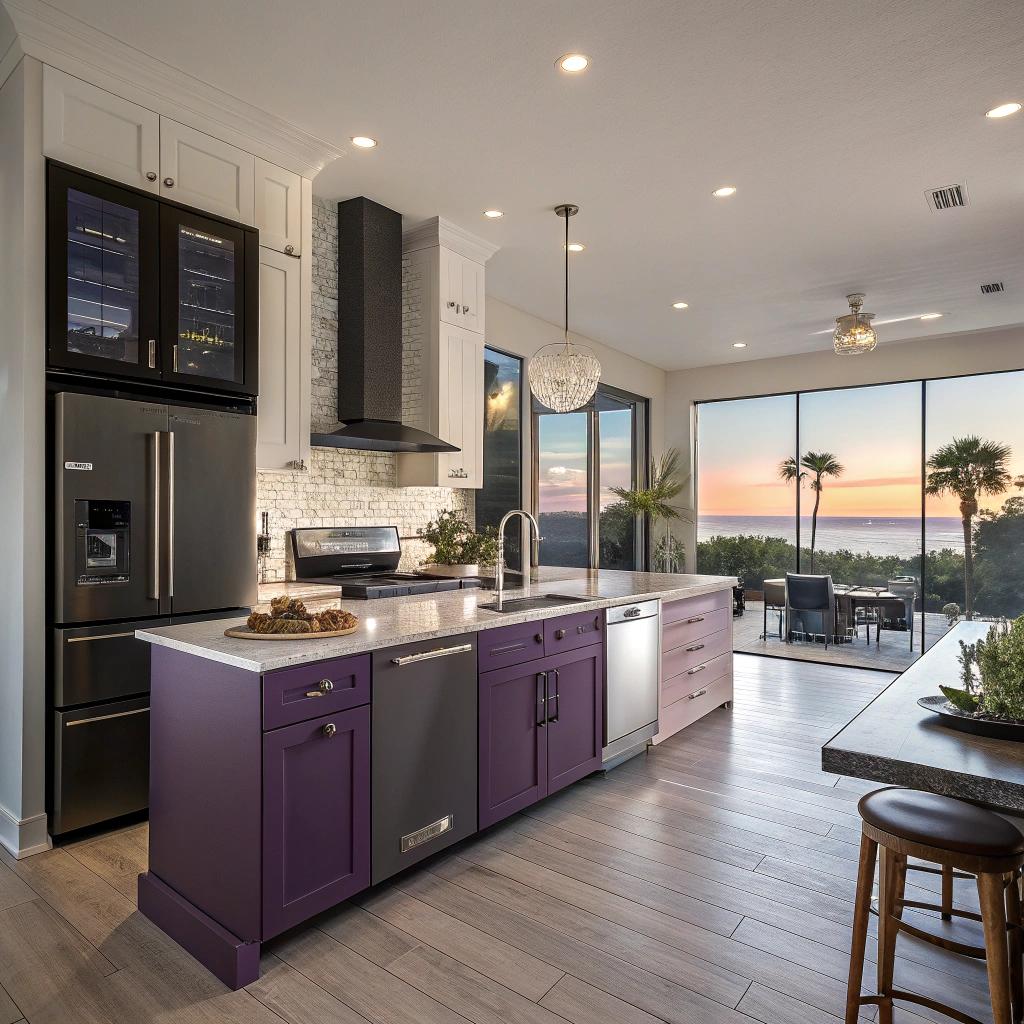
I used to think a smart kitchen was just a fridge with a screen on it and a couple of Wi‑Fi plugs. Then I started planning a serious tech-focused kitchen renovation in Rockport and realized how many little decisions matter more than any flashy gadget.
If you want a quick answer: a smart kitchen renovation in Rockport, Texas works best when you treat it like a small home lab. Start with solid basics like power, networking, layout, and ventilation, then layer in devices that solve real problems for how you cook and live. That means planning outlets for smart appliances, reliable Wi‑Fi coverage, wired connections where needed, good lighting control, and then choosing tech that integrates cleanly instead of creating its own chaos. The construction side has to support the tech side, so working with a local pro that understands both, such as a contractor who handles kitchen renovation Rockport Texas, keeps the plan realistic.
Why a smart kitchen in Rockport feels different
Rockport is not a big metro city, and that changes a few things.
Humidity, salt air, and power blips are real. If you live near the water, you already know metal rusts faster, Wi‑Fi sometimes behaves strangely, and outlets are never where you want them.
So when you bring tech into the kitchen, you are not just trying to impress your friends. You are trying to make cooking easier in a pretty harsh environment.
If the wiring, layout, and network are weak, even the smartest fridge will feel dumb.
That is why it helps to see your kitchen as a system instead of a collection of random devices.
You want:
- Good electrical planning so you are not tripping breakers
- Network coverage strong enough for cameras, screens, and voice control
- Surfaces and placements that can handle heat, steam, and splashes
- Devices that you can actually repair or replace without tearing down walls
Tech fans sometimes start with what looks cool. I think it works better to start with what will be annoying in daily use and remove those pain points with smart solutions.
Step 1: Start with the unglamorous tech decisions
Power, wiring, and circuits
Kitchens already pull a lot of power. Add smart ovens, induction cooktops, and always-on devices, and things can get messy.
Here is what people often overlook:
- Dedicated circuits for big loads like induction cooktops and wall ovens
- Countertop outlets spaced correctly for coffee gear, air fryers, and chargers
- Hidden outlets inside cabinets for hubs, routers, and charging docks
- GFCI and AFCI protection in the right locations, especially near sinks
If you want undercabinet lighting, smart switches, and a control panel, that all has to be wired from the start. Retrofitting later usually costs more and looks worse.
You cannot fix bad electrical planning with smart plugs, no matter how many you buy.
Wi‑Fi and networking in the kitchen
A lot of people stick the router in some random corner of the house and pray it reaches the kitchen. That works until you add:
- A smart display for recipes
- Wi‑Fi enabled appliances
- Security cameras pointing out to the backyard or driveway
- Smart speakers and smart switches
If the signal drops every time someone closes the fridge, your setup will feel more annoying than helpful.
During a kitchen renovation, you can:
- Run Ethernet to one or two spots for access points or hubs
- Plan a spot for a wired kitchen display or small panel
- Leave a hidden space for a mesh node in a pantry or upper cabinet
For tech lovers, pulling one Cat6 run to a kitchen wall is cheap insurance. You might not think you need it now, but in five years you will be glad it is there.
Smart lighting that actually helps you cook
A smart kitchen often starts with lighting, and that is not a bad thing. You are in there morning, evening, and sometimes at 2 am hunting leftovers. Lighting affects all of that.
Layered lighting
There are three layers that matter:
- Ceiling / general lighting
- Task lighting under cabinets
- Accent lighting, like toe-kicks or glass cabinet lighting
You can connect each layer to smart switches or smart dimmers. Then set scenes like:
- “Cooking”: bright overhead and undercabinet lights
- “Dinner”: softer overhead, some accent light, undercabinet on low
- “Night”: only toe-kick or undercabinet strips at a very low level
If you use smart bulbs, try not to mix too many brands. I have seen kitchens where each bulb needs a different app. It looks cool for a week, then everyone gets tired of it.
Physical controls are still king
Voice control and phone apps are nice, but in the kitchen your hands are wet, messy, or full. So real switches still matter.
Things that help:
- Smart dimmers that still work like normal switches
- One main panel where you can control several scenes
- Motion sensors for pantry or undercabinet runs
If guests cannot turn the lights on without asking for a tutorial, the setup is too clever for its own good.
Smart appliances that make sense in Rockport
You do not need every smart appliance on the market. Some earn their place, others become expensive toys.
Here is a simple comparison to help you decide where to put your budget.
| Appliance | Smart features worth paying for | Nice but not critical |
|---|---|---|
| Fridge | Temperature alerts, door open alerts, basic app control | Built-in screen, cameras for groceries |
| Oven / Range | Remote preheat, temp probe alerts, safety shutoff | Recipe integration, voice recipes |
| Dishwasher | Leak detection, cycle notifications | Complex cycle programming from app |
| Microwave | Voice start/stop, simple presets | Barcode scanning, cloud recipe syncing |
| Coffee setup | Scheduled brew, warm-up control, smart plug control | Overly complex app settings |
In Rockport, the salt and moisture can be rough on electronics. For that reason, paying more for a brand with reliable support and parts availability often matters more than one extra smart feature.
Think about repairability and updates
There is a quiet problem with smart appliances: firmware updates and apps.
Before you buy, look at:
- How long the manufacturer supports software updates
- Whether the appliance still works normally if the app stops working
- How easy it is to get parts or service in the Rockport / Corpus Christi area
If an oven requires a cloud account to turn on, that is a risk. If the app disappears one day, you are stuck. The best smart appliances still work as normal appliances without the cloud.
Voice control in the kitchen
Voice assistants can shine in the kitchen, but they can also get in the way.
Good uses:
- Starting timers without touching anything
- Adding items to a shared shopping list
- Controlling lights and music
- Checking weather or traffic while making breakfast
Mediocre uses that sound better than they are:
- Voice-controlled oven settings that fail with background noise
- Complex multi-step recipes read out slowly
- Trying to control every single device by voice
Kitchen audio is tricky. Blenders, vent hoods, and kids all compete with your voice. So if you place a smart speaker, keep it:
- Off the counter to avoid splashes
- Away from the loudest appliances
- Close enough for reliable voice pickup
Some people prefer a smart display instead of a pure speaker in the kitchen. That way you can see timers, recipes, and camera feeds at a glance. I think a 7 to 10 inch display is a sweet spot.
Storage, organization, and hidden tech
Tech fans often end up with extra gear: coffee grinders, scales, air fryers, smart hubs, sensors, chargers, you name it. A good kitchen design can hide most of that without making it hard to reach.
Smart storage ideas that actually work
A few practical examples:
- Pull-out shelves with built-in outlets for small appliances
- A “charging drawer” with USB-C and power strips for phones and tablets
- A small cabinet or pantry niche for your router or mesh node
- Magnetic strips inside cabinet doors for sensors, keys, or small tools
If you are planning a coffee or drink station, consider:
- One dedicated circuit for espresso machines and grinders
- Under-cabinet lighting focused on that area
- A water line if you are serious about plumbed machines
People often forget that all the “smart” stuff needs a place to live, with power and sometimes Ethernet. That can be concealed, but it must be intentional.
Safety tech that fits Rockport kitchens
Technology in the kitchen should not just be about convenience. Rockport homes deal with storms, humidity, and sometimes aging wiring, so safety tech makes sense.
Sensors to consider
Here are some low-drama devices that matter more than a smart toaster:
- Smart smoke detectors that send alerts to your phone
- Heat sensors in or near the kitchen if you dislike smoke alarm false positives
- Water leak sensors under the sink, behind the fridge, and near the dishwasher
- Smart shutoff valves for the main water line or for the fridge and dishwasher
One silent leak behind a dishwasher can do more damage to your home than any gadget can fix later.
Power monitoring plugs can also help you spot failing appliances. A fridge that starts pulling much more power than normal might be heading toward a breakdown.
Dealing with humidity and the coastal environment
Rockport’s coastal air is great for sunsets, not so great for electronics and metal finishes.
Materials and finishes
When picking finishes:
- Favor corrosion resistant hardware and hinges
- Choose appliance finishes that can handle frequent cleaning
- Look for vent hoods with strong, quiet fans and good filters
Ventilation matters more in a humid climate. Smart vent controls that adjust speed automatically based on temperature or smoke level can actually make sense here, as long as they still offer a simple manual control.
Protecting your tech devices
You probably will have:
- Smart speakers or displays
- Smart switches and dimmers
- Hubs or bridges for lighting and sensors
To keep them happy:
- Avoid placing them right over the stove or next to windows that condense
- Use surge protection and good grounding
- Plan at least one spot with more controlled conditions, like a pantry, for hubs
A small UPS (battery backup) for your router and main hub helps during power flickers, which are not unusual in storm season.
Smart layout for real cooking
Technology cannot fix a bad layout. If the fridge is far from the prep area, or if you bump into someone every time you open the dishwasher, smart features will just shine a light on poor planning.
Zones, not just work triangles
People still talk about the classic “work triangle”: sink, fridge, stove. That is fine, but a modern tech-heavy kitchen often works better in zones:
- Prep zone: large counter, sink nearby, good task lighting
- Cooking zone: stove, oven, vent hood, frequently used tools
- Cleaning zone: sink, dishwasher, trash and recycling
- Tech / snack zone: coffee machine, microwave, smart display, charging
The tech zone is where a lot of smart gear can live without crowding cooking space. It can hold:
- Smart display for recipes and family calendar
- Charging drawer or shelf
- Smart speaker for music and timers
- Quick snacks so kids stay out of the hot areas when you cook
Software, apps, and smart home platforms
This part is where tech lovers often go overboard. Every device has its own app, plus there are major ecosystems like Alexa, Google Home, Apple Home, and more.
You do not need to support everything. Pick one main platform and make most choices fit that.
Choosing your main platform
Ask yourself:
- What phones and tablets do you already use?
- Do you already own a smart speaker or display?
- Do you want local control in case the internet goes out?
If you are deep into Android, Google Home might feel more natural. If your household is mostly iPhone and iPad, Apple Home can be less frustrating over time.
The new Matter standard promises better compatibility across platforms. It helps, but it is not magic. Check device reviews and real-world feedback, not just labels.
Budgeting for a smart kitchen in Rockport
People often underestimate the cost of the “invisible” parts: wiring, network, insulation, and labor. Then there is nothing left for decent appliances.
A rough way to think about budgeting:
| Category | Approx share of budget | What it covers |
|---|---|---|
| Construction and labor | 35% – 45% | Demolition, framing, drywall, flooring, cabinets install |
| Electrical & networking | 10% – 15% | Circuit upgrades, wiring, outlets, lighting, Ethernet |
| Appliances | 15% – 25% | Fridge, range, oven, microwave, dishwasher, vent hood |
| Smart devices | 5% – 10% | Smart switches, sensors, speakers, displays, hubs |
| Finishes | 20% – 30% | Counters, backsplash, fixtures, hardware, paint |
These are loose numbers, not rules. Some people spend more on appliances and less on finishes, or the other way around. But if smart devices take more than 10 percent of your total budget, I would double-check priorities.
It is better to have a rock solid electrical and network base with a few smart devices than a shaky base with wall-to-wall gadgets.
Working with local pros without losing control of the tech
Contractors care about things like structure, code, schedule, and materials. Tech lovers often care about Wi‑Fi, automation, API access, and device choice.
Sometimes those worlds talk past each other.
A few simple ways to keep everyone on the same page:
- Draw a rough “tech map” of your kitchen before serious design starts
- Mark where you want smart switches, access points, speakers, and displays
- List which devices need constant power and which could use plugs
- Share your main smart home platform and any non-negotiables
You do not need to specify every brand from day one, but your contractor should know, for example, that you want:
- Ethernet run to two exact spots
- Space for a wall-mounted tablet or panel
- Deep boxes for certain smart switches
If you get pushback on any tech idea, ask why. Sometimes there is a code issue or a practical problem you did not think of. Other times, a contractor may just be unfamiliar with something you want, and a small compromise can still work for both of you.
Planning your own smart kitchen: a simple roadmap
If all of this sounds like a lot, you can break it into phases. You do not have to do every smart feature on day one.
Phase 1: Infrastructure
Prioritize:
- Electrical upgrades and new circuits
- Outlet placement and GFCI coverage
- Ethernet runs and location for router / access point
- Lighting wiring for future smart switches or scenes
At this stage, you only commit to decisions that are hard to change later.
Phase 2: Core appliances and layout
Pick:
- Reliable appliances with the smart features you will actually use
- A layout that supports zones and traffic flow
- Vent hood capacity to match your cooking style
You can buy smart appliances now or use standard ones and upgrade later, as long as the power and space planning is done right.
Phase 3: Smart devices and automation
After you move in and live with the new kitchen for a bit, add:
- Smart switches or dimmers for key circuits
- One or two smart speakers or a display
- Leak sensors, smoke detectors, and water shutoff
- Scenes and routines based on your real habits
This gradual approach avoids wasting money on features that sounded good on paper but do not fit your daily routine.
Common mistakes tech lovers make in the kitchen
To be blunt, tech fans often repeat the same problems. A few that stand out:
Over-automation
Not every action needs to be smart. If it takes more steps to use an app than to press a button, people will stop using the feature.
Signs you might be overdoing it:
- Guests cannot turn lights on by themselves
- Family members complain about “the system” a lot
- When Wi‑Fi drops, half the kitchen stops working properly
Ignoring backup modes
You want manual controls as a backup for almost everything:
- Light switches that still toggle like normal
- Appliances that work without an internet connection
- Local control for essentials like lights and vent hood
Buying before planning
It is fun to buy gadgets. But if you buy random smart devices before your layout and wiring are final, you risk:
- Wrong voltage or incompatible wiring needs
- No good place to install or store them
- Wi‑Fi dead spots you only notice later
If you are patient and treat your kitchen like a small system build, you end up with something that feels solid instead of fragile.
Q & A: Is a smart kitchen renovation worth it in Rockport, Texas?
Q: Is a smart kitchen really worth the extra cost, or is it just a hobby project for tech people?
A: It depends what you mean by “smart.” Paying more for stable power, good lighting, strong Wi‑Fi, and a few well-chosen smart devices tends to pay off in daily comfort, even if you are not a hardcore tech person. Chasing every new gadget, on the other hand, can turn into a hobby that never ends. The sweet spot is a kitchen that still feels normal when the internet is down, but becomes more convenient and safer when the tech is working.
If you look at your own kitchen right now, what is the single thing that annoys you most, and how could a smarter renovation actually fix that instead of just adding more screens?