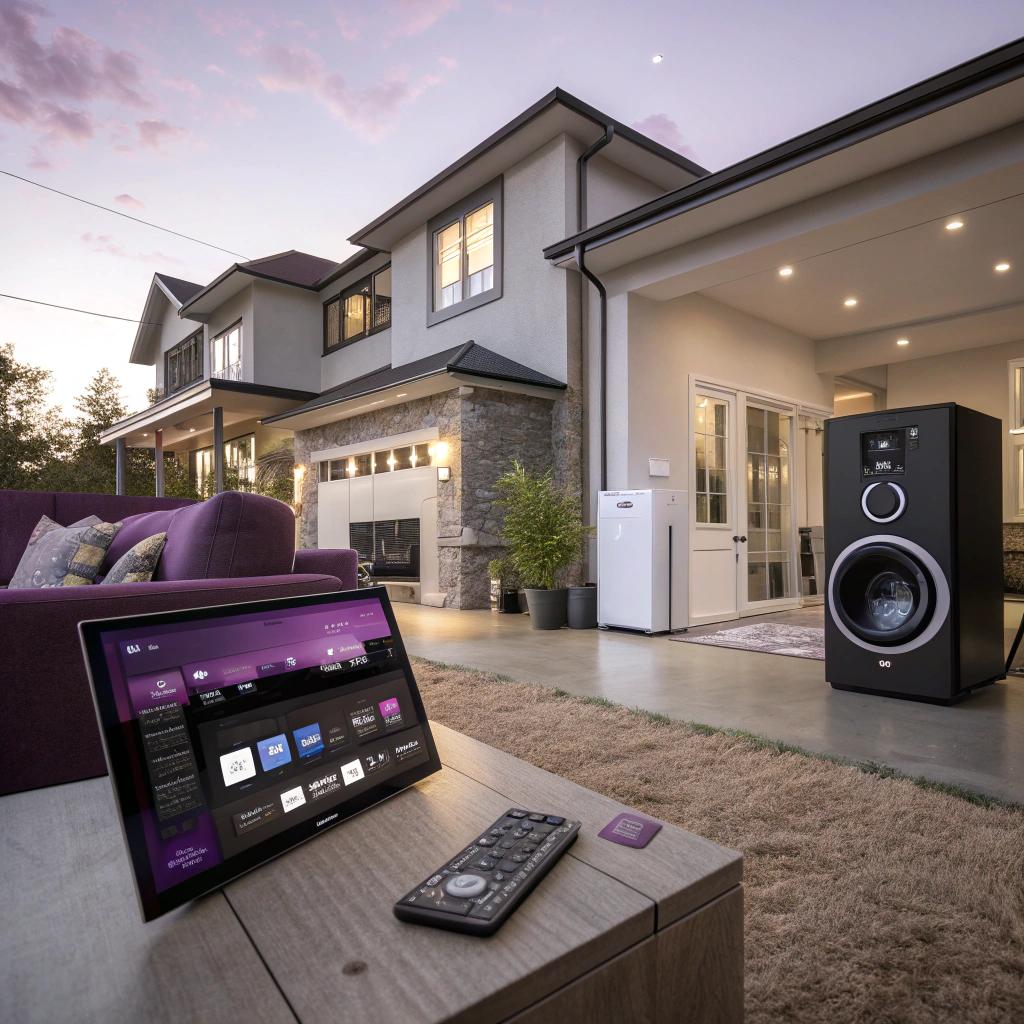
I used to think smart homes were only for new builds or people who live in glossy catalog houses. Then I saw a regular 90s house in Corpus Christi get a quiet, tech-focused remodel, and it completely changed my mind.
If you want a short answer: yes, you can turn a normal house in Corpus Christi into a smart home without tearing everything down. Focus on structured wiring, future-proof power, strong Wi-Fi, and a few high-impact upgrades like smart lighting, climate control, and security. A good local contractor who understands both construction and tech can fold it all into a standard home remodeling Corpus Christi project so it looks clean, not like a science project.
Where smart home remodeling actually starts
Most people jump straight to gadgets. Smart speakers, cameras, voice assistants. That stuff is fun, but in a remodel, the real decisions start inside the walls.
If you are planning a remodel in Corpus Christi, especially anywhere near the coast or exposed to humidity, your smart home plan should start with three boring things:
- Electrical capacity and outlet locations
- Network wiring and Wi-Fi design
- Climate and moisture control
None of that sounds very “tech fan” on the surface. But this is the foundation that decides whether your smart gear works smoothly or randomly glitches every other day.
If you get the wiring, power, and network right during a remodel, almost every future smart upgrade becomes easier, cheaper, and cleaner.
So, if you are sketching remodeling ideas, keep asking yourself a simple question: “Where will the power and internet come from for this thing?” That one question can save you years of frustration.
Planning the brains of your smart home
Before picking devices, decide what will act as the “brain” of your smart home.
Common options:
- A cloud-focused platform like Alexa, Google Home, or Apple Home
- A local hub like Home Assistant, Hubitat, or SmartThings
- A mix, where some core functions still work offline
If you are a tech lover, you might lean toward a local hub. You get more control, more privacy, and usually faster response. But it also means more tinkering, and sometimes more maintenance.
If you want less tinkering, voice assistant platforms are easier. You lose a bit of control, but they are simple for other people in the house to use.
You do not need to pick one platform forever, but it helps to choose a primary path before the remodel starts, because it can affect:
- What kind of switches and dimmers make sense
- Whether you want neutral wires at every switch
- The type of door locks and sensors that play nicely together
Wiring and Wi-Fi: the unglamorous part that matters most
If I had to rank smart home priorities during a remodel, networking would be at the top. Nearly everything smart depends on a good connection.
Ethernet vs Wi-Fi during remodeling
A lot of people ask: “Do I really need Ethernet? Wi-Fi is fine, right?”
In an apartment, maybe. In a remodeled house, especially one with multiple stories or thick walls, wired backbones make a huge difference.
Here is one way to think about it:
| Use case | Best connection type | Why it helps |
|---|---|---|
| TVs and streaming boxes | Ethernet | Stable streaming, less Wi-Fi congestion |
| Security cameras (fixed) | Ethernet / PoE | Power and data over one cable, reliable video |
| Wi-Fi access points | Ethernet | Strong Wi-Fi in every room without relying on repeaters |
| Phones, tablets, laptops | Wi-Fi | They move around, so wireless is fine |
| Smart switches, bulbs, sensors | Wi-Fi / Zigbee / Thread | Low data use, do not need wired connections |
If walls are open, run Ethernet. Even if you think you will not need it. It is cheap now and expensive later.
Handy spots to run Ethernet during a remodel:
- Behind every TV location
- In the ceiling or high on walls for future Wi-Fi access points
- To planned camera spots at the front door, driveway, and backyard
- To a central closet where you can keep your router, switch, and hub
Treat networking like plumbing: you will not think about it when it works, and you will only think about it when it breaks.
Designing Wi-Fi for Corpus Christi homes
Many Corpus Christi houses have a spread-out layout, sometimes with additions or garages turned into living space. Wi-Fi signals do not love that.
A better layout than one big router in the living room is:
- Fiber or cable modem in a low-visibility area like a closet
- Router and switch in the same spot
- Multiple wired access points across the house
You can still use mesh systems, but wired backhaul is much more stable than pure wireless mesh.
Ask your contractor to:
- Run conduit where possible, so you can pull new cable later
- Leave a bit of slack cable near outlets and the network panel
- Label every Ethernet run on both ends
These are small details, but future you will be grateful.
Smart lighting that does not annoy everyone
Lighting is one of the most noticeable smart upgrades. It also can be one of the most annoying if done wrong.
Bulbs vs switches in a remodel
Smart bulbs are easy in rentals, but during a remodel I think smart switches usually make more sense.
Why:
- Walls are open, so adding neutral wires or deeper boxes is easier
- Anyone can walk in and hit a switch without learning an app
- You avoid the classic “someone turned off the smart bulb at the switch” problem
Smart bulbs still make sense for:
- Lamps you want to color-tune or dim separately
- Accent lighting like under-cabinet strips or cove lighting
So the balanced approach in a remodel is:
- Smart switches and dimmers for main room lighting
- Smart bulbs or controllers for special effects or mood lighting
Scenes that actually help, not just show off
It is easy to get carried away with scenes like “Movie Night” or “Gaming Mode.” Those can be fun, but start with practical ones you will use daily.
Some ideas that work well in Corpus Christi homes:
- “Coming Home”: porch, entry, and a main hallway light turn on at sunset or when your phone arrives in the area
- “Goodnight”: turns off most lights, locks doors, arms security, sets thermostat higher to save energy while still managing humidity
- “Away”: randomizes a few lights in the evening for an occupied look while you are gone
If scenes are simple and reliable, other people in the house will accept them. If they require too many rules or fail often, they will just be ignored.
Climate control for both comfort and gear protection
Corpus Christi heat and humidity are not kind to electronics. That includes your smart gear, network equipment, and even door locks.
Smart climate control is not just about comfort. It helps protect your tech and your house.
Smart thermostats for coastal weather
A smart thermostat that understands schedules, occupancy, and local weather can save energy, but also keep humidity under control.
Useful features to look for:
- Remote sensors so the thermostat is not only reading the hallway
- Humidity control or integration with a dehumidifier or HVAC system
- Local control options that still work if Wi-Fi goes down
A typical pattern in Corpus Christi is:
- Cool the house more during peak daytime heat, especially in rooms facing the sun
- Let the temperature rise slightly at night while still keeping humidity in check
- Pre-cool before you arrive home, based on your usual schedule or your phone location
If your smart home adds gadgets but ignores heat and humidity, you risk damaging the very gear you paid for.
Server closet or equipment space
If you are serious about tech, you probably want a small rack or at least a compact shelf for:
- Router and switch
- Smart home hub
- NAS or media server
In Corpus Christi, avoid sticking all that in a hot, unventilated attic or garage. If you have to use those spaces, at least talk with your contractor about:
- Ventilation or a small exhaust fan
- Insulation improvement
- Keeping gear off the floor in case of water intrusion
A small, climate aware equipment closet inside the cooled space is usually best.
Smart security and privacy in a real neighborhood
Smart security is where tech lovers can go overboard. Cameras everywhere, sensors on every surface. That is not always a bad thing, but there are real tradeoffs.
Cameras that respect your neighbors and your sanity
Outdoor cameras in Corpus Christi can help a lot with:
- Package deliveries and porch activity
- Monitoring storms and possible water intrusion
- Parking and driveway visibility
But putting cameras everywhere can create more data and noise than you want. Before adding cameras, ask:
- What specific event do I actually need to see on video?
- Do I need 24/7 recording or just motion-based clips?
- Where will this footage be stored, and who can access it?
If you care about privacy and reliability, wired PoE cameras to a local recorder or NAS are a strong option. Cloud cameras are simpler to set up but rely more heavily on good internet.
Smart locks and entry sensors
Smart locks are one of those upgrades that feel small but change daily life. No more key hiding under a pot, easier access for guests or cleaners, and clear logs of who came in and when.
Things to keep in mind:
- Pick a model with a physical key backup, just in case
- Use strong, unique PIN codes for regular visitors
- Avoid depending only on your phone to unlock; a keypad is useful
Entry sensors on doors and windows are cheap and easy to add while walls are open. Having them wired instead of battery powered is a nice bonus when possible, but not required.
A simple rule-based setup:
- Notifications if a door is left open for more than a set time while AC is running
- Automatic lock at a specific time of night unless a door is open
- Door chime when a child opens an exterior door
These are boring features by tech standards, but they matter far more than some flashy automation that only works half the time.
Smart kitchens and bathrooms without going overboard
If you are planning a kitchen or bathroom remodel in Corpus Christi, you might feel tempted by every smart appliance in the store. This is where I think a more skeptical approach pays off.
Smart kitchen choices that actually help
In the kitchen, focus on upgrades that touch daily routines, not novelty features.
Practical examples:
- Smart lighting scenes for “Cooking,” “Eating,” and “Nightlight”
- Smart switches for under-cabinet lights and island lights
- Dedicated outlets with USB-C where you park phones or tablets for recipes
- A smart faucet only if you really want voice-controlled quantities and timers
Smart ovens and fridges can be nice, but many of their “smart” features are underused. If budget is tight, spend on better cabinetry, surfaces, or venting first. Then add simple smart plugs, sensors, and switches where they clearly help.
Bathroom tech that makes sense in a humid coastal city
Bathrooms are tricky because you have water, steam, and electricity close together. So you want upgrades that are safe and durable.
Reasonable smart additions include:
- Humidity-sensing or smart-controlled exhaust fans that run automatically
- Heated mirrors with smart control to prevent fogging
- Smart lighting with motion detection for night visits
Fancy items like smart showers or smart toilets exist, but they add more points of failure. They might be worth it if you really enjoy that kind of tech, but be honest about how much value you get versus the complexity.
Power planning, backup, and EV charging
A modern smart home pulls more power in different patterns than older houses were designed for. In Corpus Christi, storms and outages add another layer.
Panel upgrades and circuit planning
When you remodel, have an electrician look at:
- Main panel capacity and room for more breakers
- Old aluminum wiring or mixed wiring types
- Grounding and surge protection
If you want to add:
- EV charging
- Large smart appliances
- Server or home lab gear
then planning for dedicated circuits and possible panel expansion is smart. Skipping this part and only thinking of smart bulbs is a common mistake.
Backup power for a smart home
Outages do not have to be frequent to be annoying. A smart home that stops working every time power flickers is worse than a dumb house that just rides it out.
Some backup strategies:
- Small UPS units for your modem, router, and hub so automations keep working
- Larger UPS for a NAS or home server if you store video or files locally
- Transfer switch and generator connection, or a battery backup system, if you want to keep key circuits live
You do not need to power everything during an outage. Often, just keeping networking, a few lights, and fridge power running is enough to stay comfortable.
Balancing automation with real life
At some point in a smart remodel, it is easy to get obsessed with what is technically possible and forget what is pleasant to live with.
I have made this mistake. I once wired a setup where lights, shades, and audio all synced to complex rules based on time, weather, and occupancy. It was fun. It was also fragile.
Here is what I learned and what I recommend now.
Automation rules that pass the “house guest test”
If someone who has never seen your house before can:
- Turn on lights without thinking
- Lock the door without asking for a tutorial
- Use a bathroom without triggering something weird
then your automations are probably in a good place.
If your family or guests:
- Keep overriding automations manually
- Complain that things happen at odd times
- Need explanations just to turn on the TV
you might have gone too far. The smartest remodel is one that feels almost invisible.
Good smart homes feel calm, not clever. If you have to explain every feature, the house is working for your ego more than for your comfort.
Privacy, data, and future-proofing
You probably think about data more than the average homeowner. But even then, it is easy to overlook how much your house is quietly sending out.
A few sane practices:
- Prefer devices that work locally and only use the cloud for remote access
- Use a separate Wi-Fi network for guests and smart devices
- Avoid connecting every appliance to the internet if the benefit is tiny
Tech ages fast. Your wiring and layout will last much longer than any specific device. So during remodeling, focus on:
- Good electrical and network infrastructure
- Conduit and access panels where gear might change
- Standard boxes and junctions, not odd formats locked to one brand
Devices can be swapped in a few years. Ripping out walls to add one more cable is where things get painful.
Room-by-room smart remodeling ideas for Corpus Christi homes
Here is a practical, not perfect, way to think through each space.
Living room / media room
Aim for:
- TV and console on Ethernet
- Smart lighting scenes tied to media use
- Conduit behind the TV for future devices and cables
- Hidden outlets behind wall-mounted TVs and soundbars
Optional upgrades:
- Integrated ceiling speakers with an amp on your network
- Motorized shades for glare control tied to sun position
Bedrooms
Keep things simple here. Sleep matters more than automation tricks.
Helpful upgrades:
- Smart dimmers for softer lighting at night
- Thermostat or sensor zones for better sleep temperature
- Quiet ceiling fans on smart controls
Avoid filling bedrooms with noisy notifications, flashing lights, or bright screens.
Garage and exterior
Corpus Christi garages often double as storage for gear or tools, and they feel the coastal climate strongly.
Ideas:
- Smart garage door opener with alerts if left open
- Temperature and humidity sensor in the garage
- Exterior cameras powered by PoE
- Smart outdoor outlets for holiday lights and yard gear
Think again about how water, wind, and salt air affect your choices. That new fancy device is not helpful if it fails after the first big storm.
Common mistakes in smart home remodeling (and better choices)
Even tech lovers run into the same traps. Some I have hit myself.
Here are a few to watch for, with alternatives that usually work better.
| Mistake | Why it causes trouble | Better approach |
|---|---|---|
| Buying gadgets first, planning later | Random devices that do not work together or fit the house | Plan wiring, power, and main platform before shopping |
| Relying only on Wi-Fi | Congested network, dropouts, poor camera feeds | Use Ethernet for fixed gear and access points |
| Ignoring humidity and heat | Shorter device life, mold, discomfort | Smart climate control and careful placement of gear |
| Automation overload | Confused family, constant tweaks, low trust | Start with a few clear, reliable automations |
| One big router in the living room | Dead zones in bedrooms, garage, and yard | Distributed wired access points planned during remodel |
| No thought about outages | House becomes less functional when power or internet drops | Small UPS units and some offline-capable devices |
Working with contractors without driving each other crazy
Contractors care about schedules, inspections, and getting the house back together. You care about sensor placement, wire types, and device ecosystems. Sometimes those two views clash.
Here are some ways to meet in the middle.
Be precise, not vague, about tech needs
Instead of:
- “I want it to be a smart home.”
say things like:
- “I want Ethernet at these exact locations.”
- “I want neutral wires at every light switch location.”
- “I want a 20-amp circuit dedicated to this equipment rack.”
- “I want conduit from this closet to the attic and garage.”
Contractors understand clear tasks much better than broad ideas.
If you are wrong about something technical, expect pushback. That is fine. Ask why. You do not have to agree with every suggestion, but you also should not assume every tech idea makes sense in construction reality.
Decide what you will DIY and what the contractor will handle
Many tech lovers want to install their own smart gear. That can work well if you split the work correctly:
- Contractor handles wiring, boxes, panels, and structural work
- You handle configuration, hubs, and device pairing
What usually fails is when someone expects the contractor to troubleshoot complex Wi-Fi issues or debug a Home Assistant flow. That is not really their job.
Be honest with yourself about how much time you actually want to spend tinkering after the remodel is “done.”
Is smart home remodeling in Corpus Christi worth it for tech lovers?
For some people, the answer will be no. If you hate dealing with wiring, or you move often, or you are fine with a couple of smart plugs and a speaker, then a full smart remodel might not be worth the cost and effort.
For others, especially if you enjoy tech and plan to stay in your house for a while, a thoughtful smart remodel can be one of the most satisfying projects you do. Not because it is flashy, but because daily life gets a bit smoother.
Here is a quick way to test yourself:
- Do you plan to stay in your home at least 5 more years?
- Do you already use and enjoy some smart devices?
- Are you willing to spend time planning infrastructure, not just gadgets?
If you answered yes to all three, then bringing smart thinking into your remodel is probably worth it.
If you only said yes to one, maybe stick to smaller upgrades for now.
One last question and answer
Q: If I can only afford a few smart upgrades during my Corpus Christi remodel, what should I do first?
A: I would start with structured wiring and Wi-Fi. Run Ethernet to key spots, plan for multiple wired access points, and add neutral wires at your switches. Then add smart dimmers in main areas and a solid thermostat with remote sensors. Those few choices set you up for nearly any future smart device you might want, without forcing you to tear into walls again.