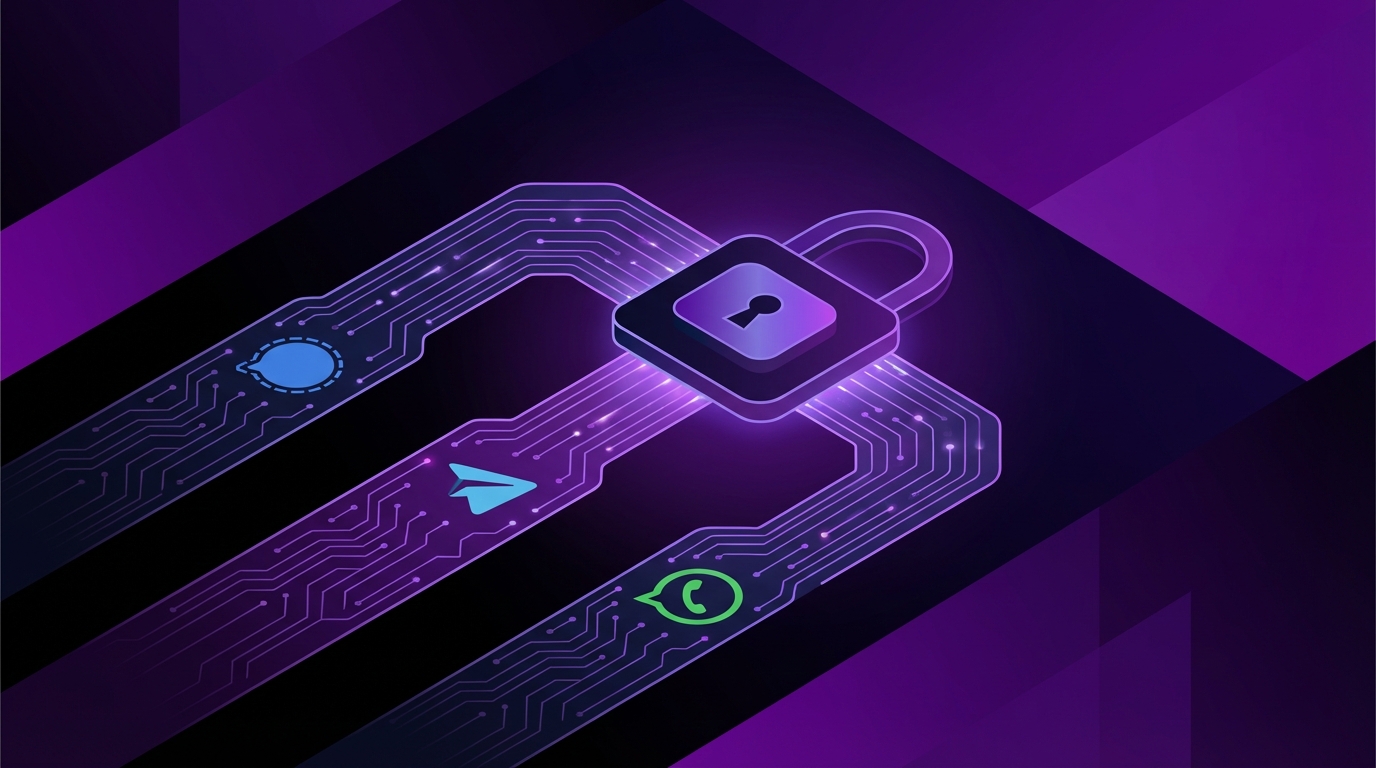
I used to think all messaging apps were more or less the same. Then I actually read some privacy policies, dug into how they handle metadata, and I stopped treating them like they were interchangeable.
If you just want the quick answer: for pure privacy and security, choose Signal as your main messaging app; if you need large public channels, bots, or advanced group features and are willing to accept weaker privacy by default, use Telegram with care; if you are locked into friends and family who will not move, keep WhatsApp but treat it as a “better SMS,” not a true private messenger, because it is tied tightly to Meta and collects more data around your messages than most people expect.
How these apps actually differ at a glance
Before getting lost in technical details, it helps to see the basic picture. These three apps are all “secure” if you only look at marketing pages. Once you dig into how they encrypt, how they store data, and who controls the infrastructure, the story changes.
Here is the basic overview:
- Signal: End-to-end encryption by default for everything. Minimal metadata by design. Open source clients and server. No ads. Funded by donations and grants.
- Telegram: Cloud-based by default. Standard chats are not end-to-end encrypted, only MTProto encrypted between you and Telegram’s servers. “Secret Chats” are end-to-end, but easy to forget to use. Closed server code.
- WhatsApp: End-to-end encryption for personal and group chats by default (Signal protocol under the hood). Strong cryptography, but owned by Meta, with big data collection and tight integration with the rest of its ad empire.
If your priority is privacy from the platform owner itself, Signal wins. If your priority is features and reach, WhatsApp and Telegram will feel more convenient, with trade-offs that are not always obvious.
Now let us break this down in a practical way: how each app handles encryption, metadata, backups, groups, calls, business chat, and the small “gotchas” that rarely show up in app store descriptions.
Encryption: what is actually protected?
Signal: end-to-end everywhere, by default
Signal builds everything around end-to-end encryption (E2EE). Messages are encrypted on your device and decrypted only on the recipient’s device. Signal’s servers see only encrypted blobs plus the minimum metadata needed to deliver them.
Types of content that are E2E in Signal:
- 1:1 chats
- Group chats
- Voice calls
- Video calls
- File attachments
- Voice messages
- Stories (when enabled)
There is no non-E2E “fallback mode” for messages. If Signal cannot deliver E2E, it will not send the message. That design matters more than it first seems, because it removes many corner cases.
Signal uses the Signal Protocol (also used by WhatsApp and others). It supports:
- Forward secrecy (old messages stay safe even if keys are later compromised)
- Post-compromise security (the protocol recovers after a device breach)
- Safety numbers you can verify with contacts to detect man-in-the-middle attacks
If you want E2E as a “non-negotiable,” Signal is built around that assumption. The protocol is so well respected that other apps license or copy it.
Telegram: encryption, but not the way most people think
Telegram loves to talk about security, but the defaults matter here.
There are two kinds of chats:
- Cloud chats (default): Encrypted between your device and Telegram’s servers, then stored on those servers. Telegram can technically read them.
- Secret Chats: End-to-end encrypted. Only available in 1:1 chats on phones, not in groups, and not across multiple devices.
Most people stay in cloud chats because:
- They sync across multiple devices without friction.
- They support full chat history syncing and message search on all devices.
- They allow huge groups, channels, and bots.
So you end up with this odd split:
| Telegram feature | End-to-end encrypted? |
|---|---|
| Standard 1:1 chat | No (only client-server-server-client) |
| Secret Chat 1:1 | Yes |
| Groups | No |
| Channels | No |
| Bots | No |
| Voice chats / group calls | No E2E by default |
Telegram’s own MTProto protocol is partially documented and the clients are open source, but the server code is not open. That means independent experts cannot fully verify server-side behavior.
If you plan to use Telegram for private conversations, you have to remember to start a Secret Chat every time, and accept that you lose features like multi-device history for those chats.
WhatsApp: strong crypto in a high-data environment
WhatsApp uses the Signal Protocol for end-to-end encryption. That is a strong base. By default, the following are E2E:
- 1:1 chats
- Group chats
- Voice calls
- Video calls
- Voice messages
- Media and attachments
Some things are not E2E:
- Business messages routed through third party providers or Meta’s cloud APIs (this can vary by region and setup).
- Some backup configurations (more on this below).
- Message reports: When a user reports a message, that specific content and context is sent to WhatsApp for review.
So from a pure encryption standpoint, WhatsApp scores well. Cryptographers tend to worry less about WhatsApp encryption and more about everything around it: metadata, backup habits, and the Meta ecosystem.
If Signal is the privacy-first, open source E2E platform, WhatsApp is the E2E product sitting inside a very data-hungry company.
Metadata: who knows who you talk to, and when?
Even with perfect encryption, metadata can reveal a lot. Who you talk to, when, how often, from which region. That alone can paint a detailed picture of your life.
Think of it like phone records. No one needs to hear your calls to infer patterns.
Signal: minimal metadata by design
Signal engineers put a lot of effort into reducing metadata.
Some key choices:
- No message content stored on the server beyond what is needed for delivery.
- Limited logs: Signal has claimed in several legal cases that it can only provide:
- Account creation date
- Last connection date
- Private contact discovery: Phone numbers are hashed and compared in a way that avoids leaking your phone book in plain form.
- Sealed sender: In some cases, even the sender’s identity is hidden from the server during message delivery.
That does not mean Signal has zero metadata. The service still sees that a given account is active and occasionally needs to coordinate delivery. But the goal is clear: collect as little as possible.
Telegram: rich server-side data by design
Telegram maintains your chat history in its cloud for normal chats. That convenience has a cost: the servers can see:
- Full message content for non-secret chats
- Group memberships
- Channels you follow
- Your contacts (if you grant access)
- Your approximate IP address and general device fingerprints
This central storage is what allows you to log into Telegram on a new device and instantly get your full chat history. It is comfortable. It is also a large pool of potentially sensitive data.
Secret Chats are better from a content standpoint, but Telegram still sees metadata such as:
- Who is talking to whom
- When messages are sent
- Possibly message sizes
WhatsApp: metadata plugged into Meta
WhatsApp does not read your message content, but it gathers a wide set of metadata and profile signals. These can be linked with Meta accounts and used for ad targeting across Meta products.
Common data points include:
- Your phone number
- Your contacts (if you allow access)
- Groups you belong to
- Who you talk to, and when
- Device identifiers
- Approximate location data from IPs
The official line is that message content remains encrypted, but the rest helps Meta shape ad profiles and “business messaging” features.
If content is the body of a message, metadata is the skeleton. WhatsApp and Telegram keep much more of that skeleton than Signal does.
Backups and cloud storage: the weak link most people forget
Backups are one of the biggest sources of unintentional data leaks. Encryption inside an app does not help if your chats are stored unencrypted or weakly protected somewhere else.
Signal: local-only backups with encryption
Signal does not back up your messages to any third party cloud service by default.
Backup behavior:
- Backups are opt-in.
- Stored locally on your device (for Android) as encrypted files.
- Protected by a 30-digit passphrase you must keep safe.
- No automatic upload to Google Drive, iCloud, or similar.
On iOS, Signal historically relied on system-level backups, but moved away from iCloud message backups for privacy reasons, focusing instead on local transfers between devices.
If you delete Signal and do not have the encrypted backup file and passphrase, your messages are gone. That sounds harsh. It is also how you avoid a giant, unencrypted archive sitting on some third party server.
Telegram: your chat history is the backup
Telegram stores your standard chats on its servers. That means you might not even think about backups.
When you sign in on a new device:
- Your entire chat history reappears.
- Media is pulled on demand from Telegram’s cloud.
For Secret Chats, this is different:
- No server backup.
- Messages live only on the participating devices.
So Telegram makes things very convenient, but that convenience is directly tied to server-side access to your history for non-secret chats.
WhatsApp: cloud backups can undo your encryption
WhatsApp has made progress here, but many people still set backups in ways that re-expose content.
Historically, WhatsApp offered:
- Google Drive backups on Android
- iCloud backups on iOS
Originally, these backups were not end-to-end encrypted. That meant authorities or attackers who accessed the cloud account could read the entire backup.
Later, WhatsApp introduced end-to-end encrypted backups controlled by a key or passphrase set by the user. That is a clear improvement, but there are risks:
- If you use encrypted backups and lose the passphrase, your backup is unusable.
- If you forget to enable encrypted backups, you might be sending an unprotected copy to Google or Apple without thinking about it.
Check your WhatsApp backup settings. If backups are not end-to-end encrypted, you are giving your messages a second, weaker life outside the app.
Groups, communities, and reach
Privacy is one thing. Getting your friends, family, or community to actually use an app is another. Network effects are brutal.
Signal: strong groups, weaker network
Signal group chats are fully end-to-end encrypted and have gained many features:
- Admin controls (permissions, approvals)
- Mentions and replies
- Disappearing messages
- Reactions
- Stories that are E2E as well
Signal also improved group management so that membership lists are protected more carefully.
Downsides:
- No massive public channels like Telegram.
- No discovery system for public groups.
- Network size is smaller, so you often need to “convince people” to install it.
Signal feels ideal for:
- Close friends and family
- Small to medium private groups
- Work teams that care about privacy beyond corporate tools
Telegram: huge public channels and flexible communities
Telegram plays a different game.
Strengths:
- Groups that support thousands to hundreds of thousands of members.
- Channels for one-way broadcast to very large audiences.
- Powerful admin tools, polls, pinned messages, threaded chats (in some modes).
- Bots that can automate tasks, handle forms, run quizzes, and more.
This makes Telegram very popular for:
- Public communities
- Crypto and trading groups
- Open source or technical communities
- Media channels and news feeds
Privacy downside: none of these group or channel features use end-to-end encryption. Telegram can see content. Governments can request it. Telegram’s actual compliance behavior varies by country and is sometimes opaque.
WhatsApp: groups everywhere, but limited structure
WhatsApp has enormous reach. In many countries, it is the default communication tool.
Group chat features include:
- Support for fairly large groups (limits have increased over time).
- Communities feature to cluster groups under a parent topic.
- Broadcast lists for sending updates to many people at once.
Strength:
- Almost everyone already has it.
- End-to-end encryption for group messages.
Limitations:
- No rich public channel system like Telegram.
- Less flexible bot ecosystem.
- Heavier business integration that can weaken privacy for those threads.
If you want giant public groups, Telegram stands out. If you want private, encrypted groups, Signal and WhatsApp are safer choices, with Signal gathering less extra data.
Business messaging, ads, and monetization
How an app makes money often hints at how it treats your data and long-term incentives.
Signal: nonprofit, donations, and privacy as the product
Signal is run by a nonprofit foundation. Revenue comes from:
- User donations
- Grants
- Occasional small in-app purchases like “Signal Supporter” badges or cosmetic boosts
Signal does not run ads. It does not build advertising profiles. There is no large incentive to mine user behavior.
You can argue about long-term funding risk, but the business model is aligned with privacy, not data extraction.
Telegram: free service looking for revenue
Telegram started with personal funding and later introduced:
- Premium subscription with extra features (faster downloads, larger uploads, premium stickers).
- Advertising in large public channels.
So far, Telegram’s ads are more limited than Meta’s. But Telegram maintains central control over a lot of user data via its cloud design. That gives it options for future monetization if it chooses.
Because the company structure is less transparent, you are mostly trusting its founders’ stated philosophy.
WhatsApp: E2E chat inside Meta’s ad machine
WhatsApp itself does not show classic display ads inside chats. The value for Meta comes from:
- Business messaging (WhatsApp Business, WhatsApp Business API).
- Integrations with Facebook and Instagram for customer support and commerce.
- Linking phone numbers and device signals with Meta ad profiles elsewhere.
Meta has tried different monetization ideas over the years. Some early founders left after disagreements about commercialization.
This does not mean WhatsApp will suddenly read your encrypted messages. But it does mean the app sits in a company whose main revenue source depends on data about people and their relationships.
Signal sells no ads and has limited data. WhatsApp helps a large ad company understand more about who you are. Telegram sits somewhere in the middle with powerful cloud data and a lighter ad model so far.
Open source, audits, and trust
You cannot personally review every line of code. But you can pay attention to how open a project is and whether third parties have a chance to examine it.
Signal: open clients, open protocol, public scrutiny
Key points:
- Signal’s clients are open source.
- The Signal Protocol is open, widely studied, and widely adopted.
- Security researchers frequently review the protocol and code, and publish papers or bug reports.
Signal’s server code is also available, which lets people see how message routing works at a high level.
This does not mean you get perfect transparency, but you get more eyes and more long-term academic interest.
Telegram: open clients, closed core
Telegram’s client apps are mostly open source. People can review them and confirm what happens on the device.
The server side is closed. No one outside Telegram has full insight into:
- How exactly messages are stored.
- What logs are kept and for how long.
- What internal tools exist for access and analysis.
The MTProto encryption scheme has gone through external commentary. It has some criticism, but no obvious catastrophic break has been made public. Still, many cryptographers prefer well-reviewed protocols like Signal’s.
WhatsApp: partly open protocol, closed product
The Signal Protocol used by WhatsApp is public, but WhatsApp itself is closed source.
Researchers know the building blocks and some details from papers and blog posts. But you must trust that WhatsApp implements everything correctly and that no “extra” data flows exist in ways that are not documented.
Meta has run some security bug bounty programs. That helps, but it is not the same as a fully open implementation.
Features that affect privacy: disappearing messages, screenshots, and device security
Beyond encryption, each app adds small features that can protect (or weaken) your privacy in real use.
Signal’s extra privacy features
Some notable ones:
- Disappearing messages: Per-chat timers that delete messages after a certain period.
- View-once media: Photos and videos that can only be opened once.
- Screenshot security: On some platforms, Signal can block screenshots inside the app, or at least discourage them.
- Registration lock: PIN-based protection so that someone cannot just register your number on another phone without extra confirmation.
- Safety number verification: Lets you manually verify the cryptographic identity of a contact.
These are not magic shields. A recipient can still take a photo of the screen with another device. But they raise the bar against casual leaks.
Telegram’s privacy helpers
Telegram offers:
- Self-destructing messages in Secret Chats.
- Auto-delete timers in regular chats (newer feature).
- Two-step verification for account login.
- Passcode lock for the app.
But remember: only Secret Chats are actually end-to-end. Auto-delete in a normal cloud chat clears your interface, but the server may have had access previously.
WhatsApp’s privacy tools
Features include:
- Disappearing messages for chats and groups.
- View-once media for photos and videos.
- End-to-end encrypted backups if enabled.
- Two-step verification for the account.
- Locking the app with biometrics on many phones.
These tools help reduce casual exposure, but they do not change the broader Meta-level data collection.
Think of these privacy features as “seatbelts.” They help in many situations, but they do not change the structural design of the car you are in.
Which app should you use for what?
I do not think one app fits every scenario. Mixing them can make sense if you stay clear on why you are using each one.
Here is a practical way to think about it.
If you care most about privacy and security
Choose:
- Signal as your default private messenger for:
- Personal chats
- Sensitive professional conversations
- Groups where trust and privacy matter
Practical tips:
- Enable a PIN and registration lock.
- Use disappearing messages where long-term storage is not needed.
- Verify safety numbers for very sensitive contacts.
Telegram can still be installed for public channels and casual chat, but treat standard Telegram conversations as less private.
If your priority is reach and convenience
You might feel stuck with WhatsApp. That is understandable.
If you stay with WhatsApp:
- Turn on end-to-end encrypted backups and store the key safely.
- Review which contacts you share your profile photo and “Last seen” with.
- Be careful with business chats, especially where third party providers are involved.
For people slowly nudging their network toward better privacy, one strategy is:
- Keep WhatsApp for casual and legacy contacts.
- Use Signal for close friends, family, and any sensitive topics.
It feels messy to juggle two apps, but it reflects real-world constraints.
If you need big communities, channels, and bots
Telegram probably gives you what Signal and WhatsApp do not.
Reasonable approach:
- Use Telegram for:
- Public communities
- Large groups or channels
- Bots and automation
- Avoid sharing highly sensitive personal data in regular chats or channels.
- Use Secret Chats for private 1:1 conversations, accepting their limitations.
You can pair Telegram with Signal, keeping Telegram on the “public social” side and Signal on the “private” side.
Common misconceptions that get people in trouble
There are a few recurring myths around these apps that are worth calling out.
“Telegram is fully encrypted and ultra secure”
Reality:
- Only Secret Chats are end-to-end encrypted.
- Groups and channels are not E2E.
- Standard chats live on Telegram’s servers, which can read them.
Telegram has strong features. It is not automatically the most private tool just because many privacy-conscious people use it.
“WhatsApp is safe because it uses the Signal Protocol”
Partly true, partly misleading.
True part:
- Message content between users is strongly encrypted.
Less comfortable part:
- Meta collects extensive metadata.
- Backups and business messages can weaken your privacy.
- Cross-product data sharing feeds into a much larger profiling engine.
So yes, WhatsApp is better than plain SMS or many random messengers. But if strong privacy is your focus, it is still not in the same category as Signal.
“Signal is not useful because nobody uses it”
This is half true and half habit.
It is true that:
- Your entire contact list is unlikely to be on Signal already.
But something shifts when you:
- Pick 5 to 10 people who care about privacy and invite them.
- Use Signal as your default with those people.
Adoption is rarely automatic. It comes from small groups making a choice. Over time, I have seen more people treat Signal as “the place we talk about things that matter,” while WhatsApp and Telegram handle the rest.
You do not need every contact to move to Signal for it to be useful. Start with the ones you trust the most and build from there.
Choosing between Signal, Telegram, and WhatsApp: a simple matrix
To wrap the comparison up in a way you can act on, here is a compact matrix.
| Criteria | Signal | Telegram | |
|---|---|---|---|
| End-to-end by default | Yes (all personal content) | No (only Secret Chats) | Yes (personal & group chats) |
| Metadata collection | Minimal | Moderate to high | High within Meta ecosystem |
| Group privacy | E2E, smaller network | Not E2E, very large groups | E2E, large user base |
| Public channels | No | Yes, very strong | Limited (Communities, broadcasts) |
| Open source posture | Clients & server open, protocol open | Clients open, server closed | Protocol open, app closed |
| Business / monetization model | Nonprofit, donations | Premium extras, some ads | Part of Meta’s ad ecosystem |
| Best use case | Private, secure messaging | Public groups, channels, bots | High-reach everyday messaging |
If I had to compress it into a simple recommendation:
- Use Signal for conversations where privacy actually matters.
- Use Telegram for public groups, channels, and bots, but treat it closer to a social network than a private messenger.
- Use WhatsApp where your social or work world insists on it, but do not assume that “Meta cannot see anything about you” just because messages are encrypted.
Perfect security is not realistic. Reasonable, informed choices are.