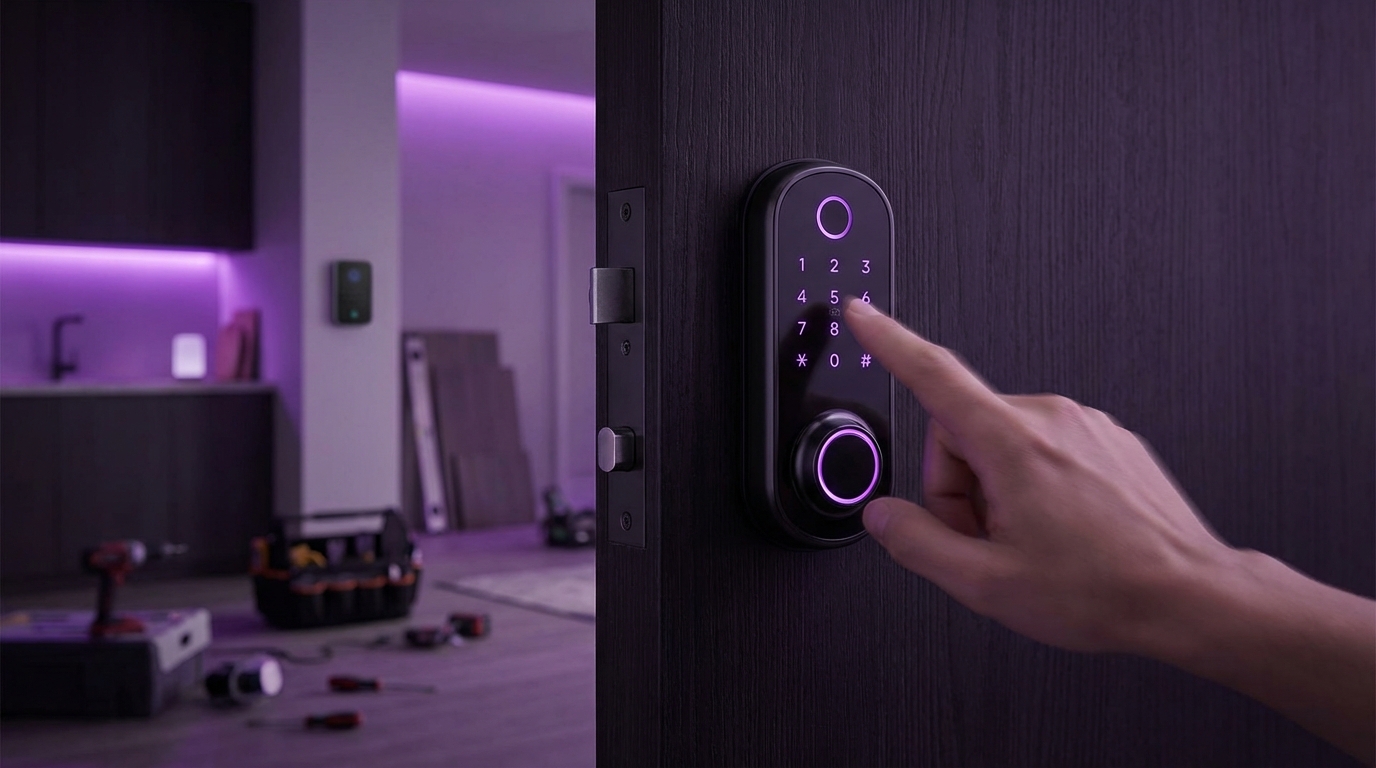
- Smart locks make your home safer and more convenient, but only if you match the right lock to the right door and install it correctly.
- You can handle most smart lock installs yourself with basic tools, but some doors, deadbolts, and wiring setups are trickier than they look.
- The real win is when your smart lock connects cleanly with your phone, Wi‑Fi, and other devices, so your renovation feels modern instead of messy.
- Security is not just about the lock; it is about the door, the strike plate, the network, and the people who use it every day.
Installing a smart lock is one of the simplest upgrades you can make during a renovation, and it has a clear payoff: you get keyless entry, better control over who comes in, and a small but real bump in security. In most homes, the process is straightforward: choose a lock that fits your door and your hub (or phone), remove the old deadbolt, fit the new hardware, connect the app, then test everything several times. The real difference between a smooth install and a headache comes from details like door alignment, Wi‑Fi range, battery access, and how you plan to use the lock day to day, not just on the day you unbox it.
Why smart locks belong in your renovation plans
If you are already tearing into walls, changing trim, or rethinking your entry, a smart lock should not be an afterthought.
Here is why it fits so well into a renovation project:
- You already have tools out and people on site.
- You are probably touching the door, frame, or wiring anyway.
- You are thinking about style and finishes, not just function.
- You can fix door and frame issues before the smart lock goes on.
Smart locks work best when they are part of the renovation plan, not a last minute add-on after the paint dries.
Most people focus on the flashy part: unlock with your phone, or with a code, or maybe with your watch. That is nice. But what really matters is how it changes your daily routine.
Think about things like:
- Do you want the door to lock itself at night without you thinking about it?
- Do guests need one-time codes, or long term access?
- Do you want it to lock when you leave the house, based on your phone location?
- How often do you carry bags, kids, or groceries through that door?
When you answer those questions early, it shapes what lock you buy, how you install it, and what features you actually use.
Types of smart locks and what they change during installation
Not every smart lock works the same way. The style you pick affects both the look of your door and the steps you take to install it.
1. Retrofit smart deadbolts
These keep your existing exterior key cylinder and strike plate. You only replace the interior thumb turn with a smart unit.
Typical traits:
- Less impact on the look of the door from outside
- Often easier to install for beginners
- Good if you have a fancy handle set you like
Install is usually:
- Remove interior thumb turn.
- Attach mounting plate where the thumb turn was.
- Connect to the deadbolt tailpiece.
- Attach the smart lock body.
- Insert batteries, pair with app.
These are more forgiving if your door is slightly misaligned, but not by much. If your deadbolt already sticks, a motor driving it will just struggle or fail.
2. Full replacement smart locks
These replace both the exterior key cylinder and the interior thumb turn. Many also add a keypad or touch sensor on the outside.
You change more of the hardware, so you should expect:
- More precise alignment work with the latch and strike plate
- New finish and style on the outside of the door
- More chances to fix older hardware issues
These usually come with a new latch that you install in the edge of the door. It can be a little more work, but it is also a chance to correct sloppy holes from a rushed builder job years ago.
3. Smart locks with hardwired power
Most smart locks run on batteries. A few are meant to be wired to low voltage or house power.
They have some pros:
- No battery swaps
- Often stronger motors or extra features
But they also bring more planning:
- You might need an electrician during the renovation.
- You need a path for wiring that does not pinch when the door moves.
- You might need a recessed power kit in or near the frame.
This is where pairing the lock upgrade with a renovation really helps, because you can open up the wall around the door and hide cables cleanly.
How to pick the right smart lock for your door and your life
The biggest mistake I see is people shopping based on one feature only, like “works with voice assistant X” or “has a keypad”. That can backfire.
A better way is to match three things:
- Your door and hardware
- Your routine and household
- Your tech setup and comfort level
Check your door first
Before you add a single smart feature, the door itself has to do its basic job: open and close smoothly, and let the deadbolt travel straight.
Check these points:
- Bore hole size: Most smart locks fit a standard 2 1/8 inch hole. Older doors can be smaller.
- Backset: Usually 2 3/8 or 2 3/4 inches. Your latch needs to match this distance.
- Door thickness: Many locks support 1 3/8 to 2 inches, but some are picky at the edges.
- Handing: Some locks want to know if the door is left or right handed. Others auto-detect.
If your deadbolt already needs a strong shove to lock, fix the door and frame before you add a smart lock, not after.
A renovation is the right time to:
- Plane or sand a tight door edge.
- Move or adjust the strike plate so the bolt glides into place.
- Replace a flimsy jamb with a reinforced one.
Match the lock to your daily habits
This part is a bit personal. For example, I like keypads. I do not want to pull my phone out every time I walk the dog.
Here are some patterns and good fits:
| Household pattern | Good smart lock features |
|---|---|
| Kids coming and going after school | Keypad codes with alerts when specific codes are used |
| Frequent guests or cleaners | Temporary or recurring codes, easy access control from the app |
| You often forget to lock up | Auto lock on a timer, or based on door sensor |
| You carry a lot of stuff in and out | Proximity unlock or watch unlock, plus reliable auto lock |
| You are cautious about phones or apps | Physical keypad and traditional key backup, minimal app use |
There is no single “best” setup. In some homes, app-only locks make sense. In others, the app becomes a backup and the keypad does the heavy lifting.
Think about your tech comfort and network
Your smart lock is not just metal. It talks to something.
Usual options:
- Bluetooth only: Simple to set up, but remote control often needs a bridge.
- Wi‑Fi built in: Connects directly to your router, but can use more power.
- Zigbee / Z‑Wave / Thread: Needs a hub, often part of a bigger smart home setup.
If you already run a smart home hub, you might want a lock that speaks the same language. If you are new to all this, a simple Wi‑Fi or Bluetooth model might be easier.
During a renovation, you can also tackle network blind spots:
- Add a router or access point closer to the front door.
- Run ethernet in the walls while they are open.
- Choose a lock that can talk to a hub placed in a better spot.
Many “smart lock problems” are really Wi‑Fi problems hiding behind a metal door and a weak signal.
Step by step: installing a smart lock the right way
I will walk through the typical flow. Your exact steps depend on the brand, but the sequence is similar.
Tools and prep
Most installs need:
- Phillips screwdriver
- Small flathead screwdriver
- Drill with bits, if you must adjust holes or pilot screws
- Chisel and wood filler, if you fix the strike or mortise
- Masking tape, pencil, and a level
And then, before you remove the old lock:
- Take a clear photo of the door edge and both sides.
- Prop the door open so it does not slam during the work.
- Make sure you have the keys for both old and new locks in one place.
I know that last point sounds basic. I have watched people lock themselves out mid-install because they took everything off, closed the door, then realized the new lock was not ready to latch.
Step 1: remove the old lock cleanly
The trick here is patience.
- Unscrew the interior knob or thumb turn first.
- Separate the interior and exterior parts, gently wiggling if they stick.
- Remove the deadbolt or latch from the edge of the door.
- Unscrew the strike plate from the frame.
Look at the holes and mortises you uncover:
- Are they centered and round, or oval and chewed up?
- Is the edge mortise too shallow or crooked?
- Do you see cracks in the door around the holes?
During renovation, this is the time to repair damage instead of hiding it under new hardware.
Step 2: fix alignment before installing anything smart
Smart locks are fussy about alignment, more so than your wrist and a key.
A quick test:
- Reinsert the old latch temporarily, without handles.
- Close the door and throw the bolt with your fingers or a flat tool.
- Feel for rubbing or binding.
If you feel resistance, fix it now:
- Adjust the strike plate up, down, or deeper.
- Use a chisel to deepen the mortise if the latch face does not sit flush.
- Plane a tight edge if the door drags at the top or bottom.
A perfectly aligned deadbolt feels “boring” to use, which is exactly what you want before you add a motor to it.
Step 3: fit the new latch and strike
With many full replacement smart locks, the kit includes a new deadbolt and strike. Use them unless the instructions clearly say you can keep the old ones.
Process:
- Install the new latch or deadbolt body into the edge of the door.
- Check that the latch face is flush with the door edge. Adjust the mortise if needed.
- Install the supplied strike plate in the frame.
- Close the door and test the deadbolt manually several times.
Do not rush this. If you have to lean on the door or jiggle the knob, repeat the alignment work.
Step 4: mount the smart lock hardware
Here is where the lock types diverge a bit.
For a retrofit smart deadbolt:
- Attach the mounting plate on the interior side, lining up with the tailpiece.
- Route any cables through the designated channel.
- Attach the interior smart unit onto the plate.
- Tighten screws evenly, but do not crush the door.
For a full replacement lock:
- Insert the exterior keypad or cylinder through the latch.
- Hold it while you place the interior mounting plate, routing any cable.
- Attach with through-bolts, again tightening evenly.
- Attach the interior cover and battery compartment.
Key details to watch:
- Do not pinch any cables between metal parts.
- Keep the tailpiece level and straight while tightening.
- Stop if anything binds when you turn the thumb turn by hand.
If the lock feels rough with manual use, the motor will not magically fix it. Back up, loosen, and realign.
Step 5: power up and pair with the app
Insert batteries only when the hardware feels smooth.
Typical steps here:
- Install the app on your phone.
- Create an account and, if needed, connect the lock’s bridge or hub.
- Follow the app prompts to add a new device.
- Let the lock run its calibration cycle. Many locks extend and retract the bolt to learn the door swing.
This is the moment when some installs go sideways. Common issues:
- Poor Wi‑Fi signal at the door
- Bluetooth pairing conflicts with another phone nearby
- The door is not fully closed during calibration
If the app gives vague errors, do not just hit “retry” ten times. Step back:
- Confirm your phone is on the right network.
- Stand near the door to improve Bluetooth pairing.
- Make sure no one is playing with the door while the lock calibrates.
Step 6: set up codes, users, and schedules
This is where the security side really starts.
Think through:
- Who needs permanent access?
- Who just needs it for a few days?
- What happens if you lose your phone?
Set up:
- Unique codes for each person, not shared codes.
- Time windows for cleaners, pet sitters, or contractors.
- Backup access for you or a trusted friend in case something fails.
You might feel tempted to share one “family code” for everyone. It is easy, but it kills your audit trail. If something odd happens, you cannot tell who came in when.
Security details many people skip
Smart locks feel modern, but old school physical security still matters a lot.
Reinforce the door and frame
A strong lock in a weak frame is not much help.
During renovation, you can:
- Replace short hinge screws with 3 inch screws that bite into the studs.
- Install a reinforced strike plate with longer screws.
- Consider a steel or reinforced jamb kit if you already have the trim off.
This work often costs less than the smart lock itself, but many people ignore it.
Think about lock bumping and physical keys
Many smart locks still use a physical key cylinder. If you care about that part:
- Pick a higher security cylinder if offered.
- Ask your locksmith about pick and bump resistance.
- Decide if you really need key compatibility with older locks, or if that is just a habit.
Sometimes, rekeying all exterior locks to a fresh key, while you add a smart lock to the main door, is the cleanest security reset you can do during a renovation.
Network security is part of door security now
Your front door is now tied to your home network. That adds a layer of risk many people still underestimate.
Basic steps that matter:
- Use a strong, unique password for your lock account.
- Turn on two factor authentication if the vendor offers it.
- Avoid sharing your account login with family. Use guest or household accounts instead.
- Update router firmware and avoid using ancient routers with known issues.
You do not need to panic about “hackers opening your door” every minute, but you also should not treat this like a random game app.
Your smart lock is only as trustworthy as the account and network you connect it to.
Renovation tie-ins: get more value from the same project
When clients upgrade doors during a renovation, I try to nudge a bit: “If you are ever going to add a smart lock, now is the easiest time.”
Here are some good combos.
New front door + smart lock
If you are replacing the whole door:
- Order the door pre-bored for modern hardware sizes.
- Match the finish of the lock to hinges and handle sets.
- Pick a door style that makes the keypad usable in rain and bright sun.
For example, a deep shaker style panel around the handle area can shield the keypad from glare and weather, which makes life nicer.
Entry remodel + wiring upgrades
If the walls near the entry are open anyway:
- Run power to a recessed box near the frame for a future hub or bridge.
- Add an outlet in a closet near the door for the same reason.
- Run a low voltage line if you are even slightly curious about future hardwired options.
You might not use all of it right away. That is fine. Renovation is the only easy moment to hide cables neatly.
Security system refresh + smart locks
If you are already changing cameras, alarms, or sensors, connect the plan:
- Use door sensors that can talk to both the alarm and, indirectly, to your smart lock routines.
- Set scenes where arming away mode checks that doors are locked.
- Review who has access codes for both the alarm and the lock.
You do not have to build a huge automation setup. Even simple rules like “lock at 11 pm every night” can reduce those nagging “did I lock the door?” moments.
Practical examples of smart lock setups that work well
To stay safe with copyright, I will avoid any usual textbook examples and just share patterns I see working in real homes.
The “busy family with teens” setup
Profile:
- Parents work different shifts.
- Teens come home from school and activities at odd hours.
- Grandparents visit often and stay overnight.
Good setup:
- Full replacement lock with keypad and Wi‑Fi.
- Separate codes for each teen and each grandparent.
- App alerts when specific codes are used during the day.
- Auto lock after the door has been closed for 2 minutes.
- Nightly lock check at 10:30 pm with a notification if the door is still open.
Benefits:
- No more spare keys hidden under pots.
- Parents can see that kids got home safely.
- Temporary codes can be added for tutors or friends.
The “frequent traveler” setup
Profile:
- Owner travels for work multiple times a month.
- Neighbors check on plants or pets sometimes.
- Cleaning person comes on a fixed day.
Good setup:
- Retrofit smart deadbolt that keeps an upscale exterior handle.
- Bridge or hub for full remote access.
- Permanent codes for two trusted neighbors.
- Scheduled code for the cleaner, valid only on certain days and times.
- Integration with security cameras near the door.
Benefits:
- Owner can unlock for deliveries or urgent visits while away.
- Neighbors do not carry permanent keys.
- Cleaner access is easy to pause if plans change.
The “tech cautious but curious” setup
Profile:
- Owner likes the idea of smart features but does not want to depend on apps.
- Small household, no constant stream of guests.
- Strong preference for simple, reliable hardware.
Good setup:
- Full replacement lock with keypad and key backup, but no always-on Wi‑Fi.
- Codes for household members, with a couple of spare codes in case of emergency.
- Local Bluetooth access through the app, no cloud use day to day.
- Focus on physical reinforcement of the door and frame.
Benefits:
- Smart enough to be convenient.
- Still works fine during internet outages.
- Owner can slowly adopt more features later.
Common mistakes and how to avoid them
Even smart people mess up smart lock installs. I have, more than once.
Here are patterns I see often, and how to dodge them.
Ignoring door problems and blaming the lock
People install a lock on a warped door, then complain about battery drain or motor failures.
Fix:
- Spend extra time on door and frame alignment before the smart parts go on.
- Use a carpenter during the renovation if needed rather than forcing the hardware to do the work.
Buying on “cool factor” alone
Shiny marketing leads to features that do not fit your life.
Fix:
- Write down real use cases: kids, guests, packages, habits.
- Check reviews that mention long term use, not just unboxing.
- Be honest about whether you will actually use integrations or just want a keypad that works.
Rushing through the app setup
People tap “allow” on everything, skip security, and then wonder who has access.
Fix:
- Take 10 extra minutes to set a unique password and 2FA.
- Limit which devices have admin access.
- Turn off any sharing features you do not understand.
Not planning for battery changes
Batteries will run down. It is not a failure, it is just how these locks work.
Fix:
- Choose a model where battery replacement is easy from the inside.
- Keep spare batteries in a known spot near the entry.
- Set reminders or watch the app for low battery alerts.
Treat battery changes like changing smoke detector batteries: boring, predictable, and part of normal house care.
Maintenance and life with a smart lock
Once the install dust settles, you still have to live with this lock for years. The good news is that maintenance is usually light.
Regular checks
Every few months, do quick checks:
- Run the bolt manually to feel for new friction.
- Check screws for any loosening, but do not overtighten.
- Look at the weather stripping and frame for shifts, especially after big temperature swings.
If your area has big seasonal changes, you may need a tiny strike plate adjustment once or twice a year. That is normal, not a failure.
Software updates
The lock vendor will push occasional updates through the app.
You do not need to obsess over every version, but it is reasonable to:
- Install security updates when the app prompts you.
- Schedule updates for times when you are home, not right before a trip.
- Check after an update that your main codes still work.
I have seen cases where a messy update resets a few settings. That is rare, but checking takes 60 seconds.
Adjusting rules as your life changes
The nice part about a smart lock is that you do not need a locksmith every time your life shifts.
Some real changes you might run into:
- A child leaves for college.
- You change cleaners.
- You add a home office with separate visitors.
Take those as cues to:
- Remove old codes you no longer need.
- Review who has app access.
- Adjust auto lock timing if routines shift.
You are not stuck with the setup you chose on installation day. That is one place where the “smart” part actually pays off over time.


