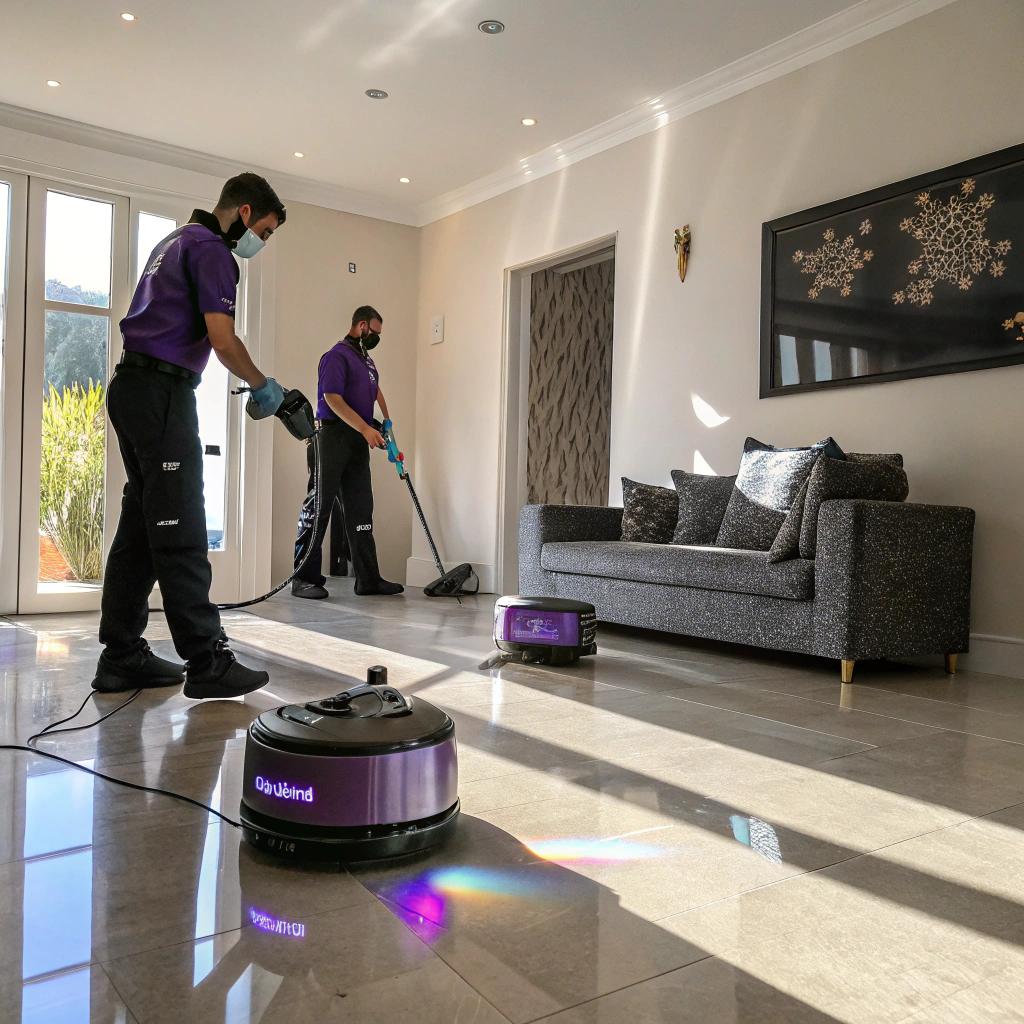
I used to think cleaning companies were all mops, elbow grease, and maybe a printed checklist on a clipboard. Then I watched a crew from Prime Shine House Cleaning work, and it felt closer to watching a small tech team run a deployment than a basic scrub job.
They use smart tools, software, and sensors to plan routes, track time, manage air quality, choose supplies, and even decide what to scrub first. The short version: they mix standard cleaning skills with smart scheduling apps, QR-coded gear, data from client homes, and a few quiet automation tricks so that each visit is quicker, more consistent, and, honestly, less chaotic than what most of us do in our own houses.
Why a cleaning company cares so much about tech
If you are used to reading about GPUs or new phones, a cleaning crew might sound… boring. I get that. I felt the same way until I realized they solve some of the same problems as tech teams:
- Limited time and people
- Lots of repeatable tasks
- Need for reliable results
- Annoying surprises that blow up the schedule
Prime Shine House Cleaning treats those like real operational problems, not just “try harder next time” problems.
Instead of only hiring more people or pushing them to work faster, they use tools to answer questions like:
How can we clean the same home in less time without cutting corners, and without burning out the team that has to do the work?
That is where tech comes in.
They do not build their own hardware or write their own operating system. They mostly use off-the-shelf tools, but they wire them together in a way that makes sense for cleaning, not for a generic office workflow.
You might recognize some of the tools they use, or at least the types:
- Scheduling and routing software
- Task and checklist apps
- IoT and sensor based devices
- QR codes and basic inventory tracking
- Simple dashboards and reports
None of that sounds flashy on its own. The interesting part is what they actually do with it.
Smart scheduling: treating a cleaning route like a delivery route
Cleaning companies live or die on timing. If one job runs late, the whole day falls apart. It is kind of like a delivery fleet problem, but with vacuum cleaners instead of parcels.
Prime Shine treats each day like a route planning exercise instead of a rough calendar guess.
Location aware booking
When a customer books online, the system does not just ask “when are you free?” It checks:
- Where your place is
- Where their other jobs are that day
- Which team is closest at which time
So if two homes in the same area want cleaning on Friday afternoon, the system tries to stack them together. That cuts driving time and fuel use, which sounds small but adds up over dozens of jobs.
This is the type of thing a human scheduler could do on a whiteboard. The difference is that the app does it every time, without forgetting that one odd address at the edge of town.
Smart buffers instead of blind optimism
They also track real cleaning times across different homes.
If a 3 bedroom home with pets always takes 30 percent longer than a similar home without pets, the system learns that pattern and starts to add a buffer for similar bookings.
Cleaning time is not just “square footage divided by speed.” It is also clutter, pets, kids, kitchen habits, and how long it has been since the last proper clean.
By measuring actual time spent, they avoid the common trap of promising “2 hours” for every job of a certain size and then running late all day.
This sounds kind of boring, but from a tech perspective it is simple data collection with direct, visible impact. And from a client perspective, it just feels like they show up on time and do not rush out the door.
Digital checklists that behave more like scripts
This part is where I started to think: “ok, this is exactly how a dev team might think.”
Each cleaning visit is broken into tasks in a checklist app. Nothing unusual there at first. The twist is that these checklists are versioned, personalized, and sometimes conditional.
Room specific task sets
Instead of one long generic list, they keep structured sets, for example:
- Standard bathroom clean
- Standard bedroom reset
- Deep clean kitchen
- Move in/out detailed clean
When they arrive at your home, the job is loaded on the cleaner’s phone. Rooms are checked off one by one, and they can attach photos for edge cases, repairs, or “this stain will not come out, here is what it looks like.”
That might sound like overkill, but it solves a subtle problem: memory.
People forget details. A system does not.
Digital checklists work like a living script: they capture what worked, what was missed, and how the process changes over time, instead of relying on someone to remember the “right way” each morning.
Conditional steps triggered by notes
If you said “allergies to strong scents” in your profile, certain tasks or products are swapped.
So if the default is “spray with product X,” the app flags it and suggests a fragrance free alternative for your home. The cleaner sees that alert right on their task list, room by room.
It is a simple if-then logic, but in day to day practice, it stops a lot of small mistakes that can sour the whole experience for the client.
Versioning like code
They also update these checklists over time when they see patterns:
- If three teams report the same type of dust buildup in a certain type of vent, the vent task gets updated.
- If clients repeatedly ask for a small extra like wiping a specific appliance, it becomes part of the standard script.
You could say they treat their cleaning process the way devs treat code: shipped, tested, patched, and improved based on feedback.
No one outside the company sees “Checklist v3.2,” but they feel the outcome: fewer misses and fewer “oh, I thought someone else did that” moments.
Smart tools and sensors inside the home
I used to assume all cleaning gear was pretty low tech: vacuums, mops, sprays. That is still mostly true, but now there are sensors and smarts creeping into some of this equipment.
Prime Shine leans into that, but in a fairly practical way.
Vacuum and filtration choices
A few things they track and adjust:
| Home factor | What they change |
|---|---|
| Pets present | Higher suction, different brush heads, and more frequent filter checks |
| Allergy prone residents | HEPA level filtration, extra focus on soft surfaces, less scented products |
| Hard floors vs carpet | Switchable heads and gentler settings on delicate surfaces |
Modern vacuums often track usage, filter life, and sometimes air throughput. Those small data points feed into their maintenance schedule.
If a vacuum is consistently underperforming based on internal readings, they retire or service it before it fails inside a client home. That cuts those awkward “our main vacuum just broke” moments.
Air quality checks for some jobs
For deep cleans, move in, or move out jobs, they sometimes bring compact air quality sensors. The goal is not a full environmental report, just basic readings:
- Particulate levels before and after cleaning
- Humidity in damp rooms
- Volatile organic compound spikes from certain products
They use this feedback to:
- Shorten or increase ventilation periods
- Switch away from certain cleaners in specific environments
- Identify rooms that have recurring mold risk
Is this strictly necessary for every home? Probably not. But for people with asthma, allergies, or small kids, the ability to show “here is how the air changed” can help them feel less skeptical about what happened while they were away.
Smart dosing instead of guesswork
Some of their tools use measured dosing for concentrating cleaners.
Instead of eyeballing, they get a precise dilution each time. That matters because:
- Too weak, and the surface is not actually clean.
- Too strong, and you waste product and possibly damage surfaces.
There is nothing fancy about a bottle that doses the right amount per squeeze, but across hundreds of cleanings it means more consistent results and fewer “how did this countertop get dull” mysteries.
Data about homes, not just clients
We talk a lot about customer data in tech, but less about “place data.” For a cleaning company, the place is the actual product.
Prime Shine keeps structured notes about each home they service. Not the creepy “what you ate for lunch” kind of detail, but things that matter for cleaning.
Home profiles that actually matter
A typical profile has:
- Floor plan basics and room count
- Floor types and any sensitive materials
- Preferred products or banned products
- Known problem zones (hard water spots, high dust areas, pet zones)
- Parking, access instructions, alarm codes, and similar logistics
They combine that with patterns over time:
| Tracked pattern | Why it helps |
|---|---|
| Average time for each visit | Helps predict future time needs and pricing |
| Recurrent special requests | Promotes them into the default task set for that home |
| Issues reported after visits | Feeds into training and checklist updates |
This lets them walk into your home on the fifth visit with more context than you had on your first clean of your own living room.
Photos as lightweight documentation
Teams can attach before/after photos or issue photos to a home profile.
That helps with:
- Clarifying damage that existed before cleaning started
- Showing how far a specific stained area can realistically improve
- Training new team members on typical problem areas in that home type
This is not a social media moment. It is more like a small internal bug report with screenshots.
When they treat each home like a long term “project” with notes and reference images, the quality of work on the 10th visit is usually higher than on the first, rather than drifting downward.
Inventory and product tracking that actually saves time
You might not care what glass cleaner they use, as long as your mirrors do not streak. The company cares a lot, though, because products affect:
- Cleaning time
- Surface safety
- Team health
- Client comfort
Prime Shine uses simple inventory tools and QR codes to keep this area under control.
QR tagged gear and supplies
Most of their major items have QR stickers: vacuums, caddies, some containers, even some cloth bins.
A quick scan can tell them:
- When it was last used
- Who used it
- Any reported issues
Is this absolutely needed for cleaning? No. But it does cut down on:
- Gear going missing between cars and storage
- Unreported damage sitting around for weeks
- Guessing about when to replace expensive equipment
Product experiments with feedback loops
They do not just pick a product once and forget it. They run small internal tests:
- Try product A in 10 homes, product B in 10 similar homes
- Track cleaning time and client feedback
- Compare allergy reactions or scent complaints
Since results are tracked in the app, they can say something like:
“Glass cleaner X saves about 1 minute per bathroom, but causes more streak reports in high humidity homes. Cleaner Y is slower but more consistent.”
That detail lets them choose based on actual tradeoffs, not just marketing labels.
Communication as a tech problem, not just a people problem
The unglamorous side of any home service company is communication. Missed messages, forgotten requests, awkward key exchanges, all of that.
Prime Shine tries to smooth this out with a few clear tools, not a hundred channels.
Central message history
Client messages are linked to jobs and home profiles, not to the phone of whoever picked up the call that day.
So when you say:
“Please skip the second bedroom this week, my guest is working night shifts.”
That note sits:
- On the job description for that visit
- Attached to the room itself, if it happens multiple times
The team that arrives sees it on their screens, not in a sticky note on a dispatcher’s monitor.
Photo checkouts for special cases
For move out or move in cleans, clients often are not present. That makes trust hard: did they really clean everything?
To help, the team can take a structured set of final photos:
- Inside of fridge and oven
- Bath and shower surfaces
- Floors in each room
Those go into a simple “job completed” message. It is not a marketing slideshow, more like a log. For landlords or property managers, this is useful proof if there is a dispute later.
Automation that stays in the background
There is also some quiet automation behind the scenes. Not robots roaming your hallway, at least not yet, but small time savers that add up.
Automated reminders that are not annoying
You probably hate spammy notifications. So do most people.
Prime Shine uses reminders for things that matter:
- Upcoming visit, with a short window so you can tidy stuff off surfaces
- Clear window for rescheduling without penalty
- Post visit request for quick feedback, usually just a few taps
The trick is how this connects to their internal system:
- If many clients in the same area pick a different preferred time, routes get adjusted over the next weeks.
- If feedback on a specific team shifts from “great” to “rushed,” training or schedule changes follow.
They use automation as a signal collector, not as a replacement for human support.
Billing and receipts without friction
Payment is handled through a fairly standard online system, but with some nice touches tech people often look for:
- Itemized charges
- Clear tax breakdown
- Easy export for budgeting apps or expense reporting
Nothing flashy, just the kind of clarity that stops people from guessing what they just paid for.
How tech changes the work for cleaners themselves
There is a risk with all this talk of systems and data: you start to forget that real people still haul vacuums up stairs.
Prime Shine tries to use tech to make that part less draining, not more.
Training with real cases, not just theory
New cleaners do not just watch a video and read a manual. They walk through:
- Job histories from actual homes
- Sample before/after photos
- Past client feedback patterns
Instead of vague advice like “clean thoroughly,” they see what “thorough” looked like in practice, in similar homes.
That kind of pattern based learning tends to stick better than a generic script, at least from what I have seen in other fields.
Feedback that is actually fair
Because each job has a digital checklist and timing data, feedback can be matched to context.
If a job ran long because there was unexpected clutter or damage, the team can explain that in the system. If this keeps happening in one home, schedulers can talk to the client about expectations and pricing.
This protects cleaners from always being blamed when timing slips, and it lets the company be more honest about what is possible in a 2 hour block.
When the company can see what really happened during a visit, it is easier to support cleaners, not just pressure them.
Where this might go next
It is easy to imagine a future where more of this is automated:
- Robot vacuums mapped to each specific home profile
- Smart trash bins that report when they are full
- IoT sensors in high moisture rooms that ping for early mold risk
- Automatic product reordering based on sensor tracked usage
I am slightly torn on some of this. Part of me likes the idea of a fully automated “clean house mode.” Another part thinks there is value in a human noticing the weird sticky spot behind the sofa that no sensor picked up.
Prime Shine seems to sit in a middle space for now: tech for planning, consistency, health, and documentation, with humans still doing the actual cleaning work.
You might say that is not “high tech” enough. But considering how much of the home service world still runs on hand written notes and gut feeling, this is already a quiet step up.
Questions you might still have
Does any of this tech really matter if the cleaner is not good?
Yes and no.
A skilled cleaner with no tech will still outperform a bad cleaner with a tablet. Skill, attention, and care always matter.
But tech helps good cleaners be consistently good, even when they are tired or new to a specific house. It also makes it easier for a company to notice when someone needs help or extra training.
Should you ask a cleaning company what tools they use?
I think it is a fair question.
You do not need a 20 minute tech interview, but asking things like:
- How do you track what you did in my home?
- How do you keep my preferences stored for future visits?
- How do you handle feedback and timing issues?
can tell you quickly whether they have a system or just a hope that everyone remembers everything.
Is all this data collection a privacy concern?
It can be, if a company is careless.
Reasonable questions to ask:
- What do you store about my home and visits?
- Who can see that information?
- Do you share photos or details outside the company?
If you are reading tech content, you probably already ask these kinds of questions about apps. There is no reason not to ask them about a service that has access to your living room.
So the last question is yours: if your own cleaning routine had access to the same type of simple tools and data that Prime Shine House Cleaning uses, how much cleaner could your place realistically be every week?