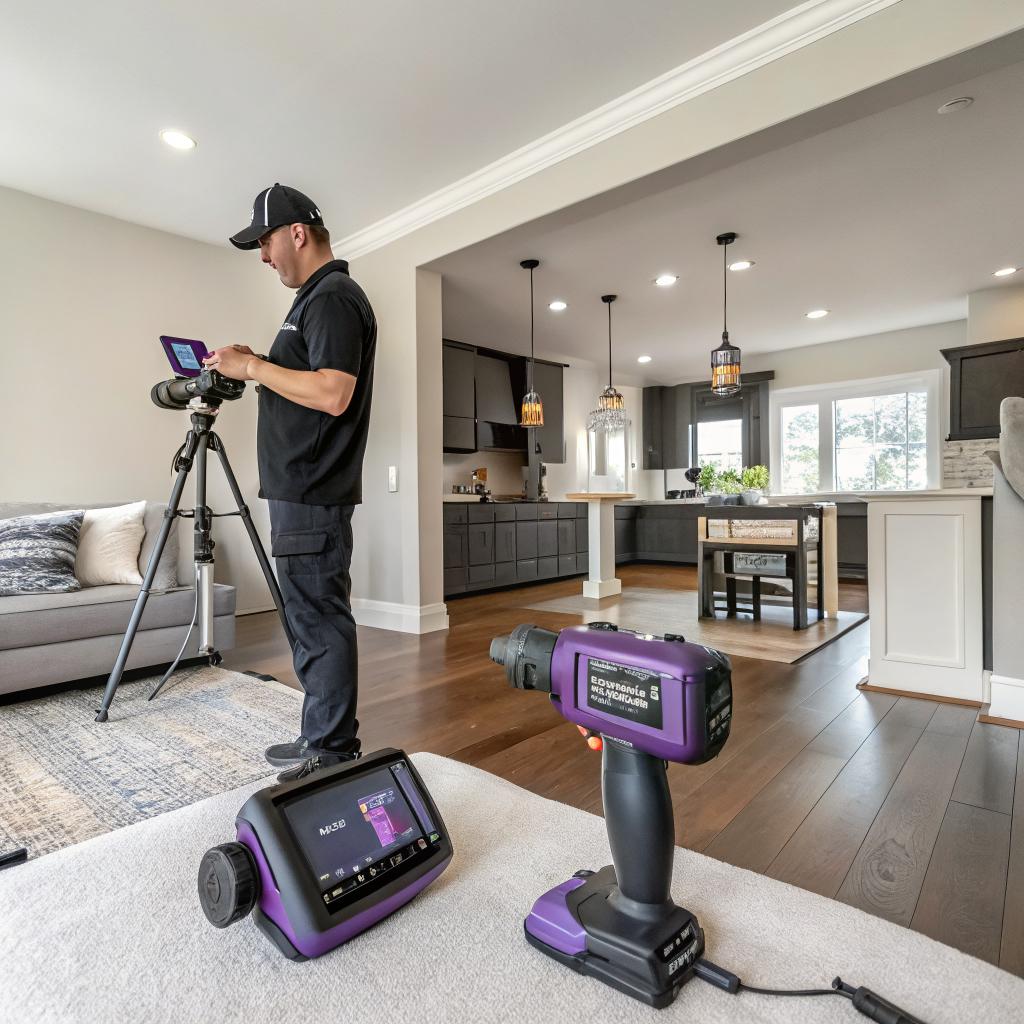
I used to think a remodel was mostly about picking tile and arguing over paint swatches. The tech part felt like a side dish, something you bolt on at the end if there is budget left.
That idea did not last long once I started looking at how Noco Contracting actually works on projects. They use smart planning tools, 3D models, connected devices, and simple automation right from day one. The short answer is: they use tech to plan better, avoid mistakes, keep you in the loop, and build homes that are easier to live in, not just nicer to look at. Everything else in this article is pretty much an unpacking of that.
Why tech matters in a “simple” home remodel
I know home remodeling sounds like a very offline activity. There is dust, lumber, pipes, and real people with real tools. But if you care about how software shapes your life, your house is actually a big piece of that puzzle.
For Noco Contracting, tech is not a gimmick. It shows up in things like:
- How they measure and design rooms
- How they share plans and updates with you
- How they schedule trades and deliveries
- How the finished spaces work day to day with smart devices
If you are into tech, this can be the fun part of a remodel. Your kitchen, bathroom, basement, or new addition turns into a small personal project where hardware, software, and actual bricks all interact.
Good tech in a remodel should make decisions clearer, not more confusing.
That is the lens I will use here. Not “high tech for the sake of it,” but tech that solves real problems while a house is torn apart and put back together.
Digital planning: from tape measure to 3D models
Scanning and measuring with real accuracy
Many remodels still start with a tape measure, a pencil, and a sketch that looks like a treasure map. It works, but it also leads to “oh, that wall is 2 inches shorter than we thought” moments.
Noco Contracting leans on:
- Laser distance meters for fast, precise measurements
- Room scanning apps or devices to capture floor plans
- Digital files that plug directly into design software
It sounds small, but this shift from paper to accurate digital layouts changes the whole chain. Cabinet orders are more exact, appliance specs match real space, and structural adjustments get caught before demo.
The fewer surprises in measurements, the fewer surprises in your budget.
If you are the type who checks specs on every gadget you buy, this should feel familiar. It is the same mindset, just applied to walls and plumbing instead of laptops.
3D design that you can actually read
Flat blueprints are hard to read unless you are used to them. You nod, but you are guessing. That is where basic 3D modeling makes life easier.
Noco Contracting uses design tools that can:
- Turn a floor plan into a 3D model you can spin around
- Show cabinets, appliances, islands, and fixtures in place
- Preview layout options before anyone moves a wall
I remember seeing a 3D model of a small Fort Collins kitchen where the fridge door, when opened, clipped right into a nearby drawer. On paper, the plan looked fine. In 3D, the problem was obvious in 5 seconds. They shifted one cabinet and the issue disappeared.
This is where the mindset feels close to software prototyping. Build a simple version, test behavior, then adjust.
AR and VR for people who are not designers
You do not need a headset to benefit from this, but when VR or AR is available, it helps bridge that “I cannot picture it” gap.
For example:
- AR on a tablet to drop virtual cabinets into your real kitchen view
- VR walk through of a basement layout to see ceiling height and lighting
It is not perfect. Sometimes the textures look odd or the scale feels off. Still, it reduces regret. If you are going to spend thousands on a remodel, a basic visual test feels like a decent step.
Smart scheduling, planning, and communication
Here is a place where tech quietly makes or breaks the experience: how the project is planned and tracked.
Project management tools instead of sticky notes
A home remodel has more moving parts than most people realize:
- Demolition
- Framing and structural work
- Electrical, plumbing, HVAC
- Inspections
- Drywall, flooring, tile, trim, paint
- Cabinet and appliance installs
Noco Contracting uses project management software to keep this under control. It is not some magic AI brain. It is more like a structured checklist with dates, dependencies, and assigned people.
This kind of tool:
- Maps tasks in order, so one delay does not wreck everything
- Flags schedule conflicts across trades
- Gives a real timeline instead of rough guesses
It is similar to how a dev team tracks issues and sprints, except the “issues” are leaks, missing parts, and change orders.
Client portals and updates in plain English
One thing I like is how some contractors now share a client-facing view. Noco Contracting tends to:
- Post updates and photos of progress
- Store drawings and approved selections in one place
- Log change orders and costs clearly
You can check from your phone what is happening instead of chasing emails or endless text threads.
Is it always perfect? No. Sometimes updates lag when a day on site gets chaotic. But the structure helps reduce those “I have no idea what is going on” days.
A simple portal beats 20 different text messages that all say something slightly different.
Digital selections and approval
Picking finishes used to mean stacks of paper, printouts, and “did we choose this or the other one” confusion.
With digital tools, Noco Contracting can keep:
- Product links for fixtures, appliances, and materials
- Specs, colors, and quantities
- Approval timestamps in case something needs to be traced
If you care about details, you can click through to real manufacturer pages and compare like you would compare phones or laptops. That level of clarity reduces wrong orders and angry phone calls.
Smart devices that actually help in a remodeled home
Here is where most tech-minded people get more interested: what ends up living in your house.
Connected lighting for kitchens, basements, and additions
Good lighting has more impact than any gadget in your pocket. With a remodel, especially in kitchens, basements, and new additions, Noco Contracting often plans wiring with smart lighting in mind.
That can include:
- Smart dimmers compatible with popular platforms
- Zoned lighting where you can control groups together
- Pre-set scenes for cooking, working, or relaxing
In a basement remodel, for example, you might want:
- Bright work lighting over a desk or hobby area
- Softer lighting for TV or gaming
- Automatic schedules so lights come on before you walk downstairs
You do not need to overcomplicate it. Some people like voice control. Others prefer simple wall controls that “happen” to be smart behind the scenes.
Smart climate control and zoning
Old homes often have hot and cold spots. A new kitchen or addition can make this worse if HVAC is not updated.
Noco Contracting tries to plan:
- Thermostats that connect to Wi-Fi and platforms you already use
- Extra sensors in rooms that used to be uncomfortable
- Zoned systems where possible, so each area has better control
There is a tech angle here: more sensors, better scheduling, and data about how your house behaves. But the real test is simple. Do you stop waking up freezing in one room while another feels like a sauna.
Smart kitchen gear that needs planning, not just shopping
Kitchen remodeling is a good test case because it mixes power, water, and connectivity.
If you want:
- Smart ovens that connect to apps
- Refrigerators that tie into home networks
- Voice controlled faucets
Then Noco Contracting has to think about:
- Outlet placement and dedicated circuits for high draw appliances
- Stronger Wi-Fi coverage in the kitchen
- Countertop charging for tablets or phones used as recipe screens
A lot of “smart home” frustration comes from adding tech as an afterthought. The remodel stage is the time to run wires and place outlets where you actually cook and work.
Smart bathrooms without going overboard
Bathrooms are getting more tech heavy, but not every feature is worth the cost.
Common upgrades that Noco Contracting sees:
- Smart exhaust fans with humidity sensors
- Heated floors with programmable thermostats
- Mirrors with lighting controls and basic displays
More advanced things like smart showers, voice control, or integrated sound systems can be fun, but they come with cost and complexity. Here, I think a cautious approach works. Start with the basics that solve real annoyances:
If tech in a bathroom does not make it drier, warmer, or easier to use, it is probably just a gadget.
Behind the walls: wiring, networking, and infrastructure
If you are interested in tech, the part of a remodel you might care about most is the stuff no one sees when the walls close up.
Structured wiring instead of random cables
Modern homes have a mix of:
- Power wiring
- Low voltage lines for data and sensors
- Coax still used for some setups
During a remodel, Noco Contracting often:
- Runs Ethernet to office areas, TV walls, and access point locations
- Plans conduit in a few key spots so future wiring is easier
- Keeps low voltage separated from power where it makes sense
Wi-Fi is great until it is not. Older construction, thicker walls, and basements can kill signal. A bit of planning during remodeling avoids the “mesh network taped to the ceiling” fix later.
Planning for access points and smart hubs
It is easy to forget that every “smart” device depends on a stable network. During planning, Noco Contracting will usually ask where you expect:
- Routers and main networking gear to live
- Smart hubs or bridges, if you use them
- Media centers or racks, especially in basements
Then they align power outlets and low voltage runs with that plan.
This may sound basic, but many remodels skip it. You end up with clumsy power strips dangling off otherwise clean built-ins.
Hidden speakers and media planning
If you care about audio:
- In ceiling or in wall speakers can be wired during framing
- Subwoofer and equipment positions can get power in the right spots
- Media wiring can land in a cabinet instead of a visible bundle
Noco Contracting does not replace audiophile level planning, but they can build a layout that an audio specialist or your own gear can slot into.
Using data to make smarter design choices
This is an area where I think home remodeling is still catching up. Contractors do not always track data the way software teams do, but it is slowly changing.
Past project data and pattern recognition
Over time, Noco Contracting can look back at:
- How long certain types of projects actually took
- Where delays kept showing up
- What materials or fixtures caused frequent issues
That leads to small but real changes like:
- More realistic timelines for kitchen or basement work
- Better ordering windows for custom items
- Avoiding brands that fail or ship late too often
You might not see this directly as a homeowner, but you do feel the results. Fewer schedule slips. Fewer last minute product swaps.
Energy and comfort data after the remodel
With more smart thermostats, motion sensors, and even power monitoring, there is potential to see if the remodel actually did what it was supposed to do.
For example:
- Did insulation upgrades lower power usage during winter
- Did new windows and doors help with indoor temperature swings
- Do certain rooms still show extreme temperature readings
To be fair, not every contractor is obsessed with this. Some just install and move on. But if you care, you can use the new infrastructure plus your smart devices to build a real picture of before and after.
Here is a simple way to think of tech use in a remodel:
| Stage | Traditional approach | Tech-focused approach |
|---|---|---|
| Measuring | Tape measure, paper sketch | Laser measurements, digital floor plan |
| Design | Flat drawings, limited views | 3D models, AR/VR previews |
| Scheduling | Phone calls, scattered notes | Project management software, shared calendar |
| Client updates | Occasional calls and texts | Client portal, photo updates, central file storage |
| Smart features | Added at the end, ad hoc | Planned wiring, device placement, Wi-Fi mapping |
| Post-project insight | Mostly anecdotal | Energy, comfort, and device data over time |
How Noco Contracting applies smart tech across different remodel types
Let us look at how this actually plays out in different parts of a home.
Kitchens
Kitchens combine structure, heavy utilities, and daily use. Tech supports this in a few ways:
- 3D layout to test island size, clearances, and storage
- Lighting plans that mix task lighting with smart controls
- Thoughtful placement for power and USB or USB-C outlets
- Appliance planning for connected ovens, fridges, and dishwashers
- Vent hood sizing based on cooktop specs, not guesswork
One example I like is simple: mapping work zones with lighting. Prep, cook, and clean areas each get lighting layers you can control separately. It sounds minor, but after living with it, you feel the difference every single day.
Bathrooms
Bathrooms are smaller, but the tech choices still matter.
Noco Contracting tends to focus on:
- Smart fans so humidity control is automated
- Floor heat with programmable or app based control
- Lighting that does not blind you at 3 AM but is bright when you need it
They can integrate more advanced devices, but many homeowners do best with a mix of “set it and forget it” systems. Not everything needs voice commands.
Basements
Basement remodeling is where connectivity and environment control become critical.
Key tech related choices often include:
- Extra insulation and moisture control sensors
- Planned Ethernet and Wi-Fi access points for work or entertainment
- Smart lighting to keep a windowless area from feeling like a cave
- Integrated media wiring for TV, gaming, or projectors
Because basements can shift roles over time, Noco Contracting often favors a flexible setup: more outlets, more low voltage runs, and layouts that can adapt from playroom to office to home theater as your needs change.
Additions and major reconfigurations
When you add square footage or move walls, tech becomes more structural.
Think about:
- Routing HVAC so new rooms get proper airflow, tied to smart control
- Wiring for future use, not just what you need this year
- Planning networking so new spaces are not Wi-Fi dead zones
This is also where whole home systems come into play:
- Security cameras and sensors on new doors and windows
- Centralized lighting control panels that cover old and new areas
- Panel upgrades if existing electrical is maxed out
Here, tech is less about gadgets and more about not boxing yourself in. You might not know exactly what devices you will use in five years, but you can at least avoid closing walls with zero infrastructure.
What tech should you actually care about during a remodel?
You can go overboard with smart home gear. I think a better question is: what tech solves real headaches during the project and after you move back in.
High impact tech during the project
If you want to keep it focused, ask your contractor about:
- Accurate digital measurements and 3D design
- Some form of project management and client updates
- Digital tracking of selections, approvals, and change orders
These three keep miscommunication and errors under control. You do not need fancy buzzwords for that. Just clarity.
High impact tech in the finished space
On the homeowner side, the best long term upgrades usually look like:
- Smart lighting that is easy to control
- Climate control with zoning where possible
- Solid networking and wiring for work, media, and future devices
- Simple automations that solve one specific annoyance at a time
For automations, things like:
- Entry lights that turn on at sunset
- Bathroom fans that run until humidity is normal
- Basement lights that shut off if no motion for a while
None of that is flashy, but it makes everyday life smoother.
Start with automations that save you from repeating the same annoying task every day.
Where smart tech in remodeling still falls short
I do not think everything in this space is perfect. Far from it.
Some real drawbacks:
- Too many apps for different devices
- Brands phasing out support faster than homes change
- Contractors and homeowners having different comfort levels with tech
Noco Contracting, or any contractor, has to walk a line. They cannot assume every client wants to tinker with automations. At the same time, tech savvy clients want open, reliable systems, not walled gardens that break in three years.
This leads to some tension:
- Use popular platforms that are more likely to stay supported
- Avoid super niche devices even if they seem clever
- Focus on good wiring and power so you can swap devices later
If you are deep into home automation, you might want to be more opinionated than your contractor about brands and ecosystems. That is fine. Just share that early so the physical build matches your plan.
Common questions about smart tech and remodeling
Is all this tech going to break in a few years?
Some of it will, honestly. Devices and apps change faster than walls and windows. That is why the most reliable investment is in infrastructure: wiring, power, HVAC, insulation, and basic controls.
Think of devices as layers on top. You can replace a switch or thermostat far easier than you can open a wall again. Noco Contracting tends to focus on building a solid base that does not care what specific brand you choose now or later.
Do you need to be a “tech person” to benefit from this?
Not really. You do not have to manage the tools that Noco Contracting uses for design and planning. You just see clearer drawings and get better updates.
For smart home features, you can choose your depth. Some homeowners stick with a few smart switches and a thermostat. Others build complex scenes and automations. The remodel should support both, not force you into complexity you do not want.
Will smart tech make the remodel more expensive?
There is some added cost, yes. Better planning tools take time to use. Smart devices cost more than basic ones.
On the other hand, catching layout issues in 3D is cheaper than moving walls after they are framed. Planning outlets and wiring now is cheaper than opening walls later. Smarter fans or thermostats can save energy over time.
So the answer is mixed. The key is being honest about what is worth paying for. Some upgrades are nice but not necessary. Others prevent real headaches.
What part of your home would benefit most from this mix of planning tech and smart devices: the kitchen where you spend hours every day, a basement you want to reclaim, or an addition that still lives mostly in your head right now?