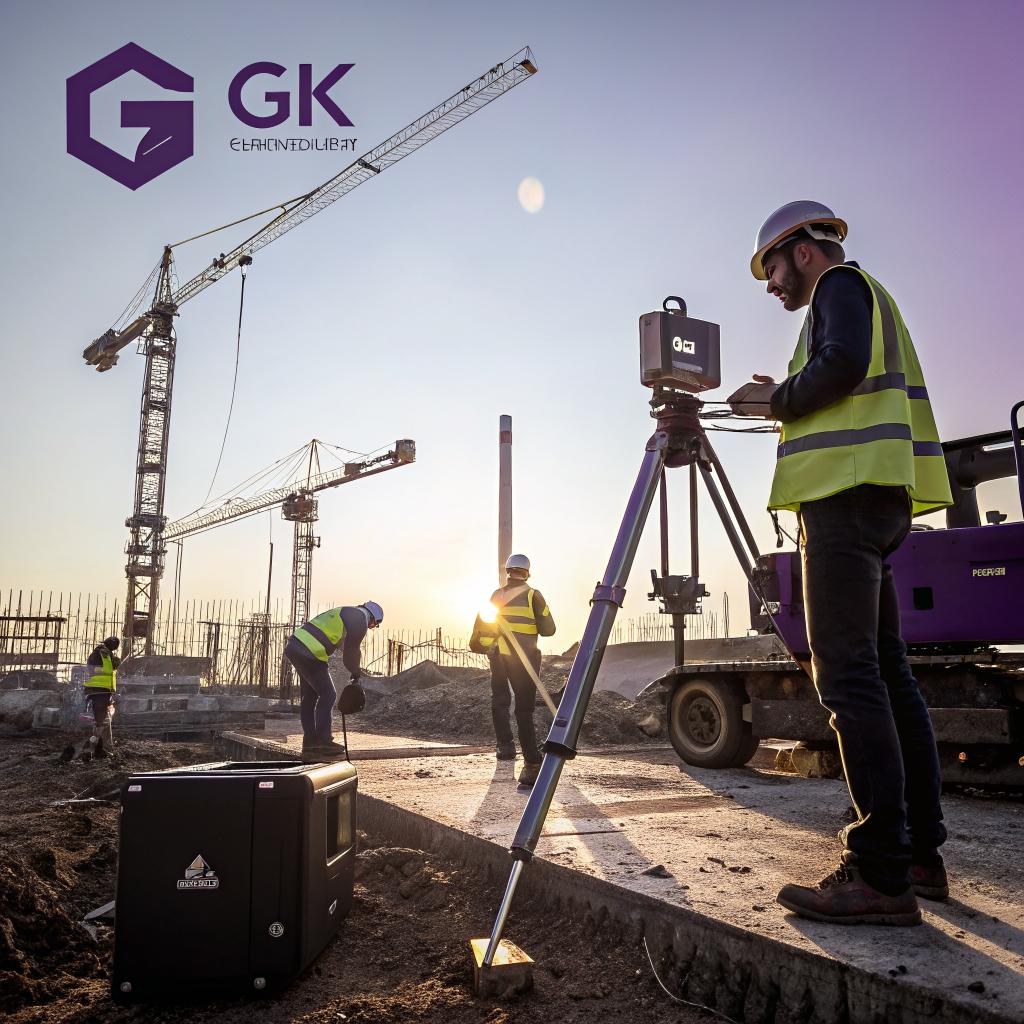
I used to think construction was mostly about concrete, steel, and people in hard hats shouting over noise. Then I watched a crew from GK Construction Solutions run an entire slab pour off tablets, drones, and live data, and it felt closer to a quiet control room than a chaotic job site.
Here is the short version: GK Construction Solutions builds smarter by treating every project like a tech project. They use digital models, sensors, drones, tablets, and simple custom workflows to plan jobs better, pour concrete with higher accuracy, track labor and materials in real time, reduce rework, and hand clients clear digital records of what is hidden behind the walls and under the slab.
From here, I want to unpack how that actually looks in practice, not just say “they use tech” and move on.
Why tech even matters on a concrete-heavy job site
Construction has a strange relationship with tech. Many people on site still prefer tape measures, paper drawings, and phone calls. And to be fair, those still work most of the time.
But if you care about:
- fewer change orders
- tighter schedules
- lower material waste
- better quality control on slabs, footings, and foundations
then tech is not a bonus. It is the difference between guessing and actually knowing what is happening hour by hour.
GK Construction Solutions leans into that. They focus a lot on concrete and structural work, so small mistakes can get very expensive, very fast. You do not want to realize a foundation is wrong after the concrete cures.
Tech on a job site is not about fancy gadgets. It is about reducing the number of “I hope this is right” moments.
You see this in three broad stages:
1. Before anyone touches the ground
2. While the project is running
3. Long after the crew leaves the site
I will walk through each of those.
Planning: from 2D drawings to buildable digital models
Most projects still start with 2D plans. Lines, text, and symbols. It works, but things get lost. Someone reads a number wrong. A detail gets missed. A pipe ends up where a footing should be.
GK Construction Solutions uses digital models to close that gap.
1. Building information modeling for concrete work
They use BIM (building information modeling) tools to create a 3D version of the project before they pour a single yard of concrete. That sounds fancy, but the benefits are very practical.
The model includes:
- Footings, piers, walls, slabs, and grade beams
- Rebar layout and bar sizes
- Conduit and plumbing that passes through concrete
- Floor levels, slopes, and control joints
Once the model is built, they run checks for clashes. For example, if a large beam wants to occupy the same spot as a plumbing line, they catch it in the model instead of on site.
This is where tech quietly saves money. It is much cheaper to move a pipe in software than to cut and rework a cured slab.
On a typical foundation, GK’s BIM pass often finds small clashes that would have caused hours of rework later. No big headlines, just steady cost savings.
2. Model-to-field layout with robotic tools
After the digital model is ready, they push that data into layout tools. Instead of someone with a tape and a set of paper plans, they use total stations or layout robots that read the model.
So when they lay out:
- Anchor bolts
- Wall lines
- Grid lines and column locations
- Openings, sleeves, and blockouts in the slab
they are working straight from the digital plan, not a manual interpretation.
This reduces:
- Human reading errors
- Misaligned walls or columns
- Guessing where to cut openings later
It also shortens the layout time, but I think the real gain is accuracy. A wrong anchor bolt pattern sounds small until you have to tear out a section of new concrete.
3. Preconstruction simulations and “what if” checks
They also use the model and basic simulation tools to test things ahead of time:
- Pump truck reach and access to tight sites
- Concrete truck paths and staging areas
- Formwork sequences and shoring
- Pour breaks and cold joint locations
It does not need to be complicated. Even a rough 3D site layout can keep a crew from discovering, on pour day, that a truck cannot actually get where someone thought it could.
For tech-focused readers, this stage is a lot like writing a test suite before deployment. You are trying to make failure cheaper by catching it early.
Execution: tablets, sensors, and real-time visibility
The biggest shift you notice with GK Construction Solutions on site is that people are not constantly shuffling paper. Most of the information lives on tablets and phones.
1. Field tablets instead of paper plans
Superintendents, crew leads, and sometimes even individual trades carry tablets loaded with:
- The latest approved drawings
- 3D models they can rotate and zoom
- Concrete pour plans and mix specs
- Checklists for each task
When there is a plan revision, it syncs to their devices. No reprinting, no guessing if the plan is current.
This matters when you are:
- Adjusting rebar spacing
- Verifying slab thickness
- Checking edge forms against elevations
A small plan change can alter a detail that affects structural capacity. Tech here is not flashy. It just keeps the field aligned with what the engineer actually wants.
2. Concrete quality tracking with live data
Concrete quality is one area where GK mixes traditional testing with newer tools.
They track:
| Aspect | Old way | How GK uses tech |
|---|---|---|
| Slump and mix checks | Paper notes, verbal reports | App-based entry with photos and truck ticket scan |
| Temperature and curing | Occasional manual checks | Embedded wireless sensors on key pours |
| Strength tracking | Lab reports sent days later | Dashboard with strength curves and test dates |
They still use cylinders and lab tests, but sensors in the slab give live temperature data and estimated strength curves. That helps answer questions like:
- Can we remove forms yet without risking deflection or cracking
- Is the slab curing evenly across shaded and sunny sections
- Do we need to adjust curing methods during a heat wave or cold snap
Concrete does not care about your schedule. It cures at its own pace. Sensors just give you the truth faster, so decisions are based on data, not wishful thinking.
For clients, this level of tracking also builds trust. They do not just hear “the slab is ready.” They see the numbers.
3. Drones and reality capture
Drones might feel like overkill for some jobs, but on larger sites GK uses them more like flying tape measures.
With drones and simple photogrammetry tools, they can:
- Measure stockpile volumes of gravel or spoil
- Check grading and site drainage before paving
- Verify that cut and fill match the civil design
- Create as-built surface maps of big slabs or parking lots
Drones also provide visual progress logs. That helps when a client asks “how far along are you” or when the team wants to review phasing decisions later.
Reality capture tools, like 360-degree cameras or laser scanners, help create as-built records of rebar, conduits, and sleeves inside concrete. That way, future work does not have to guess where things are hidden.
4. Daily reporting and labor tracking
On the people side, GK Construction Solutions uses simple apps for:
- Daily field reports
- Time tracking by task
- Material deliveries and usage
At first glance, this file of data looks like overhead. I thought the same thing when I first saw it. But the pattern over a few projects becomes useful.
They can see:
- Which crews hit production targets on formwork and rebar
- Which tasks regularly blow their estimated hours
- How weather affects certain activities
Over time, that makes their bids more accurate. They know, from data, that a certain type of complex footing takes 15 percent more hours than standard. They do not guess.
For tech-minded readers, this is just basic analytics: collect clean data, then adjust your future estimates accordingly.
5. Safety supported by simple tools
Safety is often treated as a standalone topic, but GK uses tech to blend safety into daily routines:
- Digital pre-task plans that crews fill out on phones
- QR codes linking to safety data sheets for materials
- Photo logs for site hazards that need action
The idea is not to turn each worker into an app user all day. It is to make safety steps part of the same workflow they already use for time and tasks, so nothing feels bolted on.
Coordination: getting everyone on the same virtual page
Construction is messy mainly because so many groups touch the same thing. Architect, engineer, inspector, suppliers, subs, owner. Each has part of the picture.
GK Construction Solutions uses tech to keep those pieces from drifting too far apart.
1. Central project platforms
They run their projects through a central platform that holds:
- Contracts and change orders
- Drawing sets and revisions
- RFI logs (requests for information)
- Submittals and approvals
Instead of someone asking “who has the latest detail for the podium deck”, they know where that lives.
For the tech crowd, this feels a bit like using a shared repo instead of emailing zip files back and forth. There is a single source of truth.
2. RFIs and approvals with clear trails
RFIs are where many concrete jobs go sideways. A field crew sees a confusing detail, sends a question, and waits. GK speeds that up with structured digital RFIs.
Each RFI includes:
- Photos from the site
- Snips from the drawing or model
- Clear suggested solutions
The design team responds inside the platform. Responses are visible to both field and office, and they feed back into the model when needed.
This reduces:
- Rework from unclear verbal answers
- Arguments over “who approved what” later
- Time lost chasing phone calls
3. Schedules that actually reflect reality
A printed Gantt chart on a wall rarely survives contact with reality. Weather, design changes, material delays, and inspection schedules all push things around.
GK Construction Solutions uses digital scheduling tools linked with field reporting. When a pour slips because rain makes finishing impossible, the schedule updates, and downstream tasks adjust.
This helps:
- Lock in revised dates with concrete plants
- Coordinate with framing, steel, or MEP trades
- Give owners a realistic view of completion status
They do not pretend schedules are perfect. They just keep them honest.
Designing with concrete in mind: using tech before the first detail is drawn
One subtle way GK uses tech is at the concept and early design stage. They do not wait until construction documents are frozen.
1. Early structural input using simple models
For some projects, they take conceptual drawings and run quick structural and cost checks. Not detailed engineering, but enough to compare options like:
- Slab-on-grade vs structural slab
- Shallow footings vs deep foundations
- Thicker slab with less rebar vs thinner slab with more steel
They plug rough numbers into cost and schedule tools, then share that with the design team and client. This can steer choices toward options that fit budget and timeline better.
Sometimes this creates tension. Designers may prefer one approach for architecture, while the contractor prefers another for constructability. And they do not always agree. That friction, handled early with data, is much easier than fighting over change orders mid-project.
2. Environmental impact tracking for concrete choices
Concrete has a large carbon footprint. GK tracks mix designs and can compare:
- Standard mixes vs mixes with supplementary cementitious materials
- Different cement types and their embodied carbon
- Recycled aggregate options when they are available
They work with suppliers that can provide digital mix certificates and carbon data, then plug that into project reports. For clients who care about sustainability goals, this matters.
It also creates an honest record. If the design calls for a lower-impact mix but supply issues force a change, the data shows that shift instead of hiding it.
Operations: what the owner gets after the crew is gone
Many contractors see project completion as the finish line. GK Construction Solutions treats it more like a handoff into a digital maintenance phase.
1. Digital as-builts instead of dusty rolls of drawings
They pull together:
- Final drawing sets
- Redlines from the field
- Photos of key stages (rebar before pour, conduit locations, etc.)
- Sensor data and test reports
Then they package this in digital form, often tied into a simple model or organized folder structure.
So if an owner asks “where exactly does that drain line run under the slab”, they have more than a vague arrow on paper. They have photos and coordinates.
This is very useful years later when someone wants to:
- Cut a trench in the slab for new utilities
- Add equipment loads
- Check bearing capacity in a certain bay
2. Linking concrete data to facility management tools
For larger clients with facility management platforms, GK can feed data into those tools:
- Slab pour dates and mix types
- Warranty periods
- Maintenance schedules for sealers, coatings, or joint repairs
This helps plan future maintenance rather than waiting for cracks or surface wear to force emergency repairs.
It is not perfect. Many owners still store facility data in a mix of spreadsheets and emails. But even then, structured project data from GK gives them a better starting point than a cardboard box of paperwork.
How GK actually picks tech: careful, not trendy
It is easy to imagine a contractor chasing every new tool. In practice, GK Construction Solutions tends to be cautious. They say no to more tools than they adopt.
1. Simple rules for new tools
Before adopting something, they ask:
- Will it reduce rework or risk in a clear way
- Can the field team understand it without a long training program
- Does it connect with tools we already have
- What happens when it fails on site
For example, they like embedded sensors for certain important pours, but they do not use them on every minor slab. The cost and setup time would not make sense.
I think this is a healthy approach. Tech for tech’s sake is a distraction. On a job site, any tool that gets in the way of getting concrete placed and finished will quietly disappear.
2. Training that respects field experience
A tool is only as good as the person using it. GK pairs new tech with training that starts from where field workers already are, not where software vendors wish they were.
You might see:
- Short toolbox talks with live demos on real tasks
- Peer champions on crews who help others use tablets or layout tools
- Feedback loops where field staff can say “this feature is useless” and the office listens
They avoid dumping long manuals on crews. If a tool cannot be explained in a few minutes for basic use, it probably will not stick.
The most “advanced” system is the one the crew actually uses at 5 am when the first concrete truck shows up.
Practical lessons for people who care about tech
If you work in tech and are curious how it crosses into physical construction, GK Construction Solutions is a useful case study. There are a few takeaways that apply beyond building and concrete.
1. Start with one stubborn problem, not a product catalog
GK tends to start with a specific question like:
- Why do we keep missing sleeves in this type of slab
- Why do these jobs always bust the pour-day schedule
- Why do we spend so much time reconciling change orders
Then they ask if tech can help. It is similar to how good engineering teams pick tools. They do not say “we want AI.” They say “we want to detect these failures faster.”
2. Connect field reality with digital models
Many industries have a “model vs reality” gap. Software has code vs docs. Construction has plans vs built work.
GK reduces that gap by:
- Letting field staff comment on models with photos
- Capturing as-built data with scanners and drones
- Keeping drawings and 3D models live instead of treating them as static files
The pattern is what matters: do not let your digital version of the project drift too far from what is actually happening.
3. Respect constraints, including old habits
There is a temptation to call every manual process “broken” and rush to digitize it. That can backfire on a job site.
Some things paper still handles well. A quick hand sketch between a foreman and a carpenter at a noisy site is faster than a CAD revision. GK does not try to kill that. They just make sure those informal decisions get recorded somewhere before they disappear.
This mix of old and new is messy. It can look inconsistent from the outside. But that is what real adoption often looks like.
Common questions about how GK Construction Solutions uses tech
Q: Does all this tech slow projects down at first
A bit, yes. New processes always come with friction. The first few times a crew uses a tablet for layout instead of string lines, it can feel slower.
Over a handful of projects, that flips. Layout becomes faster. Rework drops. Waiting on approvals shrinks. The net effect is faster delivery with fewer surprises. The key is to pick tools that show this payoff within a few months, not years.
Q: Is this approach only for large commercial jobs
No. Some of the heavier tools, like full BIM coordination, make more sense on bigger projects. But smaller projects still benefit from:
- Accurate digital takeoffs
- Simple drones for site photos and measurements
- Tablet-based plans instead of printed sets
- Basic sensor use on critical structural pours
GK scales the level of tech to match the project size. That balance is not perfect, but they adjust from job to job.
Q: How does this affect cost for the client
You pay a bit more up front for some tools and the people who manage them. But that usually gets offset by:
- Fewer change orders from coordination mistakes
- Less rework on concrete and structural elements
- More accurate schedules, which saves soft costs
- Better long-term maintenance planning based on real data
For clients who only look at lowest bid, this can be a tough sell. For those who care about total cost of ownership, the numbers often make sense.
Q: Where does this approach still fall short
Tech does not fix every problem. Weather still wrecks plans. Supply chains still fail. People still miscommunicate or skip steps.
There is also a risk of overconfidence in digital models. A model can be wrong if the input is wrong. GK’s field teams are encouraged to question the screen when something looks off. That tension between field judgment and digital guidance is healthy.
Maybe the honest way to put it is this: GK Construction Solutions uses tech to raise the floor, not reach some perfect ceiling. Many small mistakes disappear. New types of coordination issues appear. But the overall quality of concrete and structural work moves in a better direction, in a way that is visible, measurable, and, for people who care about tech, pretty satisfying to watch evolve.