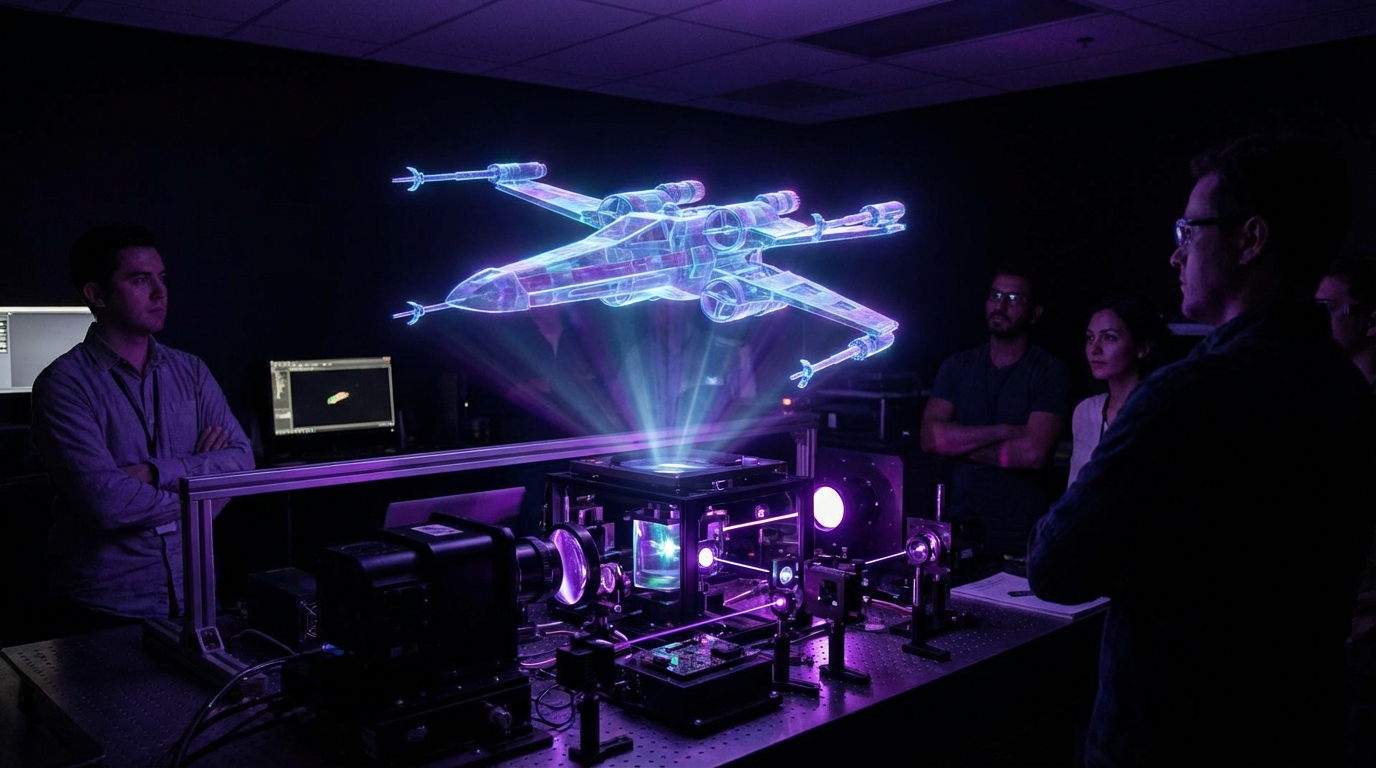
I used to think holographic displays were just a fun movie trick. You watch Star Wars, see the little blue Leia projection, and you assume that kind of thing stays on a screen, not in an office or a shopping mall.
Here is the short answer: real holographic displays exist today, but they are not what you see in Star Wars yet. We have several types of “hologram-like” tech in the market, from light‑field displays and holographic fans to AR headsets and true laser holography. Each has tradeoffs in cost, brightness, viewing angle, and how close it feels to a free‑floating 3D object in space. Some are very practical, some are still lab toys, and none are magic.
What people usually mean when they say “holographic display”
When someone says “holographic display,” they might mean five very different things:
- A real physical hologram recorded in a medium with lasers.
- A light‑field or volumetric display that shows 3D content without glasses.
- A holographic “fan” or spinning LED propeller that shows floating images.
- An AR headset like HoloLens that overlays 3D content on the real world.
- A stage illusion, like Pepper’s Ghost, that looks like a hologram on video.
This is where the confusion starts. Star Wars mixes a few ideas into one visual: a free‑floating 3D model, visible from many angles, with no glasses, no obvious screen, and it works in a bright room. That exact combination is very hard.
When you evaluate “holographic” tech, always ask: where is the light actually coming from, and what happens if I walk around it?
I like to split the space into two buckets:
| Bucket | Examples | Feels like |
|---|---|---|
| True holography / 3D light control | Laser holograms, light‑field, volumetric displays | You are looking at real 3D light in space |
| Hologram-style illusions | AR headsets, holographic fans, Pepper’s Ghost | Clever tricks that look holographic from some angles |
Both buckets are useful. You just do not want to mix them up when you plan a product, a demo, or a budget.
How real holography actually works
Real holography is not about spinning fans or glasses. It starts with physics.
A normal display controls brightness and color at each pixel. The light leaves the pixel and spreads out. Your eyes see a 2D pattern.
A holographic display tries to control the wavefront of light itself: phase, amplitude, direction. The goal is to reproduce the same light pattern that would come from a real 3D object.
At a high level, traditional holography works like this:
- You shine a laser at an object.
- Light scatters off the object and interferes with a reference beam.
- This interference pattern is recorded on a photosensitive plate.
- Later, you shine the reference beam on the plate again.
- The plate recreates the original scattered light wavefront.
Your brain receives the same cues it would from a real object: correct parallax, depth, and focus.
The problem: that classical process is great for static images on film, not dynamic video at 60 fps. So modern “holographic” displays borrow ideas from holography, but they cheat in practical ways.
True holographic video is a control problem: you must steer light in many directions at the same time, at very fine resolution, without melting your hardware.
Let us look at the main approaches that try to stay faithful to physics, then the ones that cheat a bit more.
Light‑field and multi‑view displays
Light‑field displays try to recreate many views of a scene at once. Instead of one flat image, they send different images in slightly different directions. Your left and right eyes see different content, and as you move your head, the view changes.
You might have seen some of these already:
- Looking Glass style displays that show a 3D object behind glass.
- Automotive dashboard 3D displays where the speedometer seems to float.
- Research prototypes using lens arrays or directional backlights.
The trick is that they do not reproduce the full physical light field. They approximate it with a limited number of views.
| Feature | Light‑field displays | Traditional monitors |
|---|---|---|
| Glasses required | No | No |
| Depth perception | Yes, with parallax | Limited (no true parallax) |
| Viewing angle | Moderate, often limited “sweet spot” | Wide |
| Resolution per view | Lower, divided across views | Full per pixel |
From a “Star Wars” perspective, light‑field displays feel halfway there. You can look at a spinning 3D model. The depth feels natural. But you are still clearly looking through a window. The content does not float in the middle of a room.
Use cases that actually work today:
- Product design: Engineers reviewing 3D models without wearing headsets.
- Medical imaging: Surgeons inspecting CT or MRI data in 3D.
- Marketing displays: Showcasing a 3D sneaker or car interior.
These are not toys. They are shipping, and companies pay serious money for them. They just do not match the sci‑fi mental image.
Volumetric displays: putting light in space
Volumetric displays actually fill a volume with light points (voxels), not just pixels on a surface.
There are a few main methods:
1. Swept‑volume displays
You take a 2D surface and move it quickly through space, while updating the image in sync. Your eyes integrate the motion and see a 3D shape.
Common setups:
- A spinning LED panel shaped like a fan or cylinder.
- A plate moving up and down in a box, scanned by a projector.
The bright “floating” logos you see on trade show floors, where a fan blade is spinning but the brand icon looks stable, fall into this category.
Pros:
- The image really sits in a volume, not just behind glass.
- Multiple people can see it from different angles.
Cons:
- Moving parts wear out and make noise.
- Resolution is often low and motion artifacts show up.
- Safety concerns if people can reach into the volume.
2. Voxel media (fog, particles, or trapped particles)
Another path is to put a medium in space and light specific points.
Examples:
- Lasers scanning in a fog or mist volume.
- Ultrasonic traps that suspend tiny particles, then light them.
Research labs have built systems that trap single particles in mid‑air with ultrasonic fields and move them around quickly. A projector lights the particle at the right times, and your eyes blend the motion into a shape.
These systems can produce real points of light in mid‑air that you can walk around. The catch is that they usually work at tiny sizes and in controlled environments.
The gap between a table‑top demo and a life‑size, bright Leia projection is huge. Energy, safety, and hardware complexity scale badly.
3. Holographic optical elements
Here, holographic films or elements bend light in complex ways to create images in space, often combined with traditional displays.
You might see:
- Windshields that show a virtual speedometer floating “on the road.”
- Transparent displays with a virtual image that seems further away.
These are very targeted systems. They solve a clear problem, like placing an instrument cluster at a focus distance that reduces eye strain.
They do not give you free‑standing, full‑color 3D characters walking across your desk. But they are closer to “real product” than many flashier prototypes.
Holographic fans and “floating logos”
If you scroll social feeds long enough, you will see a video of a brand logo “floating” in a mall, with people filming it from all angles. Most of the time, it is a holographic fan.
A holographic fan is a set of LED strips on spinning blades. As the fan spins and the LEDs blink with precise timing, your brain perceives a 3D shape or animation.
Holographic fans are not holograms in the physics sense, but they are very effective attention machines.
Why marketers like them:
- They are eye‑catching from a distance.
- They support video content and 3D animations.
- They are relatively affordable compared to custom volumetric rigs.
Limits:
- The blades are still there; cameras might not pick them up clearly, but your eyes do at close range.
- Viewing angles are more limited than the viral videos suggest.
- Sound and safety are real issues in tight spaces.
If you are planning to “add holograms to an event,” this is often where people start. It can work well, as long as you are honest about what viewers will actually see.
AR headsets: holograms that move with you
Augmented reality headsets like Microsoft HoloLens, Magic Leap, or industrial smart glasses are another piece of the puzzle. These devices overlay virtual content on top of the real world.
From a user perspective, this often feels like “holograms in real life”:
- A virtual screen hanging on your wall.
- A 3D engine model floating over a real machine.
- Arrows painted on the floor guiding you through a warehouse.
The optics inside:
- Waveguides or transparent combiner lenses that inject light into your field of view.
- Projectors that paint images into the waveguide.
- Eye tracking and head tracking that keep the virtual objects stable relative to the world.
Pros:
- You see both digital and physical worlds together.
- Objects can stay locked to real surfaces as you walk.
- Depth and occlusion tricks can feel convincing.
Cons:
- Field of view is limited; holograms often “cut off” at the edges.
- Brightness can struggle in direct sunlight.
- Wearing a headset for hours is still not pleasant for many people.
These systems do not project light into the room for everyone. They send light directly into your eyes. That is the big difference from a Star Wars style hologram, which is shared and visible for the whole room.
Pepper’s Ghost and staged “holograms”
Concert “holograms” of famous artists are almost never real holograms. They use Pepper’s Ghost, a 19th‑century stage illusion.
The method:
- A bright display or projector shows the performer, often out of view of the audience.
- A large transparent sheet of glass or plastic is angled between the stage and the audience.
- The display image reflects off the sheet, appearing to float on stage.
Under the right lighting, your brain ignores the glass and sees a person or object in space.
Why people still use it:
- It scales: you can get life‑size performers, cars, and more.
- It works with relatively standard AV equipment.
- It does not need wearables or special glasses.
Downsides:
- Best viewing is from the front; side views break the illusion.
- Stage design must hide the hardware and keep reflections under control.
- Setup is complex and not cheap at large scales.
If someone offers a “full‑body hologram performance” today, they are almost certainly pitching some form of Pepper’s Ghost, not true holography.
Knowing that saves a lot of confusion when budgets, rigs, and deliverables are discussed.
What makes Star Wars holograms so hard?
If you strip away the drama, the classic Leia scene has a few very concrete technical requirements:
- The projection is visible from many angles around the device.
- No headset or glasses.
- No fog, screen, or plate is visible.
- It works in a normally lit room.
- The character has real depth; you can walk around and see behind parts of it.
To satisfy all of these, a system must:
- Emit light into a true 3D volume or accurately reconstruct a full light field.
- Handle huge brightness in many directions, not just straight on.
- Refresh frames fast enough to look smooth.
- Stay safe for eyes and skin at close distances.
The physics is not impossible, but it is unforgiving. For a room‑scale projection, power scales up quickly. Safety rules become strict. Hardware complexity jumps.
That is why current real systems tend to compromise:
- Headsets send light only to one person’s eyes.
- Light‑field displays stay behind glass and limit viewing zones.
- Volumetric demos stay small and dim.
So when you see a startup pitch promising “full 3D holograms in your living room,” some skepticism helps. We are making progress. The timeline is just longer and more incremental than a movie scene suggests.
Where the tech is genuinely useful right now
I want to shift from the sci‑fi fantasy to boring use cases that actually pay the bills. Because those are usually the ones that survive.
1. Training and remote assistance
AR headsets and mixed reality dashboards let experts guide field workers through complex tasks.
Examples:
- A technician seeing a 3D overlay on a turbine, showing which bolts to loosen.
- A remote expert seeing the tech’s view and drawing arrows that appear on the equipment.
Why this works:
- The value is clear: fewer mistakes, faster training, less travel.
- The 3D content does not have to be perfect; it just has to be clear.
It does not need a “wow” hologram. It needs reliability and good tracking.
2. Medical visualization
Surgeons and radiologists deal with 3D data daily. They are used to mentally rotating CT volumes from 2D slices.
Holographic and light‑field displays let them:
- Inspect anatomical structures more intuitively.
- Plan surgery with 3D models of a specific patient.
- Teach students with interactive anatomy.
Here, a desktop light‑field display or an AR headset often beats volumetric toys. You get good resolution, clear labels, and you can still work in a normal room.
3. Design and engineering
CAD models, architectural plans, and complex assemblies gain a lot from 3D inspection:
- Review design changes with a team around a single 3D display.
- Catch clearance issues in an engine bay that 2D views hide.
- Show clients what a finished building interior will feel like.
In practice, many teams land on a mix:
- Large 2D monitors for detail work.
- Occasional AR or holographic sessions for reviews and presentations.
The “always in holograms” dream sounds nice, but it usually slows actual work.
4. Retail and marketing
This is the area that already feels close to sci‑fi, even if the tech is not pure holography:
- Holographic fans in store windows for product reveals.
- Transparent displays with 3D product animations over real objects.
- Pepper’s Ghost boxes that show rotating shoes, watches, or gadgets.
For retail, the questions are simple:
- Does it grab attention?
- Does it match the brand story?
- Is it reliable enough to run for weeks without manual babysitting?
If those are yes, the physics purist in me does not matter. “Looks like a hologram” is enough.
Technical tradeoffs you cannot ignore
The details vary, but several tradeoffs come up again and again when you move from concept art to hardware.
Brightness vs safety
You want bright images, especially in lit rooms. But there are hard limits on how much optical power you can aim at eyes and skin.
Lasers in particular have strict safety classes. A volume full of bright laser light that children can stick their faces into is a non‑starter.
So most practical systems:
- Use diffused light or project onto a medium (glass, fog, film).
- Limit brightness and viewing distance.
- Apply conservative safety margins for public deployments.
This is why many “mid‑air” prototypes stay dim and small.
Resolution vs viewing angle
If you have a fixed number of pixels, and you want to send light in many directions, something has to give. Usually, per‑view resolution drops.
Light‑field displays split pixel resources across multiple views. So:
- Wide viewing angle with many views means lower sharpness per view.
- Narrow viewing angle allows better sharpness, but you lose freedom of movement.
AR headsets dodge this by only sending one pair of views: one to each eye of the current user. That is why they can feel crisper for that one person than a multi‑viewer holographic display covering a whole room.
Compute load vs latency
Rendering many views of a 3D scene, at high frame rates, with head tracking or eye tracking, is heavy. You end up with:
- GPU load scaling up with number of views.
- Latency requirements tightening as interactivity increases.
For a spinning logo in a mall, this is manageable. For complex 3D scenes with occlusion, physics, and user interaction, it can become the bottleneck.
If your product depends on holographic displays, you must think about:
- Content pipeline: who will create the 3D assets?
- Runtime: where does the rendering happen, on device or in the cloud?
- Networking: can you afford lag if the display is remote from the compute?
The prettiest hardware demo will fail in a real product if the content and compute story is weak.
Common mistakes when planning “holographic” projects
This is where I see people waste money or set wrong expectations.
1. Confusing marketing videos with reality
Many demo videos:
- Use careful camera angles that hide screens and reflections.
- Overexpose or underexpose to make the hologram stand out.
- Stabilize the shot so jitter is not visible.
If you are serious about this tech, insist on:
- Seeing it in person, from multiple angles.
- Checking how it looks under your expected lighting conditions.
- Asking about brightness in nits or lumens, not just “daylight visible.”
2. Ignoring content creation cost
A holographic display without great content is a fancy lamp.
You will need:
- 3D models, often with animation.
- Careful design of depth and motion to avoid nausea or confusion.
- Regular updates if your product catalog or messaging changes.
Teams often underestimate the content budget. Hardware is a one‑time purchase. Content is ongoing.
3. Overcomplicating where a simpler display works
Sometimes a traditional LED wall with good motion graphics will deliver more impact than a small, hard‑to‑view holographic box on a counter.
Before choosing holographic tech, ask:
- Do people need to see the content from far away or close up?
- Is depth actually helping, or is it a distraction?
- How many people need to see it at once?
You do not have to use holograms just because they look impressive in a deck.
What the next few years likely look like
I do not think we jump from where we are now to full Star Wars projections in one step. The more realistic path is gradual improvement across a few fronts.
Incremental AR and mixed reality advances
Expect:
- Wider fields of view in AR glasses.
- Better brightness in daylight and outdoors.
- Thinner, lighter devices that look more like normal glasses.
- Better eye tracking and depth cues to reduce eye strain.
This does not give you shared volumetric projections in air. It does give individuals a more convincing holographic overlay on their world.
Better light‑field and multi‑view panels
Panel makers will:
- Increase resolution so each view is sharper.
- Improve directional control to widen viewing zones.
- Integrate with normal monitors and TVs.
You might end up with consumer displays that can switch between 2D and 3D modes without glasses. For certain media types or games, that feels almost magical, even if it is still a “window.”
Targeted volumetric systems, not general purpose
We will likely see:
- Volumetric dashboards in cars and aircraft for critical instruments.
- Small volumetric cubes for scientific visualization or art installations.
- Improved holographic fans that are quieter, safer, and higher resolution.
These will be niche, but real. Datacenters of glowing blue volumetric dashboards for everyone in an office? Less likely.
If you are building around holographic displays right now
Let me be direct here: if your product idea only makes sense if Star Wars‑level holograms appear in the next two years, that is a risky bet.
Better questions to ask:
- Can my core value work with AR headsets, light‑field displays, or even flat screens today?
- Does 3D depth actually improve the experience, or am I chasing a visual trick?
- Can I design my system so that the display layer is swappable, as hardware improves?
Practical steps:
- Prototype with current devices like HoloLens, Quest in passthrough mode, or a Looking Glass display.
- Test with users to see if they understand and value the 3D aspect.
- Plan your content pipeline early; 3D content is often the long pole.
Do not wait for perfect holograms. Work with the imperfect but shipping tech, and keep your design flexible.
The gap between Star Wars and real hardware is narrowing, but it is not closing overnight. If you understand the actual constraints, you can still create experiences that feel futuristic, without betting everything on physics catching up to a movie script.