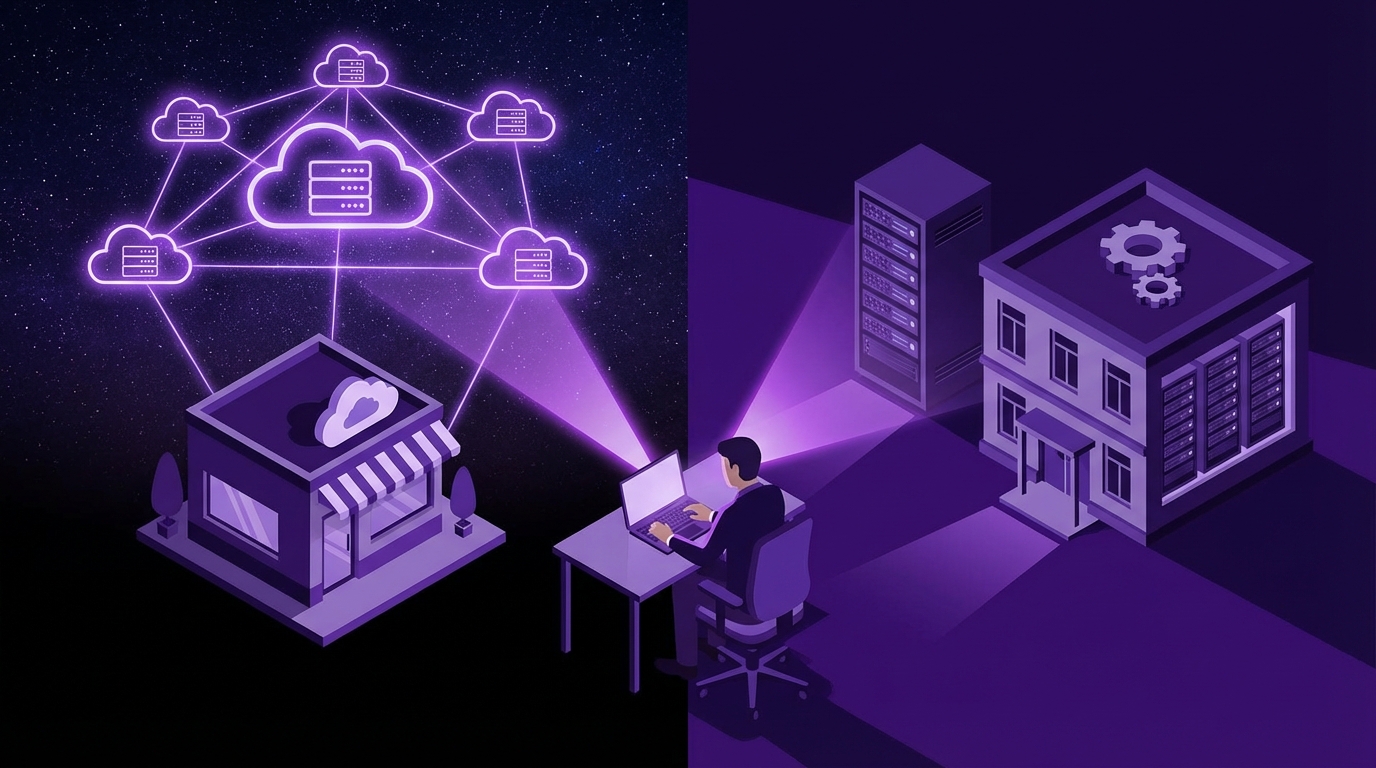
I used to think the answer was obvious: small businesses should just go to the cloud and not overthink it. Then I started talking to owners who were burned by surprise bills, compliance audits, and spotty internet, and my view became a lot less black and white.
Here is the direct answer: for most small businesses, cloud is usually the better starting point because it reduces upfront costs, makes remote work easier, and shifts a lot of technical burden to the provider. On-premise makes sense when you have strict compliance rules, weak internet, or you need very tight control over data and systems. The “best” choice is often a mix of both, with critical or sensitive systems on-premise and everything else in the cloud.
Cloud is usually better for flexibility and cash flow. On-premise is usually better for control and predictability. The right answer depends on how you make money and how you handle risk.
What “cloud” and “on-premise” really mean for a small business
Most small business owners tell me they understand the difference. Then we start mapping systems, and it turns out “our server in the back room” is actually a dusty PC under a desk.
So let us set a simple baseline.
Cloud (for small businesses)
Cloud, in this context, usually means:
- Software you access through a browser (SaaS)
- Files stored in online services like Google Drive, OneDrive, Dropbox
- Email on services like Microsoft 365 or Google Workspace
- Sometimes, virtual servers running at providers like AWS, Azure, or similar
You pay monthly or yearly. You do not own the physical servers. Someone else keeps the hardware running, patches the systems, and deals with much of the security plumbing.
On-premise (for small businesses)
On-premise usually means:
- Servers or computers physically located in your office or building
- Software installed locally on those machines
- Local storage for files (NAS, file server, or even shared desktops)
- You, or your IT partner, handle backups, upgrades, and hardware issues
Sometimes there is a hybrid: a local server that syncs to the cloud. Or some apps are in the cloud, others sit on a local machine because “they always have.”
If you can walk up and touch the box your data lives on, that is on-premise. If you log into it through a browser and never see the hardware, that is cloud.
Key factors: how to actually choose
Let me be direct: picking cloud vs on-premise is not a philosophical choice. It is a business decision tied to money, risk, and people.
Here are the main areas you need to weigh:
- Costs (short term and long term)
- Security and compliance
- Reliability and internet dependence
- Scalability and growth
- Control and customization
- IT skills and support
- Performance and latency
I will walk through each and show where cloud tends to win, where on-premise fits better, and where a hybrid setup makes more sense.
1. Cost: upfront vs ongoing
Cloud and on-premise have very different cost patterns. A quick way to think about it:
| Aspect | Cloud | On-Premise |
|---|---|---|
| Upfront cost | Low (subscriptions, setup fees) | High (hardware, software licenses, installation) |
| Ongoing cost | Predictable monthly fees, can rise with usage or seats | Maintenance contracts, power, cooling, eventual replacement |
| Cash flow impact | Spread over time | Lumpy, big spikes when buying or replacing hardware |
| Hidden costs | Overage fees, extra modules, add-on services | Downtime, failed backups, emergency IT visits |
For most small businesses, that lower upfront cost of cloud is a big deal. You do not have to spend thousands on servers and licenses. And if a tool is not working out, you cancel instead of being stuck with hardware you do not need.
On-premise can be cheaper over several years in some cases, especially if:
- You have stable headcount and usage patterns
- You buy right-sized hardware and keep it for 5+ years
- Your software licenses are perpetual rather than subscription-based
But that assumes good planning and discipline. Many small businesses do not upgrade regularly, skip maintenance, and then get hit with sudden failures.
Cloud usually wins early on cash flow. On-premise can win long term if you manage it carefully and accept the responsibility that comes with that choice.
2. Security and compliance
This is where things get more nuanced.
A common line I hear: “I do not trust the cloud. My data is safer in my office.”
Sometimes that is true. Often, it is not.
Security in the cloud
Cloud providers invest heavily in security controls, monitoring, and physical protections. That does not mean they are perfect. But for a 10 person company with no full-time IT security staff, the cloud vendor often does a better job at:
- Keeping systems patched and updated
- Monitoring for threats 24/7
- Encrypting data in transit and at rest
- Providing tools like multifactor authentication and access audits
Where the risk usually appears is on your side:
- Weak passwords
- Shared logins
- No multifactor authentication
- Employees using personal devices without controls
So the cloud vendor handles a lot of the “heavy” technical security. You must handle identity, access, and staff behavior.
Security on-premise
On-premise gives you physical control. You know where your servers are, who can get into the room, and what is plugged into your network.
If you have:
- Regulated data (healthcare, finance, legal, some manufacturing)
- Strict client contracts around data location
- Very specific security or audit requirements
On-premise can give you more direct control and easier proof for audits. But that control only helps if you actually invest in:
- Regular patching and updates
- Access control for the server room
- Network firewalls and segmentation
- Tested backup and recovery plans
Many small businesses do not do this consistently. A server under a desk that everyone can access is not more secure just because it is closer.
Compliance constraints
If you are subject to HIPAA, PCI-DSS, certain financial regulations, or data residency rules, this can push you toward one side.
Some compliance programs are now very cloud friendly. Many modern cloud tools are built with these rules in mind and offer:
- Business Associate Agreements (for healthcare)
- Audit logs and access reporting
- Data residency options
But not all tools do. And some older regulators, clients, or partners still expect data to remain on systems that you directly control, or at least in defined regions.
Before choosing:
- Check your regulatory environment and client contracts
- Ask vendors for their compliance certificates and details
- Clarify where data actually resides and how backups are handled
Cloud is not “insecure” by default, and on-premise is not “secure” by default. The winner is the one you are willing and able to run properly.
3. Reliability and internet dependence
This is one area where small details in your environment matter a lot.
Cloud reliability
Well-known cloud providers generally have strong uptime records. But your access to them depends on:
- Your internet connection
- Your local network (Wi-Fi, switches, cabling)
- Your devices
If your internet is stable and you have backup options (for example, a cellular hotspot), cloud services can feel very reliable.
If your office is in an area with frequent outages or slow connections, this can be painful. I have seen small teams lose entire workdays because a single connection went down and every system they used lived in the cloud.
On-premise reliability
On-premise systems can keep running even if the internet is down, as long as:
- Your local network is up
- Power is stable or you have battery backup
This can be critical for:
- Manufacturing or production lines
- Retail locations with point-of-sale systems
- Warehouses where staff need access to local systems
The tradeoff is that you must manage hardware failures, disk issues, and other local problems.
If your business stops completely when the internet drops, you either need better redundancy or some key systems on-premise.
4. Scalability and growth
Growth plans matter. If your headcount tends to change a lot, or you have strong seasonal spikes, the choice looks different from a slow and steady company.
Cloud and growth
Cloud services adjust more easily:
- Add or remove users with a few clicks
- Spin up new tools for specific projects
You pay for what you use. This can be great, but it also tempts teams to add tools without a clear plan, which leads to bloat and confusion.
On-premise and growth
On-premise requires more planning:
- Servers must be sized for peak load, not just normal days
- Upgrades mean downtime and capital spending
- Physical constraints (rack space, power, cooling) can bite you
For a small, stable business with predictable growth, that is manageable. For a fast growing or very seasonal business, cloud tends to adapt better.
5. Control and customization
Many small businesses underestimate how much this matters until they hit a wall with a vendor.
Control in the cloud
With cloud, the vendor controls:
- System features and update schedules
- Maintenance windows
- Underlying infrastructure choices
You control how you use the system, how you configure your data, and sometimes how you integrate with other tools, but you cannot usually:
- Change the core behavior of the software
- Block certain upgrades that break legacy workflows
- Inspect the underlying server environment in detail
This can be liberating or frustrating, depending on your culture and needs.
Control with on-premise
On-premise gives deeper control:
- You choose when to upgrade or stay on an older version
- You can apply custom patches or tweaks
- You can integrate at deeper levels with other systems
This appeals to businesses with:
- Specialized software
- Legacy systems that cannot easily move to the cloud
- Internal technical staff who like to tune and modify systems
The tradeoff is more complexity and responsibility.
The more your business relies on custom workflows and specialist tools, the more seriously you should evaluate on-premise or at least hybrid setups.
6. IT skills and support
This is one area where small businesses often have a blind spot.
If you move heavily to on-premise, you are signing up for:
- Server administration
- Backup and restore testing
- Monitoring hardware and system health
- Handling security incidents locally
If you have a strong internal IT person or a reliable managed service provider, this can be fine. But you need to budget for it, financially and mentally.
Cloud reduces that burden but does not remove it. You still need:
- Someone to manage user accounts and permissions
- Integration between tools
- Security policies and training
- Vendor selection and contract review
I will be blunt here: if you do not have any IT support and you are not willing to invest in it, going heavily on-premise is a risky move.
7. Performance and latency
This part is easy to overlook until users complain.
Cloud performance
Cloud performance depends on:
- Your internet speed and latency to the data center
- How well the vendor’s architecture is built
- How busy your network is at peak times
For general office productivity, sales tools, help desks, and most common business apps, cloud performance is usually fine if you have decent internet.
For very heavy workloads (large CAD files, real-time video, big databases used by multiple systems), remote access can feel slow, especially if the files or data are large.
On-premise performance
On-premise systems connected over a local network can be extremely fast for local users:
- Low latency within the office
- High throughput for large files
This is one of the big reasons some creative firms, engineering shops, and production teams stick to local servers for core workloads. Then they sync or archive to the cloud for collaboration or backup.
If your team constantly moves big files or needs real-time access to heavy data, pure cloud might frustrate them unless you invest in very strong connectivity and smart caching.
Common scenarios: where each approach fits
Let us put this into more concrete real-world patterns.
Scenario 1: 10 person service business (agency, consulting, legal, accounting)
Characteristics:
- Knowledge work, mostly documents and communication
- Some industry compliance, but not extreme
- Remote or hybrid team
Cloud tends to be the better base:
- Email and calendar in Microsoft 365 or Google Workspace
- File storage in OneDrive, Google Drive, or similar
- Project management and CRM in SaaS tools
On-premise might only appear as:
- A small NAS or file server for fast access to large archives
- Legacy applications that have not moved to the cloud yet
This group usually benefits from fewer local servers, strong cloud security settings, and a clear IT partner to oversee everything.
Scenario 2: Retail shop or restaurant with multiple locations
Characteristics:
- Point-of-sale systems
- Inventory
- Staff scheduling
Many modern POS systems are cloud-based with local offline modes. The mix often looks like:
- Cloud for HQ reporting, analytics, and marketing tools
- Local devices with offline capability for each point-of-sale terminal
- Occasional small local servers if older POS systems are in place
Pure cloud POS without reliable internet in every location can cause serious issues. At minimum, there should be an offline mode or a local component.
Scenario 3: Manufacturing or production facility
Characteristics:
- Machines connected to local control systems
- ERP or MES systems
- Some legacy software
Here, a hybrid is common:
- Core production systems on-premise for reliability and speed
- Cloud for business systems like CRM, ticketing, email, and document sharing
- Sync from local data to cloud analytics or reporting tools
If you try to move everything to the cloud without checking network reliability and latency, you risk disrupting real operations.
Scenario 4: Creative agency or engineering firm handling large files
Characteristics:
- Video, design, CAD, or large media files
- Remote collaborators and external clients
A balanced setup often works best:
- On-premise storage (file server or NAS) for active projects
- Cloud for archiving, sharing previews, and client review tools
- Cloud apps for communication and project tracking
Some tools now blend both approaches with local caching: the file feels local, but syncs to the cloud in the background. These can reduce the need for full traditional servers.
How to decide: a practical step-by-step approach
Let me push back gently on a common path: deciding based on buzzwords or what a vendor prefers. Your decision should start with your business needs, not a sales deck.
Here is a practical sequence.
Step 1: Map your systems and workflows
Write down, in simple terms:
- What tools your team uses daily (software, file storage, devices)
- Where critical data lives right now
- Which processes bring in revenue or keep customers happy
Look at:
- Sales and marketing tools
- Customer support and tickets
- Operations and production
- Finance and HR
You do not need a fancy diagram. Just a clear list.
Step 2: Classify data and risk
For each system or dataset, ask:
- How sensitive is this data? (personal, financial, health, trade secrets)
- What happens if this system is down for an hour? A day?
- Are there any laws or contracts that control where or how this data is stored?
You might group things roughly into:
| Category | Examples | Typical Fit |
|---|---|---|
| High sensitivity, high impact | Health records, financial records, production controls | On-premise or carefully chosen compliant cloud, often hybrid |
| Medium sensitivity, medium impact | Client documents, contracts, sales pipeline | Cloud with strong security settings |
| Low sensitivity, low impact | Internal notes, drafts, basic collaboration | Cloud by default |
Step 3: Check your current constraints
Look at practical limits:
- Internet: speed, reliability, redundancy
- Physical space for hardware
- Power quality and backup
- Available IT support, internal or external
If you have frequent power outages and weak internet, putting every system in the cloud is not wise unless you also invest in better connectivity and power backup.
Step 4: Run basic cost scenarios
For your main systems, sketch:
- Cloud option:
- Subscription costs for 3 years (seats x price x months)
- Add estimated consulting or migration time
- On-premise option:
- Hardware costs (servers, storage, network gear)
- Software licenses and potential upgrades
- IT support costs (internal time or external contracts)
- Power, cooling, and space considerations
Do not just compare month 1. Look at a 3 to 5 year window.
Step 5: Decide on a primary strategy, then adjust for edge cases
Usually, one of these patterns will fit:
- “Cloud first, on-premise where needed”
- “On-premise for core operations, cloud for everything else”
Pick a primary pattern, then adjust for:
- Very sensitive data
- Very heavy workloads
- Systems that must run even when the internet is gone
The answer does not have to be 100 percent cloud or 100 percent on-premise. Mixed environments are normal and often healthier.
Step 6: Plan your transitions carefully
Whether you move more to the cloud or more to on-premise, poor transitions can cause more damage than the wrong platform.
When planning a move:
- Start with non-critical systems to gain experience
- Test migrations on a small subset of data
- Schedule changes outside core business hours where possible
- Train users ahead of time and provide simple guides
Many failures I see are not because cloud or on-premise was wrong, but because the move was rushed or under-planned.
Where small businesses often get this wrong
I want to push back on a few common mistakes.
Mistake 1: “We are small, so we do not need to worry about this much”
Size does not shield you from:
- Ransomware
- Data loss
- Compliance fines
- Downtime that annoys customers
You do not need an enterprise-grade plan, but you do need a conscious choice and a basic strategy.
Mistake 2: Choosing based only on current cost
Looking only at next month’s bill can mislead you. On-premise may seem expensive up front but predictable long term. Cloud may feel cheap at the start but creep upward as you add users and features.
Without a 3 to 5 year view, it is easy to lock yourself into a pattern that hurts margins later.
Mistake 3: Going all-in on cloud without internet planning
I still see offices that move their phones, files, apps, and even office doors to cloud-managed systems, but run everything on a single unreliable internet line.
If you go cloud heavy, budget for:
- Redundant internet connections if possible
- A backup connectivity plan (for example, 4G/5G router)
- Local caching or offline modes where it matters
Mistake 4: Ignoring staff behavior
If staff cannot log in easily, or they find the system slow, they start using personal email, personal cloud storage, or USB drives. That behavior can destroy any security gains from either cloud or on-premise.
Your choice must work with how your team actually behaves, not just how a policy document says they should behave.
Clear use cases: when cloud is usually better
Let us be explicit. Cloud is usually the better choice for small businesses when:
- You have limited capital and want to avoid big hardware buys
- Your team is remote or hybrid
- You use common business apps (email, CRM, project management, accounting)
- You lack strong internal IT capacity
- Your internet is stable and reasonably fast
Some good candidates for cloud-first in small businesses:
- Email and calendars
- File collaboration and document storage
- Customer support systems
- Sales, marketing, and CRM tools
- Accounting systems (with reputable providers)
If the workload is mostly office work and collaboration, and you have decent connectivity, cloud should be your default starting point.
Clear use cases: when on-premise is usually better
On-premise, or a strong on-premise component, is often better when:
- You have strict regulatory or client requirements around data location
- Your internet is unreliable and you cannot easily fix that
- You run heavy workloads that must stay fast and local
- You need systems to keep running through outages
- You have capable IT support and a clear maintenance plan
Some common on-premise candidates:
- Local file servers for large media or project files
- Control systems tied directly to machinery
- Legacy applications that do not have solid cloud alternatives
- Local backup servers for disaster recovery
In many of these cases, on-premise is not a rejection of the cloud. It is a decision to keep core functions local while still using cloud where it fits.
What I would do if I were in your shoes
If I were running a typical small business with, say, 10 to 50 staff, and no extreme legal constraints, my approach would look something like this:
- Start cloud-first:
- Move email, documents, and collaboration tools to a major cloud suite
- Pick cloud-based CRM, help desk, and project tools
- Keep or create a simple on-premise element where needed:
- A local NAS or file server for large ongoing projects
- Local backup of critical data, even if the primary is cloud
- Invest in the basics:
- Stable internet with a backup option
- Multifactor authentication on all cloud accounts
- A relationship with a reliable IT provider
- Revisit yearly:
- Review costs, performance, and staff complaints
- Adjust what stays on-premise vs cloud based on real experience
If I had a more sensitive or operationally critical business (healthcare, manufacturing, finance), I would:
- Start by listing regulatory requirements and client obligations
- Work with an IT professional who understands both cloud and on-premise in that sector
- Expect a hybrid result, not pure cloud or pure on-premise
The best setup is not the trendiest one. It is the one that keeps your business running, protects your data, and fits your budget without painting you into a corner.