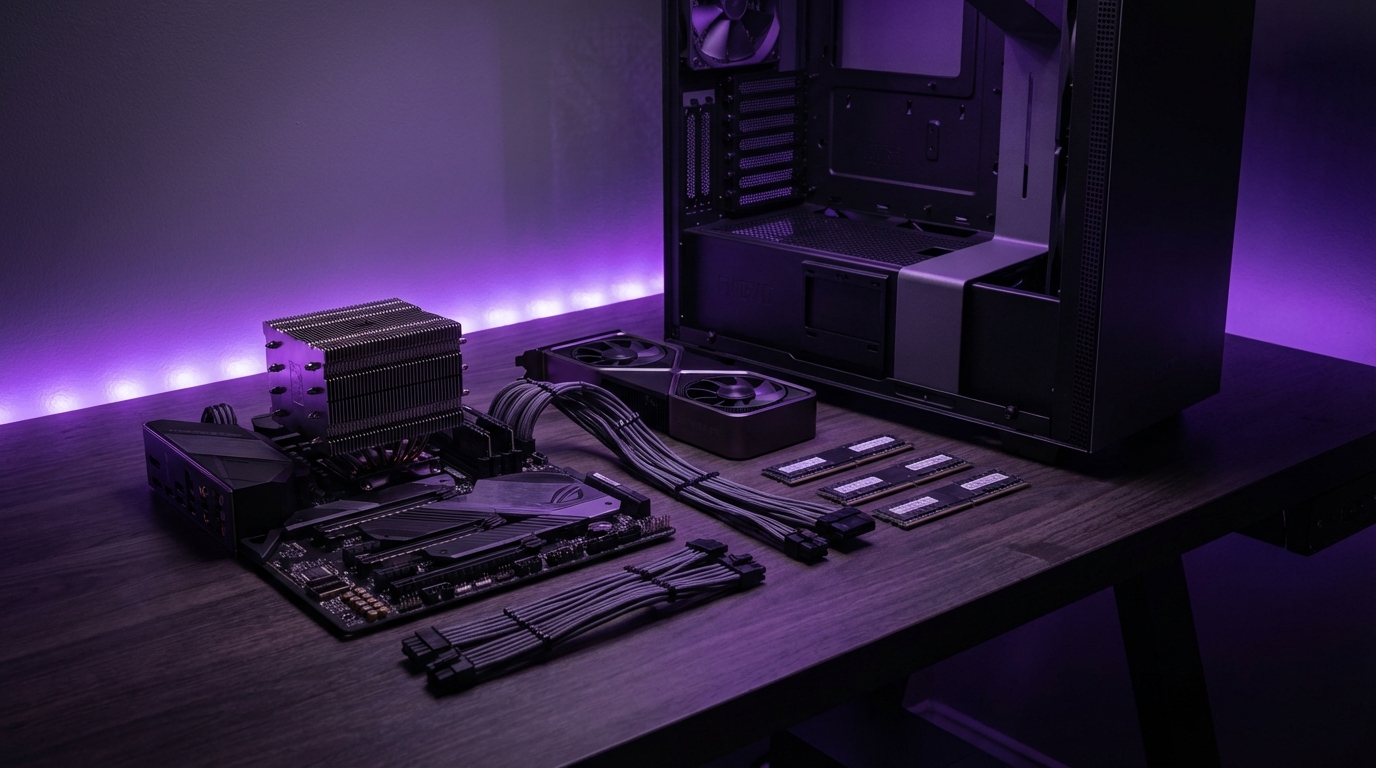
I used to think building a PC was this mysterious thing only hardware nerds did in dark rooms with anti-static gloves. Then I built my first one, cut my finger on a case edge, forgot a motherboard standoff, and realized: this is mostly Lego with a bit more risk.
Here is the simple answer: in 2025, you can build a very capable gaming and work PC for around $800-$1,000, a serious 1440p / light 4K rig for $1,200-$1,600, and a high-end machine for $2,000 and up. The trick is not chasing “the best” parts, but choosing a balanced CPU + GPU combo, enough RAM (16-32 GB), fast NVMe storage, and a decent power supply that you will not regret later.
How to think about your 2025 PC build before you buy anything
Most people start with “What GPU should I get?” That feels natural, but it causes bad builds. They pour half the budget into a graphics card, then cheap out on power, storage, and airflow.
I like to flip that. Start with three questions:
What do I really want this PC to do in the next 3 years, what is my true budget, and what can I realistically upgrade later without replacing everything?
Here are the four most common use cases:
- 1080p gaming and general use
- 1440p gaming and light content creation
- 4K gaming and heavy content creation
- Work-first machine: coding, design, video, maybe some gaming
Then match that to a budget:
| Budget (USD) | Use case sweet spot | Target resolution / work |
|---|---|---|
| $600-$800 | Starter / 1080p gaming | 1080p, esports, light editing |
| $800-$1,200 | Mid-range all-rounder | 1080p high refresh, entry 1440p |
| $1,200-$1,600 | Upper mid-range | Strong 1440p, mixed gaming + work |
| $1,600-$2,200 | High-end gaming/workstation | 1440p high refresh, light 4K, serious work |
| $2,200+ | Premium / niche | Heavy 4K, 3D, heavy video, AI workloads |
If your budget and your expectations do not match, lower your expectations, not your power supply quality.
I know that sounds harsh, but cheap power supplies and motherboards are where many builds quietly go wrong.
Key 2025 hardware trends that change how you build
A lot has shifted compared to builds from a few years ago. Some “old advice” is now wrong or at least outdated.
1. DDR5 is normal now, not premium
In early DDR5 days, DDR4 still made sense to save money. In 2025, DDR5 is mature and pricing has normalized.
- For new builds, DDR5 is the default, unless you are buying into a very specific older platform deal.
- Look for 6000 MT/s or so on AMD AM5, 5600-6400 MT/s on Intel, with decent timings.
- 32 GB is the new “comfortable” amount for gaming + work. 16 GB is entry level, not future friendly.
If you are building from scratch in 2025, pick a DDR5 platform unless you hit a crazy discount on older parts that covers the future upgrade cost.
2. NVMe SSDs are your baseline, not a luxury
SATA SSDs still work, but they are not the best choice anymore for a fresh build.
- 1 TB NVMe PCIe 4.0 drives are cheap and very fast.
- 2 TB is a smart target if you install big games or work with media.
- SATA SSDs make sense only as extra storage or if you truly get a bargain.
Try to avoid spinning hard drives in a first build unless you do a lot of cold storage or mass media. They add noise, heat, and cable mess.
3. Ray tracing and upscaling are normal features, but do not overpay for them
Modern GPUs (NVIDIA RTX 40 series, AMD RX 7000 series, Intel ARC refresh) all talk about ray tracing, frame generation, and AI upscaling.
Your build should focus on raw raster performance first, then treat ray tracing and frame generation as extras, not the main course.
For budget to mid-range builds, a GPU with solid 1080p/1440p performance beats one that has fancy ray tracing but poor raw frame rates.
4. Power supplies and cases matter more than people think
Power draw can spike with modern GPUs. Cheap PSUs that “say” 750W on the box often do not handle transient spikes well.
- Get an 80+ Gold (or better) rated unit from a known brand.
- Choose higher wattage than you think: 650-750W for mid-range, 850-1000W for high-end GPUs.
- Look at PCIe 5 / ATX 3.0 support if you plan to keep the PSU for many years.
Case choice affects temperatures a lot. Mesh front, good airflow, reasonable fans. Glass-heavy, small air holes, and too many RGB strips often hurt cooling.
Budget build (around $700-$900): 1080p gaming and everyday use
Here we build a PC that handles 1080p gaming at high settings, plus browsing, streaming, office work, and some light editing. Not fancy, but solid.
For entry builds, the priority is a good GPU + reliable platform, not RGB or huge storage.
Budget build parts list (example, mid-2025 pricing)
- CPU: AMD Ryzen 5 7600 or Intel Core i5-14400F
- Cooler: Stock cooler (Ryzen) or budget tower cooler (for Intel)
- Motherboard: B650 (for Ryzen) or B760 (for Intel) DDR5 board
- RAM: 16 GB (2×8 GB) DDR5-5600/6000
- GPU: NVIDIA RTX 4060 / AMD RX 7600 / Intel ARC A770 (if price is good)
- Storage: 1 TB NVMe PCIe 4.0 SSD
- PSU: 650W 80+ Gold from a reputable brand
- Case: Mid-tower with mesh front and 2-3 fans included
- Extras: Wi-Fi card or a board with Wi-Fi if you need it
Approximate allocation:
| Component | Budget range | Priority |
|---|---|---|
| CPU | $150-$220 | Medium |
| GPU | $250-$350 | High |
| Motherboard | $120-$170 | Medium |
| RAM | $50-$70 | Medium |
| Storage | $60-$90 | Medium |
| PSU | $70-$110 | High (for safety) |
| Case | $60-$90 | Low/medium |
Why these parts for a budget build
A Ryzen 5 7600 or i5-14400F has strong single-core and enough cores for gaming and basic workstation tasks. They will not bottleneck mid-range GPUs in 1080p or 1440p in most titles.
16 GB of DDR5 is the small compromise here. I would prefer 32 GB, but that can be a later upgrade. Just leave two RAM slots open.
The RTX 4060 / RX 7600 tier gives you modern features and hardware encoding for streaming and recording. You can play at 1080p high/ultra in most games with good frame rates.
If your total budget is tight, drop RGB and fancy glass, but never drop below a quality 80+ Gold power supply.
Where to upgrade later:
- RAM: jump from 16 GB to 32 GB when prices are friendly.
- Storage: add a second NVMe or SATA SSD as your game library grows.
- GPU: in 2-3 years, you can move up a tier while keeping the same platform.
Mid-range build (around $1,000-$1,400): 1440p capable all-rounder
This is the sweet spot for a lot of people. You want 1080p high refresh, and either starting or solid 1440p gaming, plus work tasks that are not tiny.
You probably care a bit more about future proofing here.
Mid-range build parts list (example)
- CPU: AMD Ryzen 7 7700 / 7800X3D or Intel Core i5-14600K (or i7-14700 if deal is good)
- Cooler: 240 mm AIO or a quality air cooler (single or dual tower)
- Motherboard: B650 (AM5) or Z790/B760 (Intel), DDR5, with decent VRMs and I/O
- RAM: 32 GB (2×16 GB) DDR5-6000 (AMD) or DDR5-6000/6400 (Intel)
- GPU: NVIDIA RTX 4070 / 4070 Super tier, or AMD RX 7800 XT
- Storage: 1 TB NVMe PCIe 4.0 (OS + main apps) + optional 1-2 TB extra NVMe or SATA SSD
- PSU: 750W 80+ Gold or better, possibly ATX 3.0 compliant
- Case: Airflow-focused mid-tower with space for front 240/280 mm radiator
Suggested spending pattern:
| Component | Budget range | Comments |
|---|---|---|
| CPU | $250-$380 | Balance cores and gaming performance |
| GPU | $450-$650 | Main driver for 1440p |
| Motherboard | $160-$230 | Better VRMs, I/O, and BIOS features |
| RAM | $90-$140 | 32 GB is standard here |
| Storage | $120-$220 | 1-3 TB mixed NVMe/SSD |
| PSU | $100-$150 | Headroom for future GPU upgrade |
| Case + cooling | $120-$200 | Airflow + noise control |
Why these parts for a mid-range build
A Ryzen 7 7800X3D is still one of the strongest gaming CPUs around because of the extra cache, and it handles streaming and light editing well. Intel options like the 14600K bring strong gaming plus extra cores, which help for work tasks.
32 GB RAM becomes less of a luxury, more of a standard, especially if you run multiple monitors, lots of browser tabs, or heavier software.
The RTX 4070/4070 Super or RX 7800 XT level GPU is where 1440p at high settings, plus DLSS/FSR upscaling, really becomes consistent. You get stronger ray tracing too, but again, treat that as secondary.
If you play competitive shooters, aim for 1080p or 1440p high refresh first, then tweak graphics settings; pretty shadows do not win matches.
Future upgrades:
- Bigger GPU in 2-3 years without changing PSU.
- More storage as projects and game libraries grow.
- Better monitor: do not forget the display side of the equation.
Upper mid-range / high-end gaming (around $1,600-$2,200)
This is where people often go overboard and spend badly. It is very easy to pay a lot and get only a bit more performance, or pay premium pricing for features you never actually use.
The goal here: excellent 1440p high refresh, entry or light 4K gaming, plus strong performance for streaming and creative work.
High-end gaming build parts list (example)
- CPU: AMD Ryzen 7 7800X3D or Ryzen 9 7900X / 7950X, Intel Core i7-14700K or i9-14900K (if priced well)
- Cooler: 280-360 mm AIO or high-tier dual-tower air cooler
- Motherboard: High quality B650E / X670 (AM5) or Z790 (Intel) with PCIe 5 readiness and good VRMs
- RAM: 32-64 GB DDR5-6000 class kits, 2 or 4 DIMMs depending on use
- GPU: NVIDIA RTX 4070 Ti Super / 4080 Super, or AMD RX 7900 XT / XTX
- Storage: 2 TB NVMe PCIe 4.0 / 5.0 main drive + optional 2 TB secondary NVMe or SSD
- PSU: 850-1000W 80+ Gold/Platinum, ATX 3.0 / PCIe 5 support preferred
- Case: Premium airflow mid/full tower with good cable management and fan support
Approximate budget distribution:
| Component | Budget range | Focus |
|---|---|---|
| CPU | $350-$550 | Gaming + heavy work balance |
| GPU | $700-$1,100 | Main driver for 1440p/4K |
| Motherboard | $220-$350 | High power delivery, features |
| RAM | $140-$260 | 32-64 GB capacity |
| Storage | $200-$350 | Fast OS drive + project/game drive |
| PSU | $150-$230 | Headroom + safety |
| Case + cooling | $200-$350 | Thermals, acoustics, build comfort |
Where people make mistakes at this level
This is where I disagree with a lot of “just get the most expensive thing” advice.
Some common problems:
- Buying a top-tier CPU for gaming only, where a cheaper X3D or mid CPU would perform nearly the same.
- Getting an overkill GPU for 1080p monitors instead of upgrading the display.
- Paying a lot for PCIe 5 NVMe that yields almost no real-world gain for gaming or standard work.
Spending $300 extra on a GPU for 5-10 fps gains at 1440p is usually worse value than spending that money on a better monitor or peripherals.
When this kind of build suits you:
- You are serious about 1440p 144 Hz or higher refresh rate gaming.
- You stream or record content while gaming.
- You edit 4K video, run virtual machines, or do heavier rendering.
- You want a machine that feels “fast at everything” and stays that way for years.
Creator / workstation focused build (from $2,000 and up)
At this point, the build is less about pure gaming and more about work: 4K editing, 3D render, AI workloads, big codebases, heavy multitasking.
Gaming still matters often, but it is not the main metric.
Workstation-leaning parts list (example)
- CPU: AMD Ryzen 9 7950X / 7950X3D or Intel Core i9-14900K; for very heavy workloads, Threadripper or Intel HEDT platforms if budget justifies it
- Cooler: 360 mm AIO or top-tier air coolers, with focus on sustained loads
- Motherboard: X670E / Z790 or workstation boards with extra PCIe slots and M.2 slots
- RAM: 64-128 GB DDR5; ECC if your platform and use case need it
- GPU: NVIDIA RTX 4080/4090 class or workstation GPUs; or AMD RX 7900 XTX if your apps support it well
- Storage: Multiple NVMe drives: OS/app drive, project drive, cache/scratch, plus large SATA SSD or HDD array for archive
- PSU: 1000-1200W 80+ Gold/Platinum from top tier brands
- Case: Large case with emphasis on airflow, drive bays, and cable routing, not just looks
If this is your work machine, treat stability as a feature and beauty as a bonus.
You might overbuild in some areas here, but it makes sense because downtime costs money. Extra RAM, more reliable storage, and a very good PSU are all rational choices.
AMD vs Intel, NVIDIA vs AMD vs Intel: how to choose in 2025
I used to be more brand loyal in my head. Then I watched friends overpay just because they “always buy” a certain company. That does not age well.
AMD vs Intel for CPUs
Key points in 2025:
- AMD AM5 (Ryzen 7000 series and newer) is a long-lived socket with DDR5 and PCIe 5 support. Good if you plan CPU upgrades later.
- Intel LGA1700 (12th/13th/14th gen) is mature but near the end of its cycle. Great performance now, but fewer upgrade options later.
- For pure gaming, Ryzen X3D chips often lead in good value. For mixed heavy workloads, high core count Intel and AMD chips trade blows.
My simple rule of thumb:
If you want a build that you plan to upgrade over many years, AM5 is slightly more future-safe; if you find a very good Intel deal that suits your needs today, it is not wrong to take it.
NVIDIA vs AMD vs Intel for GPUs
This one gets heated, but the trade-offs are fairly clear.
- NVIDIA: Best ray tracing and DLSS frame generation ecosystem, strong support in creative software, very strong encoder.
- AMD: Strong raster performance per dollar, good VRAM capacities, open FSR upscaling, slightly weaker ray tracing.
- Intel: Interesting value in some segments, improving drivers, but still not as polished for every game.
If your main focus is competitive gaming at 1080p or 1440p, a solid AMD or Intel GPU with good raster performance can be a strong choice, especially if it costs less.
If you care about ray tracing quality, game support, and content creation, NVIDIA has an edge, but the price gap is not always easy to justify.
Non-obvious component choices that affect your build
A lot of guides obsess over the CPU and GPU, then barely talk about things that actually change the daily experience.
Motherboard features that matter
You do not need the most expensive board, but there are a few things you should not ignore:
- VRMs and power delivery: Good VRMs keep high-end CPUs stable and cooler.
- M.2 slots: At least two NVMe slots, preferably with decent heatsinks.
- Rear I/O: Enough USB ports, including USB-C if you have modern devices.
- Integrated Wi-Fi: Simpler and cleaner than add-on cards if you are not on Ethernet.
- BIOS quality: Better BIOS support makes future CPU and RAM upgrades less painful.
Cooling and noise
You can get a powerful PC that sounds like a jet engine, or one that quietly disappears in the room. Same performance, very different life quality.
Good airflow plus a decent cooler often beats an oversized cooler in a bad case.
Guidelines:
- At least 2 intake fans at the front and 1 exhaust at the rear.
- For mid-range CPUs, a good air cooler is often enough.
- For higher-end chips, a 240-360 mm AIO or big air cooler is reasonable, but keep an eye on pump quality and warranty.
Power supply quality
I keep coming back to this, because it really matters more than people expect.
Signs of a decent PSU:
- 80+ Gold rating or better (not a guarantee, but a good filter).
- Reputable brand with real reviews and tear-downs, not just good marketing.
- Long warranty (7-10 years for many quality units).
- Modern connectors (PCIe 5, ATX 3.0) if you plan on big future GPUs.
Cheap, no-name 850W supplies that cost the same as a good 650W are usually a trap.
Where to save and where not to save on each budget
Everyone wants to know “where can I cut some cost” without ruining the build. Fair question, but there are limits.
Safe places to save money
- Case aesthetics: Less glass, less RGB. Focus on airflow and build quality.
- RGB in general: Pure looks, no performance. It can come later if you care.
- Extra storage: Start with 1-2 TB, add more once you actually fill it.
- Top-end CPU tiers: Mid-high CPUs are often 90% as fast in gaming for much less money.
Places where cutting cost backfires
- Power supply: Poor PSUs risk crashes, instability, or in worst cases damage.
- Motherboard: Very low-end boards can limit CPU performance and upgrade paths.
- RAM capacity: Sticking with 8 GB in 2025 is not a smart trade. 16 GB is bare minimum, 32 GB is better for mid-range and up.
- Cooling: Stock coolers can be fine for low-tier CPUs, but pushing them hard with poor airflow is asking for throttling.
If you must pick one part to “overbuy” a little, pick the power supply or motherboard, not the RGB kit.
Practical build tips that save time and frustration
This is where the theory crashes into the real world. A few small habits make your first or next build much less stressful.
Check physical compatibility twice
Before you buy:
- Confirm your GPU fits in the case with the front fans and radiator installed.
- Make sure your cooler clears RAM height and case side panels.
- Verify your PSU cables reach where they need to in your chosen case.
Most case and cooler manufacturers list max GPU length, CPU cooler height, and PSU space. Those numbers exist for a reason.
Plan cable routing early
It feels optional, but routing power cables through the right grommets before you mount the motherboard can save 30 minutes later.
Rough order that works well:
- Install CPU and RAM on the motherboard outside the case.
- Install M.2 SSDs while you can still see what you are doing.
- Mount PSU and route main 24-pin and 8-pin EPS cables.
- Install motherboard and connect front panel headers.
- Mount GPU last, route PCIe power cables cleanly.
Use the motherboard manual
I know, manuals are boring. But for things like:
- Correct RAM slot population for dual-channel.
- Which M.2 slots share lanes with SATA ports.
- Front panel connector pin layouts.
The manual saves you from weird issues that are hard to diagnose without it.
Example builds by budget tier (quick reference)
To tie this together, here is a compact view of example builds by budget. Think of these as templates, not strict recipes.
| Budget | CPU | GPU | RAM | Storage | PSU | Main goal |
|---|---|---|---|---|---|---|
| $700-$900 | Ryzen 5 7600 / i5-14400F | RTX 4060 / RX 7600 | 16 GB DDR5 | 1 TB NVMe | 650W Gold | 1080p gaming |
| $1,000-$1,400 | Ryzen 7 7700 / i5-14600K | RTX 4070 / RX 7800 XT | 32 GB DDR5 | 1-2 TB NVMe | 750W Gold | 1440p entry / strong 1080p |
| $1,600-$2,200 | Ryzen 7 7800X3D / i7-14700K | RTX 4070 Ti Super / 4080 Super / RX 7900 XT | 32-64 GB DDR5 | 2-4 TB NVMe/SSD | 850-1000W Gold | Strong 1440p / light 4K |
| $2,200+ | Ryzen 9 7950X / i9-14900K | RTX 4080/4090 / RX 7900 XTX | 64+ GB DDR5 | Multiple NVMe + SSD/HDD | 1000-1200W Gold/Plat | 4K + heavy creator work |
Treat these builds as starting points that you adjust based on what you actually do on your PC, not on what spec sheets say you should care about.
If you are honest about your budget and your use case, and you keep a balanced view of CPU, GPU, RAM, storage, and power, you can build a PC in 2025 that feels fast, stays stable, and does not need constant regret upgrades. That is the real win, not just chasing the highest number on a benchmark chart.