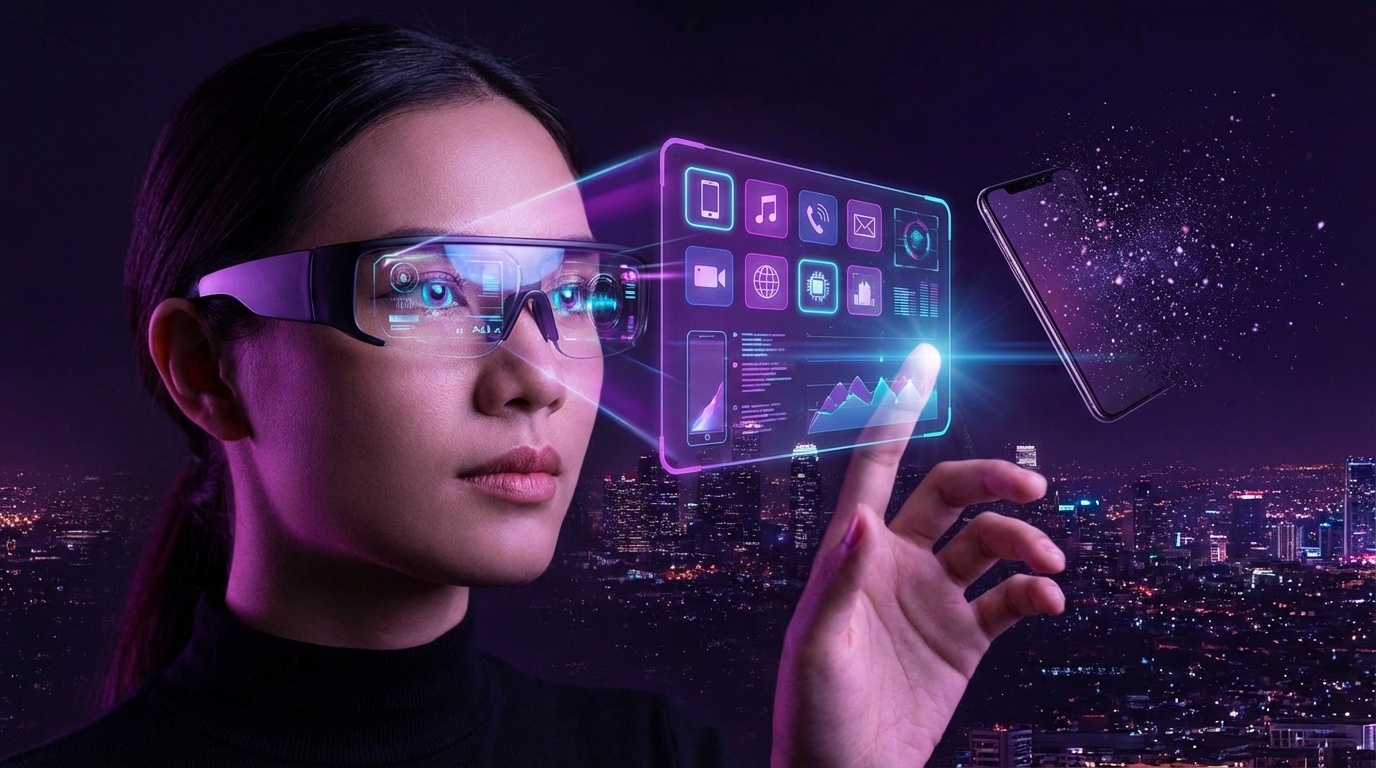
I used to roll my eyes every time someone said, “Glasses will replace the smartphone.” It sounded like sci-fi hype that ignored basic things like battery life and people not wanting to wear hardware on their face all day.
Here is the short answer: Augmented reality (AR) glasses will not fully replace the smartphone in the next decade, but they will slowly take over specific jobs your phone currently does: navigation, quick communication, real-time translation, work calls, and contextual information. The phone will move into your pocket or bag as a kind of silent hub, while your primary screen starts to live in front of your eyes. The transition will be gradual, uneven, and a bit awkward, but it is already happening in small ways.
What people actually want from AR glasses (not what companies pitch)
Most product pitches talk about “immersive experiences” and “a new computing paradigm.” That sounds nice in a keynote, but it does not describe how normal people behave on a Tuesday afternoon.
When people talk to me about AR glasses, they usually want four things:
- No need to constantly pull out a phone
- Information that shows up when it is needed, then gets out of the way
- Less screen addiction, not more
- Something that looks and feels like normal glasses, not a helmet
That list is very different from “3D dragons on your kitchen table.”
The most useful AR experience is boring: glancing at directions, seeing who is calling, reading a short text, checking the time, getting a tiny notification that matters. The more “ordinary” it feels, the more likely people are to use it every day.
The real AR battle is not about graphics quality. It is about whether glasses can quietly replace the thousand tiny glances you give your phone every day.
What AR glasses need to replace your phone
For AR glasses to replace the smartphone, even partly, they need to beat the phone on at least a few jobs. Not on everything, just enough that you start reaching for your glasses instead.
Here are the biggest requirements.
1. They must look like normal glasses
This is non-negotiable.
People abandoned Google Glass partly because of the creepy vibe, but also because it screamed “gadget” from across the room. Most of us do not want to announce that we are wearing a computer.
AR glasses that stand a chance need to:
- Look very close to regular eyewear from the front
- Come in multiple frame styles (business, casual, sporty)
- Support prescription lenses
- Hide cameras and sensors, or at least make them subtle
The companies that get this right treat fashion and optics as seriously as electronics. Think eyewear brand first, computer second.
| Requirement | Why it matters for phone replacement |
|---|---|
| Normal appearance | You will not wear them daily if you feel weird in public. |
| Comfort for 8+ hours | Needs to feel like regular glasses, not a VR headset. |
| Prescription support | A large part of the population needs vision correction. |
| Subtle sensors | Social acceptance, privacy concerns, and trust. |
If people wear them only at home, they will not replace the smartphone. At best, they will replace a laptop screen or TV in some situations.
2. All-day comfort and battery life
Your phone usually lasts a day, sometimes more. You do not tolerate a phone that dies at 2 p.m. without getting annoyed.
Glasses are even more sensitive:
- They sit on your nose and ears, so every extra gram matters.
- A hot frame on your face is uncomfortable very quickly.
- Charging them mid-day breaks the illusion that they are “just glasses.”
So you run into a trade-off:
- Bigger batteries mean more weight and heat.
- Smaller, lighter frames mean shorter battery life.
Most likely, early mainstream AR glasses will not run full AR visuals all day. They will stay in a “low power” mode most of the time and only switch on more advanced graphics when you need them.
You might see patterns like:
- 16 hours standby with light notifications and audio
- 2 to 4 hours of intensive AR content (navigation, overlays, video)
Is that enough to replace your phone? For some tasks, yes. For everything, no. But you do not need full replacement on day one. You need enough that people accept glasses as their “first screen.”
3. A display that is clear, discreet, and not overwhelming
Most users do not want a full-screen 3D world on their face. They want a subtle, always-available heads-up display.
The display has to:
- Stay readable in sunlight
- Not block your normal view
- Avoid eye strain after long sessions
- Handle text, simple widgets, and light graphics well
Right now, common tech includes:
- Waveguide displays projected into your line of sight
- MicroLED or microOLED panels feeding those waveguides
- Single-eye vs dual-eye arrangements
For daily use, dual-eye displays with a light overlay feel more natural than a small square in one corner. But they are harder to make, less mature, and more expensive.
The sweet spot is “glanceable.” If the visuals demand your full attention all the time, they stop being helpful and start becoming work.
Think of a smartwatch on your wrist. You do not stare at it for hours, but it is perfect for a two-second check. AR glasses display should act the same way, just in your field of view.
4. Input without constantly poking the air
This is one area where I think many AR demos are misleading.
Hand tracking looks impressive on stage, but waving your hands in public, or even at your desk, does not age well. It is tiring, awkward, and not great for quick interaction.
For AR glasses to replace a phone, everyday input will probably look more like:
- Voice for short commands: “Call Anna”, “Reply: I will be five minutes late”, “Start recording”.
- Small touchpad on the frame for scrolling, tapping, and quick selection.
- Eye tracking to highlight what you are looking at, then confirm with a small gesture or blink-like action.
- Phone or watch as a companion input device for longer tasks.
None of these alone beats a smartphone keyboard for writing a long email. So larger tasks will still fall back to a laptop or phone.
The key question: can AR glasses make all the short interactions faster than a phone? If yes, they start to feel like a replacement for at least half your screen time.
5. A strong connection to your phone or the cloud
For the next many years, your “phone” might still exist. It just might live in your pocket or bag as:
- The cellular modem
- The GPU / CPU for heavy lifting
- The storage for local files
- The battery backup
Your glasses become the display, microphone, camera, and light computing layer.
So the chain might look like:
- Glasses capture audio and video and send it to your phone.
- Your phone (or cloud) processes AI, recognition, and heavy tasks.
- Results return to your glasses as lightweight visuals and text.
From your point of view, you use your glasses. From a tech point of view, the “smartphone” does not go away. It just stops being the thing you touch directly.
The first wave of “phone replacement” AR glasses will actually lean on the phone more than ever. You just will not see it.
Where AR glasses will beat smartphones first
To understand replacement, you have to break the phone into jobs.
You do not “use a smartphone.” You:
- Check messages
- Navigate
- Scroll social feeds
- Play short videos
- Take photos and record video
- Browse the web
- Do work tasks
- Use it as a payment device
AR glasses will not win on all of these at once. They will find openings where the phone is weak or where “hands free” has clear benefits.
1. Navigation and directions
This is an easy win.
Phones are already decent for maps, but they pull your attention down and away from the world. You juggle the phone, watch traffic, listen for instructions, and try not to walk into a pole.
AR glasses can overlay directions directly onto what you see:
- Arrows at the correct turn
- Street names hovering over intersections
- Subtle highlights on the correct building entrance
For driving, there are safety questions, but for walking, cycling, and public transit, this is extremely natural.
Once you get used to this, pulling out a phone, zooming on a tiny map, and guessing where to go starts to feel clumsy.
2. Short communication and notifications
Most people use their phones as a notification machine.
You get a buzz, you check the screen, then you get sucked into something unrelated. That is not great for focus or mental health.
AR glasses can change the pattern:
- A small line of text appears at the edge of your vision.
- You glance, decide if it matters, then say “reply: I will call you later”.
- You do not unlock a device or open an app.
The change is subtle but important. The friction moves away from “open phone, see everything” to “decide quickly, stay in the moment.”
If glasses handle:
- Text messages
- Call notifications
- Calendar alerts
- Basic app notifications (filtered by priority)
then a large fraction of daily phone pickups can disappear.
The real competition is not the smartphone. It is the habit of checking your phone 100 times a day.
3. Real-time translation and contextual info
You are in a foreign country. Street signs, menus, small notices on doors, labels at a museum. With a phone, you:
- Take out the phone
- Open a translation app
- Point the camera
- Hold still
With AR glasses, text can be translated in place, directly in your view. You look at a sign, and an overlay appears in your language.
Same for:
- Names and roles of people in a meeting (if they agree to share this)
- Context about a building you look at
- Product info when you look at a box on a shelf
There are privacy questions, but the convenience is hard to ignore. This is one of the “wow” features that also has daily value.
4. Hands-free content consumption
Phones are small. Even the largest ones are not great for watching a movie for two hours or reading a long document.
AR glasses can project a virtual screen in front of you:
- A 100-inch “screen” that only you see
- Positioned in space, like a floating monitor
- Adjustable distance and size for comfort
Use cases:
- Watching videos on a plane without holding a phone
- Working from a laptop with extra virtual screens
- Reading reports or slides without hunching over a small display
Right now, comfort and clarity are still not perfect, but the direction is clear. Glasses can provide large virtual screens in a very portable way.
5. Work and remote collaboration
Smartphones are not great for serious work. They are fine for quick responses, but painful for deep tasks.
AR glasses, paired with a keyboard and maybe a small laptop or dock, can:
- Show multiple virtual monitors
- Overlay notes in your view during meetings
- Display live transcription and summaries while you talk
Imagine a video call where:
- You see the person in a floating window
- You have your notes in another panel
- Action items appear as bullets generated by AI, in real time
You still need a computing device in the background, but your main workspace becomes the air in front of you.
This does not replace the phone alone. It replaces some of the laptop use as well. For some people, that is a bigger shift than anything that happens to the phone.
Where smartphones will stay strong for a long time
AR glasses are not magic. There are areas where phones will stay dominant for many years, maybe longer.
1. Camera photography and video creation
Glasses have a terrible physical position for a camera:
- They sit at eye level, fixed relative to your head.
- Smooth panning is hard because every movement is tied to your neck.
- You do not want to point your head in weird positions for a better shot.
Phones let you:
- Frame shots with your hands
- Use multiple lenses with different focal lengths
- Stabilize with an easy grip or a tripod
Glasses cameras are ideal for:
- First person “what I see” recording
- Quick capture with no hands
- Reference photos or scanning documents
But not for:
- Portrait photography
- Carefully framed travel photos
- Cinematic video
Phones will likely keep the “primary camera” role, even if glasses become the primary display.
2. Typing and complex input
Unless you enjoy dictating everything out loud, you will still want a keyboard or at least a touchscreen.
Phones are:
- Very good at thumb typing
- Familiar for messaging and email
- Flexible for different languages and layouts
AR glasses can support:
- Short voice responses
- Emoji and quick reactions
- Smart replies suggested by AI
There is work on:
- Virtual keyboards in the air
- Typing on surfaces that only you see as a keyboard
But these feel weird to many people, and accuracy matters a lot.
Until AR input feels almost as natural as a physical keyboard or a touch screen, phones and laptops will handle serious writing.
3. Intensive gaming
Mobile games are designed for touch screens. Short sessions, portrait mode, on-screen controls. AR glasses can support new kinds of games, but that is not the same as replacing what exists.
Challenges:
- Motion sickness for certain AR experiences
- Long sessions can cause eye fatigue
- Battery draw from 3D graphics and sensors
Phones might keep the “default casual gaming” role, while AR glasses open a new category, closer to console or PC games, but in mixed reality.
4. Offline and low-connectivity use
In many regions, consistent, high-bandwidth connectivity is still not a given.
A phone:
- Can store apps and media locally
- Has power management designed for limited connectivity
- Can act as a hotspot or backup for other devices
AR glasses that depend heavily on cloud processing will struggle in weak networks. They can store some features locally, but not everything.
So the phone as a “local, offline computer” has a long life ahead, especially outside wealthy urban areas.
Technical and social barriers AR glasses must overcome
Even if the tech works, it can still fail socially. We saw this with earlier attempts.
1. Privacy and trust
The moment someone wears glasses with a camera, other people start to wonder:
- Are they recording me?
- Is face recognition running?
- Will my image end up in some dataset?
For AR glasses to go mainstream, there will need to be:
- Clear recording indicators (lights, sounds)
- Limits on face recognition in public spaces
- Stronger regulations on on-device vs cloud processing
You cannot have a world where everyone feels watched all the time. That would trigger a backlash and slow adoption.
2. Social norms and etiquette
Phones already created social problems:
- People scrolling at dinner
- Checking messages mid-conversation
- Filming in public without asking
Glasses could make this worse or better.
Worse, if:
- People keep looking through you at invisible content
- Recording becomes less visible
- Advertisements start popping into your view in public spaces
Better, if:
- Notifications are quieter and less flashy
- You spend less time holding a device between you and others
- Apps move to more respectful patterns by design
This is not only a tech question. It is a design and policy choice.
The future of AR will be defined as much by what companies choose not to show you as by what they can show you.
3. Cost and accessibility
To replace smartphones, AR glasses need smartphone-like pricing.
Right now, advanced AR/MR headsets sit at high price points, out of reach for most people.
Things that push cost down:
- Better manufacturing processes for waveguides
- Commodity components shared with phones and wearables
- Integration of more functions into fewer chips
Things that keep cost high:
- Custom displays and optics
- Low production volume in the early years
- R&D recoup costs for new platforms
For mass market replacement, you probably need:
- A “base” AR glasses model in the price range of a mid-range phone
- Insurance and vision coverage for prescription versions in some markets
- Reasonable repair and upgrade paths
4. App ecosystems
Your phone is powerful partly because of the apps. Not just the OS.
For AR glasses, developers need:
- Clear APIs for spatial anchors and overlays
- Guidelines for minimal, non-intrusive AR UX
- Monetization paths that do not rely on aggressive ads in your vision
And users need:
- The same core services they expect on phones (messages, maps, email, media).
- New AR-native apps that make sense, not just ports of phone apps.
An AR glasses platform that ships without strong app support will feel like a thin accessory, not a replacement.
A realistic timeline: how replacement might play out
Predictions age badly, so take this as a rough scenario, not a promise.
Phase 1: Companion glasses
AR glasses act mostly as:
- Notification and navigation companions
- Audio devices (like advanced earphones)
- Occasional video and photo recorders
You still use your smartphone every day. But you:
- Pull it out less often
- Use it more for heavy tasks and media
- Rely on glasses for quick checks and directions
Smartwatches went through this pattern. Glasses will too.
Phase 2: Primary display, phone as hidden hub
At this point:
- Most short interactions happen on your glasses.
- More apps ship AR-aware versions of their interfaces.
- Virtual screens start to replace extra physical monitors for some workers.
Your phone becomes:
- A battery and compute pack
- A backup screen when you do not want to wear glasses
- Your main camera device
In many situations, you say “I am using my glasses,” even though technically your phone is still doing a lot behind the scenes.
Phase 3: Glasses as the main personal computer
This phase requires:
- Much better input options
- More comfortable, higher resolution displays
- Lower weight and better batteries
- Broad social acceptance
In this stage:
- For many people, the glasses + some companion input device replace almost everything: phone, tablet, even laptop in some cases.
- Phones shrink to small modules or are merged into glasses hardware.
Phones might still exist, but they lose their position as the “primary” consumer device.
Who gets left out or chooses not to switch
Not everyone wants glasses.
Groups that may resist:
- People who do not like wearing anything on their face
- Those with certain vision issues that complicate AR optics
- Users in regions where cost or network limits adoption
For them, phones stay primary for much longer. This is normal. Even now, some people still use basic feature phones by choice or necessity.
What this means for businesses and creators
If you build products, run a company, or create content, AR glasses shift your touchpoints with customers.
1. Rethink “screen” as a concept
You will need to think in layers:
| Context | User screen | Design focus |
|---|---|---|
| At home / office | Large virtual screens via glasses + other devices | Multi-window layouts, light AR overlays, focus tools |
| On the move | Small heads-up overlays | Glanceable info, voice-first interaction |
| Public spaces | Minimal overlays | Respect for privacy and social norms |
Your “app” might need:
- A glasses mini-view for quick actions
- A full AR mode for deeper engagement
- A regular web or phone UI for fallback
2. Context-aware UX becomes mandatory
On phones, many apps still throw full-screen pop-ups or noisy notifications at users.
On AR glasses, that kind of behavior will be unbearable.
You will need to:
- Limit visuals to small, timed overlays
- Respect what the user is doing in the physical world
- Support quick rejection: one word, one tap, one glance
The winners will be the products that “whisper” useful bits instead of shouting for attention.
3. New content formats
Think of a few examples:
- Shopping: Look at a product in a store and see quick info, price comparisons, or reviews beside it.
- Education: Contextual hints while working on a task, not a separate tutorial video.
- Fitness: Real-time form correction overlays during exercise.
This is not about flooding vision with ads or random pop-ups. It is about subtle context when the user wants it.
And no, I do not think filling the world with floating branded objects is a good idea. That would trigger user pushback very quickly.
If AR experiences feel like spam on your eyeballs, users will turn them off and go back to simpler views.
Will AR glasses really “replace” the smartphone?
If by “replace” you mean “the phone disappears from existence,” I do not buy that story.
If by “replace” you mean “for many people, glasses become the primary way they access digital content, while the phone fades into the background,” then yes, that seems realistic over time.
What I expect is:
- A slow, layered shift over 10+ years
- Multiple device types coexisting (phones, glasses, watches, PCs)
- Different patterns by profession, region, and personal preference
You might end up with:
- Workers and creators using AR glasses heavily
- Some consumers using glasses casually, like many use smartwatches now
- Others sticking with phones, happy with the current model
So when someone says “AR glasses will kill the smartphone,” I think that framing is off. What is more likely:
AR glasses will slowly steal your attention from your phone, one task at a time, until one day you realize the phone is no longer the center of your digital life.
And if you build products in tech, the practical question is less “Will this happen?” and more “Which parts of my user journey make sense on a face-mounted display, and how do I design for that without breaking trust?”
That is where the opportunity sits, quietly, while everyone else argues about which gadget “wins.”