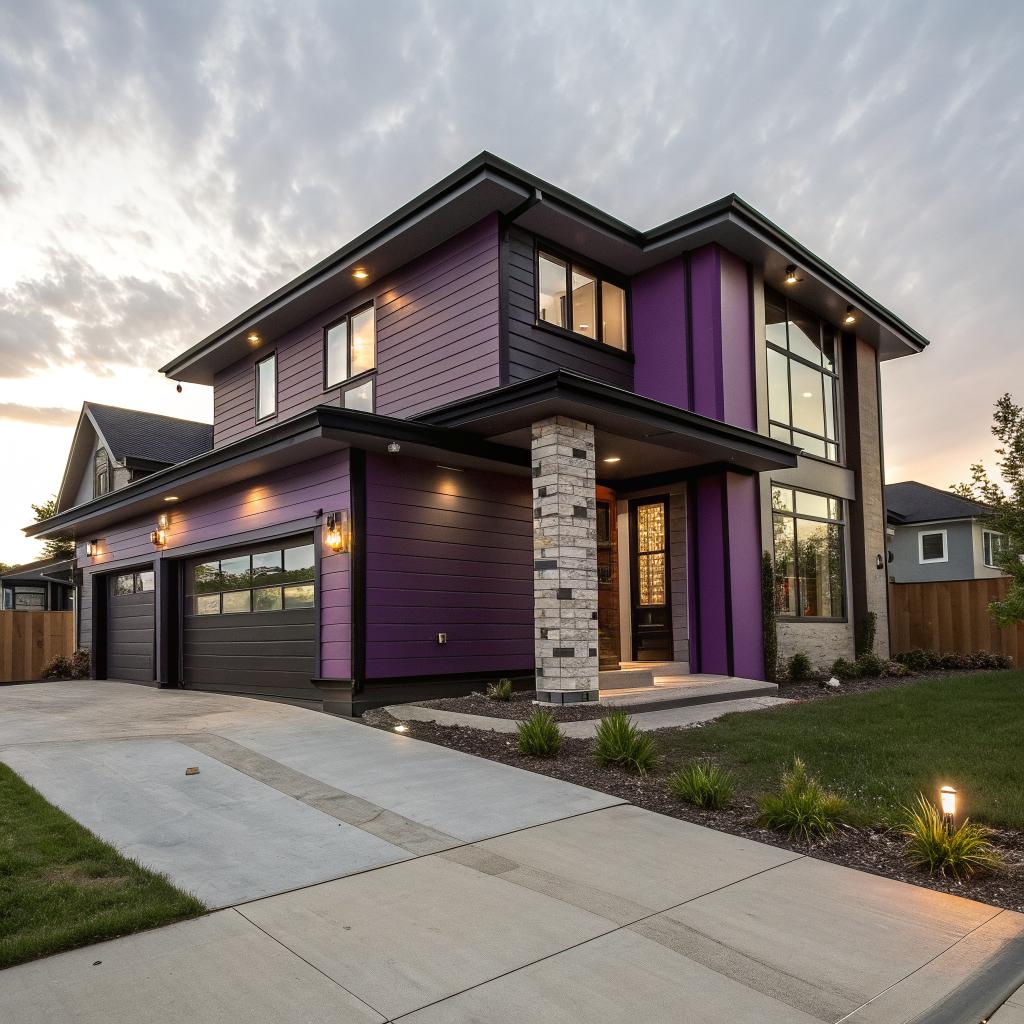
I used to think “smart home” just meant a few Wi-Fi plugs and a voice assistant that only understands you half the time. Then I started looking at how real builders, like J&R Construction, plan wiring, sensors, and software into the bones of a house, and I realized I was thinking way too small.
So here is the short version: J&R Construction uses tech at every stage of a project. They design houses in 3D, pre-plan wiring for data and power, install smart infrastructure during rough-in, connect HVAC, lighting, and security to central hubs, and then tune all of it with data from sensors. The smart part is not a box you plug in later. It is how they design, build, and configure the house from day one so it is easier to control, cheaper to run, and simpler to upgrade over time.
How tech shows up before the first wall goes up
Most people think about smart homes at the gadget stage. Cameras, doorbells, and thermostats. J&R starts much earlier, before there is even a foundation.
They treat the planning phase almost like product design. You would not build a phone and then ask where the battery could maybe fit. A smart home is the same. If you only think about tech at the end, you get a mess of visible wires, Wi-Fi dead zones, and gear that feels glued on.
Real smart homes start before the concrete is poured, with wiring, networking, and power planned as carefully as room sizes and window placement.
During early planning, they focus on three main things: digital modeling, network layout, and future growth.
1. Digital design with real-world constraints
J&R uses 3D modeling and BIM (Building Information Modeling) tools to map the house. That part is not special on its own. A lot of builders use some form of 3D design. What changes the game is how they use those models.
Instead of just showing a pretty render of the kitchen, they:
– Place network closets and wiring hubs in the model
– Map where Wi-Fi access points should sit
– Route low-voltage wiring paths around plumbing and metal that can cause interference
– Check that camera lines of sight are not blocked by future trees or fences
The model is not just about appearance. It becomes a blueprint for everything that carries power or data.
This also reduces guesswork. You know that moment when you are trying to mount a TV and you hit a stud right where you wanted cables? They already know where the studs and cables are, and they can even plan hidden conduits in the walls for that TV before anyone moves in.
2. Planning the network like a small office
A modern home is closer to a small office than a simple house.
You have phones, tablets, laptops, smart TVs, gaming consoles, cameras, thermostats, voice assistants, possibly EV chargers, solar systems, and so on. If that all rides on a single bargain Wi-Fi router in a closet, things get unstable fast.
J&R Construction plans structured wiring and the network layout before rough framing.
They think about:
– Where the incoming internet line will enter
– Where the main network rack will live
– How to run Ethernet to key spots like TVs, offices, and access point locations
– How to separate “internet of things” gear from your main devices using VLANs or multiple SSIDs
Wi-Fi still matters, but they treat wired connections as the backbone.
Wi-Fi is for mobility, not as the only way your house talks to itself. A wired backbone makes your smart home faster, safer, and less fragile.
This setup also keeps your future options open. If a new smart standard wins the market in a few years, you can usually swap small pieces, not tear out walls.
3. Leaving room for the future
Nobody can predict every new device, and any builder who claims that is just guessing.
What J&R can do is leave space: physical space, electrical space, and network space.
They often add:
– Extra conduit runs from key spots to the main panel or low-voltage rack
– Slightly larger electrical panels with free breaker slots
– Patch panels with more ports than you need on day one
– Extra outlets in closets and mechanical rooms for future hubs or power supplies
This seems small, but it matters. The cost to oversize a conduit while framing is tiny. The cost to rip open a finished wall later because your video doorbell needs new wiring is not tiny.
The smart backbone: power, data, and control
Once the design is in place, the next step is wiring during rough-in. This is where tech moves from “plan” to “bones of the house.”
I sometimes think of this part as boring infrastructure, but it is actually where most of the real value of a smart home lives. The cool touchscreens and apps are useless if the wiring and power are not solid.
Structured wiring vs random cables
Many older homes evolved one cable at a time. One coax line here, one phone line there, random runs stapled wherever they fit.
J&R Construction uses structured wiring: organized bundles that all home-run back to central points. They treat low-voltage cabling almost like plumbing.
Here is a simple comparison.
| Approach | What it looks like | What it feels like to live with |
|---|---|---|
| Random wiring | Cables added as needed, different paths, no clear labeling | Hard to upgrade, unknown cable quality, more visible mess |
| Structured wiring | All key cables home-run to a central panel, labeled and mapped | Easier upgrades, cleaner installs, more stable network |
This structured wiring usually covers:
– Ethernet data lines to TVs, offices, and access points
– Security camera runs
– Doorbell and intercom lines
– Pre-wire for speakers
– Thermostat and sensor cables
– Sometimes wiring for motorized shades or future automation zones
By the time drywall goes up, the house already has a nervous system.
Electrical plans that think about smart gear
Electricians used to think in terms of outlets and lights. Now they also have to think about power for low-voltage gear and tech-heavy rooms.
J&R works with electricians to:
– Add dedicated circuits for servers, network racks, and AV equipment
– Place switched and always-on outlets where smart devices will mount
– Provide extra capacity for EV chargers, heat pumps, and induction ranges
– Support battery backup and solar integration if the owner wants it
They might also plan for whole-home surge protection and backup power, which is more relevant once you realize your door locks, alarms, and cameras may all depend on that power.
Choosing smart home standards
There is one problem with smart homes that everyone feels at some point: nothing seems to agree on anything.
You have Wi-Fi, Zigbee, Z-Wave, Matter, Thread, Bluetooth, proprietary systems, and then the separate worlds of Apple, Google, and Amazon.
J&R does not control those standards, but they can narrow the chaos.
They tend to:
– Favor open or at least widely supported platforms where possible
– Avoid hard wiring into closed systems that might vanish in a few years
– Design central hubs that can connect to multiple protocols
The smartest move is not picking the fanciest gadget. It is building a flexible backbone so you can swap gadgets later without touching the walls.
That might mean using neutral smart switches that work with multiple ecosystems, wiring for standard low-voltage protocols, and choosing central controllers that speak more than one language.
How J&R Construction uses tech during construction
The tech story is not only about what ends up inside the house. It is also about how the house gets built.
This part might sound less glamorous, but it directly affects cost, quality, and timelines.
Digital project management and communication
If you have ever watched a build go wrong, you know it usually starts with confusion. Missed emails, lost paper plans, vague notes.
J&R uses project management tools that track:
– Current drawings and revisions
– Schedules by trade (plumbers, electricians, HVAC, low-voltage, etc.)
– Change orders and approvals
– Site photos and inspection notes
This kind of system reduces “I thought you meant” moments. When the low-voltage installer wants to adjust camera placement, it goes into the same shared source of truth as the framing change a week before.
Does this sound boring? Maybe a bit. But if you are the person paying the bills, boring in this area is nice.
3D models on site
More and more, crews can pull up the 3D model on tablets or phones right in the house.
Instead of squinting at a paper blueprint, they:
– Check wall thickness and cavity space before drilling
– Confirm access panel locations
– Verify that a vent or duct will not block a planned camera or access point
If a client wants to move a TV, they can sometimes adjust the model and update the wiring plan before the drywall is closed.
Laser measurements and layout
Laser tools are not new, but the way they connect to digital plans has improved.
J&R teams use laser measuring and layout tools to place walls, windows, and fixtures accurately. That may sound minor, but for tech-heavy spaces like media rooms or kitchens, an inch off can mess with cabinet lighting, projector throws, or speaker placement.
For example:
– Projector mounts must line up with screen centers
– In-ceiling speakers need alignment for sound coverage
– Recessed lights should not cast annoying shadows on work surfaces or screens
Tech in the field reduces guesswork and the “good enough” eyeballing that often leads to later fixes.
Smart systems that run the home
Now we get to the fun part: what the home can actually do once you live in it.
J&R Construction tends to think in systems, not gadgets. Lights are a system. Climate is a system. Security is a system. Entertainment is a system. They can be separate, but they should talk to each other where it makes sense.
Lighting that responds to how you live
Modern smart lighting is not just “on” and “off.”
With proper wiring and planning you can have:
– Centralized lighting control for whole-house scenes
– Physical switches that work even if your Wi-Fi is down
– Dimmers that remember levels by time of day
– Motion sensors in halls, closets, and baths
– Tunable white lights that shift color temperature during the day
For instance, you might set the house so:
– In the morning, kitchen and living lights are bright and cooler
– In the evening, lights are warmer and dimmer
– At night, bathrooms use a low-level night light mode so you do not blind yourself
The key is that J&R integrated the right wiring and switch layout early, so it is not just a patchwork of smart bulbs that stop working if someone flicks a physical switch.
Climate control that learns, not just reacts
HVAC is where smart homes can save the most money long term.
J&R integrates:
– Smart thermostats with occupancy sensing
– Zoned HVAC so different areas of the home can be controlled separately
– Integrated sensors for humidity, temperature, and air quality
– Smart vents or dampers where the design calls for them
Think about this case:
You work from a home office most days. The kids are at school. Do you really need the whole top floor at perfect comfort?
A zoned system, tuned with occupancy schedules and sensors, can heat or cool just the areas that matter during the day, then shift patterns at night.
Is this new science? Not really. But the combination of proper duct design, correct equipment sizing, and smart controls is still surprisingly rare. Many homes have oversized equipment, poor airflow, and basic thermostats placed in the wrong spots.
Because J&R is involved in both the physical layout and the tech, those pieces can finally line up.
Security, access, and cameras that do not feel like a patchwork
Security often starts as “I want a camera at the front door.” But once you add a few more devices, it can get clumsy.
J&R tends to think about:
– Door hardware that integrates locks, sensors, and sometimes video
– Pre-wiring for cameras at eaves, entries, and garages
– Integration between alarms, lights, and cameras
– Proper network isolation for cameras so a flaw in one device does not compromise your main network
A small but nice example: if a smoke detector goes off, certain lights can switch on to help people get out. If an alarm triggers at night, exterior lights may brighten automatically in certain zones.
Because the wiring and systems were designed together, these links do not feel hacked together.
Entertainment and media that do not dominate the space
I have seen living rooms where the TV wall looks like the back of a data center. Boxes, wires, random power strips.
J&R tries to hide the complexity:
– Equipment racks in closets or utility rooms
– HDMI and speaker wires run inside the walls
– In-wall or in-ceiling speakers where it makes sense
– Organized patch panels for AV signals
Here is another simple table to show how this feels.
| Media planning | Result |
|---|---|
| No pre-planning | Visible cables, adapters, limited speaker placement options, TV stuck in one spot |
| Pre-wired system | Clean walls, hidden gear, flexible TV and speaker layouts, simpler upgrades |
Streaming boxes, game consoles, and amps can live in one central location, while rooms just have screens and speakers. Fewer visible devices. Less clutter.
Energy, water, and data: making the house “self-aware”
The smartest part of a smart home is not that you can say “turn off the lights” from the couch. It is when the house quietly manages its own resources and only asks for your attention when it needs to.
J&R Construction leans on sensors, meters, and data for this.
Energy monitoring and smart panels
Some projects use smart electrical panels or sub-meters to track energy use by circuit. Others use add-on monitors that clip onto main feeds.
Either way, the goals are similar:
– Show real-time energy usage by device or area
– Detect unusual patterns, like a failing appliance pulling too much power
– Suggest ways to lower bills or shift loads to off-peak times
For example, an energy monitor might reveal that:
– A “spare” fridge in the garage is using more power than all the LED lighting combined
– Pool equipment is running at full speed at times when no one uses the pool
– The guest room mini-split is left on constantly, even when empty
Once you see this data, you can make choices that are both practical and easy. Turn off what you do not need, adjust schedules, or upgrade the worst offenders.
Solar, batteries, EVs, and smart loads
Many newer homes include one or more of:
– Solar arrays
– Battery storage
– EV chargers
– Heat pump water heaters
Each device on its own is fine. Together, they can either work with each other or fight each other.
J&R Engineering tries to wire and configure them as a coordinated system, not random add-ons. For instance:
– EV charging can slow down when the house is near peak usage
– Water heating can run when solar output is high
– Certain non-critical circuits can be paused during an outage so the battery lasts longer
This is where a lot of the “smart” value lives: in the unseen logic that keeps things stable without nagging you.
Water monitoring and leak detection
Water damage can be worse than fire in some ways, because it spreads quietly.
Smart water systems now include:
– Main shutoff valves that can be controlled by phone or automation
– Flow sensors that learn your normal patterns
– Point sensors under appliances and in basements
If a supply line behind a fridge fails while you are on a trip, a good leak system can notice the unusual flow and shut the water off. This sounds simple, but the mix of sensors, valves, and network that makes it work needs to be thought about when pipes are still accessible.
J&R can integrate these from the start rather than as a panicked afterthought after someone has already had a flood story.
Indoor air quality monitoring
People talk a lot about temperature and not enough about air quality.
Smart homes can now watch:
– CO2 levels (which affect how sharp you feel)
– VOCs from paints and furniture
– Humidity, which matters for comfort and mold risk
– Fine particles that can come from cooking, candles, or wildfire smoke
J&R ties these readings into HVAC and ventilation. So:
– If humidity climbs in a bathroom, fans can kick in automatically
– If kitchen particles spike, range hood usage can be suggested or triggered
– If CO2 rises in a busy room, fresh air systems or fans can adjust
None of this is science fiction. It is just sensors plus fans and vents that are properly wired and configured.
Control, apps, and avoiding “app fatigue”
One of the biggest complaints about smart homes is app fatigue. You install a doorbell app, a camera app, a thermostat app, a lighting app, and on and on. Before long, your phone starts to look like a control panel for a factory.
J&R Construction tries to avoid that trap with careful control design.
Physical controls still matter
One thing I like about their approach is that they still respect physical switches and buttons.
They plan:
– Logical switch groupings so guests can turn lights on without confusion
– Scene buttons for “all off”, “movie”, or “dinner” in key spots
– Manual overrides for shades, fans, and key systems
The idea is simple:
You should not need your phone to turn on a light in your own house. The smart part should feel like a bonus, not a requirement.
If Wi-Fi fails, the basics should still work. That means smart hardware that does not tie power and control logic too deeply to cloud services.
Centralized home dashboards
Instead of ten separate apps, they usually bring things together on:
– Wall-mounted touch screens
– Tablets in stands
– A main home automation app that aggregates devices
From one place, you can see:
– Which doors and windows are open
– Current temperatures in all zones
– Active scenes and schedules
– Energy or water alerts
Yes, the gear behind this can be complex. But the daily view can be very simple. A few big buttons, a few graphs, and a clear status.
Voice control, but not as the only control
Voice control is handy. It is also imperfect. Accents, background noise, kid voices, TV noise, all of it can confuse even the best systems.
J&R tends to treat voice control as an extra layer.
You might:
– Say “good night” to trigger a scene that locks doors, arms alarms, and dims lights
– Ask for a room temperature check or air quality reading
– Start music in a certain space or group of speakers
But the system does not require voice to function. It is there when you want it, but the backbone is solid physical controls and automation rules.
Automations that respect context
Bad automation is worse than no automation. You have probably seen stories where motion sensors keep turning off the lights on someone reading, or smart locks trigger at strange times.
Good automation watches for context:
– Time of day
– Occupancy (or phone presence)
– Light levels
– Known schedules
For example:
– Hallway lights at night use very low brightness
– The house does not run a loud vacuum robot at 5 a.m. just because everyone left for work early
– The HVAC knows when windows are open and may ease back the system rather than fight with outside air
J&R’s role is to combine solid hardware with careful rule creation. It is not magic, but it feels like it when it works quietly.
Privacy, security, and the less fun side of smart homes
It would be strange to talk about smart homes and ignore privacy and security. Adding cameras, voice assistants, and sensors everywhere has clear risks.
A lot of builders still treat that as “someone else’s problem.” J&R at least tries to design with some basic protections in mind.
Network separation and secure gear
One of the first moves is to keep smart devices in their own part of the network.
That might mean:
– A separate Wi-Fi SSID for cameras and IoT gear
– VLANs that segment traffic
– Firewalls that keep untrusted devices away from your main computers
Homeowners still need to maintain passwords and updates, but the design can help contain damage if one cheap device gets compromised.
They also avoid bottom-tier gear for critical systems. Saving a few dollars on a no-name camera brand that handles your front door is not a wise trade.
Local control vs cloud dependence
Some smart systems work entirely through cloud services. If the company has an outage or goes out of business, your gear becomes useless.
J&R tries to favor systems that:
– Offer local control on your network
– Still function for basic tasks when the internet is down
– Do not send every single sensor reading to remote servers without need
There is a balance of course. Cloud services can be useful for remote viewing or backups. But not everything needs to live on someone else’s server.
Plain communication with homeowners
Many tech people like to pretend security is simple. It is not.
J&R has to explain, in normal language:
– What data the house is collecting
– Where that data lives
– How access is secured
– What happens if they change providers
Some clients may not care much. Others care a lot. Either way, clear information is better than vague promises.
How all of this feels as a homeowner
At this point you might be thinking, “This is a lot. Do I really need all of it?”
You probably do not need everything. But the point is not to fill your house with gear. The point is to build a house that is easier to live in and easier to change.
From the owner’s point of view, a well-planned smart home from J&R Construction should feel like this:
– Lights behave how you want most of the time without thought
– The temperature is comfortable without wild swings
– The house does not wake everyone at night with bright lights or loud fans
– Energy bills make sense and surprises are rare
– You see clear alerts when something is wrong, not a stream of noise
– You can add or change devices later without rewiring the planet
Smart homes can definitely be overdone. They can become hobbies that never end. But a good builder puts in just enough structure that your future choices remain open.
Common questions people ask about J&R’s smart homes
Q: Is all this tech going to be outdated in a few years?
A: Some devices will, yes. That is just reality. The trick is to treat devices like replaceable layers on top of a solid foundation. Wiring, power, network design, and physical layout last a long time. If those are well thought out, swapping a thermostat or hub later is not a big deal.
Q: Does a smart home cost a lot more to build?
A: There is extra cost, but not always as much as people think. Running extra low-voltage lines or adding conduit during rough-in is relatively cheap. The expensive part is usually the visible devices, not the wiring. J&R tends to focus on smart structure first, then lets owners decide how far to go with high-end gear.
Q: What happens when something breaks or a company shuts down a product?
A: This is where that flexible backbone helps. If a certain brand of light switch or hub disappears, you do not have to open walls. You replace devices at the end points. A structured network and standard wiring keep your options open for new equipment.
Q: Is all this safe from hacking?
A: Nothing connected to the internet is perfectly safe. But with network separation, good passwords, up-to-date firmware, and decent hardware choices, risk can be lowered to a level that makes sense for most people. If you treat your house network more like you treat online banking and less like casual browsing, you are already ahead.
Q: Do I need to be a tech person to live in one of these homes?
A: Not really. In a well-designed smart home, the tech fades into the background. You use normal switches, thermostats, and locks every day. The smart parts quietly help behind the scenes. The goal is comfort and simplicity, not making every moment feel like you are managing a data center.
If you think about your next home, what part of “smart” feels worth it to you: comfort, savings, security, or just the quiet feeling that the house is paying attention so you do not have to?