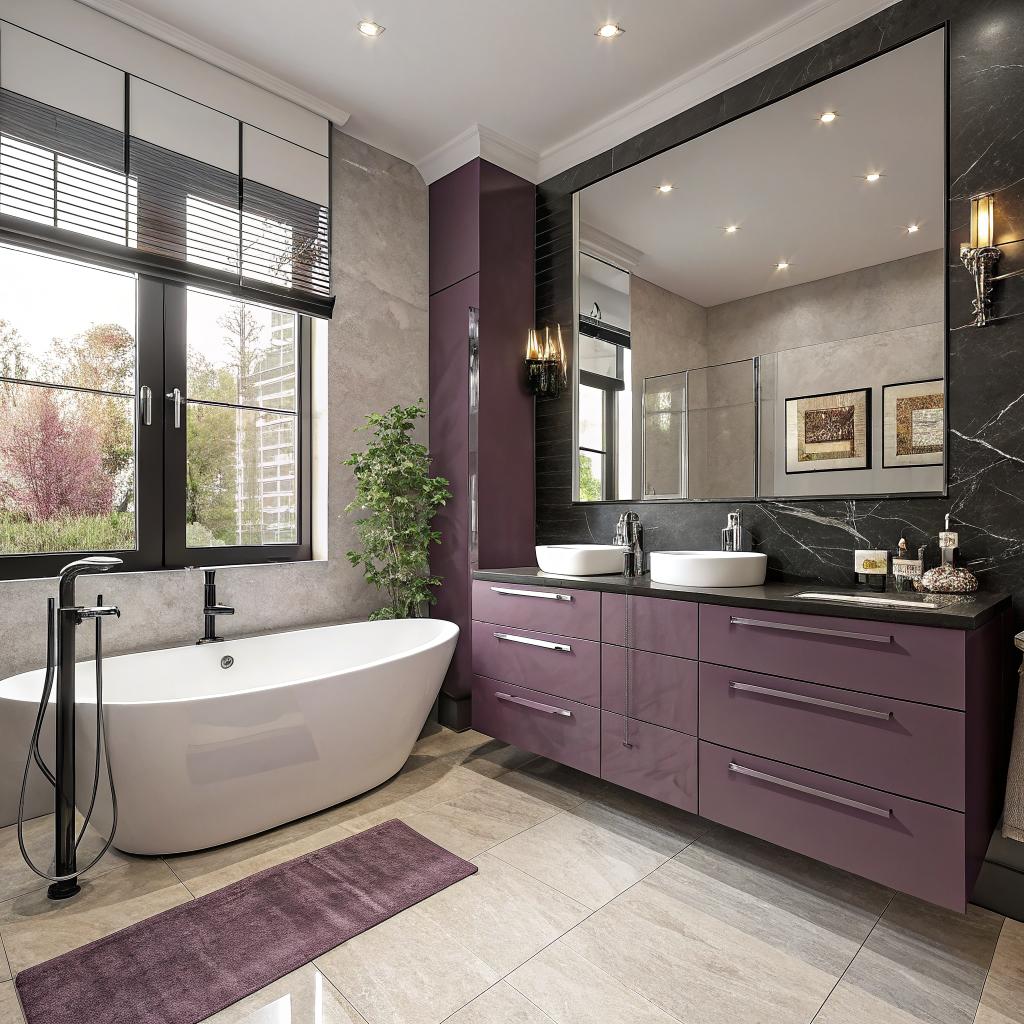
I used to think a bathroom remodel was just tile, paint, and maybe a nicer shower head. Then I started looking at smart home tech and realized the bathroom can quietly become the most high tech room in the house.
If you want a smart home ready bathroom in Sugar Land, the short answer is this: plan your wiring, outlets, and network early, choose fixtures that work with common smart platforms (like Alexa and Google Home), and design the space so you can add or swap tech later without tearing out walls. A local pro who understands both remodeling and smart devices, like a Bathroom Remodel Sugar Land contractor, can help match the build side with your tech plans. That is really the core idea. Everything else is details and trade offs.
What “smart home ready” really means for a bathroom
I do not mean a bathroom crammed with random gadgets.
Smart home ready, in a real-world sense, means:
You design the bathroom so it has power, wiring, and layout that can support current and future smart devices without tearing things up again.
So instead of asking “Which smart mirror should I buy?”, a better first question is:
“Where do I want screens, sensors, speakers, and controls in this room, and how will they get power and data?”
For a tech minded homeowner, that shifts the whole project.
You are not just choosing tile. You are building an interface between water, electricity, and software. That sounds dramatic, but if you have ever tried to add a smart device in a finished bathroom with no outlet nearby, you already know the pain.
Here are the main areas you need to think about:
- Electrical layout and circuits
- Network and connectivity
- Smart fixtures and devices
- Control: voice, apps, and physical switches
- Privacy and security
- Future upgrades
- Local Sugar Land conditions and code
I will go through each of these, with a focus on how the tech side changes your remodel decisions.
Planning the “invisible” stuff first: power, circuits, and boxes
If you are into tech, you already know the boring stuff matters.
Bathroom tech is hungry for safe, stable power. Heated floors, smart toilets, LED mirrors, speakers, and towel warmers all add up.
Circuits and load planning
Talk through your wish list with your electrician early. Not at the end.
You want separate circuits for:
- Lighting
- Outlets near the vanity
- Heavy loads like heated floors, steam showers, or smart toilets/bidets
- Ventilation fan(s)
In many Sugar Land homes, the original builder only planned for a basic fan, light, and one GFCI outlet. That is not enough for smart gear.
If you think there is a small chance you might add a device that heats water, air, or floors, plan a separate 20-amp circuit for it now.
This is boring to spend money on, but it protects you from tripping breakers every time the heated floor and hair dryer run at the same time.
GFCI, AFCI, and safety in a wet room
Bathrooms are all about water, so protection is stricter.
In practice, for you, that means:
- Use GFCI protection on outlets near water
- Use AFCI where your local code requires
- Do not bypass these for any device, even if the manual suggests “regular” power
Some smart devices behave weirdly on GFCI/AFCI. Smart mirrors and bidets are better now, but older models sometimes tripped them. That is one reason to pick newer, well reviewed models and talk to an electrician who has seen them in real bathrooms, not just on paper.
Outlet placement for smart gear
The standard “two outlets by the sink” is not enough if you like tech.
Think about:
- Smart toothbrush chargers
- Electric razors
- Smart speakers or small displays
- Bidet seat or smart toilet
- Towel warmer or warming drawer
- Electric mirror defogger
Most of these work better if the outlet is hidden or at least not right in your face.
Here are practical outlet ideas:
| Location | Why it helps smart devices |
|---|---|
| Inside vanity cabinet | Hidden spot for toothbrush chargers, shavers, or a smart hub without clutter on the counter. |
| Behind/above mirror (hardwired) | Power for a smart mirror, LED backlight, or integrated defogger so you do not see cords. |
| Near toilet (side wall or behind) | Needed for a bidet seat or smart toilet, and also for a night light if you like soft lighting at 3 a.m. |
| Near shower entry | Power for a smart shower controller, lighted niche, or smart speaker display stand if you want one nearby. |
| High on the wall or ceiling | For an in-ceiling speaker amp, camera-free occupancy sensor, or small access point. |
A small tip from experience: have the electrician label circuits and outlets clearly at the panel. If you start automating loads later with smart breakers or monitoring devices, clear labeling saves time.
Wi-Fi, hubs, and signals in a tiled box
Tech fans talk a lot about gigabit internet but forget that bathrooms are often Wi-Fi dead spots. Tile, mirrors, and plumbing can mess with signals.
If you want reliable performance for voice assistants, smart switches, and sensors, you need to think about connectivity as you plan finishes and layout.
Wi-Fi coverage and access points
In many Sugar Land homes, the main router sits in the living room. The bathroom often ends up at the edge of coverage, especially in two story plans.
Ask yourself:
- Is your current Wi-Fi strong in the bathroom now?
- Do you have a mesh system or single router?
- Where are your current access points?
If coverage is weak, you have two main choices:
- Plan an Ethernet run to a spot near the bathroom and mount a small access point
- Reposition or add a mesh node just outside the bathroom
Many people skip Ethernet runs during a remodel and regret it.
Low voltage cable is cheap when the walls are open and annoying later. Running one Cat6 cable near the bathroom now gives you far more options for Wi-Fi and smart devices in the future.
You do not have to use it right away. Think of it as an insurance policy for your network.
Protocols: Wi-Fi, Zigbee, Z-Wave, and Matter
Most smart bathroom devices today still come in Wi-Fi versions. Some switches and sensors instead use Zigbee or Z-Wave via a hub.
Matter is starting to show up more, but the ecosystem is still uneven.
For you, practical questions are:
- Which smart home platform are you already using? Alexa, Google Home, Apple Home, something else?
- Do you already own a hub like SmartThings, Home Assistant, or Hubitat?
- Do you care if devices work offline or only through the cloud?
If you already have a Zigbee/Z-Wave hub, your bathroom automation can be local and quite fast. If you are starting from scratch, you might lean on Wi-Fi and Matter ready devices that pair directly to your voice assistant.
There is no single right path here. Just try not to mix 10 different platforms in one small room. It gets tedious.
Smart lighting that feels natural, not gimmicky
Lighting is usually the easiest smart upgrade and often the most used.
You wake up, go to the bathroom, and suddenly everything feels too bright. Smart lighting can fix that in quiet ways.
Zones and circuits for flexible lighting
Think about light in zones:
- General ceiling light
- Vanity mirror lighting
- Shower lighting
- Accent lighting (toe-kick, niche, or backlit mirror)
- Night lighting
If you put all of this on one switch, you lose a lot of control. Break it into at least two or three circuits if budget allows.
Then you can:
- Dim vanity independently of the shower
- Turn on a low night light scene without blasting full brightness
- Automate accent lights at certain times
Smart switches or smart dimmers usually handle most of this better than smart bulbs, especially in a bathroom. They work even if the Wi-Fi or hub is down.
Color temperature and circadian rhythm
Some people roll their eyes at this, but it can make mornings nicer.
Cooler white light (4000K to 5000K) can help you wake up and see details better. Warmer light (2700K to 3000K) is calmer at night.
With smart controls you can:
- Set morning scenes with brighter, cooler light
- Set evening scenes with warmer, dimmer light
- Use very low, warm light during night trips so you go back to sleep more easily
You do not have to buy full RGB color bulbs for this. Tunable white fixtures or LED strips are often enough and look more natural.
Smart mirrors, vanities, and storage
I used to think smart mirrors were overkill, like something from a hotel. Then I stayed somewhere that had one and realized it is actually nice to see the weather and calendar while brushing your teeth.
Types of smart mirrors
You will find a few main categories:
| Type | Main features | Things to watch for |
|---|---|---|
| LED mirrors with touch buttons | Lighting control, defogger, maybe a clock or temp display. | Check brightness levels, color temperature options, and how it connects to power. |
| Smart mirrors with Bluetooth | Built-in speakers, audio from your phone, sometimes simple voice prompts. | Speaker quality, condensation resistance, and how easy it is to pair and update. |
| Full smart display mirrors | Integrated OS, apps, weather, calendar, even video. | Privacy, camera presence, software updates, and long term support from the brand. |
For most Sugar Land homes, the first two types are enough. Full OS mirrors sound fun, but you are basically buying a wall mounted tablet locked behind glass. Updates and app support can die fast.
If you want serious apps in the bathroom, a small tablet or smart display near the vanity is more flexible than an expensive mirror with a short software life.
Power and mounting for mirrors
Smart mirrors usually need a hardwired power feed behind them. That means:
- Plan the junction box height and width during rough in
- Confirm your mirror dimensions before tile or drywall goes up
- Decide if you want a wall switch to control the mirror, or just mirror buttons
Some people wire the mirror to a regular light switch so it turns off with the rest of the lights. Others prefer the mirror to stay on standby so features like defoggers or clocks always work.
Talk through your daily habits. There is no one answer that fits every family.
Smart storage ideas
This sounds odd, but storage can also be friendlier to gadgets:
- Drawers with built in outlets for hair tools so they can cool inside safely
- Shelves sized for common devices like electric toothbrush bases
- Charging shelf or niche where a tablet or phone can sit away from water
None of this needs Wi-Fi, but it supports the way many people already use tech in the bathroom.
Showers, tubs, and water controls that talk to your smart home
Now we get into the serious plumbing and tech intersection.
Smart showers
Smart showers usually include:
- Digital controller for temperature and flow
- Electronic valves in the wall
- App and/or voice integration
You can say things like “start shower at 102 degrees” or press one button on the wall, and the shower reaches and holds that temperature.
The tech angle here affects several physical choices:
- You need power near the valve location, not just at the switch
- You need enough wall cavity space for the digital mixing valve
- You need good access panels or service paths in case the electronics need repair
This is where working with a remodeler who has installed digital valves before matters. Water plus electronics can be tricky. You do not want a valve hidden in a wall with no access.
Tubs with smart features
Bathtubs can also have:
- Heated surfaces
- Jets with programmable patterns
- Chromatherapy lighting
- Simple app controls
Here again, power and maintenance are key. Many jetted tubs need dedicated circuits and clear access to pumps and controllers.
Ask about:
- Noise levels when running
- How parts are serviced
- What happens if the “smart” side fails
Nobody wants a tub that no longer works because a cloud service shut down.
Smart toilets, bidets, and venting
This is where the bathroom starts to feel very “future” even though these products are common in other countries.
Smart bidet seats and toilets
Modern smart toilets and bidet seats can include:
- Heated seat
- Warm water wash with different modes
- Warm air drying
- Automatic lid opening/closing
- Automatic flushing
- Night lights
Many of these features feel normal after a week. The tech side is fairly simple:
- Standard 120V GFCI outlet near or behind the toilet
- Cold water supply line with a tee fitting for the bidet
- Enough space around the toilet for seat movement and covers
You do not need Wi-Fi for most of this. A remote control is usually enough. If the device offers an app, consider whether you really want your toilet online. Some people do, some do not.
Smart vent fans and air quality
Ventilation is not glamorous, but smart fans can quietly improve comfort.
Look for options that include:
- Humidity sensing to trigger the fan after showers
- Motion sensing for simple automatic operation
- Low noise even at higher speeds
Some integrate with smart home platforms. For most people, built in sensors are enough. A fan that runs 20 minutes after shower humidity spikes solves a lot of fogging and moisture problems.
You can add extra sensors if you are deep into home automation and want to track humidity, VOCs, or CO2, but it is not required for a good result.
Audio, displays, and voice assistants in a wet room
Many tech fans want audio and voice control in every room, including the bathroom. It is possible, but you have to think about moisture and privacy.
Voice control basics
The simplest setup is:
- A small smart speaker or display on the vanity or a nearby shelf
- Smart switches/dimmers controlling lights and fan
- Perhaps a smart plug for a non built-in device like a towel warmer
That lets you say things like:
- “Turn on vanity lights to 50 percent”
- “Start shower fan”
- “Play the news while I get ready”
Try to place the device somewhere safe from splashes and steam. Also decide whether you are comfortable with microphones in the bathroom. Some people are, some are not.
If you are cautious, you can:
- Place the speaker just outside the bathroom door, still within earshot
- Mute the microphone and use it only as a Bluetooth speaker
- Use wired wall controllers and skip voice control entirely
Audio quality and speakers
If you care about sound, you might like:
- In ceiling speakers for a clean look
- A moisture resistant sound bar under a cabinet lip
- Hidden speakers with a small amp in a nearby closet
Remember to:
- Run speaker wire during rough in
- Provide ventilation for any amp or powered device
- Plan where volume is controlled, either wall keypad or smart home app
Most people do not need theater grade audio in the bathroom, but even basic speakers can make a morning routine feel nicer.
Privacy, security, and data in a smart bathroom
Tech people talk about privacy, but bathrooms raise different concerns.
What you probably do not want
Some things might be a bad idea, no matter how “smart” they sound:
- Cameras in or near the bathroom
- Always listening microphones when guests are present
- Cloud connected health sensors that you do not fully understand
You might disagree, but many people feel that bathroom tech should be mostly local.
A simple rule: anything that could record your body or your voice in a vulnerable state should default to local control and storage, or not be there at all.
That probably means favoring local-only scales, thermometers, and other health tools. Or at least reading privacy terms carefully.
Network segmentation and guest use
If you manage your own home network, consider:
- Putting IoT devices on a separate VLAN or guest network
- Blocking bathroom devices from reaching the internet unless needed
- Disabling features you do not use, like cloud voice history
For guests, it can be helpful to leave simple printed notes if something is unusual:
- “Toilet flushes automatically after 5 seconds”
- “Fan will run for 10 minutes after you leave”
- “Tap mirror button once for light, hold to dim”
Tech that confuses guests is not really an upgrade.
Designing for future upgrades, not a one time gadget spree
Smart home gear changes fast. Your tile does not. You want the tile to outlast at least a few generations of devices.
Neutral design with flexible tech
A practical approach is:
- Spend on good layout, waterproofing, and ventilation
- Keep surfaces and fixtures relatively timeless
- Focus smart spending on controllable parts that are easy to swap
Good places to “bake in” tech readiness:
- Extra conduit runs from switch boxes to key spots
- Junction boxes behind mirrors and near the shower for future controllers
- Cat6 cable stubs in or near the ceiling for future hubs or access points
Good places for easy upgrades:
- Smart switches and dimmers
- Smart speakers and displays
- Smart bulbs or LED strips in accessible spots
- Smart scales and small health devices
You can replace a smart switch in 10 minutes. You do not want to replace a digital mixing valve trapped behind tile in 5 years because the cloud service vanished.
Choosing brands and ecosystems
Some brands in the bathroom space come and go. Before buying expensive gear that needs an app, ask:
- How long has this brand been in business?
- Do they have a track record of software updates?
- Does the product still work in a limited way if the app or cloud fails?
You will rarely get perfect answers, but this filter can save you from obscure products that vanish quickly.
Sugar Land specific thoughts: climate, water, and local help
Living in Sugar Land affects bathroom design more than people think.
Humidity and temperature
Hot, humid weather puts stress on:
- Vent fans
- Moisture sensitive electronics
- Metal finishes and mirror edges
So in this region, it is wise to:
- Pick vent fans rated for higher moisture with good CFM
- Seal penetrations well to avoid warm, moist air in wall cavities
- Pick fixtures and mirrors rated for damp or wet locations, not just dry rooms
Smart humidity sensors become more useful here, not less.
Water quality
Sugar Land water is not extreme, but minerals can still build up. Any smart device with small nozzles or heaters, such as:
- Bidet seats
- Steam showers
- Jetted tubs
can suffer from scale over time.
Ask about:
- Cleaning routines and descaling modes
- Warranty coverage for scale issues
- Whether a whole house softener or filter is worth adding
A gentle approach is to leave plumbing simple now but plan space for a later softener if needed.
Code and inspections
Smart bathroom work still has to pass standard inspections.
In practice this means:
- Permits for electrical and sometimes plumbing changes
- Adhering to GFCI, AFCI, and spacing rules
- Fans venting outdoors, not just into an attic
The tech part rarely causes direct code problems. It is usually the basics like fan duct runs and circuit loading that matter most.
Putting it all together: a sample smart bathroom roadmap
If you are still thinking “ok, but what should I actually do first?”, here is a simple roadmap you can adapt.
Step 1: Define your must haves
Ask yourself and anyone else using the bathroom:
- What problems does the current bathroom have? Foggy mirrors, bad lighting, no storage?
- What tech do you already own that you like? Voice assistants, smart lights, sensors?
- What is your rough budget, and where are you comfortable cutting back?
From that, pick 3 to 5 must haves. For example:
- Better lighting with dimming and warm evening scenes
- Strong vent fan that handles Sugar Land humidity
- Heated floor with schedule and app control
- Smart toilet seat for comfort
Step 2: Map devices to power and network
Take your must haves and for each one, answer:
- Where will it physically go?
- How will it get power?
- Does it need Wi-Fi or a hub? Where will that be?
This is not a fancy exercise. A simple sketch on paper can help:
- Draw walls, shower, vanity, toilet
- Mark outlets, switches, and low voltage boxes
- Mark Wi-Fi or hub locations
Bring that to any contractor you talk with. It makes your tech needs less abstract.
Step 3: Choose platforms and avoid tech overload
Pick a primary smart home platform first, not last.
- If your home is already mostly Alexa: lean on Alexa compatible devices
- If you are deep into Apple: look at HomeKit/Matter friendly gear
- If you like open systems: consider a local hub and make sure devices support it
Try to keep the bathroom to 2 or 3 vendors for each category:
- One main brand for switches/dimmers
- One brand for fan and mirror where possible
- One brand for shower controls
Too many apps become a chore, not a fun tech hobby.
Step 4: Coordinate trades early
Smart bathrooms touch:
- Electricians
- Plumbers
- Tile setters
- Cabinet makers
- Painters
Your job is not to manage every detail, but you should at least:
- Share your device list and basic sketch with everyone
- Confirm who is responsible for low voltage runs
- Decide who will set up apps and pair devices at the end
Otherwise you end up with a beautiful space and a box of uninstalled “smart” gear in the corner. I have seen this too many times.
Common questions about smart home ready bathroom remodels
Q: Is smart bathroom tech worth it, or is it just gimmicks?
A: Some products are gimmicks. Colored shower heads that play random music, for example, often end up in the trash.
The upgrades that tend to feel worth it are:
- Good smart lighting with dimming and scenes
- Strong, quiet, sensor based ventilation
- Heated floors with scheduling
- Bidet seats and smart toilets for comfort
- Simple voice control for lights and fan when your hands are wet
If you focus on comfort and convenience instead of “wow” demos, you are more likely to be happy years later.
Q: Do I need an expensive control system, or can I just use consumer smart devices?
A: For most Sugar Land homes, consumer smart devices are fine. Systems like Control4 or Crestron are nice, but they are overkill for many bathrooms and lock you into a dealer for changes.
A mix of:
- Smart switches
- Smart fan
- Smart mirror or smart speaker
- Perhaps a smart thermostat in a nearby hallway
is enough to feel integrated without hiring a high end integrator.
Q: What if I am not sure which smart devices I want yet?
A: That is actually normal. In that case, spend your budget on:
- Extra outlets in smart locations
- Conduit paths for future cables
- At least one Cat6 run near the room
- Separate lighting circuits with standard dimmers that you can later swap for smart ones
You can always add devices later. Fixing missing power or wiring after tile goes up is the hard part.
If you plan the bones of your bathroom for future tech, you can stay flexible, avoid big regrets, and still enjoy the space right away. That balance is what “smart home ready” really means.