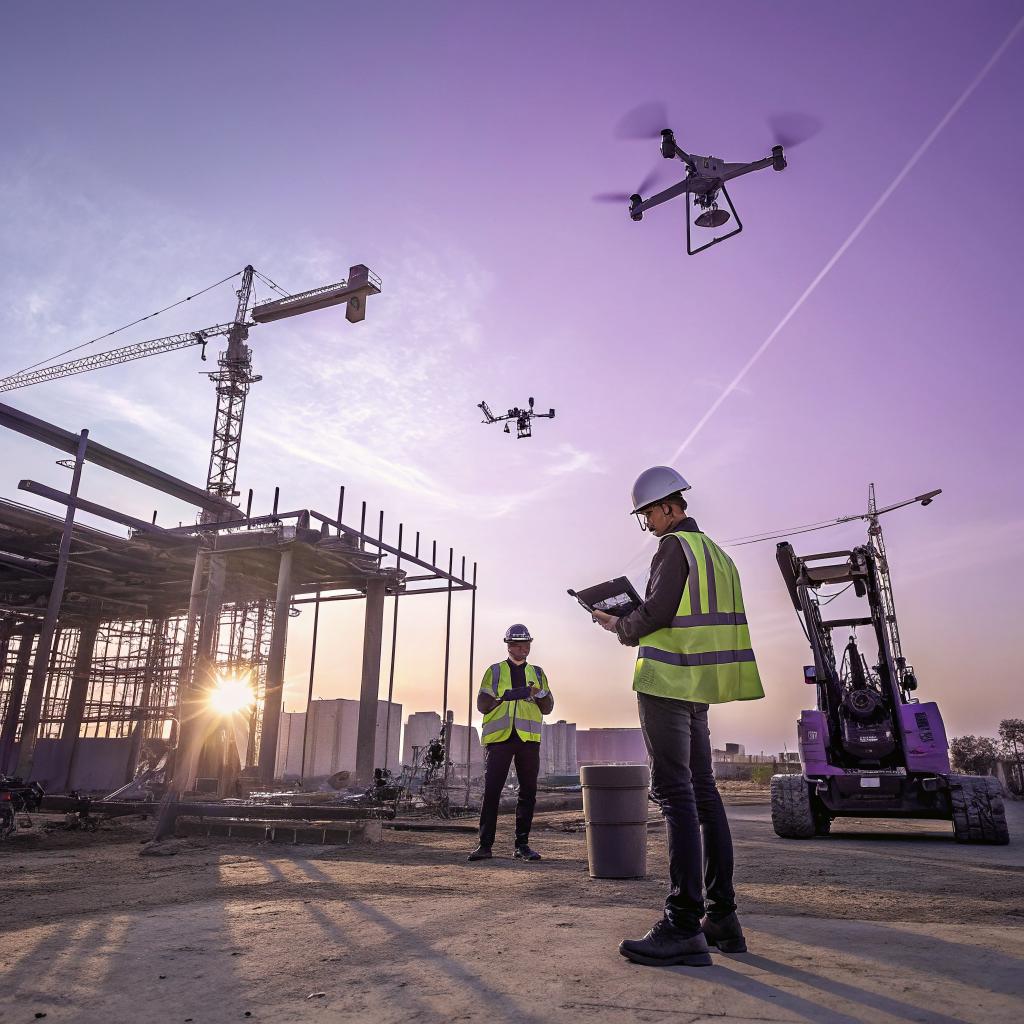
I used to think construction was almost the opposite of tech. Dust, noise, concrete, and then somewhere far away, code and servers and phones. It took watching one project from start to finish to realize that a lot of the heavy lifting today happens on screens before anyone pours a single yard of concrete.
Here is the short version: GK Construction Solutions uses tech to plan jobs in detail before crews arrive, track every stage of work in real time, coordinate people and materials through shared apps, and check quality with photos, sensors, and data. Tech does not replace the crew, it supports them, cuts mistakes, and shortens timelines, whether the job is a driveway repair, structural work, or a large commercial pour.
You could argue that this sounds like what most trades say now: “we use technology.” Maybe. But the real question is how deep they go with it, and if it changes the way they actually build or if it is just a tablet on site for show. With GK, the tech sits under almost every step, from the first estimate to the final walkthrough.
Why tech matters on a job site more than most people think
If you visit a site for the first time, it still looks very physical. Trucks, saws, rebar, string lines. You might miss the quiet part in the background: data, models, and live updates feeding the people doing the work.
A lot of the problems in construction are not “hands” problems. They are “information” problems.
Most delays, change orders, and cost overruns come from bad or late information, not from a crew that works slowly.
That is where tech fits for a company like GK. They try to narrow the gap between what should happen and what actually happens on site.
Here is where that shows up in a clear way:
- Planning and estimating use digital models and data, not guesswork.
- Scheduling runs on shared tools, so everyone sees the same plan.
- Quality checks use photos, checklists, and sometimes sensors.
- Clients see progress updates and can approve changes without long delays.
The tech side may sound simple to people deep in software, but in construction it is still a big shift. It turns a job from “we will see how it goes” into something closer to a live project board.
Digital planning before the first shovel hits the ground
I think this is the part that surprised me most. It is easy to assume construction planning is mostly rough sketches and a call with a supplier. With GK, a lot happens in software before a single form is set.
From site data to a working plan
For concrete work, small errors early become big problems later. A slab that is off by half an inch or a misread elevation can ripple into doors that stick, cracks, or water heading the wrong way.
So they lean quite heavily on:
- Digital takeoff tools to measure from plans with precision.
- 3D modeling or simple CAD files for more complex layouts.
- Soil and foundation reports stored and shared in one place.
That mix lets them run “what if” checks. What if the soil near one wall is weaker than expected? What if the owner wants a thicker driveway for heavier vehicles? These are engineering questions, not just construction questions, and modern tools make them cheaper to answer.
Good digital planning does not make the work easier; it makes the mistakes show up earlier, while they are still cheap.
For someone who works in tech, this might sound a lot like version control or staging. You try things on screen before you commit. Construction has not always worked like that, but groups like GK are pushing in that direction.
Estimating that uses data instead of rough guesses
There is a clear tech angle in how they price jobs too. Old style estimating leaned on experience and paper notes. GK ties cost estimates to historical data from past jobs.
They track:
- Actual time per task for crews.
- Material waste on different types of pours.
- Weather impact on schedule for certain months.
That history lives in software, so when a new project comes in, the estimate draws from hundreds of hours of real work, not just someone’s memory.
You can see the pattern: tech does not replace judgment, but it supports it. A good estimator still needs to walk the site and ask questions, but the numbers come from a stronger base.
Using project management tools like a software team
One of the more interesting things is how close their system looks to a basic software project board, only with rebar, forms, and inspections instead of features.
Shared schedules that do not live on a wall
A lot of construction schedules used to be a whiteboard, or a printed Gantt chart in a trailer. That still shows up sometimes, but GK runs a shared digital schedule that ties tasks, crews, and materials.
You see entries like:
- Form and rebar for east wall, Crew B, 1.5 days
- Inspection, city code, slot between 10 and 12
- Pour start 7:00, finish and trowel by 11:00
Everyone with a phone or tablet can see changes in real time. If the inspector shifts a time slot, or a truck runs late, the plan adjusts and pings the crew.
For a tech audience, this probably feels normal. For many job sites, it is still a big shift from “call the foreman and hope everyone gets the new plan.”
Task management with photos and checklists
Another interesting detail is how they use checklists that live in an app instead of in a binder.
For example, before a pour:
- Rebar spacing checked against plans
- Form bracing inspected
- Conduit and plumbing placed and tied
- Vapor barrier intact, no holes
A crew lead can upload photos tagged to each item. The project manager does not need to drive out just to confirm that the prep is correct. They see the photos linked to the task.
This fits another pattern from tech: small feedback loops. Shorter, more frequent checks reduce big misses later.
The more often you can check small parts of the work, the less often you wake up to a problem that needs a jackhammer.
Is every crew thrilled about more checklists? Probably not. Some people just want to work the way they always have. But as mistakes drop, most teams see the benefit, and the app becomes part of the normal routine.
Concrete, foundations, and data: where tech meets physics
Concrete feels very low tech from the outside. Mix, pour, finish, cure. In practice, there is a lot of nuance and some room for useful tech.
Planning slabs, patios, and driveways with better inputs
For things like driveways, patios, and flatwork, GK mixes physical checks with simple tools that capture data.
They might:
- Scan grades with a laser level and log elevation data.
- Map drainage paths so water runs away from the house.
- Track expected loads for parking or heavier vehicles.
That data feeds into decisions about slab thickness, reinforcement, and slope. It also helps reduce long term issues like pooling water or early cracking.
To make this more concrete, here is a simple comparison of a “basic” approach and a tech-supported one.
| Step | Traditional approach | GK tech-supported approach |
|---|---|---|
| Site measurement | Manual tape, rough sketches | Digital takeoff and laser-based measurements |
| Drainage planning | Visual check and rule of thumb | Logged elevations, modeled slope, recorded in plan |
| Material planning | Rough yardage estimate | Volume calculated from model and history, waste factor tied to past jobs |
| Quality checks | Foreman visual walk | Checklist in app with photos before pour |
Is it possible to go overboard with measurement? Yes. Tech can add noise if it is used just because it is new. The useful part is when each tool ties to a real decision on site.
Monitoring foundations and structural work
Foundations are less forgiving. Small mistakes can become big problems later. GK tends to combine engineering input with simple tracking tools.
You see things like:
- Soil reports scanned and tagged for easy reference.
- Rebar layouts checked against digital plans.
- Pour logs that record time, temperature, and mix specs.
On some jobs, they use sensors or simple probes to track moisture or movement, especially if there have been issues before. On others, the tech is less fancy but still useful: just clear photos, notes, and drawing markups shared between engineers and field crews.
From a tech perspective, none of this is exotic. It is closer to good documentation than to advanced AI. But in an industry where many jobs still rely on paper and “I think we did it like that last time,” it is a real change.
Communication: keeping owners, crews, and partners in sync
If you ask owners what went wrong in a bad project, many of them will say some version of, “No one told me what was happening.” That is where GK leans on simple communication tech.
Client portals and regular updates
They use client-friendly tools where people can:
- See the current schedule.
- Check which tasks are complete.
- Review change orders and approve them.
- Look at photos of progress.
You do not need to be on site every day to see what has changed. For people who like tech, this feels normal. For others, it takes a bit of learning, but usually after one or two updates they get used to it.
If you are used to agile boards and sprint demos, this is not far off. The same idea: small, regular communication beats long silence and sudden surprises.
Internal chat and coordination tools
Inside the company, it is mostly group chats and scheduling tools, not magic. The value is in having one “source of truth.”
A typical chain might look like:
1. Designer updates a detail in the plan.
2. Change syncs to the project board.
3. Foreman gets a ping with the update.
4. Supplier sees adjusted quantities for an order.
No one needs to pass around four versions of a PDF on email and hope the right one makes it to site. The tech here is very similar to what modern teams in other fields use. The difference is that the output is a real slab of concrete, not just a new release.
Using photos, sensors, and simple data for quality control
I think this is where many tech-minded readers will see the most familiar patterns: collect data, compare against a standard, adjust.
Progress photos as a standard part of the workflow
Every construction company takes photos, but not many treat them as structured data. GK ties photos to:
- Specific tasks
- Dates and times
- Checklist items
- Locations on the plan
So “photo 23” is not just “a picture from Tuesday.” It is “rebar inspection for north wall footing, pre pour.” If something goes wrong later, they can look back and see what was in place at each stage.
This also helps with training. New crew members can see examples of “good” vs “needs work” from real jobs.
Basic sensor use without trying to be fancy for its own sake
Some companies like to talk about IoT on job sites as if every project needs a sensor net. In practice, GK uses sensors when they serve a clear purpose, not as a marketing point.
For example:
- Humidity and temperature for curing in sensitive areas.
- Simple movement or crack monitors on problem foundations.
The point is not to fill the job with gadgets. It is to catch trends early. Is a repair holding? Is moisture staying within the range that the concrete mix can tolerate? Basic graphs over time can answer those questions.
Tech in quality control works best when it stays boring: simple measurements, clear thresholds, fast reactions.
There is some temptation to bring in AI image checks or complex prediction tools. Maybe that will grow over time. For now, the most reliable wins come from straightforward data, clear standards, and humans who know what the numbers mean.
How GK treats construction like a data project over the long term
One of the more subtle things is how they learn from past work. Many construction firms treat each job as an island. GK tries to connect them.
Collecting data across many builds
Every job adds data to their system:
- Hours logged by task type.
- Actual vs estimated material quantities.
- Weather, site conditions, and delays.
- Types of cracks or call backs after completion.
Over dozens or hundreds of jobs, patterns show up. Maybe certain soil types always add a day of prep. Maybe a particular kind of finish takes longer than expected. That feeds back into new plans and estimates.
This way of thinking will be familiar if you work in analytics. You gather, you compare, you adjust. It is not flashy, but it slowly improves results.
Balancing tech with the realities of field work
There is a risk here. You can load crews with so many apps that they spend more time tapping screens than placing rebar. GK has had to pick tools that match how people actually work outdoors, sometimes in bad weather, with gloves on.
That means:
- Short, clear forms, not long digital paperwork.
- Offline capability where reception is weak.
- Simple photo capture tied to tasks.
I have seen some attempts at “smart” construction workflows that fail because someone tried to port an office-style system directly to a muddy job site. GK seems more cautious, and I think that is the right call.
Where tech meets trust and craft
No matter how strong the tools are, someone still has to set forms straight, float a slab correctly, and read local codes. There is a tension here that is hard to ignore.
Some veteran workers do not want tablets on site. Some younger workers like them and expect them. GK has to deal with both groups.
From what I can tell, the tech sticks when:
- It clearly saves time or avoids rework for the crew.
- It fits into existing habits instead of fighting them.
- It gives people in the field more control, not less.
If a foreman can document a blocked inspection with a photo and a timestamp, that protects their team. If a crew can see tomorrow’s schedule tonight on their phone, they can plan their day. In those cases, tech feels like support, not oversight.
And yes, there is still friction. Some people will never love new tools. Some owners still want phone calls over portals. Not every experiment will work. That is normal.
What this means if you care about tech and about the built world
If you spend most of your day around code, you might not think much about concrete or foundations. But there is an interesting crossover area here.
Construction has problems that look a lot like ones in software:
- Version control for plans.
- Communication gaps between “product” (owners) and “dev” (crews).
- Testing and QA that can be either thorough or rushed.
- Estimates that drift when scope changes mid-way.
Companies like GK are slowly pulling ideas from software and data work into a world of trucks and rebar. Not perfectly, and not always neatly, but enough that jobs feel different from the old stereotype.
If anything, I think they could push further on some fronts. More structured feedback from owners, clearer metrics on long term performance of repairs, better visual tools that lay people can read without guesswork. There is room to grow.
Still, there is a clear pattern: tech matters most when it makes the physical work more honest and visible, not when it tries to replace it.
Question and answer: does tech really change the build, or is it just for show?
Q: Does all this tech actually change how well concrete projects turn out, or is it mostly surface level?
A: It changes more than people expect. When planning is digital and tied to real data, you get better designs and fewer surprises. When schedules and tasks live in shared tools, crews know what to do and when, and owners see progress without guessing. When quality checks use photos, checklists, and basic sensors, small issues show up before they become expensive repairs. Tech will not fix bad craft, and there is a risk of adding noise if the tools are chosen poorly, but used with a bit of restraint and clear goals, it does more than add a tablet to the job site. It helps people build what they actually meant to build.