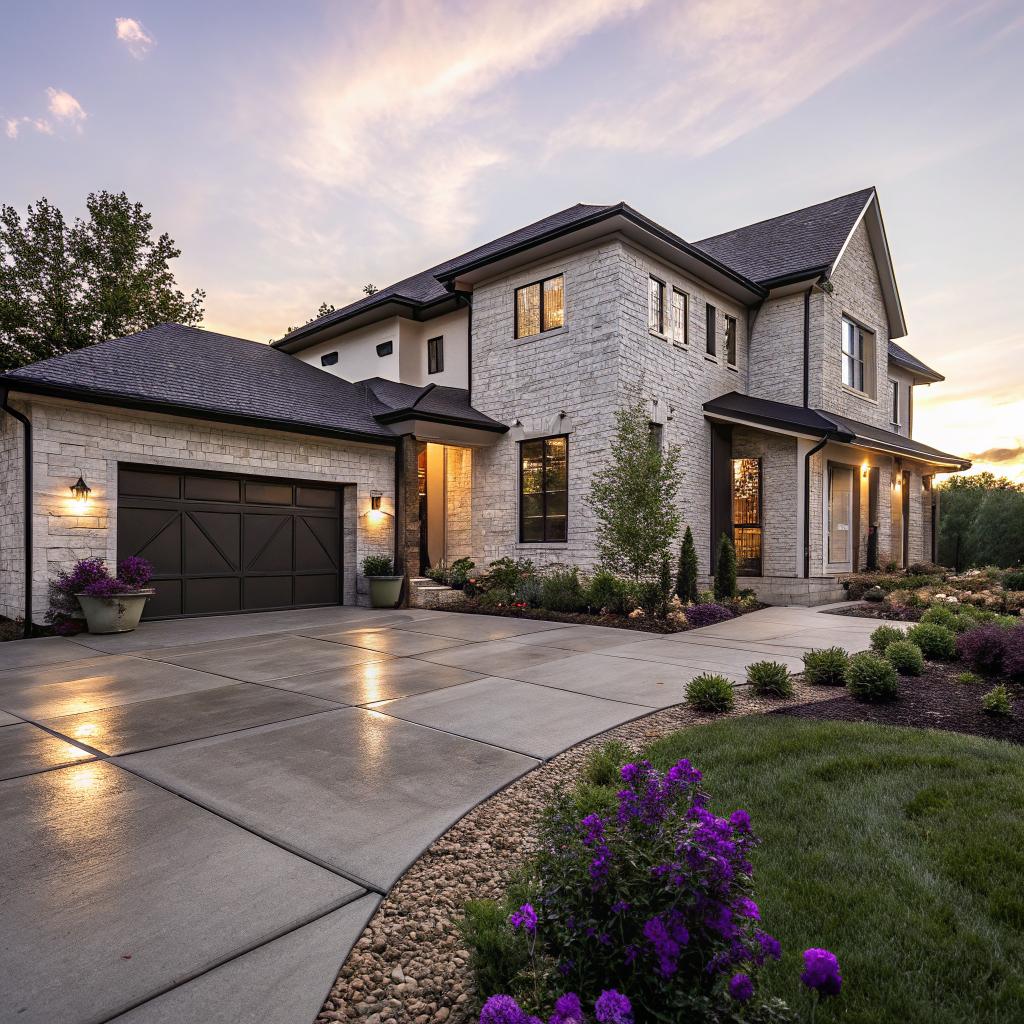
I used to think concrete was just that dull gray stuff under your car and under your feet. Then I started seeing garages with radiant heat, driveways that melt ice, and patios wired like an outdoor office, and I realized concrete can actually be a smart home upgrade if you treat it like a tech-ready surface instead of just a slab.
If you want the short version: smart concrete upgrades in Franklin TN mean planning your driveway, patio, garage, and walkways as part of your home tech system from the start. That can include heated driveways, embedded sensors, EV charging layouts, conduit for power and networking, smart drainage, and finishes that work with cameras and lighting, all handled by a local Concrete Franklin TN contractor who understands both construction and tech basics.
Why tech people should care about concrete at all
If you read about chips, home servers, or smart devices all day, concrete probably feels boring.
I get that. But concrete is the physical layer of your house, in the same way the network layer is the base of your stack. Once it is poured and cured, changing it is slow, noisy, and not cheap. That makes it one of the best places to think ahead.
Most people think about concrete in terms of:
- Driveways
- Patios and porches
- Garage floors
- Basement floors and foundations
- Walkways and steps
If you are tech minded, you can look at the same list and ask different questions:
- Where do cables need to cross under this slab?
- Do I want power or data in the middle of this patio later?
- Is this a future EV charging zone that might need an extra conduit?
- Will cameras and lights see glare off this finish?
- Can I embed sensors or heating now instead of cutting things later?
That shift alone can save you from grinding, trenching, and patching in three years when you want one more outlet or another run of Cat6.
Think of concrete surfaces as platforms for devices, power, data, and sensors, not just as something to walk or park on.
Smart driveway upgrades for tech heavy homes
Your driveway is not just where the car sits. For a tech focused home in Franklin, it is usually the front edge of the smart system.
Heated driveways and sensor control
Winters in Franklin are not like Minnesota, but ice happens. A heated driveway can feel luxurious, but from a tech angle it is just a controlled thermal system that talks to weather and surface sensors.
Basic heated driveway setup:
| Component | What it does | Tech angle |
|---|---|---|
| Heating cables or hydronic tubing | Embedded in the concrete to warm the surface | Layout and zoning matter for control and power draw |
| Thermostat / controller | Turns the heat on and off | Some models tie into home automation platforms |
| Moisture and temperature sensors | Detects snow, ice, and ground temp | Data source for smart schedules or alerts |
| Power circuit | Dedicated feed from the panel | Needs planning for load, maybe future EVs too |
Many people skip sensors and just use a timer. That works, but it wastes energy and feels a bit silly in a tech home.
If you are already using a smart home hub, look for snow melt controllers that can trigger based on:
- Weather API (forecasted snow or freezing rain)
- Actual slab temperature
- Moisture sensor in the driveway
You can run logic like: if slab is below 34°F and moisture is detected and wind is not crazy, then heat zone 1. It is not rocket science, just slightly more wiring and the right device selection before the pour.
EV ready layout and conduit planning
Electric vehicles change how you think about the front of the house. The part many people miss: your charging location and your concrete layout are tied together.
Questions to ask before you pour or replace a driveway in Franklin:
- Will I want an EV charger on the left or right of the garage door?
- Is there any chance I will want a second charger later?
- Will a guest want to park farther down the driveway and still charge?
- Is there space for a small parking pad beside the main drive?
If you are redoing concrete anyway, plan for at least one spare conduit from the main panel area to the driveway edge. Even if you do not pull wire yet, the empty conduit is cheap and avoids future cutting.
PVC conduit under a driveway is one of the easiest “future proof” upgrades you can ask for, and it costs less than many smart switches.
Good practices for an EV ready driveway:
- Ask for at least 1 or 2 empty conduits under the slab that lead to accessible junction boxes.
- Place conduits so you can have a charger on either side of the garage without tearing things up later.
- Think about cable reach so cars parked outside can still charge.
- Keep in mind where snow or rain collects so charger pedestals are not standing in water.
Driveway lighting and visibility for smart cameras
If you rely on cameras and automation for security, concrete color and lighting actually matter more than people think.
Very light concrete reflects more light, which can confuse low end night vision cameras and cause glare. Very dark surfaces absorb light, so you may need brighter fixtures for the same recording quality.
Some details to plan:
- Decide where vehicles will usually stop and make sure there is even light there.
- Avoid placing bright spotlights that point straight at camera lenses.
- Consider small in ground or low bollard lights along the edges to mark curves or steps.
- Choose a finish that has some texture so headlights and porch lights do not blow out the image.
You can run low voltage wiring in conduit along the driveway, under the slab, or set in the edge. That wiring can feed smart compatible transformers or fixtures controlled by your existing system.
Smart patios and outdoor work zones
A lot of tech people want a decent outdoor workspace. Laptop on the patio, good Wi Fi, outdoor speakers, maybe a TV for games or dashboards. Concrete can either limit that or make it easier.
Power, data, and mounting points in the slab
Most patio regrets come down to: “I wish I had one more outlet here.”
You do not need to guess perfectly, but you can design for flexibility. That usually means adding more conduit and boxes than a basic patio job.
Consider:
- One or two floor boxes in the middle of a large patio zone
- Conduit to a future outdoor kitchen area, even if you just grill now
- Conduit to a column or post where a TV might go
- Low voltage sleeve for speakers, PoE cameras, or Wi Fi access points
Floor boxes can be sealed and rated for outdoor use. They are not pretty in every design, but they are much nicer than tape on the ground and random power strips.
For networking, you probably will not run bare Cat6 directly in concrete. You run conduit, then pull rated cable through after the slab cures. That way if cable fails or standards change, you can upgrade.
If you are already trenching or pouring, empty conduit is cheaper today than wireless workarounds and extension cords tomorrow.
Outdoor office: shading, glare, and HVAC thinking
Smart patio does not just mean outlets.
If you want to work outside:
- Plan some shade so your laptop screen is readable.
- Think where a ceiling fan or wall fan could mount.
- Decide where a portable heater might sit in winter.
- Make sure your concrete layout supports that furniture and equipment.
For example, a covered patio with a fan box centered over a concrete seating area supports a lot of smart options later. Smart fan, controlled outlets for heaters, maybe even outdoor blinds that you automate.
Concrete size plays a role in networking too. A huge patio that stretches far into the yard might put your seating area at the fringe of your Wi Fi. If you know that in advance, you can run conduit to a corner post and mount an outdoor access point without visible cables.
Audio and lighting zones outside
Most smart home people split indoor lighting into scenes and zones. You can think the same way outside.
On the concrete side, your patio and walkway layout tells you where it makes sense to:
- Embed lighting into stair risers
- Add recessed lights into concrete walls or seating
- Run speaker wires under the slab instead of over the grass
A simple zone plan might be:
| Zone | Use | Concrete / wiring note |
|---|---|---|
| Dining area | Meals, small gatherings | Floor box for plug in heaters, conduit to overhead light/fan |
| Lounge area | Laptop work, reading | Conduit for outlets near seating, speaker wire to corners |
| Path to yard | Movement at night | Low voltage lighting along edge, controlled with motion sensors |
If your concrete contractor understands where zones will be, they can place joints, slopes, and expansion cuts in ways that do not interfere with boxes and conduits.
Garage and workshop: the real hardware lab
For many tech people in Franklin, the garage ends up as a mix of lab, rack area, and random storage. The concrete floor sets what you can do with it.
Floor treatments for labs, racks, and robots
Plain gray garage concrete gets dusty, stains, and cracks. That is fine for parking, less fine for electronics and equipment.
You have a few finish paths:
| Finish type | Pros | Concerns |
|---|---|---|
| Polished concrete | Easy to clean, looks clean, no coating to peel | Can be slick if wet, glare for some lighting setups |
| Epoxy coating | Chemical resistance, color options, easier on knees | Prep sensitive, can peel if moisture below is not handled |
| Sealed bare concrete | Cheaper, less dust, simple | Still can stain, not as comfortable to stand on for long |
If you plan to:
- Roll server racks around
- Use small robots or RC gear
- 3D print and assemble projects
A smoother surface with a light color helps you find dropped parts and see dirt. Just do not go unrealistically glossy if you hate glare.
Some people even use different finish zones in the same garage. For instance, epoxy under the car section and a more matte finish near the bench area.
Embedded power and air for tools and chargers
Garages are wiring nightmares when they grow over time with no plan. Cords across the floor, random strips, too few outlets.
Concrete work is your chance to build some of this in.
Options:
- Trench and embed conduit to feed outlets on a center island workbench
- Plan for an EV charger with a dedicated circuit at the wall
- Run conduit to a future wall cabinet that might hide routers or a small rack
- Feed a ceiling outlet for a retractable cord reel in the middle of the bay
That last one is underrated. A ceiling outlet with a cord reel lets you bring power to the middle of the space without cables across the floor.
For air tools or dust collection, you can recess floor ports or plan for wall runs. It is not strictly concrete, but the location of expansion joints, slopes, and drains can affect how you route everything.
Temperature, humidity, and sensors
If you treat your garage like a lab, you probably care about:
- Temperature swings that affect filaments, batteries, or finishes
- Humidity that can rust tools or damage components
- Water entry from driveways or storms
Concrete can help or hurt here:
- Good sealing and control joints help manage water and reduce moisture coming up from below.
- Proper slope to a drain keeps wash water and rain away from your gear.
- Light color floors make leaks and condensation visible earlier.
From the tech side, you can embed:
- Remote floor temperature sensors so your HVAC system knows when the garage is radiating cold into the house.
- Leak detectors near doors and walls, recessing their housings slightly or protecting them with small concrete edges.
You do not need to make this very complex. Even a basic sensor placed thoughtfully during the concrete stage is easier than gluing devices later and hoping they do not get kicked.
Walkways, steps, and accessibility with smart features
Walkways and steps around a Franklin home are often an afterthought. For tech heavy homes, they carry cameras, presence detection, and lighting logic.
Safe paths for people and delivery robots
Delivery robots are not common everywhere yet, but we already see more package drop offs, food delivery, and random visitors at odd hours.
Concrete layout that helps:
- Clear, wide path from driveway to front door
- Minimal trip points at transitions
- Even lighting that avoids hard shadows
- Step edges that are clearly defined in the camera view
If you think about autonomous or semi autonomous movement, slopes and textures matter. That sounds abstract, but it can be as simple as:
- Using broom finish or light texture on slopes
- Limiting aggressive surface patterns in areas you might roll equipment
Camera placement also matters. A smart walkway system can trigger:
- Path lights based on motion
- Doorbell cameras slightly early for better clips
- Different responses for people vs vehicles coming up the drive
Your concrete layout defines where motion sensors can see cleanly and where blind spots appear. Curved paths can be attractive, but if the curve hides part of the approach from a camera, you might need extra hardware.
Smart lighting wiring under walkways
Trying to run low voltage cable along the edge of concrete after the fact is messy. It gets nicked by trimmers and pets.
If you are pouring new walkways, ask about:
- Conduit under the path from one side of the yard to another
- Small junction points for future path lights and sensors
- Extra sleeve for data to a gate or front yard device
Again, you may not know all devices you will own in five years. You do not need to. Two or three conduits in a few key places keep your options open.
Basements and foundations with a tech mindset
Basements in Franklin vary a lot. Some are finished media rooms, others feel more like storage caves. For a tech focused owner, the basement is often where servers, batteries, or networking gear live.
Moisture, radon, and sensor friendly surfaces
Concrete foundations and basement slabs can bring up moisture and, in some areas, radon. That is more of a health and structure topic, but it touches tech when you start placing equipment down there.
Better concrete practice helps:
- Vapor barriers under the slab to reduce moisture
- Good drainage and sump placement so water incidents are controlled
- Smooth, sealed floors that are easy to clean and inspect
From a tech view:
- Leak sensors near sumps, exterior walls, and under plumbing runs
- Temperature and humidity sensors at gear height, not just at the ceiling
- Conduit paths from the basement to key points in the house and outside
If you are touching the slab or adding a subfloor, think about where floor penetrations happen. Every hole is a possible path for air, bugs, or moisture. Also a path for cables. So balancing those is a bit of a puzzle.
Battery storage, inverters, and heavy gear
Home batteries and inverters are getting more common in Franklin, especially where storms knock out power. That gear is heavy and likes stable, flat, dry surfaces.
When you plan locations:
- Choose a zone where the floor can support the weight without cracking.
- Avoid areas near known water entry points.
- Think through cable routes to panels, generators, and outside meters.
You might want to slightly raise a battery or inverter on a small concrete pad so it stays above any minor water events. That can be poured at the same time as other work.
From a tech angle, it is also helpful to:
- Run conduit for monitoring lines and data cables so you do not have exposed wires.
- Provide a path to your main networking area so monitoring is reliable.
Planning process with a Franklin TN concrete contractor
Here is the part where a lot of projects go sideways. The homeowner talks about smart devices, the concrete crew talks about rebar and slump, and they sort of talk past each other.
You do not need a contractor who loves gadgets. You need one who can:
- Follow a clear conduit and box layout
- Protect cables and hardware during the pour
- Coordinate with your electrician or low voltage installer
A simple planning workflow that usually works:
- Sketch your zones: driveway, patio, garage, walkways, basement.
- Mark where you think power, data, and sensors might go now and later.
- Translate that into a basic conduit plan with your electrician or a tech minded friend.
- Sit down with the concrete contractor and walk through those needs before any forms go up.
Try not to rely only on words like “future proof.” That is vague and boring. Instead, say things like:
- “I need two conduits crossing the driveway from this corner to that wall.”
- “I want an empty sleeve here in case I put a gate motor later.”
- “This patio corner should have a box for a possible TV.”
Ideally, everyone updates the drawing based on how the rebar, joints, and slopes work so you do not have conduit right where a control joint cuts the surface.
Good smart concrete projects come from drawings and tape on the ground, not just from quick phone calls and assumptions.
Cost vs benefit for smart concrete upgrades
This is where expectations can drift.
Some smart concrete choices are relatively cheap add ons:
- Extra empty conduit runs under a driveway or walkway
- Low voltage sleeves for future lighting or cameras
- Adjusting the finish for camera and lighting friendliness
Others move the budget more:
- Heated driveway zones with sensors and control gear
- Extensive in slab hydronic tubing for workshops or basements
- Large, decorative patios with multiple floor boxes and power zones
If you think like a dev, you might frame it this way:
| Type | Example | Analogy |
|---|---|---|
| Low cost future prep | Extra conduit, sleeves, simple layout tweaks | Adding configuration flags for a future feature |
| Medium investment | Some extra boxes, outdoor office wiring, modest heating | Building an API that you might hook more clients to later |
| High commitment | Full driveway heating, complex outdoor kitchens, large battery pads | Rewriting a big part of the system to support new use cases |
One mistake is to try to plan for every possible device. That usually leads to waste. It is smarter to:
- Pick your likely big uses for the next 5 to 10 years.
- Overbuild flexible paths like conduit and power capacity, not specific device spots.
- Keep drawings and photos of where everything is before concrete hides it.
Photos before the pour and right after the pour, with measurements, are extremely helpful later when someone needs to drill or locate conduits.
Simple checklist before you pour anything
If you are in Franklin and about to touch any major concrete surface, a quick mental checklist helps catch misses.
Driveway
- EV charging now or later?
- Any chance of wanting a gate motor or pillar light at the entry?
- Snow / ice melt interest?
- Cameras and lighting positions clear in your head?
- At least one spare conduit under the driveway somewhere useful?
Patio and outdoor space
- Locations for outlets where people will actually sit.
- Network path for a Wi Fi AP, TV, or camera.
- Speaker wire or low voltage lines for lights.
- Plan for shade and fans if you will work outside.
Garage
- Finish choice that matches how you use the space.
- Any floor boxes or central workbench feeds.
- Ceiling outlets for reels or devices.
- Drain and slope that keep water away from gear.
Walkways and basement
- Lighting wiring under paths instead of along edges.
- Camera and sensor coverage for entries.
- Basement slab moisture handling and leak detection.
- Conduit paths from basement to outside for future gear.
Common questions people ask about smart concrete in Franklin TN
Is heated concrete worth it in Franklin TN?
Sometimes. For very long, steep driveways that ice up, or for people who have trouble shoveling, it can be practical. For short, flat drives, the cost might not make sense unless you really value the convenience or you combine it with another purpose, like keeping a sloped wheelchair path clear. If you are unsure, at least run conduit and plan breaker space so you have the choice later.
Can concrete really be “smart” or is it just marketing?
Concrete itself is not smart. It is still sand, gravel, cement, and water. The smart part comes from how you combine it with sensors, power, data, and heating. If the slab has the right built in paths and anchors, you can keep upgrading the tech on top without tearing everything up.
Will all this wiring make the concrete weaker?
Not if someone qualified plans it correctly. Conduit and boxes need to stay out of key structural zones and not interrupt rebar or mesh in bad ways. For simple runs under a slab or crossing a driveway, a good Franklin contractor and electrician can coordinate so strength is not a problem. If someone seems casual about cutting through a lot of rebar for gadgets, that is a red flag.
What if I already have a finished driveway and patio?
You can still add some smart features, but it is harder and often more visible. Trenching beside the driveway, using surface mounted raceways, and relying more on wireless devices becomes normal. Before you cut anything, get someone to scan the concrete so you do not hit rebar or utility lines. If you know you will soon replace a section, that is your best chance to add smarter planning.
How do I avoid overbuilding and wasting money?
Pick 3 to 5 real uses that matter to you. Maybe that is EV charging, a reliable outdoor workspace, clean security footage, and prep for a small battery system. Spend on those and on general flexibility, like extra conduit, but skip very niche things that you are not committed to. Writing your priorities on paper before talking to contractors helps keep the project from drifting.
What part of your Franklin home concrete are you planning to touch first, and which one smart upgrade there would save you the most frustration later?