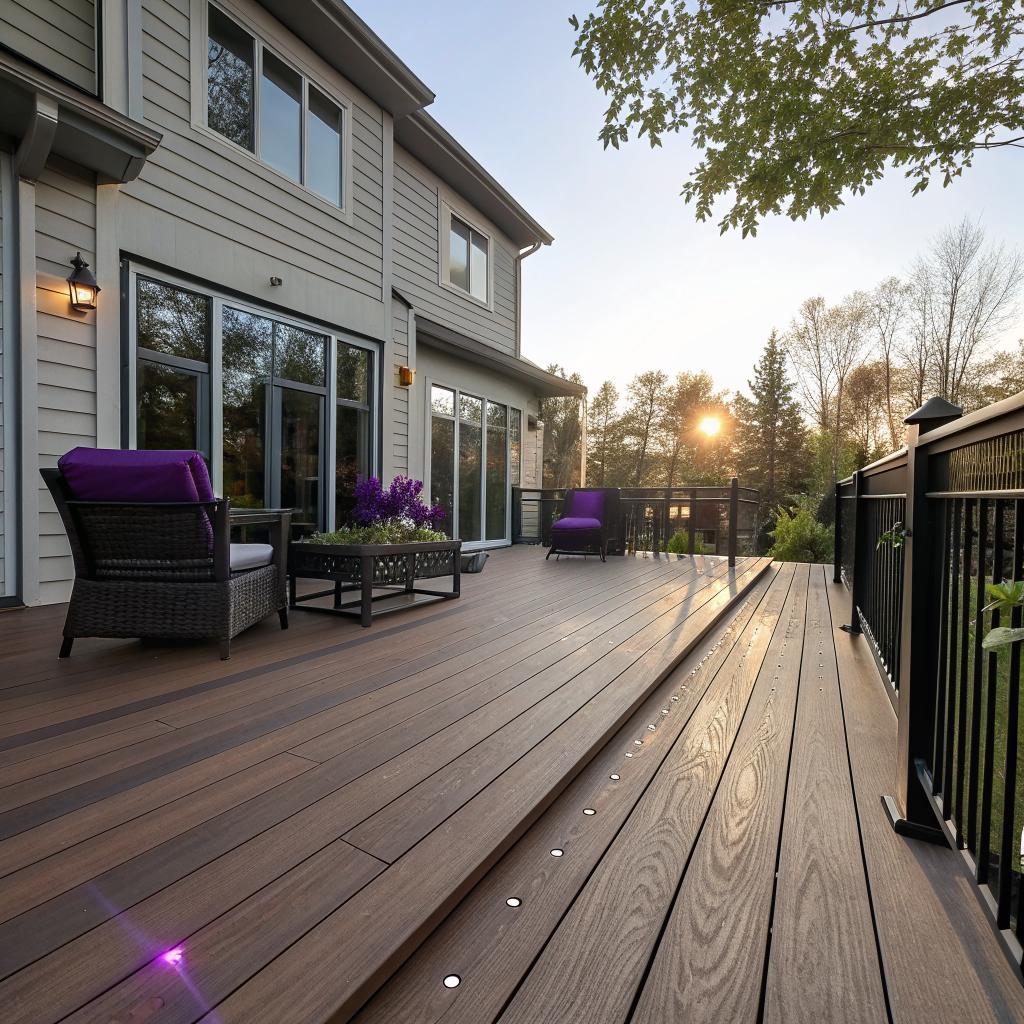
I used to think a deck was just some boards, a grill, and a wobbly chair. Then I started noticing how much tech had crept into almost every outdoor space I visited, and it changed how I looked at my own backyard.
If you want the short version: tech is turning decks from simple wooden platforms into connected, responsive living spaces, and companies like Quigley Decks are building that tech directly into the design instead of bolting it on later. From smart lighting and heated surfaces to hidden wiring, weather tracking, and safety sensors, your deck can now behave more like an extension of your home network than a separate, old-school patio.
That sounds a bit grand for some planks and screws, I know. So let me break it down, step by step, from the planning phase to daily use, and show how all this fits together for someone who actually cares about gadgets, data, and systems, not just outdoor furniture.
How tech is baked into deck design from day one
Most people still think about tech as something you add at the end: buy smart lights, a speaker, maybe a camera, then figure out where to plug them in. That is one way. It also leads to messy cables, short extension cords, and Wi-Fi dead zones that drive you a bit crazy.
The more modern approach is the opposite: start by treating the deck like another connected room.
A builder that understands tech does not only ask how big you want the deck. They ask:
- What devices will you use outside?
- Do you want screens or projectors out there?
- How much power do you really need, and where?
- How strong is your existing network near the house wall?
- Do you want wired connections for anything, or is everything wireless?
That changes the whole plan.
For example, a project might include:
- Conduit under the deck for future wiring
- Hidden junction boxes for lighting or speakers
- Structured support for mounted TVs or projector screens
- Placement of posts and rails that will house cameras or lights
- Space for small equipment like Wi-Fi extenders or PoE switches
Good outdoor tech starts with invisible infrastructure: power, data, and safe mounting points placed where you will need them in five years, not just where you happen to need them today.
If you build a simple deck now and try to retrofit all this later, it is harder and usually more expensive. That is where builders who understand both construction and basic tech planning quietly save you time.
Planning with a tech checklist in mind
If you like lists, here is a simple mental checklist you can run through before any design meeting:
| Area | Tech question to ask |
|---|---|
| Power | How many outlets do I need, and on which sections of the deck? |
| Networking | Is Wi-Fi strong enough outside, or do I need a wired access point near the deck? |
| Lighting | Do I want smart control per zone, or all lights on one switch? |
| Audio / Video | Will I mount speakers or a screen, and how will they connect? |
| Heating | Do I want electric heaters or radiant heat in specific spots? |
| Security | Will I add cameras or motion sensors around the deck perimeter? |
| Future gear | Is there extra conduit or spare capacity for things I have not thought of yet? |
That might sound like a lot just for a place to sit and drink coffee. But once you live with it, it feels normal, and the deck becomes a part of your tech environment, not an exception.
Smart lighting that actually makes sense outside
Outdoor lighting is often where tech and construction meet in the most visible way. It is also where people overspend on features they never use.
Most tech-focused decks use some combination of:
- Post cap lights
- Stair lights
- Under-rail strip lights
- Accent lights for plants or walls
Then there is the control layer: switches, dimmers, and smart hubs.
The real value of smart deck lighting is not the color scenes or party modes. It is the simple stuff: automatic schedules, better safety at night, and separate zones that match how you actually move around the space.
Here is what that looks like in practice:
Zone-based lighting
Instead of one giant circuit that turns everything on or off, you split lights by use case:
- Low-level stair and perimeter lights on all night at low brightness
- Main deck lights that dim for quiet evenings or brighten for cooking
- Accent lights to highlight trees, water features, or the side of the house
With smart switches or a hub, you can schedule each zone or link it to motion or sunset time. Some people script this with Home Assistant or similar tools. Others just use the vendor app and keep it simple.
Color vs white light
RGB lighting sounds nice at first, but many people end up using plain warm white most of the time. A good compromise is:
- Warm white for main deck and stairs
- RGB or tunable white for accent zones where you actually want color sometimes
If you are into automation, you can connect the deck lights to your indoor scenes as well, so “movie night” dims the interior and outside areas together. It feels small, but it ties spaces together in a good way.
Hidden power and charging that does not ruin the view
One of the most annoying parts of using tech outside is power. You know the situation: laptop battery at 8 percent, and the only outlet is at the far end of the house.
Builders who think ahead hide power in places that feel natural:
- Under railings, facing inward so outlets are discreet
- Inside storage benches or cabinets for chargers
- On structural posts, but painted or capped to blend in
Some projects also add:
- Weather rated USB or USB-C outlets in protected spots
- Dedicated circuits for heaters, outdoor kitchens, or hot tubs
- Separate circuits for AV gear to reduce interference and overloads
Tech-friendly decks treat power not as an afterthought, but as part of the layout, just like stairs or railings.
There is a tradeoff, though. Too many visible outlets can make the deck feel cluttered. A good approach is to identify the 3 or 4 places where you truly need easy access, then keep the rest hidden but reachable for devices that stay plugged in.
Wi-Fi, networking, and outdoor AV
If you care about latency, bandwidth, or just stable streams, this might be the part you enjoy the most.
A typical problem is that the main router sits inside, near the center of the house, behind a few walls. By the time the signal reaches the deck, it is weak and unreliable.
There are three simple patterns that work well for most homes:
| Approach | What it is | When it works well |
|---|---|---|
| Mesh Wi-Fi node by the deck door | Add a node near the exterior wall closest to the deck | Small to medium decks where signal only needs a boost |
| Outdoor-rated access point | Mount an AP under the eaves or on the wall near the deck | Larger yards or when you want coverage across lawn and patio too |
| Wired run to a deck cabinet | Ethernet out to a small weather-protected box, then AP inside | When you care about maximum stability, or you plan outdoor office work |
For audio and video:
- Weather resistant speakers can be wired back into your main system, or run from a small amp near the deck
- Outdoor TVs should be shielded from direct rain and direct sun, and ideally on a mount strong enough to handle wind
- Projectors on warm evenings tend to look best on neutral walls or dedicated screens, not sidings with lots of texture
If a builder is involved during the design phase, they can add support blocking inside walls for mounts, run conduit for HDMI or Ethernet, and make sure there is a safe place for any equipment boxes. Otherwise you end up with cables stapled along the siding, which looks cheap.
Smart railings, sensors, and safety tech
Railing seems like the last place you would expect tech, but it is actually an area where a small sensor or thoughtful design choice can make a big difference.
Some modern decks use:
- Motion triggered lights built into railing posts for late-night use
- Contact sensors on gates at the top of stairs for kids or pets
- Cameras integrated into posts looking out at the yard, not at the seating area
There are also more subtle choices, like using cable railings that keep sightlines open for camera coverage, or leaving clear corners for future devices.
From a tech angle, it is interesting how hardware and software blend here. A gate sensor might feed into a smart home system, which then:
- Sends an alert if a gate is opened after a certain hour
- Turns on deck lights automatically when a gate opens
- Triggers a short video clip from a nearby camera
None of that is very dramatic. It does, however, make the deck feel more like a safe space you can manage, not a dark area you worry about when you hear noises at night.
Materials and longevity: where tech quietly helps
Even if you do not care about RGB lights or smart heaters, the materials themselves now have a tech angle.
Composite boards, hidden fasteners, and advanced coatings might not feel like “gadgets”, but they are the result of years of iteration and testing. They change how decks age and how much repair they need.
Here is a simple comparison:
| Material | Pros | Tradeoffs |
|---|---|---|
| Traditional wood | Lower upfront cost, natural look, easy to work with | More frequent sealing and repair, can warp or crack, more affected by moisture |
| Composite boards | Low maintenance, more stable, often better for hidden fasteners | Higher upfront cost, can get warm in direct sun, some people prefer real wood look |
| Metal or cable railings | Clean lines, good for sightlines and cameras, durable | Higher material cost, needs careful installation to avoid rattles |
The tech angle comes in when builders use software for planning and structural analysis, and when manufacturers publish detailed specs on expansion, load, and weather performance.
This matters if you want to mount heavy items like heaters, thick TVs, or even motorized shades. The deck and railing system have to support that extra load. A basic design might not take this into account, but a more tech-aware builder will ask what you plan to hang or mount later.
Weather, data, and automation outside
Outdoor spaces are where tech directly meets weather. And weather always wins, unless you plan for it.
You can connect your deck to simple weather data in a few ways:
- Local sensors, like a small weather station on a nearby post
- Cloud data from services your smart hub already uses
That sounds like overkill, but even basic rules help:
- Turn off overhead heaters if wind speed goes above a safe threshold
- Retract awnings when strong wind or heavy rain is expected
- Turn lights on earlier on gloomy days when it gets dark faster
For people who like data, it is easy to log:
- Average time lights are on each evening
- Temperature patterns on the deck surface
- Power use from heaters or AV gear
Then you see real numbers instead of guesses. Maybe your patio heater is chewing far more power than you thought. Maybe that one corner of the deck is always colder and needs better wind protection.
It is not about obsessing over stats, but about avoiding silly surprises on your utility bill or hardware that fails early because it runs harder than it should.
Decks as outdoor workspaces
There is also a newer use case: the deck as a part-time office.
This is where tech really matters:
- Stable Wi-Fi with low latency for calls
- Shaded areas to reduce screen glare
- Convenient outlets at laptop height
- Quiet outdoor fans or heaters, but not so loud they ruin calls
You might not design a deck only for that. But if you are already investing in one, it makes sense to allow for a decent outdoor work spot.
That can be as simple as:
- One corner with a solid wall or privacy screen behind you for video calls
- A ceiling fan and light combo over a small outdoor table
- An outlet within arm’s reach, not across the floor
The result is that you can move outside for a few hours without juggling power banks and noise issues. For many people, that alone changes how much they use the deck.
How tech changes deck maintenance and repair
This part is less glamorous, but probably more valuable over ten or fifteen years.
Sensors, better materials, and simple apps can all reduce the amount of surprise repair work you face.
Here are a few realistic ways that happens:
- Moisture sensors in critical spots point out areas where water pools under the deck
- Load or movement sensors on certain posts can warn about gradual shifting
- Smart lighting systems report failed fixtures more clearly than just “some light is out somewhere”
You can also track maintenance tasks in an app, instead of hoping you remember when you last sealed the boards or checked fasteners.
For a tech-minded homeowner, this can feel normal: treat the deck almost like a server or device with a basic log.
A modern deck benefits from the same mindset you apply to your tech gear: regular small checks, clear logs, and attention to warning signs before something breaks badly.
And if you ignore everything else, even a few photos each year from the same angle help you see gradual sagging, fading, or shifting. That is still data, just very human.
Privacy, cameras, and being a decent neighbor
One awkward part of tech-heavy outdoor spaces is surveillance. Cameras are cheap, cloud storage is common, and people like to feel safe.
But decks are also social spaces. Nobody wants to feel watched while trying to relax, including your guests and neighbors.
A sensible middle ground:
- Point cameras outward toward your yard or access points, not at seating areas
- Use privacy zones in camera software to block out neighbors’ windows or yards
- Use motion zones so you do not record every moment people are quietly sitting
Some people skip cameras around the deck itself and instead monitor the perimeter of the property. Others focus on sensors, not video: gate sensors, motion detectors, light triggers.
If safety is your main concern, you might not need full video of the seating area. Strong lights, sensors, and good locks often handle most real problems without creating the “watched” feeling.
Energy use and sustainability outside
Outdoor tech can be a bit power hungry. Heaters, large TVs, pumps, you name it. On the other hand, there are simple choices that reduce waste:
- Use LEDs for all lighting, with proper dimming and schedules
- Add occupancy sensors in low traffic areas, like stair lights that idle low and brighten when needed
- Set hard limits on heater run time so they cannot be left on all night
You can also mix in some small solar elements, not just for grid reasons but for wiring simplicity:
- Solar post cap lights for decorative edges
- Solar-powered path lights on the approach to the deck
- Small solar chargers for low-power devices in storage areas
It will not power a full outdoor office, but it reduces the number of hardwired runs you need for small accents. Less wiring, fewer failure points.
Where construction skill and tech knowledge meet
One thing that often gets overlooked is that cool hardware does not fix bad structure. If the deck framing is wrong, no amount of gadgets will make it safe or pleasant.
That is where a builder who is comfortable with both code requirements and tech planning makes a difference.
They need to:
- Follow local codes and structural standards, especially for railings and stairs
- Understand load impacts from mounted gear like TVs, heaters, or heavy lighting
- Coordinate with electricians where needed instead of guessing on power
- Allow for ventilation and drainage so enclosed tech spaces do not overheat or trap moisture
If you are a technical person yourself, it can be tempting to control all the details. But structural work has its own set of deep knowledge. The sweet spot is where you bring clear requirements, and the builder translates that into physical support, wiring paths, and safe load distribution.
Sometimes that means hearing “no” on a specific idea because it is not safe, or it will fail fast outside. That sort of pushback is annoying in the moment, but it usually means the builder is thinking beyond short-term looks.
Common mistakes with tech-heavy decks
To be fair, some tech-forward decks end up messy. Here are patterns that go wrong more often than they should:
- Buying too many smart devices from unrelated brands without a clear hub strategy
- Installing outdoor TVs or speakers before planning where water drains during storms
- Running low-voltage wires loosely under boards instead of in proper conduit
- Choosing cheap, unsealed fixtures that fail after one winter
- Ignoring future access panels, so repairing anything means ripping boards up
A cautious approach is better: start with solid structure and a few key features, then leave room for gradual additions.
For example, run conduit and power to a future “tech corner”, but only install basic lighting and heating at first. Then add gear over a few seasons as your habits become clear. You might discover you never use speakers in the far corner, but you always sit at the shady edge near the house.
So what does a tech-ready deck actually feel like day to day?
If all this still feels abstract, imagine a normal day.
You wake up, coffee in hand, and step outside. The stair and rail lights are still on low from the night schedule and fade out as the sun comes up. Wi-Fi is strong enough that your phone does not switch back and forth between cellular and your network.
Later, during work hours, you take a call outside at a small table in the shade. There is an outlet right there, so no scrambling for cords. A quiet ceiling fan keeps air moving without showing up on your mic.
In the evening, you cook. The main deck lights come up to a bright, clear white, while the rest of the rail and yard lights stay softer. A small speaker system is already linked to your usual playlist, and you do not have to drag some portable device out each time.
After dark, the accent lights along the yard and under the steps stay on, both for looks and safety. A gate sensor and motion light give you a little extra peace of mind, but nobody feels like they are in a spotlight.
Maintenance is not dramatic. Once or twice a year, you check a few logged tasks: clean debris from under the boards, look for loose fasteners, check seals where posts meet the deck. Lighting or sensor issues show up in an app instead of surprising you when someone trips on a dark step.
None of this is science fiction. It is just the result of mixing plain construction logic with the same tech habits you already use inside your home.
Questions people who like tech usually ask about decks
Can I integrate a tech-ready deck with my existing smart home system?
In most cases, yes. If you already run a system like Home Assistant, Apple Home, Google Home, or similar, you just need to choose outdoor lights, switches, and sensors that speak the same “language”. The main thing is to plan the electrical layout so that zones make sense for automation, instead of wiring everything to a single, dumb switch.
Is all this outdoor tech worth the cost, or is it just nice to have?
Some of it is optional and more about comfort, like speakers or RGB accent lights. Other parts carry real value over time: better materials, proper wiring for future gear, safer stair and perimeter lighting, planned access points for maintenance. Those give more return, especially over ten years, than one big gadget purchase.
What should I prioritize if my budget is limited?
If you need to pick, I would put money into:
- Strong structure and quality surface materials
- Good lighting design with at least a few smart or separately controlled zones
- Enough power and conduit for future upgrades, even if you do not install everything now
You can always add speakers, sensors, and fancy controls later. Fixing bad framing or poor wiring is much harder.
Do I need a “tech-savvy” builder, or can any builder handle this?
Any licensed, experienced deck builder can handle structure and basic wiring coordination. The difference with a tech-aware team is that they ask different questions early, and suggest layout tweaks that make your devices easier to add and maintain. If a builder seems annoyed when you mention Wi-Fi, sensors, or power planning, that is a sign they might not be the right fit for a heavily connected outdoor space.
Is a tech-heavy deck harder to maintain?
There is more gear, so there are more parts to monitor. On the other hand, a lot of smart hardware self-reports issues, and better materials and design often reduce the basic repair workload. If you treat devices like you treat your indoor tech, with simple checks and updates, it usually balances out.
What would you actually want your deck to do for you, day to day, if you treated it like part of your home network instead of just a wooden platform behind the house?