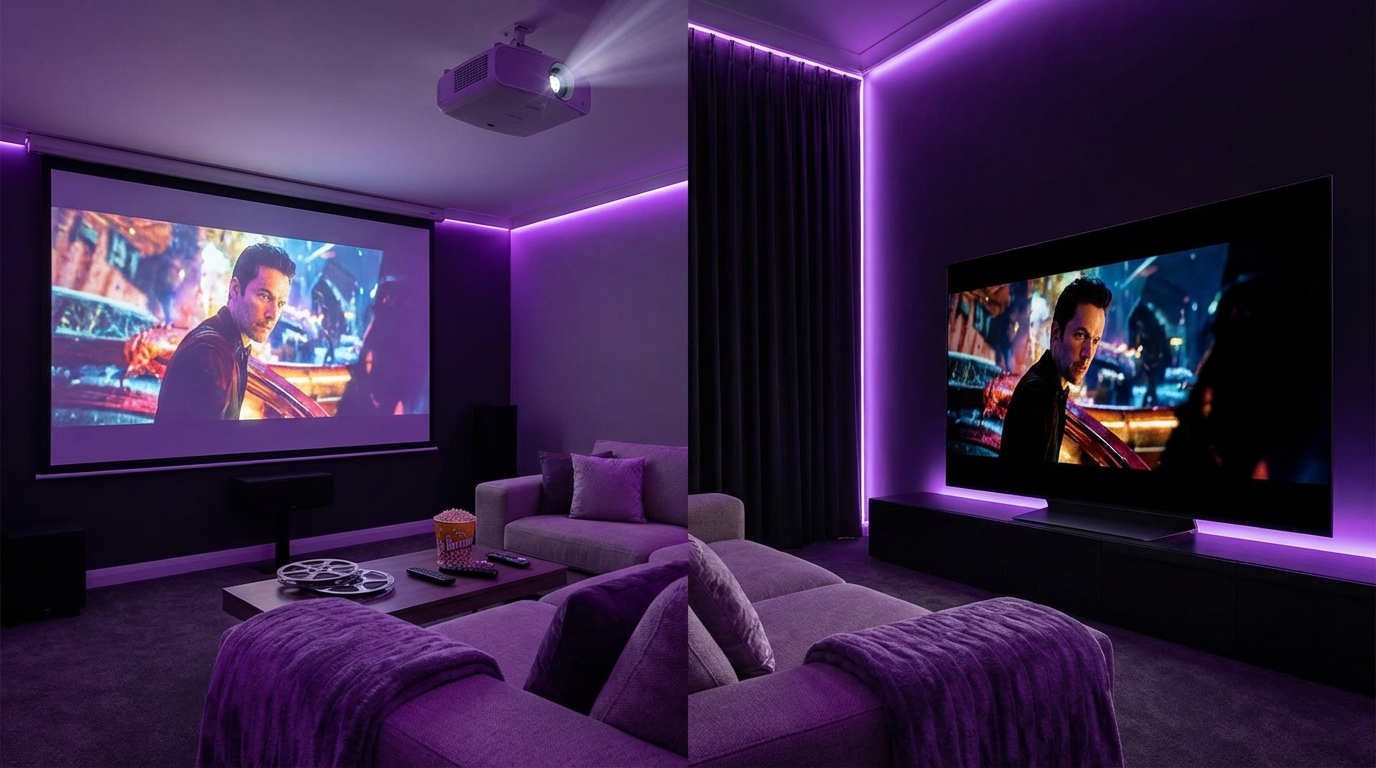
I used to think a “home theater” just meant a big TV and a comfy couch. Then I tried a projector for the first time and realized this is a completely different experience, but also a bigger headache than I expected.
If you want the short version: choose an OLED TV if you care about picture quality, simplicity, and watch a mix of content in a normal living room; choose a projector if you want a huge cinematic screen, a darker room, and you are ready to deal with setup quirks, extra gear, and higher long term costs.
Projector vs. OLED TV: The Core Tradeoff
Here is the real tradeoff in one sentence: projectors give you size, OLED TVs give you quality.
- If you want a massive 120-150 inch screen for movies and sports, a projector is the practical choice.
- If you want the best picture per square inch, with deep blacks and bright highlights, an OLED TV wins almost every time.
There is nuance inside that, but most people end up somewhere along this tension: screen size versus image quality versus cost versus hassle.
Projectors are about building “an experience.” OLED TVs are about enjoying perfect picture quality any time of day with less work.
Let us break this down in a way that matches real-life use, not just spec sheets.
Image Quality: Brightness, Black Levels, and HDR
When people talk about home theater, they often get trapped in resolution talk: 4K, 8K, etc. The truth is, for both projectors and OLED TVs, 4K is already good enough for almost every normal viewing distance. What actually changes how your eyes feel is brightness, contrast, and HDR performance.
Brightness: Why Your Room Matters More Than You Think
A projector throws light onto a screen, which reflects that light back to you. An OLED TV emits light directly from each pixel.
So:
- Projectors fight against any ambient light in the room.
- OLED TVs cut through ambient light far better.
Typical brightness ranges:
| Display Type | Typical Brightness (Real World) | Room Conditions |
|---|---|---|
| Entry-level home theater projector | 800-1,500 ANSI lumens | Best in dark rooms |
| Mid/high-end home theater projector | 1,500-2,500 ANSI lumens | Handles dim rooms, still struggles with daylight |
| Ultra short throw (UST) projector | 2,000-3,000+ ANSI lumens | Better in light-controlled living rooms, still not like a TV |
| OLED TV (modern models) | 600-1,500 nits peak brightness | Very usable in normal living rooms, even with lamps on |
Projector brightness is in lumens, TV brightness in nits, so it is not a 1:1 comparison. But functionally:
If you cannot dim your room significantly, a projector will never look as punchy or consistent as an OLED TV.
So, if your “home theater” is really just your main living room with windows, a family, and lights turning on and off constantly, an OLED TV is usually the sane choice.
Black Levels and Contrast: Why OLED Looks “Expensive”
This is where OLED usually crushes projectors.
- OLED: Each pixel can turn off completely. That gives true black. No glow, no gray wash in letterbox bars.
- Projectors: They always throw some light. Your “black” is actually “dark gray,” and it gets worse if your room has light-colored walls or ceiling that bounce light back to the screen.
High-end projectors can get closer, but they rely on tricks like dynamic irises and clever processing. It still usually does not match the pure, inky black you get on a good OLED.
If you watch a lot of dark content (sci-fi, thrillers, horror, nighttime scenes), this matters more than most people think. That “cinematic” mood is almost entirely about black levels and contrast, not resolution.
If you often watch movies with the lights off and you love deep blacks and shadow detail, OLED gives you that without needing a dedicated bat cave room.
HDR: Where OLED Really Pulls Ahead
HDR (high dynamic range) is where the projector vs. OLED gap feels the largest in practice.
- OLED TVs can hit much higher peak brightness in small highlights: specular reflections, sun glints, explosions, bright lamps, etc.
- Projectors spread their light across a huge surface, which lowers how bright any single point can get. Most home theater projectors struggle with true HDR punch.
What this means when you hit play:
- On OLED: HDR has bright, crisp highlights with strong contrast.
- On projector: HDR often looks closer to SDR with some tweaks unless you have a very high-end unit and a very dark room.
If HDR movies and high quality streaming are a big reason you care about “home theater,” then OLED gives you the cleaner, more reliable result.
Screen Size and Immersion: Where Projectors Win
Here is where projectors come roaring back.
If you want a true “cinema-size” screen, a projector still makes more sense in most homes.
Typical practical sizes:
- OLED TVs: Commonly 55-83 inches. You can get 97 or 100 inches now, but the price jump is huge.
- Projectors: 100-150 inches is normal, and 120 inches is kind of the sweet spot for many rooms.
If you want a screen larger than 85 inches and you are not prepared to pay a small fortune, a projector is the realistic path.
Size does something subtle to your brain. At 120 inches, your field of view fills more of your vision. That does not just feel “bigger;” it feels different. Your eyes track more, your head may even move slightly with the action.
So, you get a tradeoff:
| Feature | OLED TV | Projector |
|---|---|---|
| Typical size range | 55-83 inches (100+ is possible but expensive) | 100-150 inches common, larger possible |
| Immersion | Strong at closer seating distances | Very strong, cinema-like |
| Room impact | Looks like a big TV on a wall | Feels like a dedicated theater experience |
I should say: you can get some of that immersion with a big OLED and closer seating. If you sit 7-8 feet from a 77 inch screen, that is pretty immersive. But a 120 inch projector setup still has a different presence that many people fall in love with.
Room Setup and Practical Constraints
People often underestimate how much the room controls this decision. The product you want and the room you have are sometimes not compatible, at least not without modification.
Light Control and Wall Colors
Projectors are very sensitive to:
- Ambient light from windows
- Ceiling lights, lamps, hallways
- Wall color and reflectivity
Ideal projector room:
- Can be darkened with blackout curtains or shades
- Has darker walls and ceiling (to reduce light bounce)
- Uses controlled, indirect lighting for any viewing with lights on
An OLED TV, by contrast, just works. You can:
- Watch during the day with curtains half open
- Keep some lights on at night without destroying contrast
- Ignore your wall color almost completely
If you are not willing to treat your room at least a little, the projector will always be compromised.
So if you rent and cannot paint, or you share a living room with others who will not sit in the dark, that is a real factor.
Throw Distance, Mounting, and Cabling
Regular projectors are mounted on a ceiling or shelf behind you. That introduces more work:
- You need enough distance between projector and screen for your desired size (throw distance).
- You must run power and HDMI (or network) cables to the projector cleanly.
- You need to align and focus the image, and often you must leave it alone after.
Ultra short throw (UST) projectors sit very close to the wall, like a low cabinet under the screen. They fix some of the throw and cabling headaches, but they can be picky about screen flatness and furniture height.
OLED TV setup is usually much simpler:
- Mount TV or place on stand.
- Connect HDMI cables from devices or receiver.
- Plug in power.
That might sound trivial, but when you add spouse/partner approval, kids, or limited DIY tolerance, the difference becomes real.
Projectors push you toward “this is a dedicated activity with some setup work.” OLED TVs support “I want to watch something now, without fiddling.”
Screen Choices for Projectors
Projectors need a screen. You have a few options:
- Painted wall: Cheapest, but you need a smooth, flat wall and good paint. Usually the weakest quality.
- Fixed frame screen: Best for image quality. Stays tensioned and flat. Needs wall space.
- Motorized drop-down screen: Good for shared spaces. Retracts when not in use.
- Ambient light rejecting (ALR) screen: Helps a lot with non-dark rooms, but adds cost.
So the “price of a projector” is rarely just the price of the projector. You often add hundreds of dollars for a screen, maybe more for installation, and sometimes more for room changes.
OLED TVs do not have that complexity. What you see is what you get.
Cost: Upfront, Hidden, and Long Term
Cost analysis can get tricky because people compare a $1,500 projector with a $1,500 TV and say “similar price.” The better comparison is: what is the cost for the whole system at the screen size you want?
Upfront Cost Comparison by Screen Size
Let us look at rough ranges. These are ballpark ranges, not precise quotes.
| Setup | Approx Size | Upfront Hardware Cost | Notes |
|---|---|---|---|
| 65 inch OLED TV | 65″ | $1,200-$2,000 | Single device, very straightforward |
| 77 inch OLED TV | 77″ | $2,000-$3,000+ | Good balance between size and quality |
| 83 inch OLED TV | 83″ | $3,000-$5,000+ | Starts to get expensive quickly |
| Projector + screen (mid-range) | 100-120″ | $1,500-$3,000 | Decent 4K projector + fixed frame screen |
| UST projector + ALR screen | 100-120″ | $2,500-$5,000+ | Better for living rooms, higher cost |
If your target size is 77 inches or smaller, a good OLED often makes more sense financially and practically.
If your target size is 100 inches or more, a projector makes more sense financially, but you must account for extras.
Hidden and Ongoing Costs
Projectors have more ongoing costs:
- Lamp replacements: Older lamp-based projectors need new lamps every 3,000-5,000 hours or so. That can cost $150-$400 each time.
- Laser projectors: Longer life (often quoted 20,000 hours), but the initial price is higher.
- Filters and cleaning: Some projectors need filter cleaning or replacement.
- Screen upgrades: People sometimes start with a cheap screen and end up upgrading.
OLED TVs:
- No lamps or filters.
- Power consumption can be higher on large bright screens, but in normal home use this is modest.
- Potential risk of image retention or burn-in over many years, but modern OLEDs handle this better with pixel shifting and other protections.
The long term cost of a projector setup is usually higher than the sticker price suggests, especially if you care about consistent brightness and image quality.
If you watch a lot of content (several hours per day), laser projectors help, but that pushes you into a higher price tier that starts to overlap large high-end TVs.
Use Cases: Movies, Sports, Gaming, and Daily Watching
It helps to think in terms of how you actually use your screen, not just what looks good in a showroom.
Movie Nights
For movie-centric setups:
- If you are willing to dim the room, sit down, and “make an event” out of it, a projector at 100-120 inches feels great.
- If you want a more flexible movie experience (sometimes lights on, sometimes off) with the absolute best picture for HDR films, OLED wins.
Consider:
- How often do you really watch movies in a dedicated way?
- Will other people tolerate a darker room for 2+ hours regularly?
I find many people like the idea of “movie nights” more than the reality. They imagine weekly events, but in practice they watch series and YouTube most of the time. If that is you, a big OLED probably fits your actual life better.
Sports and Live Events
Sports are a bit different:
- Big screen size helps a lot when you have a group of people watching. Here, projectors shine.
- But sports are often watched with lights on, food out, people moving around, and sometimes during the day.
So:
For sports, the ideal setup is either a bright UST projector with an ALR screen in a reasonably controlled room, or a large OLED that can handle mixed lighting.
If your room gets a lot of natural light and you watch day games, an OLED has a clear advantage. If your friends come over mostly at night for big games and you can dim the room, a projector can feel like a mini sports bar.
Gaming
Gaming brings in input lag, response time, and refresh rate.
Modern OLED TVs:
- Very low input lag in game mode (often under 10 ms).
- Fast pixel response for clear motion in fast games.
- HDMI 2.1, VRR, 120 Hz support on many models.
Projectors:
- Gaming projectors exist with low lag, but many home theater projectors have higher lag (20-50 ms or more).
- Large screen gaming can be immersive, but motion clarity is often weaker than an OLED.
- Fewer projectors support HDMI 2.1 and 120 Hz at full 4K resolution.
If gaming is a big part of your life and you play competitive or fast action titles, an OLED TV is usually a better choice. You can pair it with a sound system and still have a very “theater” feel for games.
Daily TV, Streaming, and Casual Viewing
This is the area where OLED is the clear winner for most people.
Practical issues with projectors for daily viewing:
- Firing up a projector, lowering a screen, and dimming lights is more effort for “casual” content.
- Lamp or laser hours are being used on low-value content.
- Ambient light makes casual viewing with a projector feel washed out.
An OLED TV is made for daily use. Turn it on, watch, turn it off. It does not feel like a production each time.
If your main screen will be used for hours every day for random content, streaming, and background noise, a projector as the only display can become tiring.
Audio: Sound Systems and Noise
People sometimes forget that audio is half (or more) of the home theater experience.
Built-In Sound vs. External Systems
OLED TVs have built-in speakers that are “fine,” but often thin. Some higher-end models have better sound, but most people who care about a theater experience add:
- A soundbar, or
- An AV receiver with separate speakers.
Projectors usually have weak built-in speakers, often an afterthought. You are almost forced to use external audio, which is good for quality but means more setup.
So, in practice, both good projector and good OLED setups end up using external audio, but:
- With a TV, adding a soundbar is trivial.
- With a projector, you have more cable routing and device placement to think about.
Plan your audio at the same time as your display choice, not after. The cost and complexity stack up quickly.
Projector Fan Noise
Projectors have fans. Fans make noise.
In a quiet room, fan noise can be noticeable, especially during quiet movie scenes. Some higher quality projectors are quieter, but there is always some sound.
OLED TVs are silent. No moving parts you can hear.
If you are sensitive to background noise, that matters more than you might think. For some people, the constant soft fan hiss is no issue. For others, it breaks immersion.
Aesthetics and Everyday Living
A home theater lives in your actual life, not in a demo room.
How the System Looks When It Is Off
People differ a lot here.
Projector setups can look clean:
- A ceiling-mounted projector, a fixed screen that looks like a big piece of wall art, and speakers integrated nicely.
Or they can look messy:
- Temporary tripod screens, cables around the room, a projector on a coffee table.
Motorized screens can hide when not in use, which helps in shared spaces.
OLED TVs are simple but visible. A large black rectangle on the wall or on a stand. Some people like this; others feel it dominates the room.
If you want your room to look like a normal living space most of the time, a motorized projector screen or a more modest sized OLED can keep things balanced.
Family and Guest Usability
There is another practical angle: can everyone in the house operate this thing?
Projectors often mean:
- More remotes (AV receiver, projector, streaming box).
- A specific sequence: power on AVR, then projector, then source.
- Input switching that is not always obvious.
OLED TV setups can be made very simple:
- One remote, built-in apps, HDMI-CEC to control multiple devices together.
- Guests can pick up the remote and figure out Netflix or YouTube quickly.
If you share the space with family members who want to watch their own content easily, that matters.
Technical Considerations: Resolution, Color, and Future-Proofing
If you like specs, here is where things shake out logically.
Resolution and Pixel Structure
Most current OLED TVs:
- 4K resolution.
- Very tight pixel structure, with almost no visible pixelation at normal viewing distances.
Projectors:
- True 4K projectors exist, but many “4K” models use pixel shifting from a lower base resolution.
- At typical seating distances (10-12 feet for 100-120 inches), good pixel shifting looks fine for almost everyone.
If you sit too close to a very large projector screen, you can see the pixel structure and some artifacts, depending on the projector type and screen.
In practice, most people are not resolution-limited today. Other aspects of image quality matter more.
Color Accuracy and Calibration
High-end OLED TVs ship with pretty strong factory calibration, often close enough that most users never touch advanced settings.
Projectors vary more:
- Some need more adjustment to get accurate color and tone mapping.
- Room and screen gain affect perceived color and brightness.
If you are the kind of person who tweaks settings for days, both can be dialed in. If you want something that looks very good out of the box with minimal effort, OLED has the advantage.
Future-Proofing: HDMI, 8K, and Standards
HDMI 2.1 features like:
- 4K at 120 Hz
- Variable refresh rate (VRR)
- Auto low latency mode (ALLM)
are now common on mid to high-end OLED TVs. They help with gaming and higher frame rate content.
Many projectors still use HDMI 2.0 and are limited to 4K at 60 Hz. This is fine for movies and most TV, but less ideal for high-end PC or console gaming.
8K is more marketing than reality for home viewing right now. Content is rare, and at typical distances the gain over 4K is marginal.
If you care deeply about cutting-edge video features and gaming, OLED TV models usually get those features earlier than projectors.
When a Hybrid Setup Makes Sense
This is not always an “either/or” decision. Many enthusiasts end up with a hybrid:
- A high quality OLED TV for daily watching, gaming, and casual content.
- A projector and screen for special movie nights or big events.
This covers:
- Convenience and picture quality day to day.
- Immersive size when you actually want to set the mood.
The obvious catch: cost and space. You are effectively paying for two systems. For some people, that is overkill. For others, it is the best balance.
If your budget allows, a 65-77 inch OLED for daily life plus a mid-range projector for special nights gives you the upsides of both approaches with fewer compromises.
How To Decide: A Simple Checklist
Instead of chasing specs, run through some very blunt questions.
1. What is your realistic max budget for the whole setup?
Include:
- Display (projector or TV)
- Screen if projector
- Audio (soundbar or AVR + speakers)
- Mounts, cables, and any room changes
If your budget is tight and you want something that just works out of the box, a mid-range OLED TV with a decent soundbar is often the smarter call.
2. How much control do you have over room light?
- If you cannot darken the room well, lean OLED.
- If you can regularly make it quite dark, projector becomes more attractive.
3. What screen size do you actually need?
Be honest:
- If 65-77 inches feels enough, OLED is very strong.
- If you want 100-120 inches and you care more about size than perfect HDR, projector makes sense.
4. Who else will use this system?
- Family with kids or guests who want simplicity: OLED wins.
- Dedicated enthusiast household where everyone buys into the “theater process”: projector is more viable.
5. How often will this be used, and for what?
If your use is:
- Mostly streaming, random shows, and gaming: OLED.
- Mostly planned movie nights and big sports with friends: projector can be worth the effort.
Common Mistakes To Avoid
People get into trouble with home theaters in predictable ways.
Overvaluing Size and Ignoring Room Conditions
Chasing a 120 inch screen in a bright room, then being disappointed by washed out images, is very common.
A slightly smaller, brighter, high contrast OLED will often feel better than a huge but dim and gray projector image in the wrong room.
Do not let “bigger is always better” push you into a setup your room cannot support.
Underestimating Total Cost for Projectors
Buying a projector and then realizing you need:
- A better screen
- Mounts
- Cables
- Light control
often leads to budget creep. Many people end up spending more than they expected or compromising on quality.
If you go projector, budget for the whole chain from the start, not just the projector.
Assuming OLED Burn-In Is Guaranteed
Some people avoid OLED out of fear of burn-in, especially for gaming or news channels. Modern OLED panels have improved, and protection features help a lot.
Can burn-in still occur? Yes, with very heavy static content over long periods. For average mixed use, it is far less of a concern than it used to be.
If your use case is 10 hours a day of static UI or ticker bars, then yes, maybe be careful. But for regular home theater and gaming, OLED is usually fine.
Putting It All Together: Which Should You Choose?
If I step back and try to generalize, with some uncomfortable honesty:
- You should choose an OLED TV if:
- Your room has windows and mixed lighting.
- You watch a lot of TV, streaming, and play games.
- You want simple setup and minimal fiddling.
- You care about the best HDR and black levels you can reasonably get.
- You should choose a projector if:
- You are building a dedicated or semi-dedicated dark room.
- You want a 100-150 inch screen and are willing to sacrifice some HDR punch.
- You are comfortable with extra setup, calibration, and ongoing maintenance.
- You see movie nights and sports events as intentional experiences, not background activities.
If you forced me to be a bit blunt: most people who think they want a projector would probably be happier with a big OLED and a good sound setup. But for the group that really loves the ritual and the scale, a projector still has a kind of magic that a TV, even a perfect one, does not fully replace.