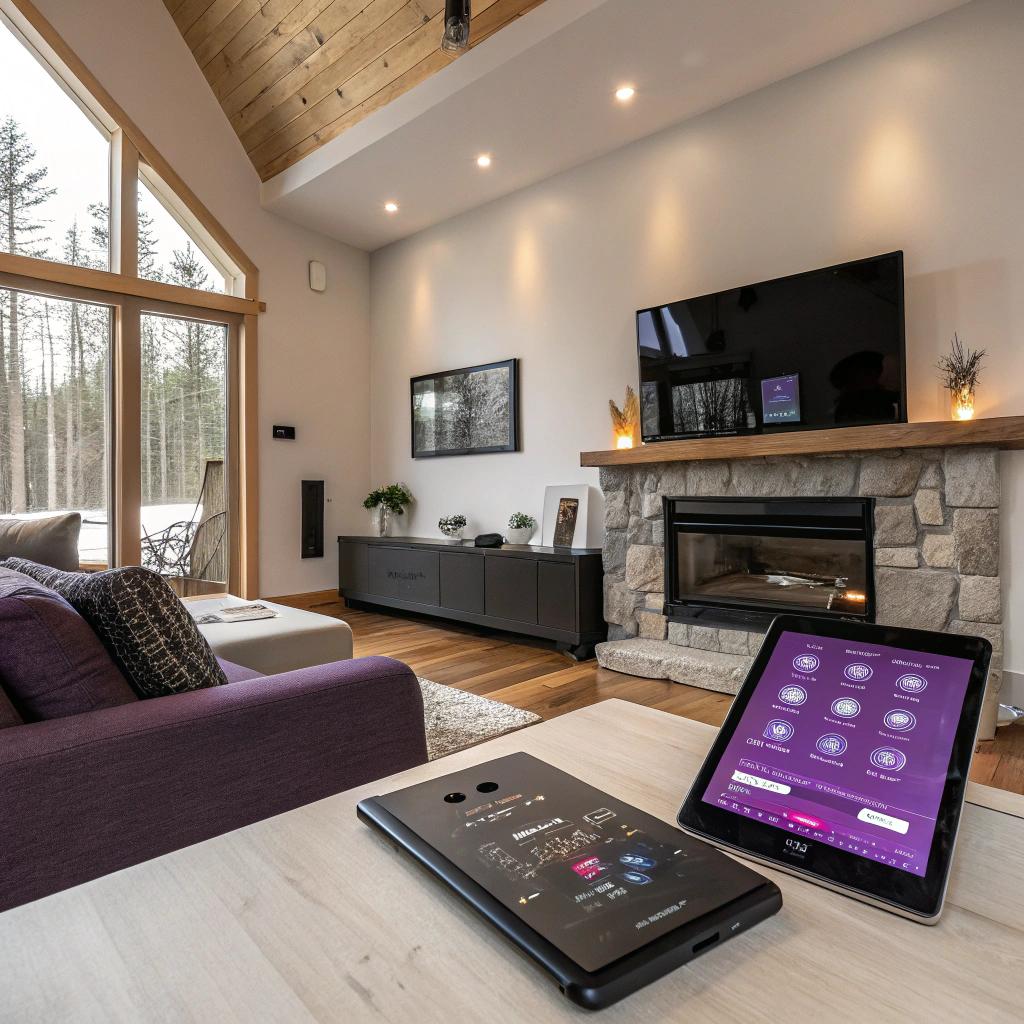
I used to think smart homes were mostly for condos in big cities, full of gadgets nobody actually used after a month. Then I visited a friend in Prince Edward County who had quiet automations running in the background, and I realized how much tech can help a country house feel both relaxed and very smart at the same time.
If you want a quick answer: the best way to do a smart home renovation in Prince Edward County is to plan your wiring and networking before anything else, choose a main ecosystem (usually Apple Home, Google Home, or Alexa), then layer in practical devices room by room, not all at once. For the construction side, you still need solid carpentry and layout planning, and if you want that handled locally you might look at a pro who actually knows rural homes and tech-friendly layouts, like a team that focuses on renovation Prince Edward County. Tech is just the thin layer on top; the structure and planning matter more than any smart bulb.
Why smart homes in Prince Edward County feel a bit different
A smart condo in Toronto and a smart farmhouse near Picton are not the same project.
You probably deal with:
– Patchy internet
– Harsh winters
– Summer humidity
– Older wiring in some homes
– Bigger lots and sometimes outbuildings
So if you copy what you see in sleek city setups, you might end up with a system that fails the first time the power flickers or the Wi-Fi drops.
Smart tech in the County should feel like a quiet assistant, not an extra thing that can break every time there is a storm.
The main idea is this: use tech to solve clear problems in your daily life, not to chase every new gadget you see on YouTube.
Ask simple questions first:
– Where do you actually spend time: kitchen, living room, deck, workshop, basement?
– What annoys you most: cold floors, dark driveways, weak Wi-Fi, managing rentals, security worries?
– How often do you host guests or rent out on Airbnb or VRBO?
If you start from those questions, the tech choices fall into place much faster.
Step 1: Get your smart home foundation right
Fancy devices are nice, but none of them matter if your network is weak and your power setup is unreliable.
Internet and Wi-Fi for rural and semi-rural areas
In Prince Edward County, your internet might be:
– Fiber (if you are lucky)
– Cable
– Fixed wireless
– Starlink or similar satellite
For a smart home, do not rely on a single old router in the corner of the living room. You want strong Wi-Fi in:
– Kitchen and living areas
– Bedrooms
– Basement or lower level
– Outside on decks or porches
– Near doors and driveways for cameras
A simple rule:
If you cannot stream a stable HD video in a spot, your smart camera or door lock might struggle there too.
You can solve this with:
- A mesh Wi-Fi system with 2 to 3 units for a medium home
- One extra unit for detached garages, offices, or studios if needed
- Ethernet runs during renovation for TVs, office spaces, and media rooms
During any wall opening, ask for Ethernet runs to:
– TV walls
– Home office
– Main media area
– Near a central ceiling spot for wireless access points
It might feel like extra work, but wired backhaul is the boring, reliable backbone of a smart home.
Power, backup, and panels
County homes can see brief outages from storms.
Smart devices handle this better if:
– You have whole-home surge protection in the panel
– Your networking gear (modem, router, hub) sits on a small UPS battery
– Critical devices like a smart lock or security hub have battery backup
If you are renovating, you might also:
– Upgrade the panel if it is near capacity
– Add dedicated circuits for server racks, home offices, and heavy AV setups
– Pre-wire for EV chargers, even if you do not own an EV yet
Choosing your smart home ecosystem
You do not need to pick a “team” forever, but it helps to choose one main ecosystem to keep things simple.
Apple Home, Google Home, Alexa, and Matter
Here is a simple comparison you can skim.
| Platform | Best if you… | Weak spots |
|---|---|---|
| Apple Home | Use iPhone, iPad, Mac, and want a privacy-focused setup with a clean app | Fewer budget devices, some brands cost more |
| Google Home | Use Android, like Google services, want strong voice control and displays | App redesigns can be confusing, some automations feel basic |
| Alexa | Want lots of compatible devices and like smart speakers everywhere | Interface can feel cluttered, many skills you will never use |
| Matter | Want cross-platform support, mix of brands, more flexible future | Still maturing, not every feature works the same on all platforms |
For most people, a simple approach works:
Pick the platform that matches your phone and then buy devices that support Matter or at least that platform natively.
This way, you:
– Do not install 15 different apps
– Keep scenes and automations in one place
– Make it easier for guests to control your home
Room-by-room smart renovation ideas
You do not need to wire the entire home with automation at once. Think in zones, and maybe even in phases.
Kitchen: the real control center
The kitchen in a Prince Edward County home is often where everyone gathers. It is also where smart features can quietly shine.
During a kitchen renovation, think less about smart fridges and more about:
- Lighting zones
- Power placement
- Audio and displays
- Ventilation and air quality
Some practical ideas:
– Put dimmable smart lighting above the island, under cabinets, and in the main ceiling fixtures
– Use smart switches instead of only smart bulbs, so guests can still use the wall switches normally
– Add USB-C outlets where you actually charge phones or tablets
– Use a small smart display for recipes, timers, doorbell video, and intercom
– Add a sensor to measure humidity and VOCs if you cook a lot or have a gas stove
One thing people forget is sound. In a kitchen, in-ceiling speakers connected to a small amp can be more pleasant than a single smart speaker blaring from the counter. During renovation, wiring for this is trivial compared to cutting drywall later.
Living room and media spaces
Living areas in the County might have a mix of:
– Large windows
– Wood stoves or fireplaces
– TV or projector setups
– Open plans that merge into kitchen and dining areas
Smart upgrades that make sense here:
– Smart blinds or shades for big south-facing windows to control heat and glare
– A proper media cabinet with space for consoles, network gear, and power outlets
– Smart thermostats and sensors, especially if the stove or fireplace can create uneven heating
– Scene-based lighting: “movie”, “reading”, “evening”, “guests”
You can create a simple example:
– “Movie” scene:
– Lights down to 10 percent or off around the TV
– Lamps at 30 percent near seating
– Smart blinds closed
– TV or AV receiver turned on
This feels like a small luxury, but in day-to-day life, it just means no more walking around flipping 6 different switches.
Bedrooms and guest rooms
Prince Edward County has many homes that host guests or run short-term rentals. Bedrooms are where smart tech needs to stay simple and not strange.
Reliable upgrades:
– Smart thermostats or room thermostats to keep bedrooms at a consistent temperature
– Motion-activated low-level lighting for night trips to the bathroom
– Blackout smart blinds or at least preset light dimming for morning and evening
– A clearly labeled physical switch for the main light, even if it is smart behind the scenes
If you run short-term rentals, you can:
– Use smart locks with unique codes for each guest
– Automate check-in messages and door codes
– Tie cleaning and turnover triggers to lock usage or thermostat changes
Do not overdo the tech for guests. One simple remote for the TV, one app-free way to control lights, and printed instructions for Wi-Fi are more friendly than a complex smart home tour.
Bathrooms: smart where it matters
Bathrooms in older County homes can feel cold in winter and stuffy in summer. Smart features here can be very practical.
Ideas that work well:
– Smart or at least humidity-sensing exhaust fans that run long enough to clear moisture
– Floor heating with smart thermostats and schedules
– Motion-activated toe-kick lighting at night
– Smart water leak sensors near tubs, toilets, and under sinks
Some people like smart mirrors or smart showers. Those can be nice, but if your budget is limited, focus on leak detection and heating first. A single leak caught early is worth more than a talking shower panel.
Basements and lower levels
Basements in Prince Edward County can be:
– Finished family spaces
– Guest suites
– Home theaters
– Workshops
– Storage and mechanical rooms
They also often deal with:
– Moisture and humidity
– Less natural light
– Colder temperatures
Smart solutions here are more about protection and comfort:
- Leak sensors around sump pumps, water heaters, and laundry
- Smart dehumidifiers or humidity monitoring with automations
- Occupancy-based lighting so nobody leaves lights on for hours
- Temperature sensors to monitor how cold or hot it gets in different seasons
For media setups or home theaters:
– Run wired connections for sound systems
– Plan for a dedicated circuit for AV to reduce noise and flicker
– Hide cables inside the wall while it is open
This is where a renovation that understands both building and tech saves a lot of headaches. It is frustrating when a newly finished basement has visible cables and weak Wi-Fi.
Outdoor tech for County living
Outdoor space is a big part of life in Prince Edward County. Patios, decks, fire pits, hot tubs, and long driveways change how you think about smart home features.
Lighting and security outside
You might want:
– Motion-activated lighting near doors and driveways
– Pathway lights on timers or sunset-based schedules
– Subtle landscape lighting near decks and seating areas
– Cameras that cover entrances and key outside zones
Some practical tips:
– Choose cameras with local storage or at least clear data policies
– Aim lights so they do not blind neighbors or guests
– Use warm color temperatures so outdoor areas feel calm, not like a parking lot
– Make sure exterior outlets are GFCI and in the right spots for holiday lights or tools
If you have a long rural driveway, a smart gate sensor or notification when a car enters can be more useful than a dozen interior gadgets.
Outbuildings, workshops, and studios
A lot of County properties have:
– Detached garages
– Workshops
– Barns or sheds
– Small studios or offices
Extending smart tech there needs planning:
– Wi-Fi extension via directional antennas or buried Ethernet
– Smart locks for shared workshops or rental units
– Smart thermostats or plugs for space heaters, but used safely and within code
– Environmental sensors for temperature and humidity if you store tools, wine, or artwork
This is where many people get more “techy” and enjoy tinkering a bit. A smart workshop that powers lights and dust collection with one button can be oddly satisfying.
Energy, climate, and comfort
Winters in Prince Edward County are not mild, and summers can get humid. Smart systems can help manage comfort without constant fiddling.
Smart thermostats in mixed systems
Some County homes have:
– Furnaces with ductwork
– Mini-split heat pumps
– Radiant floors
– Wood or pellet stoves
– Sometimes all of the above
A single thermostat might not be enough. Consider:
– Zoning where possible, especially between floors
– Temperature sensors in problem areas
– Automations that lower the heat when doors or windows stay open too long
Not every HVAC system plays nicely with every smart thermostat, so this is an area where an HVAC pro and a tech-aware renovator should talk before you order gear online.
Monitoring energy use
If you are on time-of-use pricing or you have solar, you might want real data, not just a bill at the end of the month.
You can:
– Add a whole-home energy monitor in the panel
– Use smart plugs on heavy-draw devices like dehumidifiers or space heaters
– Set schedules so high-use appliances run at cheaper times when possible
These tools are not magic, but seeing that a single always-on device is using more power than you expected can change how you run your home.
Planning a tech-friendly renovation in Prince Edward County
If you are already opening walls, moving plumbing, or changing layouts, you have a perfect chance to plan ahead. Tossing in tech at the end is much harder.
Questions to ask during planning
When you sit down with a renovator or designer, bring tech into the conversation early.
Ask questions like:
- Where will the main network equipment live?
- Can we run Ethernet to the main media areas and home office?
- What walls or ceilings are best for in-ceiling speakers?
- Where should we add extra outlets for chargers and future gear?
- Can we plan for a future EV charger, hot tub, or backyard studio?
Some renovators shrug at tech and just say “Wi-Fi will cover it.” That is sometimes true in small homes, but rural layouts and thicker walls can surprise you.
You are better off with someone who is at least open about planning the basics:
Good renovation planning treats networking, power, and controls like part of the structure, not as an afterthought.
Balancing budget between structure and gadgets
If your budget is tight, skip fancy gadgets first and protect the bones of the home:
– Upgrade insulation where it is weak
– Fix moisture issues in the basement
– Improve window quality if they are leaky
– Modernize electrical where it is outdated
Then, with what remains, add:
– Smart switches instead of lots of isolated bulbs
– One solid router/mesh system, not cheap repeaters
– A few key sensors: water leaks, doors, and main temperature zones
You can alwaysadd more gadgets later. It is much harder to re-run wiring after the drywall is finished and painted.
Privacy, security, and what you trade for convenience
Smart homes generate data. Even in a quiet rural setting, you are sending something to a server somewhere.
You might care more or less about this, but it is still worth a brief reality check.
Local vs cloud control
Some devices work locally on your home network. Others need the cloud for:
– Remote access
– Voice control
– Updates
A balanced approach:
– For cameras, read reviews about how video is stored and who can access it
– Avoid obscure brands with unclear privacy policies, especially for indoor cameras
– When possible, choose devices that can work locally if the internet goes out, at least for basic controls
Many people overcomplicate this. If you are not comfortable with a device listening inside bedrooms or bathrooms, do not put a mic or camera there. That is enough of a start for most homes.
Security basics that matter more than gadgets
Real security still depends on simple things:
– Solid exterior doors and deadbolts
– Good exterior lighting
– Neighbors you actually know and trust
– Sensible habits with codes and keys
Smart locks, cameras, and sensors help, but they are not magic shields. They are tools. Use tech to support common sense, not replace it.
Handling guests, family, and visitors
If your County home hosts a mix of family, friends, and booked guests, smart systems can make your life easier, but only if they are easy to use.
Smart locks and access control
For rentals or frequent guests, smart locks can:
– Create time-limited codes
– Avoid key handoffs
– Log who arrived when
Just be clear with guests about:
– Entry methods
– Whether cameras cover entrances
– How to turn off alarms if you use them
For family or frequent visitors, shared access in apps can prevent the “I am locked out” calls at awkward times.
Making tech understandable for non-tech people
One mistake tech lovers make is building a home that only they know how to use.
To avoid this:
– Keep physical switches available for main lights
– Print a one-page guide: Wi-Fi info, how to use TV, how to control heat, and who to call
– Use simple scenes with clear names like “All Off”, “Relax”, “Night”
A home that works when you are not there is a better test of your setup than any benchmark or spec sheet.
Example smart home scenarios in Prince Edward County
To make this less abstract, here are a few quick scenario sketches that match common County lifestyles.
The work-from-home couple
– Fiber or high-speed internet at a central network panel
– Mesh Wi-Fi, wired desks in two separate offices
– Smart lighting and blinds in offices for video calls
– Zoned heating so offices stay warm without overheating unused rooms
– Quiet in-ceiling speakers in the open living area for background music after hours
The seasonal rental owner
– Smart lock with code-based guest access
– Exterior cameras covering entrances, but no indoor cameras
– Smart thermostat with modes for “occupied”, “vacant”, and “frost protection”
– Leak sensors in key places to avoid nasty surprises
– Automated welcome scene that sets lighting and temperature on guest arrival
The hobbyist with a workshop
– Extended Wi-Fi or wired network to the detached workshop
– Smart plugs or controlled outlets for certain tools and dust collection
– Good bright smart lighting that can dim when not needed
– Environmental sensors to watch humidity for wood storage
– A simple “shop open” scene that lights everything and “shop closed” that powers it down
Each of these setups grows over time. Most people do not build it all in one go, and that is fine.
Common mistakes and how to avoid them
Some planning errors show up again and again in smart renovations.
Buying gadgets before planning the layout
People often buy:
– 10 random smart bulbs
– 5 brands of smart plugs
– 3 speakers that do not match
Then they try to piece it together.
Better flow:
1. Decide on your main platform.
2. Sketch where you need light, heat, sound, and controls.
3. Pick devices that fit that plan and that platform.
Ignoring the boring parts
Most long-term problems trace back to:
– Weak Wi-Fi
– Not enough outlets
– Poor wire management
– No structured place for network gear
Put more thought into a clean, accessible network corner with:
– Router, modem, hubs
– A small UPS battery
– Labelled cables
It is not glamorous, but it keeps everything else stable.
Automation that tries to be too clever
Have you seen homes where lights turn off while people are still in the room? Or where the music scene triggers at the wrong time?
Start with simple, predictable automations:
– Lights on at sunset on main paths
– Night lights with motion sensors
– Away mode that adjusts temperature and lights
Once those work, you can experiment more, but you do not have to.
Simple Q&A to wrap things up
Q: If I have a limited budget, what should I do first?
A: Fix the basics: insulation, wiring, and a good router or mesh system. Add a smart thermostat, a few smart switches in key areas, and leak sensors. That core gives you comfort and protection without overcomplicating anything.
Q: Is a smart home worth it in a rural or semi-rural area like Prince Edward County?
A: Yes, but for slightly different reasons than in the city. It helps with energy management, security on bigger lots, remote monitoring if you are away, and making rental turnovers smoother. It is less about bragging rights and more about quiet convenience.
Q: How do I avoid my smart home feeling dated in a few years?
A: Invest in wiring, networking, and flexible platforms like Matter, not just flashy devices. Choose products from brands that support updates for a long time. Keep most automations simple and built on standards that multiple platforms support. The structure of your system should outlast any individual gadget.
Q: Do I need a pro, or can I DIY all of this?
A: Many smart devices are easy to install yourself. Where you should not cut corners is electrical work, panel changes, and big wiring runs. For those, a renovator who respects both carpentry and tech gives you a cleaner, safer result. The best mix is often pro help for the structure and wiring, and then DIY tuning for your scenes and automations later.
What kind of day-to-day problem do you actually want your smart home in Prince Edward County to solve first?