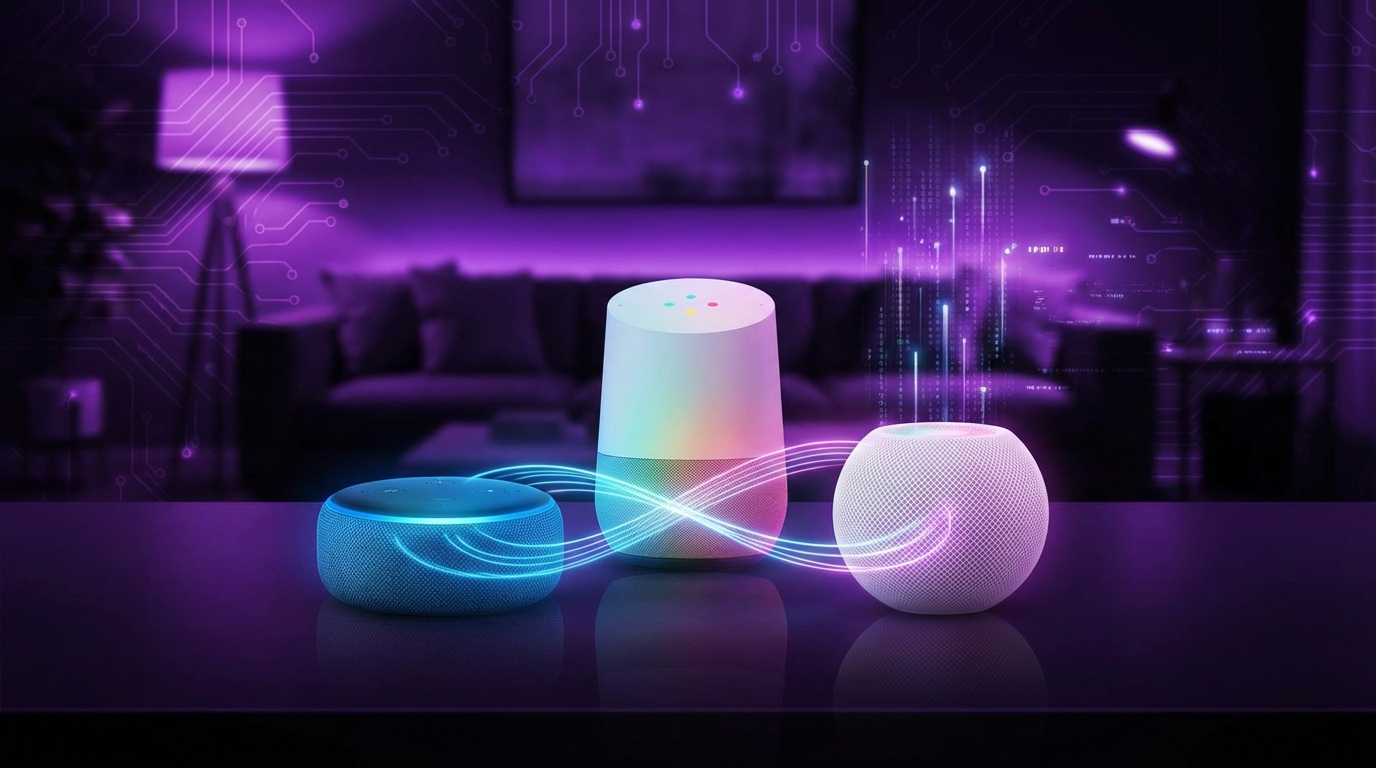
I used to think voice assistants were just toys for turning lights on and off and asking for bad jokes. Then I watched them quietly move into search, shopping, and even how families manage their day, and I had to pay attention.
If you just want the quick answer: Amazon Alexa is best if your priority is smart home control and skills, Google Home (Google Assistant) is best if you care about search quality and “just works” responses, and Siri is best if you live inside the Apple ecosystem and value privacy and tight device integration more than raw capability.
—
What each voice assistant is really built for
Here is the first place where people usually get confused. These three were not built for the same core purpose.
- Alexa is Amazon’s way to sit between you and your home, and quietly between you and your shopping.
- Google Assistant (inside Google Home / Nest speakers) is Google’s voice layer on top of search, YouTube, Maps, and your Google account.
- Siri is Apple’s voice interface for iPhone, iPad, Mac, Apple Watch, and HomePod, with privacy and Apple services as the main focus.
If you think of them as “voices,” you miss it. Think of them as front doors into three different companies’ worlds.
Let me break it down piece by piece and call out where each one is strong, weak, and a bit confusing.
—
Voice recognition and natural language: who actually understands you?
Wake word reliability
This sounds small, but it is the part you feel every single day.
| Assistant | Wake Word(s) | Reliability (real-world feel) |
|---|---|---|
| Alexa | “Alexa”, plus a few alternates | Very good, sometimes too eager and triggers on TV |
| Google Assistant | “Hey Google”, “OK Google” | Strong, but longer phrase can feel clunky |
| Siri | “Siri” (on newer devices) or “Hey Siri” | Improved, but still misses more than the others |
Alexa and Google usually wake reliably. Siri has improved a lot, but if you put all three in the same room, Siri is usually the one that ignores you first.
Understanding messy, real speech
Google is still ahead at pure language understanding. That is not surprising. Their whole search business depends on understanding badly worded, half-finished thoughts.
Alexa is close. For short commands and structured requests, it is excellent. For more conversational, chained questions, Alexa can drift.
Siri is better on-device than it used to be, faster, and it handles basic tasks well. But when you ask slightly awkward or multi-part questions, you will hit more “Here is what I found on the web” moments.
If you ask all three a weird question, Google usually gives an answer, Alexa often gives something helpful, and Siri more often gives you links.
This matters if you want natural back-and-forth without memorizing a script.
—
Search, knowledge, and web answers
How each one gets its answers
- Google Assistant pulls from Google Search, Knowledge Graph, Maps, YouTube, and your personal data (Gmail, Calendar, etc.) when you give permission.
- Alexa uses sources like Wikipedia, its own knowledge base, and some partner data, plus skills that can answer questions.
- Siri mixes Apple data, some partner content (for example, WolframAlpha), and web results.
This is where Google has the clear edge.
Ask: “Who directed The Godfather? And what other movies did he direct?”
Google usually connects the follow-up question to “he”. You can keep chaining for a while.
Alexa sometimes understands the follow-up, sometimes does not. It has some context tracking, but it is limited.
Siri struggles more with conversation context. You can ask, pause, ask again, and it feels like each question starts from scratch.
Local and contextual queries
Try questions like:
- “Where is the nearest pharmacy that is still open?”
- “How long will it take to drive to the airport?”
- “What is traffic like on my way to work?”
Google Assistant shines. It combines Maps, real-time traffic, and your known locations.
Alexa can answer some of these, but it often falls back to generic web-style answers, especially if you use a speaker with no display.
Siri is decent when paired with iPhone and Apple Maps. It knows “work,” “home,” and your calendar. If you live inside Apple Maps, it feels coherent. If you live in Google Maps, it feels like two worlds that do not talk.
—
Smart home control: Alexa vs Google vs HomeKit
This is where Alexa gained ground early, and it still shows.
Device support and compatibility
| Assistant | Smart Home Support | Real Experience |
|---|---|---|
| Alexa | Huge range of devices, long history of support | Most things “just connect”, though setup can feel clunky |
| Google Assistant | Strong support for major brands, growing with Matter | Clean setup, fewer random devices than Alexa |
| Siri (HomeKit) | Smaller range, stricter certification | Fewer devices, but setup and control feel very polished |
Alexa tends to support the widest variety of brands, including cheap or lesser known ones. You might have to mess with skills and account linking, but it usually works.
Google Assistant is close behind for mainstream devices. Their “Home” app is cleaner than Alexa’s app for most people.
Siri through HomeKit is picky. If a device supports HomeKit natively, setup is usually simple and secure. But you have fewer options and often pay more for “Works with Apple Home” labels.
If your plan is “buy whatever smart home gadget has a deep discount and hope it works,” Alexa gives you the best chance.
Scenes, routines, and automations
This is where platforms diverge in feel.
- Alexa Routines: Very flexible. You can trigger on voice, schedules, device states, or even more advanced conditions with some work. But the interface is not very friendly to non-technical users.
- Google Home routines: Cleaner interface, simpler to build basic routines. Less power than Alexa for complex logic, but less confusion.
- HomeKit automations with Siri: Very polished for Apple households. Automations feel like part of the OS. For deep control, pairing with the Shortcuts app opens up powerful chains, but that takes effort and some patience.
If automation depth is your hobby, Alexa or Siri + Shortcuts lead. For practical, easy automations like “Good night,” Google Home might feel nicer.
—
Music, media, and entertainment
Music services and defaults
| Assistant | Native Service | Other Major Options |
|---|---|---|
| Alexa | Amazon Music | Spotify, Apple Music (in many regions), Pandora, etc. |
| Google Assistant | YouTube Music | Spotify, Deezer, some regional services |
| Siri | Apple Music | Some others via AirPlay, but voice control is limited |
Alexa and Google Assistant both support Spotify well. Saying “Play [song] on Spotify” tends to work.
Siri heavily favors Apple Music. If your whole family uses Apple Music, Siri feels natural. If not, it feels constrained because you fall back to AirPlay more than voice.
TVs, streaming, and casting
This is where ecosystems really show their hand.
- Alexa loves Fire TV. “Alexa, play [show] on the living room TV” works great when you use Fire sticks or Fire TV sets. For other TVs, you can still use IR blasters, HDMI-CEC, or direct integrations, but it is less clean.
- Google Assistant works hand in hand with Chromecast and Android TV / Google TV. “Hey Google, play [YouTube video] in the bedroom” is natural. It also handles basic TV commands on supported models quite well.
- Siri ties into Apple TV and HomePod. You can say “Play [movie] in the living room” from iPhone or HomePod if everything is Apple branded or Apple aware.
If your streaming world is Fire TV, go Alexa. If it is Chromecast or Google TV, go Google. If it is Apple TV, go Siri.
Mixed setups work, but you keep hitting small friction points.
—
Shopping, productivity, and “real life” tasks
Shopping and commerce
This category is where Alexa has a quiet, strategic advantage for Amazon.
- Alexa can add items to Amazon carts, place reorders, track packages, and manage grocery lists. For heavy Amazon shoppers, reordering by voice becomes natural.
- Google Assistant can help with some shopping tasks through Google Shopping and partner stores, but the experience still feels secondary.
- Siri rarely takes the lead in shopping. It is more “open the app” than “handle this purchase,” except for very narrow cases.
If your family already buys everything from Amazon, Alexa becomes almost too convenient. Some people love that. Others find it slightly unsettling.
Reminders, calendars, and email
Here, each assistant is strongest inside its parent company’s productivity tools.
| Assistant | Reminders & Calendar Strength | Best Pairing |
|---|---|---|
| Alexa | Good reminders, basic calendar hooks | Amazon Reminders + linked Google or Microsoft calendars |
| Google Assistant | Very strong for Google Calendar, Gmail context | Gmail, Google Calendar, Android |
| Siri | Excellent for Reminders and Calendar on Apple devices | iCloud, iPhone, Mac, Apple Watch |
If your life lives in Gmail and Google Calendar, Google Assistant is the obvious fit. “Hey Google, when is my next meeting?” feels natural and usually accurate.
If you live in Apple Reminders and Apple Calendar, Siri is the right front end. “Remind me to call John when I get home” works well and syncs across devices.
Alexa fills the gaps. It works, but it is not the first choice for heavy email or calendar users.
—
Privacy, data, and trust
People rarely lead with this, but they do care once devices are in their bedroom or kid’s room.
How the three companies talk about privacy
The short version: Apple leans into privacy, Google leans into utility, Amazon leans into convenience and commerce.
- Apple / Siri: Focus on on-device processing when possible, limited data retention, and a business model that does not rely on advertising profiles.
- Google / Google Assistant: Heavy use of data to improve responses and personalization. You get strong features in exchange for deep integration with your Google account.
- Amazon / Alexa: Voice data is used to improve Alexa and to support Amazon services. The business incentive is to make it easier to shop and stay within Amazon’s world.
All three have been caught with human review of recordings at different times. All three later added more controls and clearer policies.
Controls you actually get
You can:
- Delete voice history on all three platforms.
- Adjust whether recordings are used for “improvement” on all three.
- Mute microphones on smart speakers with physical switches from all three vendors.
If your top concern is minimizing data use, Siri is usually the safest choice, especially when you keep most processing on-device and stick to Apple services.
If you value more intelligent, personalized help and are comfortable trading more data for that, Google Assistant will feel worth it.
Alexa sits somewhere between, but with a stronger tie to shopping habits.
—
Ecosystem and device integration
This is where most buying decisions should start, but most people start with “which assistant is smarter?” That is backwards.
What devices you already own
Ask yourself:
- Are most phones in your home Android or iPhone?
- Do you use Gmail or iCloud mail more?
- Do you stream through Fire TV, Chromecast, Apple TV, or straight from smart TV apps?
- Where do you store photos: Google Photos, iCloud Photos, or Amazon Photos?
Here is a simple mental rule:
Pick the assistant that fits the devices and services you already use the most, not the one that scores highest in some general benchmark.
If your house is 90% Apple devices, installing a bunch of Alexa or Google speakers might feel off after a while. Same in reverse.
Cross-platform support
One area where Alexa and Google beat Siri is cross-platform reach.
| Assistant | Mobile Support | Speaker & Display Range |
|---|---|---|
| Alexa | Apps on iOS and Android | Echo line + many third-party speakers, soundbars, cars |
| Google Assistant | Built into Android, app on iOS | Google Nest + many third-party devices, cars, headphones |
| Siri | Apple devices only | HomePod, iPhone, iPad, Mac, Apple Watch, AirPods |
If your home is a mix of Android and iPhone, Alexa or Google Assistant will cover both groups. Siri will always leave someone out.
—
Skills, apps, and third-party add-ons
Alexa Skills vs Google Actions vs Siri Shortcuts
Alexa calls them “skills.” Google used to call them “actions.” Siri taps into “shortcuts” and shortcuts-enabled apps.
- Alexa Skills: Huge catalog. Many are low quality or rarely updated, but some are very good. You can enable voice games, smart home add-ons, business tools, and more.
- Google Assistant add-ons: Smaller set, focused on core use cases. Less noise, but fewer weird or niche options.
- Siri Shortcuts: A different model. Apps expose actions, and you string them together. Power users love this. New users often ignore it until someone shows a practical example.
If you want “voice apps” and unique capabilities, Alexa is still the playground. If you want automation chains that hook deeply into your iPhone or Mac, Siri + Shortcuts is deceptively strong.
—
Accuracy, speed, and reliability over time
This part is less flashy, but it shapes your experience far more than any spec sheet.
Response speed
My general experience and what many users report:
- A well-connected Google Assistant device usually feels the fastest, especially on newer hardware.
- Alexa is fast for simple commands, slightly slower for complex skills or cloud-heavy skills.
- Siri has become smoother on recent iPhones and HomePods, especially for on-device tasks like timers or controlling HomeKit.
Network quality, Wi-Fi congestion, and router issues can wreck all three, so sometimes people blame the assistant when it is really their network.
Reliability over months and years
One thing many users notice:
Google and Amazon push more frequent visible changes. Apple focuses more on invisible changes and quiet stability.
Alexa and Google Assistant sometimes break small third-party integrations after updates. Siri breaks fewer third-party connections, but it also has fewer of them.
If you build a complex smart home, factor in maintenance. Simpler setups tend to survive firmware updates better.
—
Use cases: which assistant fits which type of user?
Let us map this to real situations instead of abstract pros and cons.
If you are building a smart home from scratch
You want:
- Wide device support.
- Strong routines and automation.
- Decent audio, maybe some displays.
Alexa is still the practical choice for “connect everything.” Google Assistant is strong if you want a simpler, more guided path.
Siri and HomeKit work very well if you accept two things: fewer device choices and a heavier Apple commitment. You gain privacy and polish, but give up freedom and often pay more.
If your family is mixed Apple + Android
This is where many people get stuck.
In that case:
- Alexa tends to be the neutral party. Everyone can install the Alexa app, everyone can share control.
- Google Assistant also works across devices, but Apple users may not enjoy using a separate Google app when they already have Siri on the device.
If most people in the house are on Android, lean Google. If most are on iPhone but not all, Alexa sits in the middle.
If privacy and simplicity matter more than features
You probably lean Apple here.
Siri is not the most capable. But on recent Apple hardware, it is good enough for timers, reminders, basic queries, HomeKit, and dictation. And it ties into privacy features that Apple pushes at the OS level.
You lose some “smarts,” but you sleep better with a smaller data trail.
—
Choosing between Alexa, Google Home, and Siri: a practical checklist
Let me give you a blunt checklist. Answer these in your head.
1. Where do you spend more time: Amazon, Google, or Apple?
- If Amazon: Prime, Fire TV, Amazon shopping, Ring cameras, Echo speakers.
- If Google: Android phones, Chrome, Gmail, Google Photos, YouTube, Nest thermostats and cameras.
- If Apple: iPhone, Mac, Apple Watch, Apple TV, iCloud, Apple Music, HomePod.
Match assistant to that first.
2. What is your main phone?
- Mostly Android: Google Assistant fits best.
- Mostly iPhone: Siri or Alexa. Google Assistant can still work, but you will not use it as much on-phone.
3. How deep do you want to go with smart home?
- Deep, with many gadgets and experiments: Alexa or Google, with a slight edge to Alexa for device variety.
- Moderate, with a focus on stability and privacy: Siri + HomeKit on Apple hardware.
4. Which streaming / TV platform do you use?
- Fire TV: Alexa.
- Chromecast / Google TV / Android TV: Google Assistant.
- Apple TV: Siri.
You can mix, but matching here saves a lot of frustration.
5. How sensitive are you to data and tracking?
- Very sensitive: Siri.
- Moderately concerned but pragmatic: Alexa with strict settings, or Google with tuned privacy controls.
- More focused on capability than data limits: Google Assistant, fully enabled.
There is no perfect assistant, only one that fits your priorities and your existing tech world better than the others.
When you look at it that way, the choice usually becomes much clearer.