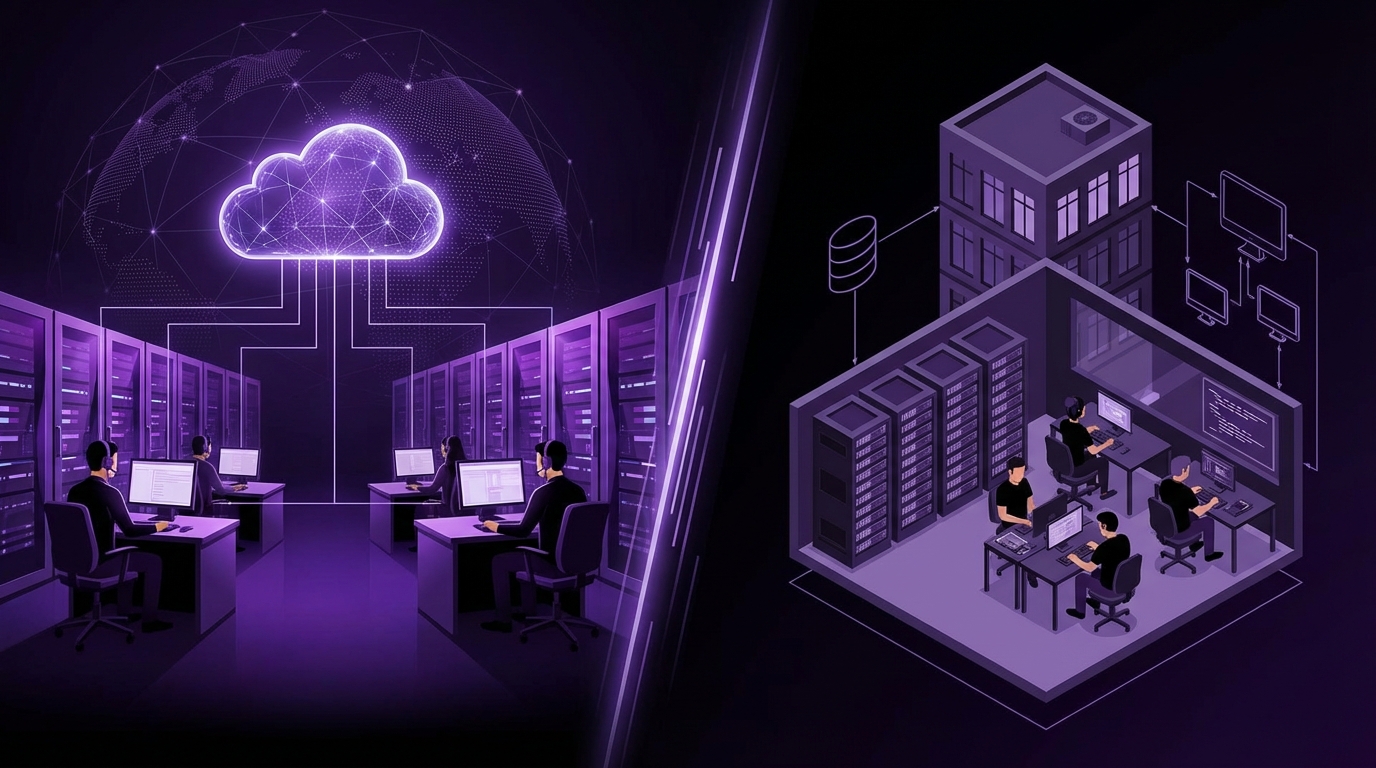
I used to think IT support was just “the people you call when stuff breaks.” Then I started looking at budgets, response times, and security incidents, and it got a lot more complicated very fast.
If you are deciding between outsourcing IT support and hiring an in-house team, here is the short answer: outsourcing usually wins on cost, speed of setup, and 24/7 coverage, while in-house usually wins on deep knowledge of your business, control, and culture. Most companies end up with a hybrid model: a small internal IT core that owns strategy, and an external provider that handles tickets, after-hours coverage, and specialized work like security or cloud projects.
The big mistake is thinking you must choose 100% outsourcing or 100% in-house. The strongest setups blend both and change the mix as the company grows.
What “IT Support” Actually Means Before You Choose a Model
Before comparing outsourcing vs. in-house, you have to get very honest about what “IT support” means for your business. It is not one thing.
Here is what usually hides under that label:
- Help desk: password resets, login issues, basic troubleshooting.
- Endpoint management: laptops, desktops, mobile devices, updates, antivirus.
- Network: Wi-Fi, firewalls, VPN, internet connections.
- Servers and cloud: file servers, databases, virtual machines, cloud platforms.
- Business apps: CRM, ERP, accounting tools, collaboration tools.
- Security: monitoring, patching, access controls, backups, incident response.
- Compliance: audits, documentation, policies.
- Strategy: planning, budgets, standardization, vendor selection.
This list is why a single internal “IT person” usually ends up overwhelmed, and why some providers sound impressive in sales calls but fail you in the first real incident.
You are not choosing “who fixes my laptop.” You are choosing who protects your revenue whenever technology misbehaves.
Outsourcing IT Support: What You Really Get
When people say “outsourcing IT,” they usually mean signing with a Managed Service Provider (MSP) or a similar external partner that handles day-to-day support and sometimes projects.
Here is what outsourcing typically looks like in practice:
- You pay a fixed monthly fee per user or per device.
- You get access to a shared team of technicians and engineers.
- You submit tickets by email, portal, chat, or phone.
- You get a standard stack of tools: remote monitoring, antivirus, backups.
- You have a Service Level Agreement (SLA) that defines response times.
Key advantages of outsourcing IT support
Let me walk through the main reasons companies outsource, with a bit of reality mixed in.
| Advantage | What it looks like in real life |
|---|---|
| Lower and more predictable costs | You pay monthly and do not carry full-time salaries, benefits, or training costs. |
| Access to multiple skill sets | You get a team with different specialties instead of one or two generalists. |
| 24/7 or extended coverage | After-hours support and on-call engineers are shared across clients. |
| Faster startup | You can have a functioning support team in weeks instead of hiring for months. |
| Standard tools and processes | They already have monitoring, backup tools, and ticketing systems set up. |
Let us unpack a few of those.
Cost and predictability
For most small and mid-sized companies, outsourcing is cheaper in pure cash terms than hiring a full internal team.
You avoid:
- Base salaries for multiple IT roles.
- Benefits, taxes, equipment, and ongoing training.
- Recruiter fees and the time your leaders spend interviewing.
You trade that for:
- A monthly fee that usually grows with headcount.
- Occasional project fees for larger upgrades or migrations.
If your company has under 100 staff and relatively standard tech needs, outsourcing almost always looks better on a spreadsheet. Once you get into hundreds of employees, the math starts to change, and a blended model becomes more attractive.
Outsourcing IT support is not “cheap,” it is just cheaper than building an in-house team with the same coverage and skills.
Access to broader expertise
An MSP might have:
- Help desk technicians
- Network engineers
- Cloud specialists
- Security analysts
- Project managers
If you hire one internal person, you usually get:
- A generalist who knows a bit of everything and is drowning half the time.
This difference really shows during projects:
- Migrating to Microsoft 365 or Google Workspace
- Moving servers to the cloud
- Setting up multi-factor authentication across the company
- Rolling out new security policies
Your in-house admin can learn these, but it is slow and stressful. A mature provider has done them dozens of times. To be fair, not every provider is great at projects. You have to ask for references and case studies and check who will actually do the work.
Extended and 24/7 coverage
If your users work across time zones, or you have systems that cannot really go down outside office hours, a single internal IT person will crack under pressure.
An outsourced provider:
- Spreads after-hours coverage across a team.
- Rotates on-call engineers.
- Often has “follow the sun” support for global clients.
This is one of the big reasons companies move from “our IT guy” to a provider. The first time your internal person misses a major incident because they are on holiday, leadership starts asking hard questions.
Speed of setup
Hiring internal IT can take 2 to 6 months:
- Defining roles
- Posting jobs
- Interviewing candidates
- Waiting for notice periods
- Onboarding and ramp-up
A provider can usually:
- Audit your environment in weeks.
- Roll out monitoring and tools quickly.
- Start handling tickets right away.
If your company is growing fast, that speed matters.
Risks and drawbacks of outsourcing IT support
This side is often glossed over in sales calls, but you really want to think about it calmly.
| Drawback | What it looks like in real life |
|---|---|
| Less control | You rely on an external team for daily decisions and access. |
| Shared attention | You are one client in a queue; priority depends on your contract. |
| Varying quality of support | You may interact with junior techs who follow scripts. |
| Limited business context | They may not fully understand your workflows and edge cases. |
| Vendor lock-in risk | Leaving can be painful if documentation and access are not handled well. |
Control and response priorities
When something serious happens, like a security breach or major outage, you want to feel that your issue is the only one that exists. With a provider, that is rarely true.
They have other clients, other tickets, and internal triage rules:
- Your outage might be critical for you, but maybe another client has a regulatory incident.
- Your ticket might be assigned to the next available tech, not the best possible one.
You can mitigate this with:
- Clear SLAs for severity levels.
- Named account managers or technical leads.
- Regular review meetings.
But there is still an emotional gap. It is not their company. When I talk to founders after a rough outage, this is usually their biggest complaint.
Context and culture
An external provider does not share your internal culture. They do not sit in your offices every day. They might not see the subtle ways your teams work.
That shows up as:
- Fixing a symptom instead of the root cause because they do not see the full workflow.
- Standard solutions that do not map cleanly to your business processes.
- Communication styles that clash with your internal tone.
For example, a support tech may say “we resolved the issue” because an app launches again, but your sales team still cannot run a key report that requires a specific plugin and set of permissions. Nobody told the provider that part.
This gap is one of the strongest arguments for having at least one internal person who “owns” technology decisions, even if you outsource all of the hands-on work.
Vendor lock-in and dependency
If your provider controls:
- Your admin accounts
- Your network configuration
- Your backups and security tools
Then switching partners or moving support in-house can get messy if they did not document properly or if the relationship ends badly.
You want at least:
- Shared admin accounts stored in your password manager.
- Clear network diagrams and asset inventories that you own.
- Contract clauses that require cooperation during offboarding.
Do not give any provider exclusive control over everything. Keep a master list of your systems, admin accounts, and licenses under company ownership.
In-House IT Teams: What Changes When You Build Internally
Now let us switch sides.
An in-house IT team means people on your payroll who report into your org chart, follow your HR policies, and take part in your culture. That sounds comforting. Sometimes it is. Sometimes it just becomes a very expensive bottleneck.
Key advantages of an in-house IT team
Here is what in-house tends to do well.
| Advantage | What it looks like in real life |
|---|---|
| Deep business knowledge | Your team understands your workflows, customers, and systems in detail. |
| Stronger control | You manage priorities, projects, hiring, and tools directly. |
| Closer collaboration | IT can sit with other departments, observe issues, and suggest improvements. |
| Long-term strategy | An internal leader can build multi-year roadmaps tied to your goals. |
| Cultural fit | They share your values, tone, and communication style. |
Deep understanding of your business
Internal IT sees:
- Who your best customers are.
- Which systems directly tie to revenue.
- Where staff struggle every day with tools or processes.
An IT manager who has lived your business for 3 years will make better calls on:
- Which system to upgrade first.
- Where to invest in automation.
- What security controls will break workflows if done too aggressively.
That is hard for an external provider to match without a very close relationship.
Outsourced teams fix tickets. Internal teams can redesign how work happens, if you give them space and authority.
Control and accountability
With in-house IT, you do not negotiate priorities with a vendor. You set them.
You can:
- Reassign people from routine support to a key project.
- Change tools because your security needs shifted.
- Invest deliberately in training that matches your roadmap.
If something goes very wrong, there is no debate about “whether the SLA was met.” You look at your team, and they look back. It is a hard moment, but accountability is clear.
Culture and collaboration
Internal IT staff can:
- Join leadership meetings.
- Sit with departments to see how they really use tools.
- Build relationships with “power users” who help shape better processes.
In my experience, the best process improvements usually come when internal IT and operations work together:
- IT sees what is technically possible.
- Operations sees where the actual friction is.
An outsourced provider may suggest helpful changes, but they often lack the day-to-day context and trust to push through real change.
Risks and drawbacks of an in-house IT team
Now the hard part.
| Drawback | What it looks like in real life |
|---|---|
| Higher fixed costs | Salaries, benefits, training, equipment, and HR overhead. |
| Skill gaps | Small teams struggle to cover security, cloud, network, and support all at once. |
| Single point of failure | If one key person leaves or burns out, you are exposed. |
| Limited coverage | Office hours only, unless you pay for on-call or shifts. |
| Slow scaling | Hiring takes time, during which your team is overloaded. |
Cost and hiring complexity
Building an internal team rarely stays cheap.
Typical roles as you grow:
- IT support specialist / help desk
- Systems administrator
- Network engineer (optional, but common past a certain size)
- Security specialist or someone with that responsibility
- IT manager or director
Each of these roles:
- Requires a specific salary band that competes with the wider market.
- Takes time to recruit and train.
- Wants growth, interesting work, and clear career paths.
If your company is small, you probably do not have full-time work for all of these roles. That is one of the reasons people hire a provider instead.
Skill gaps and burnout
A single “IT person” in a 50-person company is usually:
- Handling tickets all day.
- Maintaining servers or cloud services.
- Trying to keep up with security news.
- Asked to “own” every new system procurement.
That is not sustainable. You see:
- Slow response times.
- Pushback on new requests.
- Delayed upgrades and patching.
- Hidden risk, especially on security.
I have seen very capable IT admins burn out in this exact setup. Then they leave, and the company scrambles to replace both their knowledge and their access.
Coverage limitations
If you have:
- Global teams
- Mission-critical online services
- Regulatory uptime commitments
Then standard office-hours IT can become a serious constraint.
You can run shifts or on-call rotations, but that pushes costs up further and adds mental load to a small team.
Key Comparison: Outsourced vs. In-House IT Support
To keep things grounded, here is a direct comparison.
| Factor | Outsourced IT Support | In-House IT Team |
|---|---|---|
| Cost structure | Monthly fee, usually lower upfront cost | Higher fixed salaries and overhead |
| Skill coverage | Wide range of skills across a team | Depends on hiring; limited in small teams |
| Response coverage | Often 24/7 or extended hours | Typically office hours; on-call costs more |
| Business knowledge | Shallower, unless relationship is very close | Deep, grows over time |
| Control | Shared; governed by contract and SLAs | Strong; priorities set internally |
| Scalability speed | Faster to add users and services | Slower; requires hiring and onboarding |
| Vendor risk | Lock-in risk if access and docs are not shared | Key-person risk if staff leave |
| Innovation and projects | Depends heavily on provider quality and focus | Can be strong if you have strategic IT leadership |
Signs You Should Outsource Most IT Support
Let us get practical. Here are situations where outsourcing most IT support usually makes sense.
You are under 150 staff and still growing
If you:
- Have under 150 employees.
- Use fairly standard SaaS tools (email, CRM, HR, accounting).
- Do not have heavy custom software or strict regulatory requirements.
Then outsourcing is often the better first step.
Why:
- You get a workable support structure quickly.
- You avoid locking in a large internal cost base too early.
- You can still hire a single internal “IT owner” to coordinate.
A common pattern: hire a technical operations lead or IT manager, and give them an MSP as their team. They own direction, the provider owns day-to-day work.
You lack internal IT leadership
If no one on your leadership team has a strong technology background, and you do not feel ready to hire a senior IT director, then a provider can act as a bridge.
They can:
- Propose a basic roadmap.
- Standardize tools.
- Handle the daily noise so leadership can focus.
I will be honest though: some providers are good at this, some are not. Ask to meet the person who will act as your “virtual CIO” or similar, and talk through some concrete scenarios with them.
Your main risk is downtime, not deep customization
If your technology risk is:
- Keeping staff online.
- Protecting data.
- Basic compliance and backups.
Then outsourcing is well suited. Providers are built around minimizing and managing those kinds of incidents.
You still need internal ownership of process decisions, but support can sit outside.
You want 24/7 coverage without building shifts
If your company never really sleeps, outsourcing is usually the simplest path to real 24/7 monitoring and response.
Hiring staff to cover nights and weekends is expensive and often unattractive to candidates. For a provider, that load is shared across many clients, so the math works better.
Signs You Should Invest in an In-House IT Core
On the other side, there are clear signals that you should start building or strengthening your internal team.
Technology is a core part of your product or service
If you:
- Sell software.
- Run a complex internal platform.
- Handle sensitive, regulated data.
Then pushing all IT decisions to an external provider is risky.
You need internal leaders who:
- Understand your product deeply.
- Work closely with engineering or operations.
- Take ownership of security and architecture decisions.
Your support model can still involve outsourcing, but the “brains” should sit inside.
You feel constant friction with your provider
If you already outsource and you notice:
- Frequent complaints about slow or unhelpful responses.
- Incidents that expose serious knowledge gaps.
- Resistance when you push for changes tailored to your workflows.
Then the problem might not just be that provider. It might be that your business has grown past a simple outsourcing model.
Your next step is often:
- Hire a senior internal IT role.
- Let them either fix the provider relationship or gradually bring more control in-house.
You want more strategic technology decisions
Most providers handle operations and support well. Fewer are strong on long-term strategy that aligns with your exact business.
If you want someone to:
- Build a 2 to 3 year technology roadmap.
- Work with finance on budgets and trade-offs.
- Challenge vendors and negotiate strongly.
You probably need a senior internal IT leader. They might still use external teams for execution, but decisions start with them.
Your headcount and complexity have outgrown basic outsourcing
Once you cross:
- 200 to 300 staff, and/or
- Multiple sites or regions, and/or
- Several internal systems that are heavily customized
A purely outsourced model starts to creak. Not always, but often.
At that point, I usually suggest:
- An internal IT leader (IT manager, director, or CIO).
- An internal support or systems person for high-touch areas.
- An external provider focused on overflow, after-hours support, and specialist projects.
The Hybrid Model: Where Most Companies End Up
This is where things get interesting.
A pure outsourcing model or a pure in-house model is less common once companies pass a certain size or maturity. Most settle on a mix.
What a healthy hybrid setup looks like
Let me describe a pattern that works well in practice.
-
Internal:
- IT leader responsible for strategy, budgets, and vendor management.
- One or two internal staff focused on high-value work (process, key systems, closer support for leadership).
-
External provider:
- Handles tier 1 help desk and standard tickets.
- Provides monitoring, patching, and backups.
- Delivers defined projects with clear scopes.
- Provides after-hours coverage.
Responsibilities are split like this:
| Area | Internal | External |
|---|---|---|
| Support tickets | Only complex or high-impact cases | Standard user support and device issues |
| Strategy and roadmaps | Owned internally | Advises and executes projects |
| Security direction | Policies, risk appetite, final decisions | Monitoring, tooling, implementation |
| Vendor selection | Final call and contract ownership | Technical recommendations |
| Documentation | Standards and review | Drafts, updates, and day-to-day details |
The hybrid model works when internal IT owns “why” and “what,” and your provider focuses on “how” and “when.”
Common mistakes with hybrid IT
There are a few traps I see over and over.
-
No clear RACI:
Nobody has written down who is responsible, accountable, consulted, and informed for each key area. So tickets bounce, projects stall, and everyone blames everyone else. -
Vendor-led strategy:
The provider acts as de facto CIO, but their incentives are not always the same as yours. You see a push toward tools they resell, even when there are better fits. -
Internal team stuck at tier 1:
You hire smart people internally but drown them in simple tickets that a provider could handle cheaper. -
Shadow IT:
Departments buy tools directly because they do not trust either IT or the provider to respond quickly, creating new risks.
You avoid these by:
- Writing a clear division of responsibilities, in normal language.
- Giving your internal IT leader real authority on decisions.
- Measuring the provider on both response and project outcomes.
How To Decide: A Practical Checklist
Let me give you a simple way to walk through this decision. It will not be perfect, but it will structure your thinking.
Step 1: Map your current and near-term IT needs
Write down, for the next 12 to 24 months:
- Headcount today and expected.
- Locations and time zones.
- Key systems and who owns them.
- Regulatory or security requirements.
- Planned projects (migrations, office moves, new tools).
Then ask:
- Where are we most exposed right now?
- What would hurt most: downtime, data loss, reputation damage, regulatory issues, or missed growth?
Step 2: Assess your current capability
If you already have:
- An internal IT person or team: are they overloaded, or do they have room to grow?
- A provider: how satisfied are you with them, really, across support and projects?
Try a simple 1 to 5 rating for:
- Response speed.
- Problem resolution quality.
- Security posture.
- Strategic guidance.
- User satisfaction (ask people directly).
Patterns will show up. Often, companies realize that their real gap is strategy, not basic support.
Step 3: Run the cost and risk comparison
Create a basic table with:
- Option 1: Mostly outsourced (plus a light internal owner).
- Option 2: Hybrid with strong internal core.
- Option 3: Mostly in-house (minimal outsourcing, maybe just for niche work).
Under each, write:
- Estimated yearly cost (salaries, provider fees, tools).
- Biggest risks (skills, coverage, vendor, people).
- Time to reach a “stable” state.
You do not need perfect numbers. You just want direction.
The “cheapest” option on paper is not always the safest once you factor in security incidents, outages, and lost productivity.
Step 4: Decide who must be internal
Before you pick a provider or hire more staff, answer this:
- Who must be internal for compliance or risk reasons? (for example, security officer, data protection officer)
- Which decisions must never be fully outsourced? (for example, security policies, vendor choices)
- Which systems are so core that you want in-house expertise, even if a provider supports them?
That set becomes the starting point for your internal team design. Everything else is a candidate for outsourcing.
Step 5: If outsourcing, choose with more skepticism
If you lean toward outsourcing or hybrid, do not just pick the provider with the nicest slide deck.
Ask them:
- Who exactly will handle our tickets and projects? Can we meet them?
- How many clients per account manager and per senior engineer?
- How do you handle security incidents? Walk us through an example.
- How do you document our environment, and who owns that documentation?
- Tell us about one client who outgrew you. What happened?
Look for:
- Specific stories, not vague claims.
- Honesty about where they are strong and where they use partners.
- Willingness to talk about exit plans and offboarding processes.
If they are uncomfortable with offboarding questions, that is a red flag.
Step 6: If building in-house, start with leadership and scope
If you go heavier on internal IT, resist the urge to just hire a “do everything” person.
Start with:
- A clear job description that separates:
- Support work
- Systems and infrastructure
- Security responsibilities
- Strategic responsibilities
- An honest discussion about:
- What you will keep external for now.
- How you will back them up when projects spike.
For your first senior IT hire, spend time on:
- Their ability to communicate with non-technical teams.
- Their experience in companies of a similar size and complexity.
- Their view on when to outsource vs. build internally.
If a candidate insists that “everything must be internal” or “everything should be outsourced,” that rigidity is usually a warning sign.
The best IT leaders are comfortable saying: “We will own this, and we will buy that, because it matches our risk and budget.”
A Few Realistic Scenarios
Sometimes examples help more than principles.
Scenario 1: 40-person marketing agency with remote staff
Profile:
- Tools: Google Workspace, Slack, project management SaaS, design tools.
- Risks: Losing client work, downtime during pitches, ransomware.
- Current IT: One “tech-savvy” operations manager.
Recommended approach:
- Outsource IT support to an MSP.
- Keep the operations manager as internal owner of tools and processes.
- Have the MSP handle:
- Device management.
- Backups for key data.
- Security basics and help desk.
IT does not need to be an internal department yet. You need reliability more than deep customization.
Scenario 2: 250-person manufacturing company with on-prem systems
Profile:
- Tools: ERP on-prem, factory systems, Office 365, VPN.
- Risks: Production downtime, safety systems, supplier data.
- Current IT: Small internal team plus an old-school local provider.
Recommended approach:
- Strengthen the internal team:
- Hire an IT manager with manufacturing experience.
- Retain at least one internal systems admin who knows your ERP well.
- Use an MSP to:
- Handle user support and simple tickets.
- Provide monitoring, backups, and security tooling.
- Assist with larger projects like ERP upgrades or cloud migrations.
You cannot safely push all of this out to a provider. Your internal knowledge of production and safety needs to stay strong.
Scenario 3: 800-person SaaS company with global customers
Profile:
- Tools: Own product, cloud infrastructure, a mix of SaaS for internal use.
- Risks: Customer-facing uptime, data breaches, compliance.
- Current IT: Engineering owns product; internal IT is 3 people.
Recommended approach:
- Build a strong internal IT and security group:
- Formalize roles for IT operations, corporate security, and governance.
- Integrate closely with engineering and SRE teams.
- Use external partners selectively for:
- 24/7 monitoring support.
- Penetration testing.
- Specialized consulting on compliance.
Outsourcing your core IT in this setting would be a step backward. You need control, context, and tight integration with your product teams.
Where Most Companies Misjudge This Decision
I will close with a few patterns I see repeatedly, because they cause real damage over time.
Over-trusting “one IT person” in a growing company
This is very common.
You hire a capable admin. They do great work. You keep growing. You keep asking for more. At some point:
- The ticket queue explodes.
- Security work gets pushed to “later.”
- Projects get half-implemented.
Then that person leaves, burnt out. You are left with undocumented systems.
The healthier approach:
- Pair that person with a provider for ticket handling and routine work early.
- Free them to focus on higher-value tasks and documentation.
Trying to outsource strategy without an internal owner
The other side of the spectrum:
- Leadership does not feel comfortable with technical topics.
- They ask the provider to “handle everything.”
- Budgets and decisions drift toward what is easiest for the provider, not necessarily best for the company.
You avoid this by:
- Giving someone internal (even part-time) the responsibility to own IT direction.
- Checking provider recommendations against your own risk and growth plans.
Assuming cost is the only metric that matters
IT is one of those areas where people chase savings and then pay for it later during an incident.
Ask yourself:
- How much revenue do we lose per hour of downtime?
- What would a serious breach cost in recovery, fines, and credibility?
- How much productivity is lost during constant small IT issues?
Sometimes the more expensive model on paper is cheaper in real outcomes, because it prevents these events or shortens their duration.
Your IT support model is part of your risk management, not just your operating expense.
If you hold that thought while comparing outsourced IT support with in-house teams, your decision will be more grounded, even if it is not perfect.