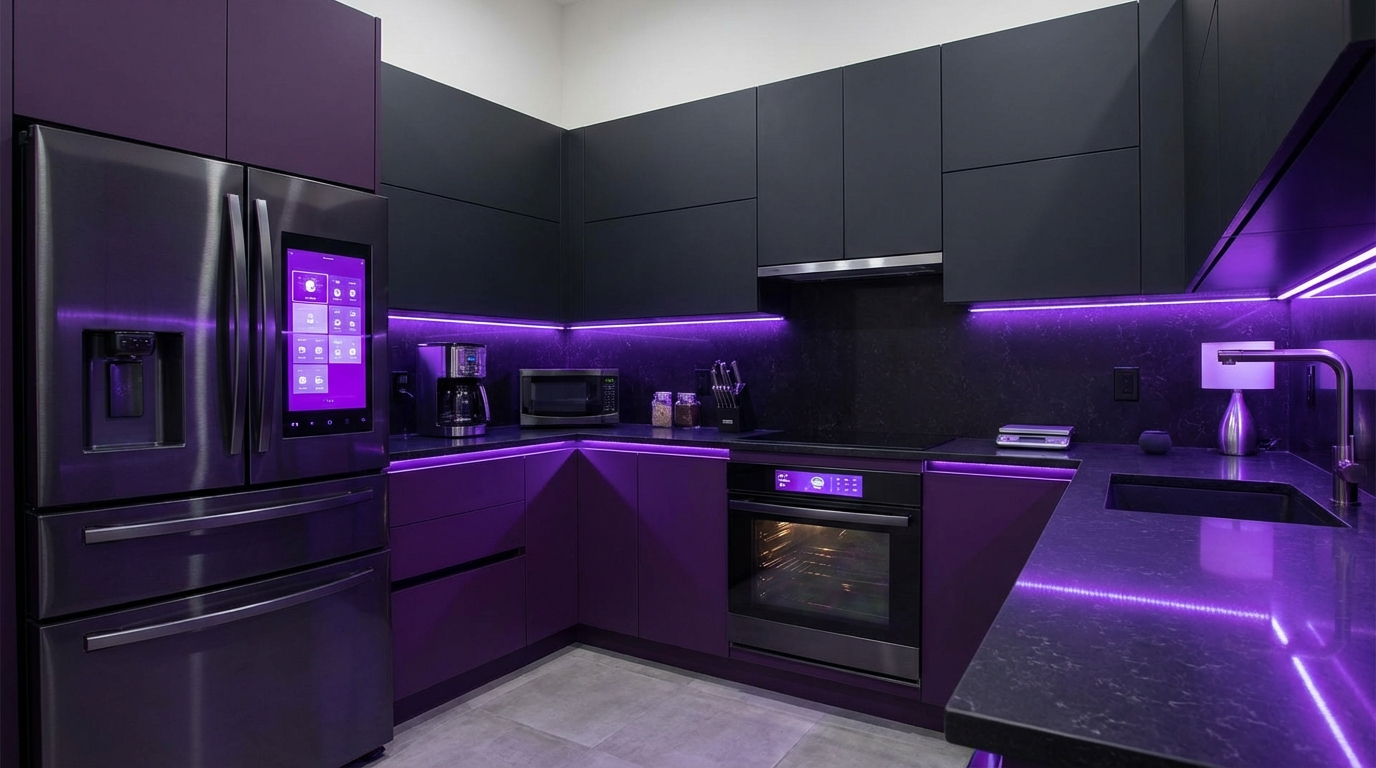
I used to think a “smart kitchen” just meant buying a fancy coffee machine and calling it a day. Then I looked around my own place and realized my oven was smarter than my first laptop… and I was not really using any of it.
If you want the short version: smart kitchen gadgets are worth it when they save you time, prevent mistakes (like burning food or letting groceries expire), and fit into how you already cook. WiFi ovens, smart fridges, connected coffee makers, and app-controlled gadgets can help, but they are not magic. You still need basic cooking habits, and you should be picky about what you bring into your kitchen.
What “Smart” Really Means In The Kitchen
Some people hear “smart kitchen” and picture a sci-fi house that cooks dinner by itself. That is not where most products are.
Right now, “smart” kitchen gadgets usually mean they can:
- Connect to WiFi or Bluetooth
- Work with apps or voice assistants like Alexa or Google Assistant
- Automate certain steps, like preheating or timing
- Give you alerts or useful feedback
A smart kitchen does not replace your skills. It reduces the number of things you have to remember and watch manually.
That sounds simple, but it changes how you plan, cook, and even shop for food.
Here is a quick view of the main types of smart kitchen gadgets and what they actually do.
| Gadget Type | Main Benefit | Who It Helps Most |
|---|---|---|
| WiFi ovens / ranges | Remote control, guided cooking, better timing | Busy home cooks, parents, meal preppers |
| Smart fridges | Food tracking, internal cameras, smart screens | Large families, tech fans, online grocery shoppers |
| Smart coffee makers | Scheduled coffee, app control | People with strict morning routines |
| Smart scales & thermometers | More accurate cooking and baking | Bakers, grillers, beginners |
| Smart plugs & small gadgets | Add simple controls to older appliances | Anyone who wants to test smart features cheaply |
Let us walk through each major group, starting with the one that has quietly become the standard: WiFi ovens.
WiFi Ovens: What They Really Do (Beyond Preheating From Your Couch)
When I first saw “WiFi oven” in a store, I rolled my eyes. Do I really need my browser to connect to my lasagna?
Then I had a day where I was stuck in traffic, kids were hungry, and I realized that being able to preheat the oven remotely would save 15 minutes. That was the moment it flipped from “gimmick” to “this is actually useful.”
Core Features Of WiFi Ovens
A typical smart oven or range will give you:
- Remote preheat and control: Start, stop, or change temp from your phone.
- Notifications: Get pings when it is preheated, timer is done, or you forgot to turn it off.
- Preset cooking modes: Auto settings for pizza, roast, air fry, proofing, etc.
- Voice control: “Alexa, preheat the oven to 375 degrees.”
- Recipe integration: Some brands link oven settings to cookbook apps.
The real value of a WiFi oven is not “tech for tech’s sake”; it is about shrinking dead time and catching human mistakes.
Here is a quick breakdown of where they shine and where they fall short.
| Pros | Cons |
|---|---|
| Remote preheat saves 10 to 20 minutes per meal | Setup can be clunky, especially WiFi on 2.4 GHz only |
| Notifications help prevent overcooking | You still need to be home to put food in and take it out |
| Guided modes are useful for new cooks | Some apps feel half-finished and buggy |
| Often combines air fryer, dehydrator, proofing in one | Premium price compared to simple ovens |
Who Actually Benefits From A WiFi Oven
I do not think everyone needs one. If you cook once a week, the benefits are small. But there are clear groups that get real value:
- Parents: You can preheat while driving home from school pickup and cut the “waiting for the oven” drama.
- Meal preppers: Having timers and recurring settings for batch cooking helps a lot.
- New cooks: Guided recipes and automatic modes make it easier not to ruin a roast.
- People with mobility issues: Voice controls can help control the oven without bending or reaching.
If you are none of those, but your old oven is failing, then buying a smart one is usually just part of buying a modern appliance. Most mid-range models already include WiFi now.
What To Look For In A Smart Oven
There are a few things I would not skip:
- Stable app and updates: Check recent reviews on the app store, not just the oven listing.
- Local controls still work: You should be able to use full features from the physical panel without an internet connection.
- Clear safety limits: Look for auto shutoff and confirmation prompts for remote start.
- Integration: If you already use Alexa, Google Assistant, or HomeKit, make sure it works with your setup.
If the oven feels confusing without the app, something is off. Smart should add options, not force you into one way of using it.
Smart Fridges: Cool Tech Or Overpriced Screen?
Smart fridges are where people get very divided.
Some see them as the centerpiece of a modern kitchen. Others see a giant screen that will break before the compressor does.
I am somewhere in the middle. The fridge is the hub of food storage and planning. Adding tech there can help. But a bad smart fridge is worse than a simple, reliable one.
What Smart Fridges Actually Offer
Modern smart fridges usually include:
- Internal cameras: See what is inside without opening the door, sometimes from your phone at the store.
- Touchscreen display: Notes, calendars, recipes, photos, music.
- Inventory features: Log what you have and when it expires.
- Remote temperature control: Adjust cooling zones from your phone.
- Integration with grocery apps: Build shopping lists or auto reorder some items.
On paper, this sounds great. Less food waste, less guessing, smoother planning.
In practice, you need to ask: how much of this will you actually use after the first month?
Real-World Use Cases For Smart Fridges
Here are realistic ways people use smart fridge features:
- Internal camera before shopping
At the store, you wonder, “Do we still have eggs?” You open the app, see the shelf, and avoid buying extra. - Shared calendar and notes
Family schedule, quick to-dos, or dinner plans on the fridge screen, synced with Google or Outlook. - Digital whiteboard for kids
They draw on the screen. You leave reminders. - Food expiration reminders
If you are disciplined about adding items, the fridge can remind you before stuff goes bad.
The internal camera is the one feature that consistently helps reduce wasted food and duplicated shopping.
The rest depends a lot on your habits.
When A Smart Fridge Makes Sense
You might be a good fit for a smart fridge if:
- You do large weekly shops and often forget what you already have.
- You have a big household where communication about food is messy.
- You love having recipes or meal plans in front of you while you cook.
- You already use smart home devices and want the fridge as another “screen” in that setup.
You probably do not need one if:
- You live alone or with one other person and shop often.
- You are already very organized about food and expiration dates.
- You prefer to keep tech out of the kitchen and focus on simple cooking.
Questions To Ask Before Buying A Smart Fridge
Smart fridges are expensive. You want to be picky.
Ask these questions:
- Can I still use all basic functions without connecting to the internet?
- Does the screen run a stable, supported system? (For example, Android-based with regular updates.)
- What happens if the brand shuts down the cloud service? Will basic smart features still work locally?
- How easy is manual inventory tracking? If it takes too many taps, you will stop using it.
Before you buy a smart fridge, be honest: are you paying for a long-term helper or for a short-term novelty?
If usage stops after two weeks, the price gap from a regular fridge does not feel very smart.
Smart Coffee Makers, Kettles, And Morning Routines
I will admit something: my smart coffee setup brings me more daily joy than my smart fridge ever did.
Not because it is advanced. It is basic. But it ties into a strong habit: drinking coffee every morning at almost the same time.
What Smart Coffee Makers Do Well
Common features:
- Start a brew from bed or while you are getting ready.
- Schedule coffee at a set time each morning.
- Adjust strength and size from an app.
- Voice control with assistants.
- Some integrate with routines: lights on, thermostat adjusts, coffee starts.
And similar logic applies to:
- Smart kettles: Set exact temperatures for tea, pour-over, or instant meals.
- Smart espresso machines: Save profiles, shot timing, and even get cleaning reminders.
The key reason these work so well is repetition. You do the same sequence every day.
Smart gadgets shine when they plug into fixed routines that repeat, not when you use them randomly.
Who Gets Value From Smart Coffee Gear
You will likely appreciate smart coffee gear if:
- Your mornings are tight and you want to remove small delays.
- You are picky about brew strength or water temperature.
- You already use smart home routines to automate lights or alarms.
You probably will not if:
- You enjoy the ritual of making coffee slowly and manually.
- You drink coffee at different times each day.
- You live in a small place where walking to press a button is trivial.
In other words, if you like the control and experience of doing it by hand, smart features might feel like they get in the way, not help.
Smart Scales, Thermometers, And “Invisible” Tech Help
Some of the smartest kitchen gadgets do not feel flashy at all. They just quietly make your cooking more accurate.
Smart Kitchen Scales
A smart scale pairs with an app to:
- Help you follow recipes by weight, with live guidance.
- Track nutritional information as you add ingredients.
- Convert units on the fly.
- Save and repeat your own recipes with exact measurements.
These shine for:
- Baking: Where precision matters a lot.
- Meal tracking: For people monitoring macros or calories.
- Beginners: Who feel unsure about what “a cup” or “a handful” really means.
Smart Thermometers
Smart thermometers have grown fast. They offer:
- Bluetooth or WiFi connection to your phone.
- Probes for meat, sugar, or oven temperature.
- Live graphs of temp increase.
- Alerts when food reaches a set internal temperature.
Use cases:
- Roasting meat without opening the oven constantly.
- Grilling and smoking where core temperature is critical.
- Frying and candy making where oil or sugar temps matter.
If there is one smart gadget that prevents ruined dinners most often, it is a reliable smart thermometer.
These tools reduce guesswork and give you confidence, especially if you are not yet comfortable feeling when a steak is “done” by touch.
Small Smart Gadgets That Quietly Upgrade Old Appliances
Not everything needs to be replaced. Sometimes you can add a bit of smart control to what you already own.
Smart Plugs In The Kitchen
A smart plug connects a simple device to WiFi and lets you:
- Turn it on or off remotely.
- Put it on a schedule.
- Measure power usage on some models.
In the kitchen, realistic uses include:
- Turning on a slow cooker at a set time (if the cooker has a manual on/off switch).
- Power-cutting appliances that do not need standby mode, like a toaster or blender base.
- Ensuring a device is off when you leave home.
You do need to be careful. You never want to start anything that can heat unattended if it is not designed for that use. So I would not use smart plugs to remotely fire up something like an old electric grill or a device that can tip.
Other Handy Smart Gadgets
Short list of smaller tools that can help:
- Smart air fryers: Pre-programmed modes and remote monitoring.
- Smart slow cookers: Adjust temp and timing on the go if you are running late.
- Smart sous vide sticks: Perfect control of water temperature for precision cooking.
- Smart dishwashers: Delay cycles, get alerts for leaks or finished loads.
Before you buy any smart gadget, ask: what problem does this solve in my actual daily routine?
If you cannot answer clearly, skip it.
Privacy, Security, And Longevity: The Boring Part That Matters
This is where many people do not ask enough questions. Your oven, fridge, and coffee maker are now internet-connected devices with microphones or cameras in some cases.
That should give you at least a small pause.
What Data Smart Kitchen Gadgets Collect
Common data points:
- Usage patterns: When you cook, what modes, for how long.
- Diagnostics: Error codes, performance metrics.
- Network info: IP addresses, possibly WiFi details.
- Voice commands: If tied into smart speakers or built-in mics.
- Camera images: From internal fridge cameras.
Most brands say they anonymize or aggregate data, but the policies vary.
Steps To Protect Yourself
I would do at least this:
- Use a guest WiFi network for smart home devices, separate from computers and phones.
- Read privacy policies for devices with cameras or mics.
- Turn off cloud features you do not use, especially remote viewing when not needed.
- Keep firmware updated to close security gaps.
- Avoid reusing passwords from other services.
If a fridge or oven absolutely requires an always-on internet connection just to work normally, that is a red flag.
You want devices that fail gracefully: if the internet is down, the appliance should still behave like a basic fridge, oven, or kettle.
Will The Smart Features Still Work In 5 Years?
This is the hard question.
Some brands have shut down services and left people with “dumb” devices. Others keep support for a long time.
Before you commit:
- Check how long the brand has offered smart features.
- Search for news about service shutdowns or broken apps.
- Prefer brands that support local control and open standards where possible.
If you are paying a big premium just for the smart features, you want some confidence those features will outlast your phone’s next 2 or 3 upgrades.
How To Decide What Belongs In Your Smart Kitchen
Let us be blunt: it is easy to overspend here.
Not every “smart” gadget belongs in your home, and some approaches people take are simply bad. For example, replacing every appliance at once just to “modernize” the kitchen usually leads to regret and debt.
A better path is more practical: build your smart kitchen in layers.
Step 1: Map Your Current Cooking Habits
Before you buy anything, ask yourself:
- What meals do you cook most often?
- Where do you waste time? Waiting for preheat, searching the fridge, guessing doneness?
- What do you forget? Timers, turning things off, buying staples.
- When do you feel stress in the kitchen? Morning rush, weeknight dinners, batch cooking on Sunday?
Write this down. It sounds simple, but seeing the friction points clearly helps you pick the right tools.
Smart gadgets should attack real friction in your routine, not imagined ones from an ad.
Step 2: Start With One Category, Not A Full Overhaul
Pick one of these paths:
- Time saver path: WiFi oven or smart slow cooker if mealtime timing is your headache.
- Accuracy path: Smart thermometer and scale if your issue is overcooked or inconsistent food.
- Morning routine path: Smart coffee maker or kettle if mornings feel rushed.
- Food waste path: Smart fridge or at least internal camera add-ons if groceries often expire.
Give it a month. See what sticks. If you find yourself using the smart features daily without forcing it, that is a good sign.
If you barely open the app after week one, that is your signal to slow down on more purchases.
Step 3: Standardize On A Smart Home Platform
This part seems technical, but it matters for long-term sanity.
Most devices now work with some or all of:
- Amazon Alexa
- Google Assistant
- Apple Home (HomeKit)
- New standards like Matter
Try to pick one main platform to reduce fragmentation.
If you are deep into iPhone, HomePod, and Apple TV, then leaning into Home makes sense. If you have Echo speakers in several rooms, that pushes you toward Alexa.
The more your devices speak a common language, the easier it is to build routines that feel natural.
For example:
- “Good morning” routine: Lights on, coffee maker starts, news plays.
- “Dinner time” routine: Oven preheats, speaker volume lowers, certain lights dim.
The tech is not the point. The smoother day is.
Examples Of Real-World Smart Kitchen Setups
Sometimes it helps to see how different people might combine all this.
Example 1: Busy Family With Kids
Goals: faster weeknight dinners, less expired food, clearer planning.
Possible setup:
- WiFi oven with remote preheat and alerts.
- Smart fridge with internal camera and shared calendar.
- Smart dishwasher with alerts when a load is done (kids know when it is time to unload).
- Smart speaker in the kitchen for timers and reminders.
Routine:
- Parent leaves work and preheats oven by phone.
- At the store, they quickly check the fridge camera to confirm what is missing.
- Fridge calendar shows soccer games and busy nights, helping plan simpler meals.
Example 2: Single Professional In A Small Apartment
Goals: better cooking skills, reliable results, simple setup.
Possible setup:
- Smart thermometer for steaks, roasts, and oven use.
- Smart kettle for tea and quick meals.
- Smart plug for a simple slow cooker.
- Compact smart air fryer/toaster oven combo.
Routine:
- Starts a slow cooker via smart plug at lunch break for dinner later.
- Uses smart thermometer to nail steak doneness.
- Sets kettle to 80 or 90 degrees for different teas.
Not a lot of big appliances, but the core pain points are covered.
Example 3: Tech-Skeptic Home Cook
Goals: keep cooking tactile and real, but reduce major failures.
Possible setup:
- Smart thermometer only.
- Simple smart scale.
- Timers through a phone or smart speaker, but no major connected appliances.
Routine:
- Still chops, stirs, and cooks by hand.
- Uses thermometer to prevent undercooked chicken or overcooked roasts.
- Uses scale for baking without guessing.
This setup respects the craft of cooking, while acknowledging that temperature and weight are areas where humans often misjudge.
Signs A Smart Kitchen Gadget Is Not Right For You
Let me push back a bit, because it is easy to talk yourself into tech that will not help.
Here are red flags:
- The main reason you want it is that it “looks cool” on social media.
- You cannot clearly describe the single biggest benefit it would give your life.
- You already ignore other smart devices you own.
- The app reviews complain about constant bugs and disconnects.
- The device is locked to one ecosystem you do not use.
If you are buying a smart gadget only because it feels like you “should” be modern, that is a bad approach.
A smarter approach is slower and more focused: solve one cooking or planning problem at a time.
Where Smart Kitchen Tech Is Headed Next
I will end with a quick look at what is coming, because it shapes how you might plan purchases.
We are starting to see:
- Better cross-brand communication: Thanks to standards like Matter and improved APIs, your oven, fridge, and lights will coordinate more smoothly.
- More camera and sensor use: Fridges identifying food types automatically, ovens recognizing dishes, cooktops adjusting heat when a pan overheats.
- Predictive suggestions: Gadgets that notice patterns and suggest meals or prep tips based on what is in your fridge and pantry.
- Energy-aware cooking: Appliances running certain cycles when power is cheaper or cleaner, if you opt in.
We are not at the point where your kitchen cooks a full complex meal alone, and I am not convinced that should even be the goal.
The more realistic and helpful future is this:
Your kitchen quietly reminds you of what you have, helps you avoid obvious mistakes, and gives you a bit of time and headspace back each day.
WiFi ovens and smart fridges are just pieces of that puzzle. The real “smart” part is choosing the gadgets that actually support how you live and cook, instead of letting the gadgets dictate it.